Applicable products
Overview
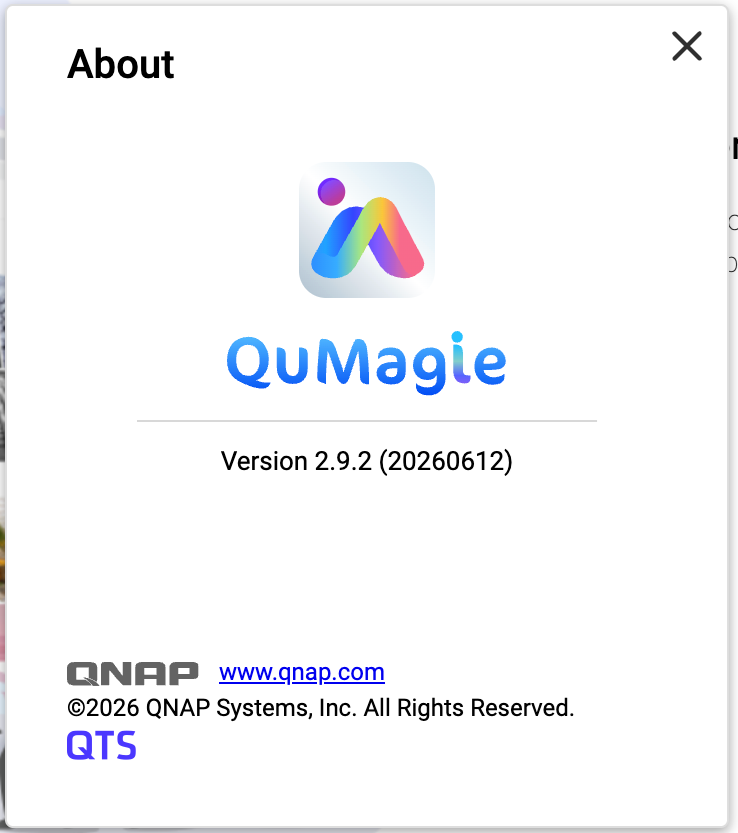
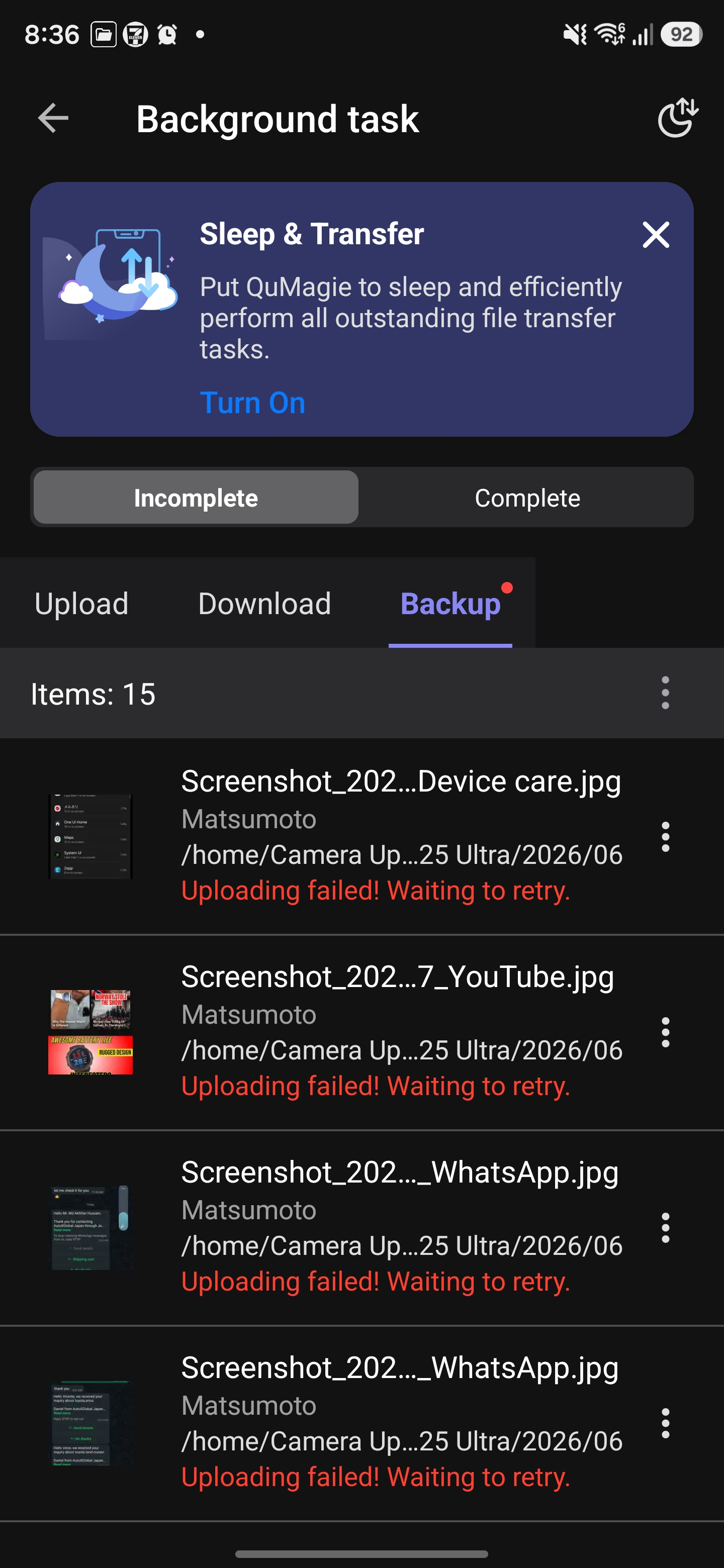
After you have installed QuMagie 2.9.2 (20260612) on your NAS, you may encounter upload failures when using the QuMagie mobile app (Android / iOS).
QuMagie 2.9.2 (20260612) does not include a required security fix. This may cause errors when the mobile app uploads files, resulting in upload failures.
This issue affects the following QuMagie versions:
| Component | Affected Version |
|---|
| QuMagie (NAS) | 2.9.2 (20260612) |
| QuMagie (Android) | 2.9.0 and earlier |
| QuMagie (iOS) | 2.6.0 and earlier |
If you are using QuMagie 2.9.2 (20260612) and if you see upload failure messages, then your QuMagie is affected by this issue.


Solution
To fix this issue, follow these three steps:
Step 1: Update QuMagie (NAS Application) to 2.9.3
- Log in to the NAS as an administrator.
- Go to App Center.
- Enter QuMagie in the search bar.
- Ensure that the available version is 2.9.3 (or later), and then click Update.
- Wait for the installation to complete and confirm that the version is now 2.9.3 (or later).
Step 2: Update QuMagie (Mobile App)
| Platform | Recommended version |
|---|
| Android | 2.9.1 or later |
| iOS | 2.6.1 or later |
- On your mobile device, go to Google Play Store or Apple App Store.
- Search for QuMagie.
- Tap Update and confirm that the app has been updated to the recommended version or later.
Step 3: Re-upload previously failed files
Previously failed upload tasks cannot be resumed automatically. You need to manually re-upload these files after completing the updates.
- Open the QuMagie mobile app.
- Select the files that previously failed to upload.
- Upload the files again.
Tip
- In most cases, after you have updated QuMagie both on your NAS and on your mobile device, you should be able to upload files normally. No additional configuration is required.
- If upload tasks still fail, see the Troubleshooting section below.
Troubleshooting
If you still cannot upload files even after trying the solution above, we recommend following these steps:
- On the NAS, go to App Center, locate QuMagie, and verify that QuMagie has been updated to 2.9.3 or later.
- On your mobile device, verify the QuMagie App version:
- Android: 2.9.1 or later
- iOS: 2.6.1 or later
- Completely close the QuMagie mobile app (remove it from the background), restart the app, and then try uploading files again.
- If this issue still persists, contact QNAP Technical Support for further assistance.
対象製品
概要
NAS に QuMagie 2.9.2 (20260612) をインストールした後、QuMagie モバイルアプリ (Android / iOS) を使用するとアップロード失敗が発生することがあります。
QuMagie 2.9.2 (20260612) には必要なセキュリティ修正が含まれていません。これにより、モバイルアプリがファイルをアップロードする際にエラーが発生し、アップロード失敗につながる可能性があります。
この問題は以下の QuMagie バージョンに影響します:
| コンポーネント | 影響を受けるバージョン |
|---|
| QuMagie (NAS) | 2.9.2 (20260612) |
| QuMagie (Android) | 2.9.0 以前 |
| QuMagie (iOS) | 2.6.0 以前 |
QuMagie 2.9.2 (20260612) を使用していて、アップロード失敗メッセージが表示される場合は、この問題の影響を受けています。
解決策
この問題を解決するには、以下の 3 つのステップに従ってください:
ステップ 1: QuMagie (NAS アプリケーション) を 2.9.3 に更新
- 管理者として NAS にログインします。
- App Centerに移動します。
- 検索バーにQuMagieを入力します。
- 利用可能なバージョンが2.9.3 (以降)であることを確認し、更新をクリックします。
- インストールが完了するのを待ち、バージョンが2.9.3 (以降)になっていることを確認します。
ステップ 2: QuMagie (モバイルアプリ) を更新する
| プラットフォーム | 推奨バージョン |
|---|
| Android | 2.9.1以降 |
| iOS | 2.6.1以降 |
- モバイルデバイスでGoogle Play ストアまたはApple App Storeにアクセスします。
- QuMagieを検索します。
- 更新をタップし、アプリが推奨バージョン以上に更新されたことを確認します。
ステップ 3: 以前に失敗したファイルを再アップロードする
以前に失敗したアップロードタスクは自動的に再開されません。更新を完了した後、これらのファイルを手動で再アップロードする必要があります。
- QuMagie モバイルアプリを開きます。
- 以前にアップロードに失敗したファイルを選択します。
- ファイルを再度アップロードします。
ヒント
- ほとんどの場合、NAS とモバイルデバイスの両方で QuMagie を更新した後、通常通りファイルをアップロードできるはずです。追加の設定は必要ありません。
- アップロードタスクがまだ失敗する場合は、以下のトラブルシューティングセクションを参照してください。
トラブルシューティング
上記の解決策を試してもファイルをアップロードできない場合は、次の手順をお勧めします。
- NAS で App Center にアクセスし、QuMagie を見つけて、QuMagie が2.9.3 以降に更新されていることを確認します。
- モバイルデバイスで、QuMagie アプリのバージョンを確認します。
- Android: 2.9.1 以降
- iOS: 2.6.1 以降
- QuMagie モバイルアプリを完全に閉じ(バックグラウンドから削除)、アプリを再起動してから再度ファイルをアップロードしてみてください。
- この問題がまだ続く場合は、QNAP テクニカルサポートに連絡してさらなる支援を受けてください。