Applicable products
Overview
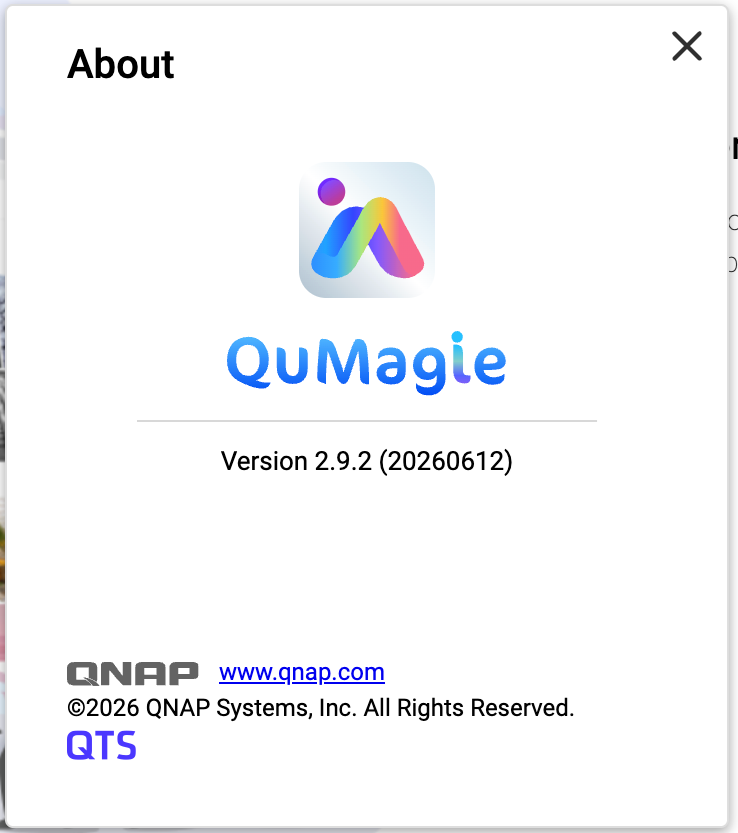
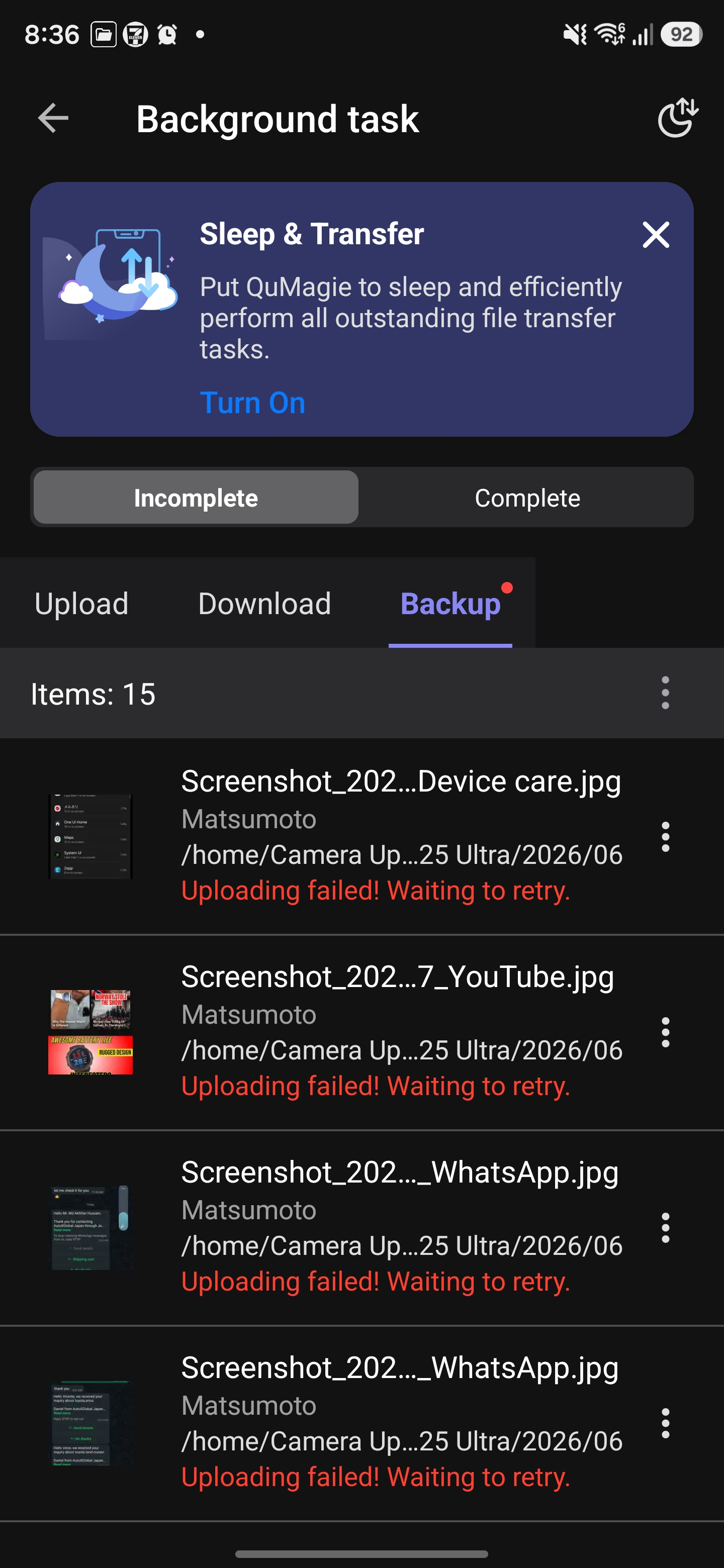
After you have installed QuMagie 2.9.2 (20260612) on your NAS, you may encounter upload failures when using the QuMagie mobile app (Android / iOS).
QuMagie 2.9.2 (20260612) does not include a required security fix. This may cause errors when the mobile app uploads files, resulting in upload failures.
This issue affects the following QuMagie versions:
| Component | Affected Version |
|---|
| QuMagie (NAS) | 2.9.2 (20260612) |
| QuMagie (Android) | 2.9.0 and earlier |
| QuMagie (iOS) | 2.6.0 and earlier |
If you are using QuMagie 2.9.2 (20260612) and if you see upload failure messages, then your QuMagie is affected by this issue.


Solution
To fix this issue, follow these three steps:
Step 1: Update QuMagie (NAS Application) to 2.9.3
- Log in to the NAS as an administrator.
- Go to App Center.
- Enter QuMagie in the search bar.
- Ensure that the available version is 2.9.3 (or later), and then click Update.
- Wait for the installation to complete and confirm that the version is now 2.9.3 (or later).
Step 2: Update QuMagie (Mobile App)
| Platform | Recommended version |
|---|
| Android | 2.9.1 or later |
| iOS | 2.6.1 or later |
- On your mobile device, go to Google Play Store or Apple App Store.
- Search for QuMagie.
- Tap Update and confirm that the app has been updated to the recommended version or later.
Step 3: Re-upload previously failed files
Previously failed upload tasks cannot be resumed automatically. You need to manually re-upload these files after completing the updates.
- Open the QuMagie mobile app.
- Select the files that previously failed to upload.
- Upload the files again.
Tip
- In most cases, after you have updated QuMagie both on your NAS and on your mobile device, you should be able to upload files normally. No additional configuration is required.
- If upload tasks still fail, see the Troubleshooting section below.
Troubleshooting
If you still cannot upload files even after trying the solution above, we recommend following these steps:
- On the NAS, go to App Center, locate QuMagie, and verify that QuMagie has been updated to 2.9.3 or later.
- On your mobile device, verify the QuMagie App version:
- Android: 2.9.1 or later
- iOS: 2.6.1 or later
- Completely close the QuMagie mobile app (remove it from the background), restart the app, and then try uploading files again.
- If this issue still persists, contact QNAP Technical Support for further assistance.
적용되는 제품
개요
NAS에 QuMagie 2.9.2 (20260612)를 설치한 후 QuMagie 모바일 앱(Android / iOS)을 사용할 때 업로드 실패가 발생할 수 있습니다.
QuMagie 2.9.2 (20260612)는 필요한 보안 수정 사항을 포함하지 않습니다. 이로 인해 모바일 앱에서 파일 업로드 시 오류가 발생하여 업로드 실패가 발생할 수 있습니다.
이 문제는 다음 QuMagie 버전에 영향을 미칩니다:
| 구성요소 | 영향을 받는 버전 |
|---|
| QuMagie (NAS) | 2.9.2 (20260612) |
| QuMagie (Android) | 2.9.0 및 이전 버전 |
| QuMagie (iOS) | 2.6.0 및 이전 버전 |
QuMagie 2.9.2 (20260612)를 사용 중이고 업로드 실패 메시지가 표시되면 QuMagie가 이 문제의 영향을 받습니다.
해결책
이 문제를 해결하려면 다음 세 가지 단계를 따르십시오:
단계 1: QuMagie (NAS 애플리케이션)를 2.9.3으로 업데이트합니다
- NAS에관리자로 로그인합니다.
- App Center로 이동합니다.
- 검색 표시줄에QuMagie를 입력합니다.
- 사용 가능한 버전이2.9.3 (이상)인지 확인한 후업데이트를 클릭합니다.
- 설치가 완료될 때까지 기다리고 버전이 이제2.9.3 (이상)인지 확인합니다.
2단계: QuMagie(모바일 앱) 업데이트
| 플랫폼 | 권장 버전 |
|---|
| Android | 2.9.1이상 |
| iOS | 2.6.1이상 |
- 모바일 장치에서Google Play Store또는Apple App Store로 이동합니다.
- QuMagie를 검색합니다.
- 업데이트를 탭하고 앱이 권장 버전 이상으로 업데이트되었는지 확인합니다.
3단계: 이전에 실패한 파일 다시 업로드
이전에 실패한 업로드 작업은 자동으로 재개할 수 없습니다. 업데이트를 완료한 후 수동으로 이러한 파일을 다시 업로드해야 합니다.
- QuMagie 모바일 앱을 엽니다.
- 이전에 업로드에 실패한 파일을 선택합니다.
- 파일을 다시 업로드합니다.
팁
- 대부분의 경우, NAS와 모바일 장치에서 QuMagie를 업데이트한 후에는 파일을 정상적으로 업로드할 수 있습니다. 추가 구성은 필요하지 않습니다.
- 업로드 작업이 여전히 실패하는 경우 아래의 문제 해결 섹션을 참조하십시오.
문제 해결
위의 해결 방법을 시도한 후에도 파일을 업로드할 수 없는 경우, 다음 단계를 따르는 것이 좋습니다:
- NAS에서App Center로 이동하여 QuMagie를 찾아 QuMagie가2.9.3 이상으로 업데이트되었는지 확인합니다.
- 모바일 장치에서 QuMagie 앱 버전을 확인합니다:
- Android: 2.9.1 이상
- iOS: 2.6.1 이상
- QuMagie 모바일 앱을 완전히 닫고(백그라운드에서 제거), 앱을 다시 시작한 후 파일을 다시 업로드해 보십시오.
- 이 문제가 계속 발생하면 추가 지원을 위해 QNAP 기술 지원에 문의하십시오.