


How to download Diagnostic Logs from the Helpdesk app in QTS
Last modified date:
2024-10-14
Procedures
If QNAP support have requested the diagnostic logs from your NAS, please follow the below steps to download the log dump file and provide it as requested:
How to download log dump:
1.Log in to QTS as administrator
2.Open the App Center and search for Helpdesk app
3.Make sure the Helpdesk app version is 3.0.0 or higher. If not, click update to update the app.

4.Open the Helpdesk app, click Diagnostic Tool in the left side menu, then click on Download Logs
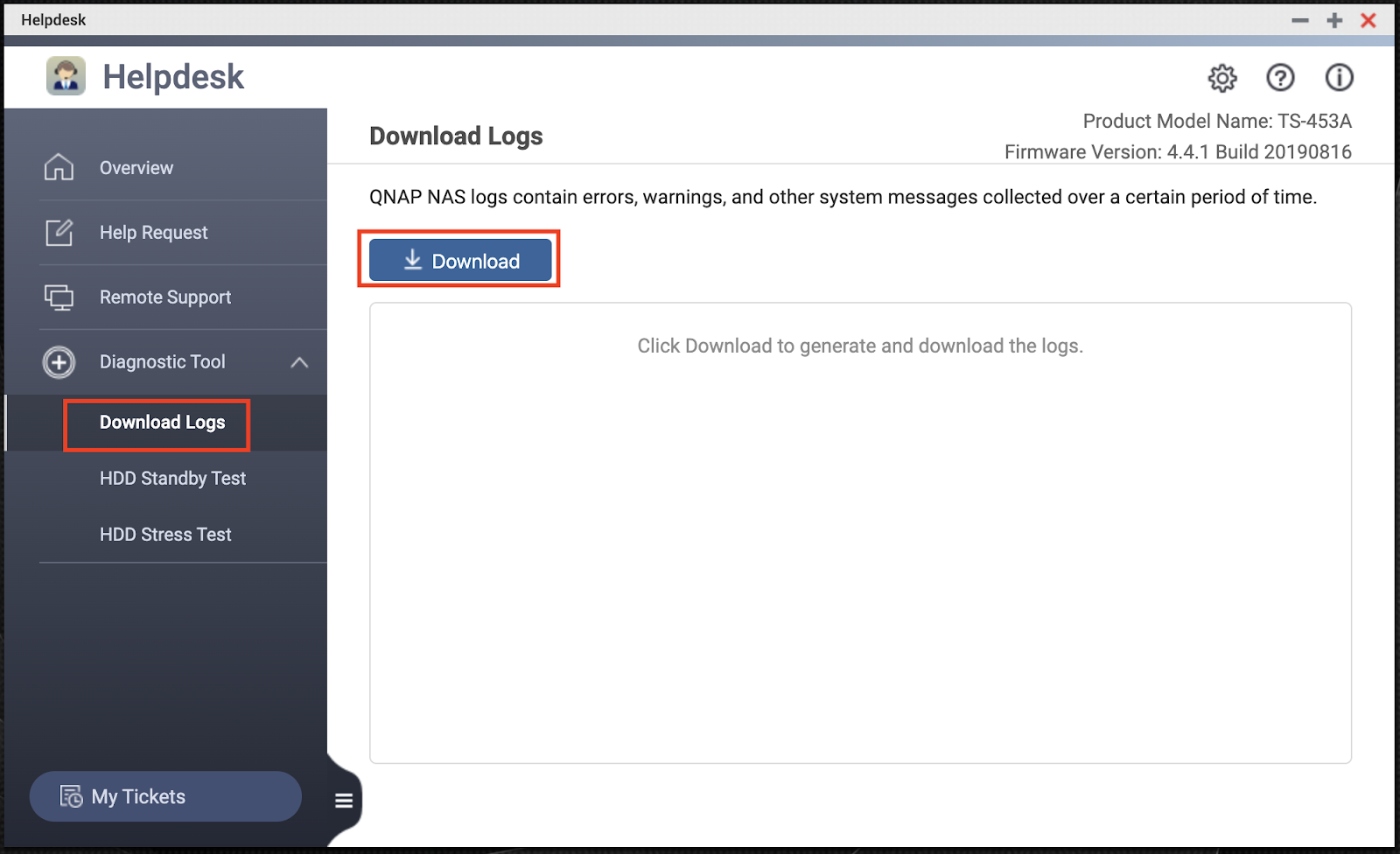
5.Click the blue Download button

6.The log files will be downloaded as a ZIP file

For yderligere hjælp kan du spørge andre brugere og QNAP-eksperter i vores community. Gå til QNAP Community


