


How to use the Dashboard after updating QIoT Suite Lite from v1.1.1 to v1.1.2?
Last modified date:
2018-09-26
In this tutorial you will learn how to use QIoT Suite Lite from v1.1.2.’s new method "QBroker" node to import data to the Dashboard.
You can import data from the Rule Engine "QBroker" node.
There are two methods to use QBroker: Importing data from a thing resource or importing data from the rule engine:
Method 1. Importing data from a thing resource
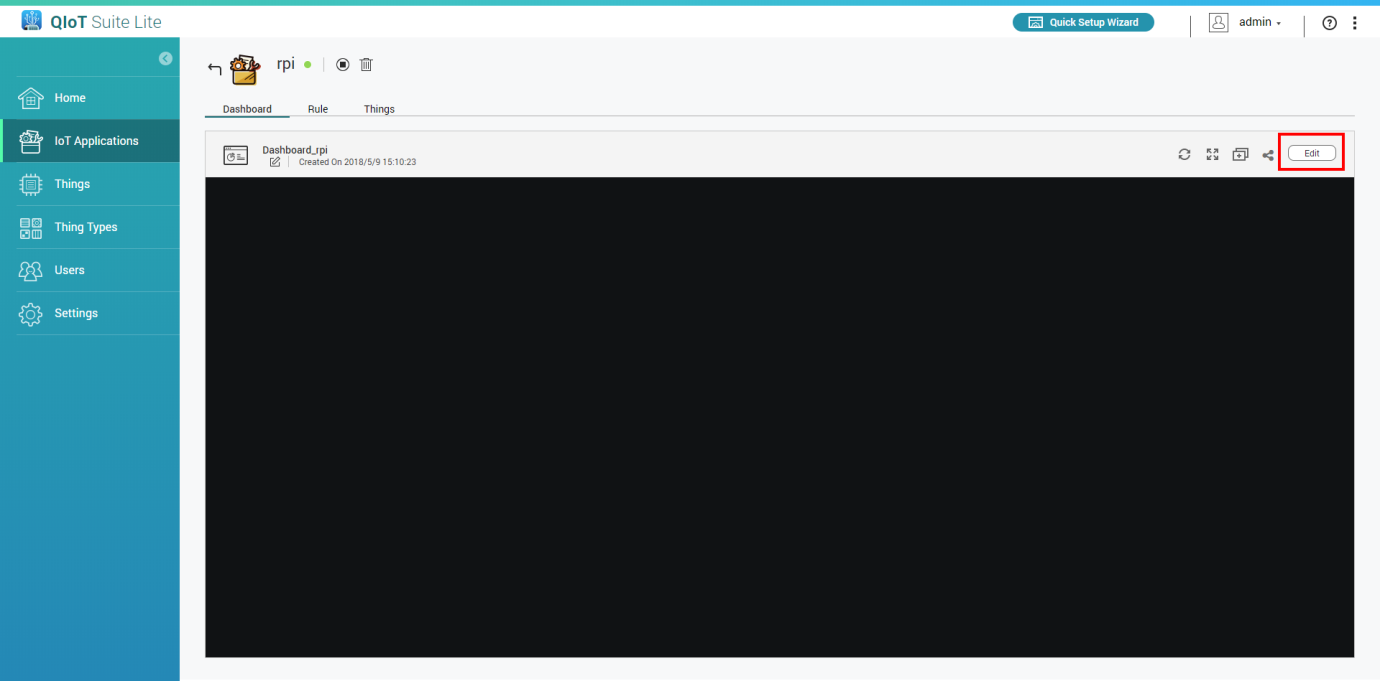
- Go to the Dashboard
- Click "Edit"
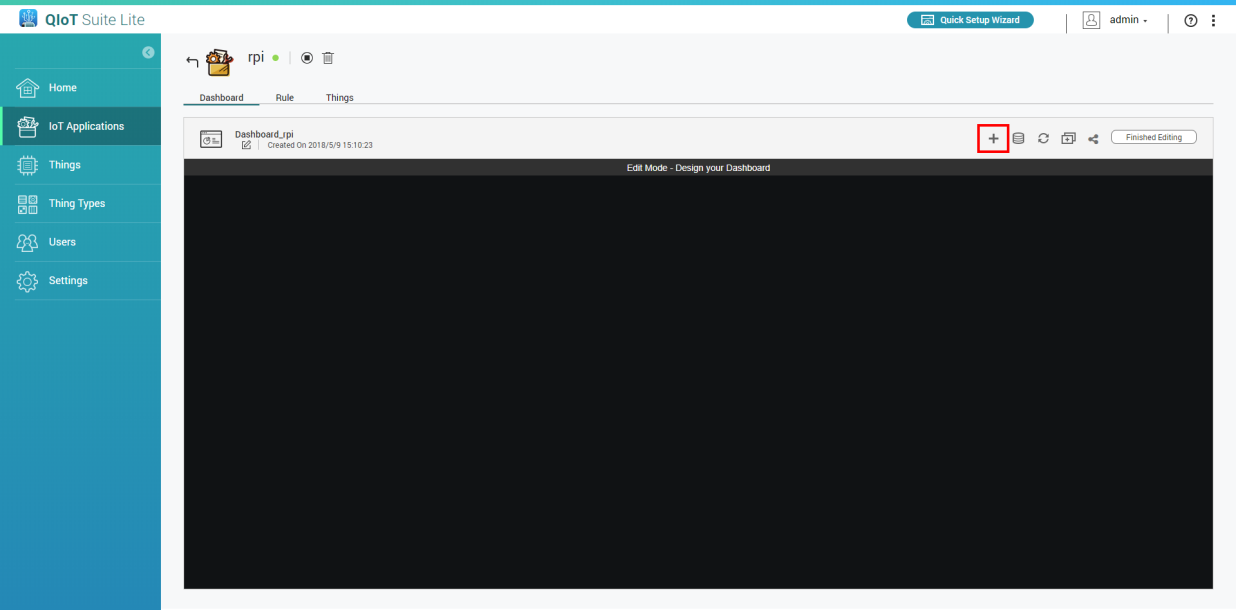
- Add a new pane
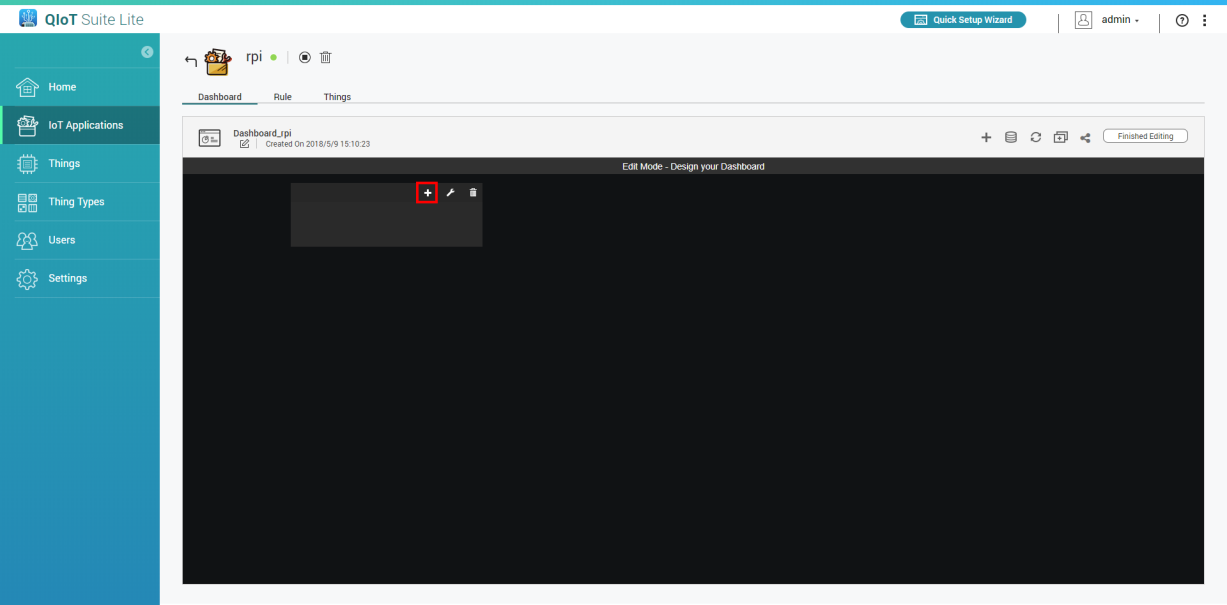
- Click
 and select widget type
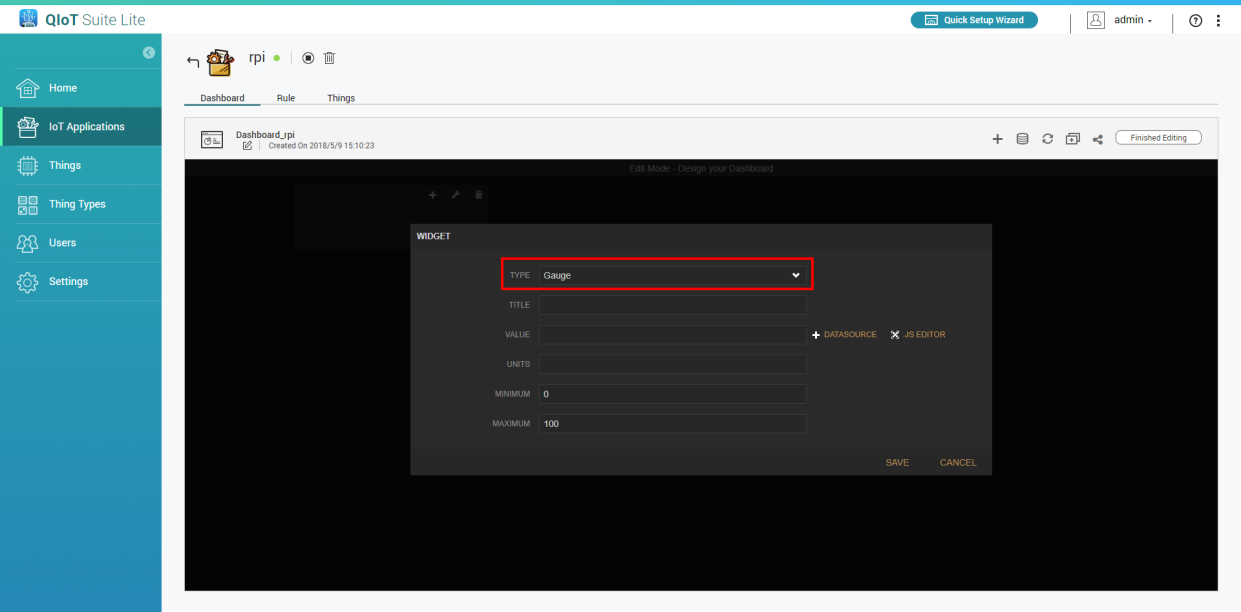
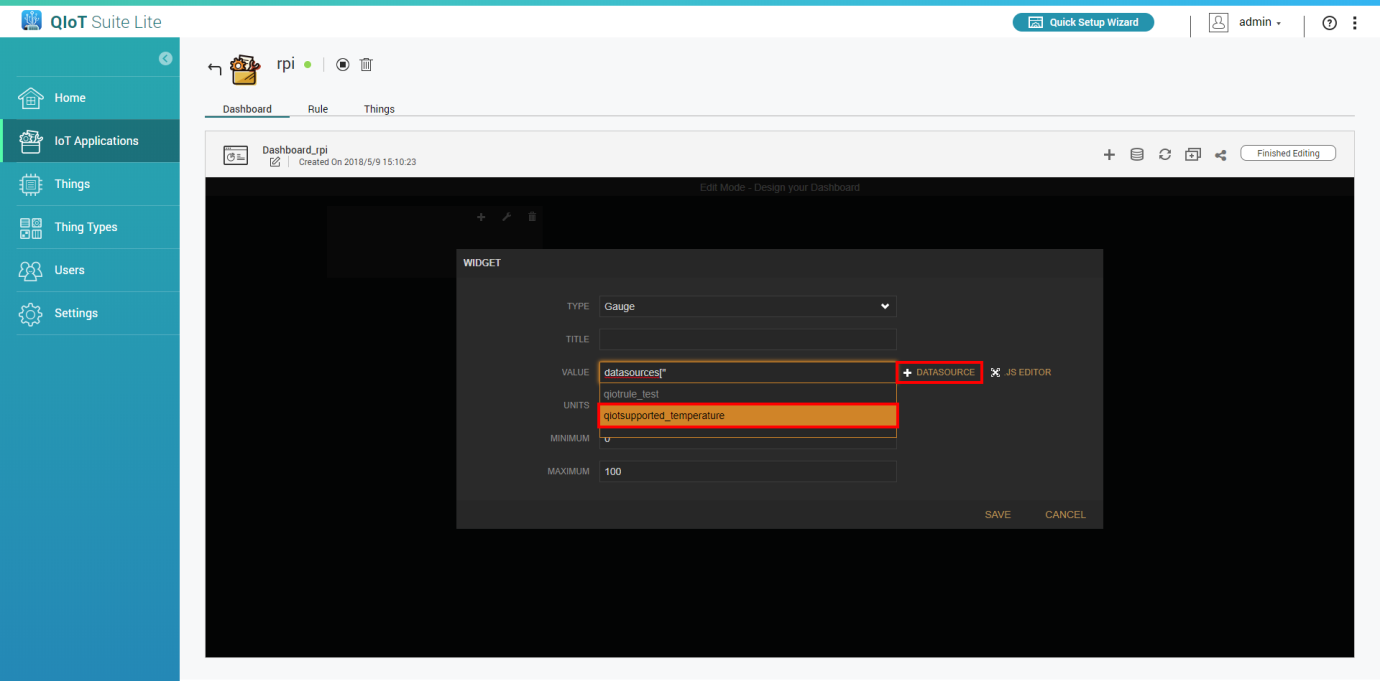
- Enter your information. In "Value" choose your thing resource (e.g., qiotsupported_<resource_name>)
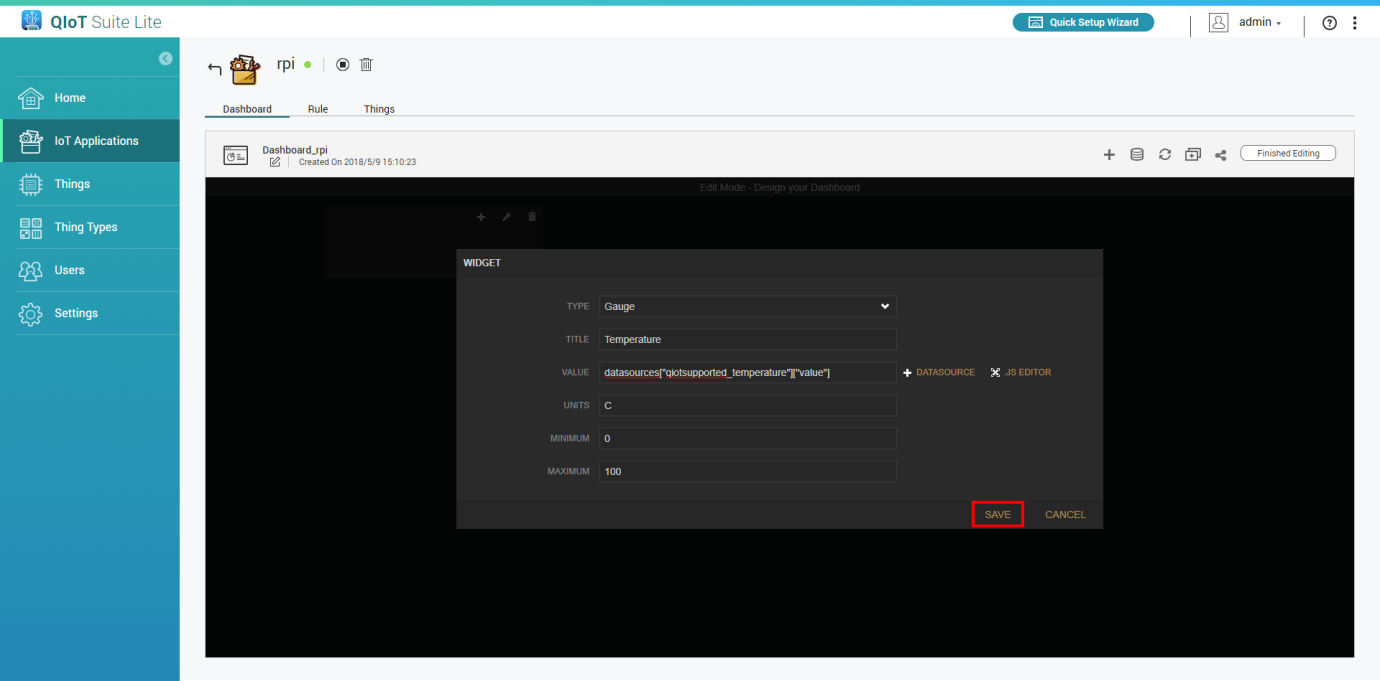
- Click "Save"
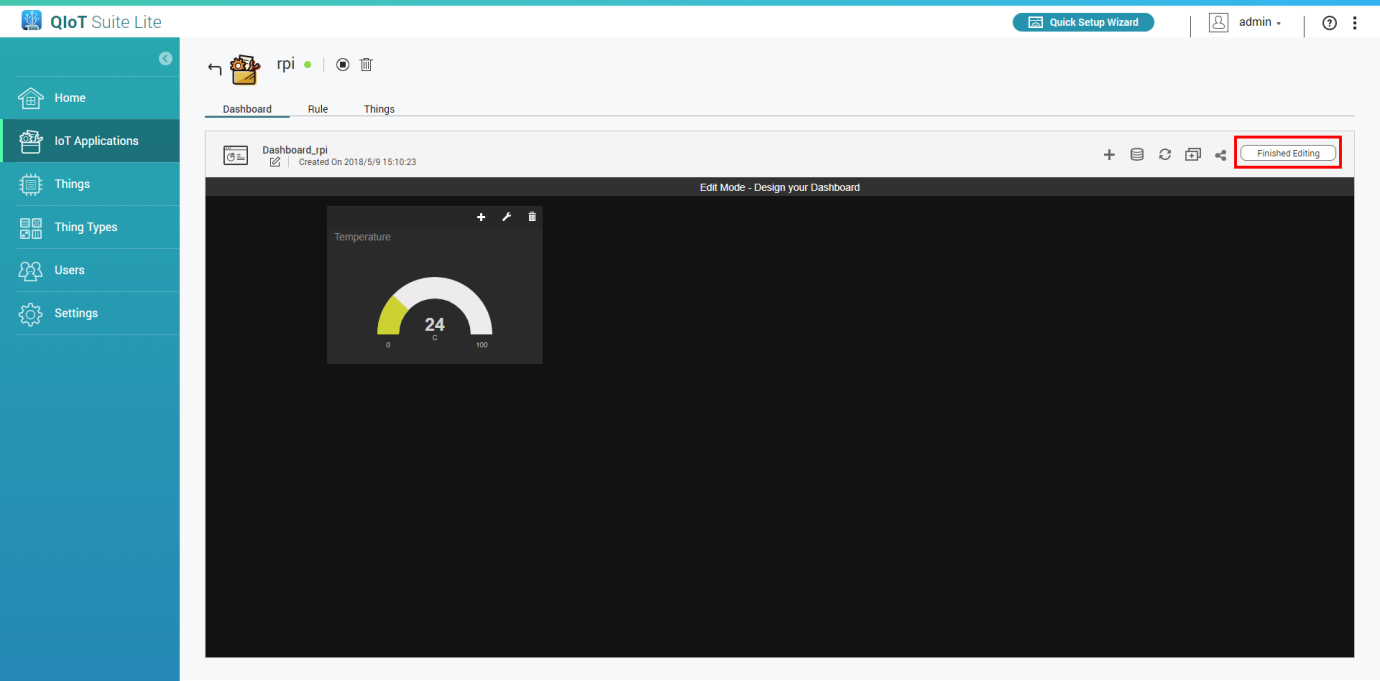
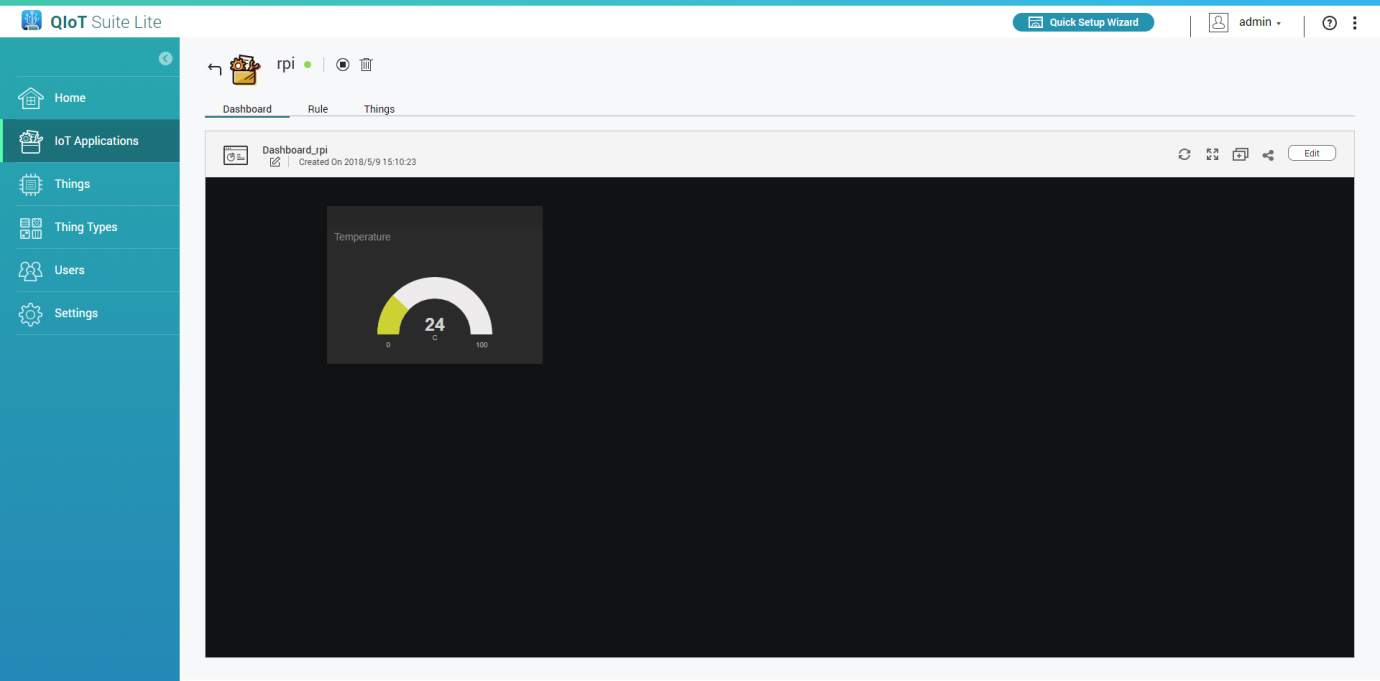
- Click "Finished Editing"
Method 2. Importing data from rule engine
In the Rule Engine:
- Go to the rule engine
- Add a QBroker node and double click to edit settings
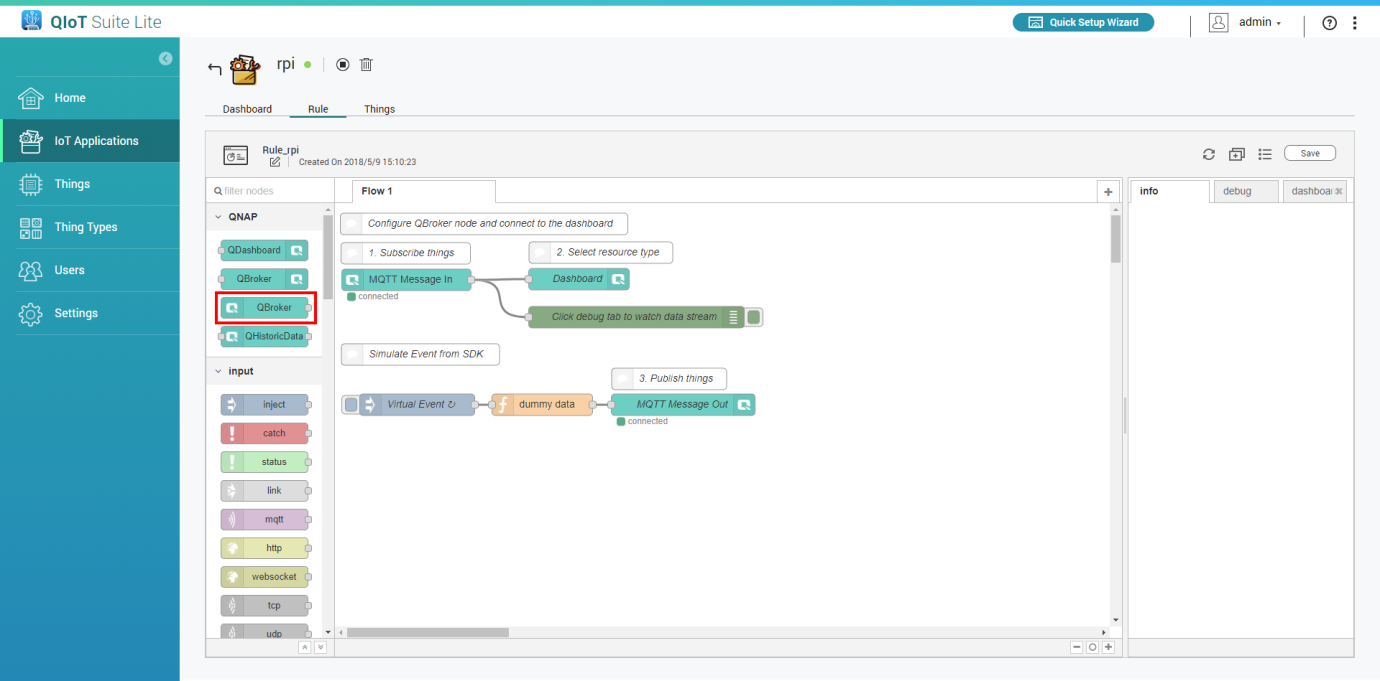
- Choose "custom topic" and enter your self-defined name in the "Topic" field (e.g., dashboard)
(Note: If you use the same topic name in another IoT application then it will receive the same data)
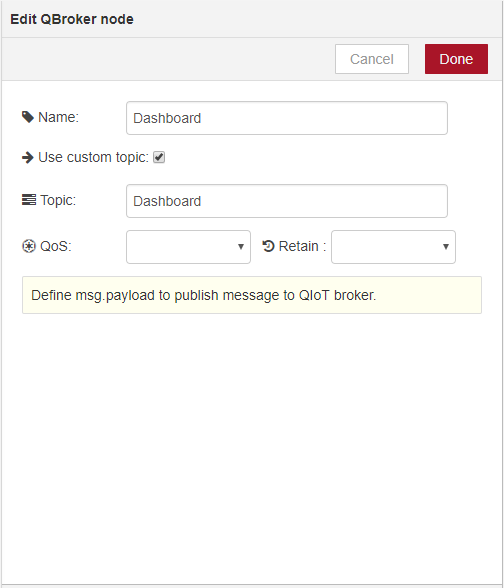
- Click "Done" and connect the data to output to this QBroker
- Click "Save"
In the Dashboard:
- Go to the dashboard
- Click "Edit"
- Add a new pane
- Click and select a widget type
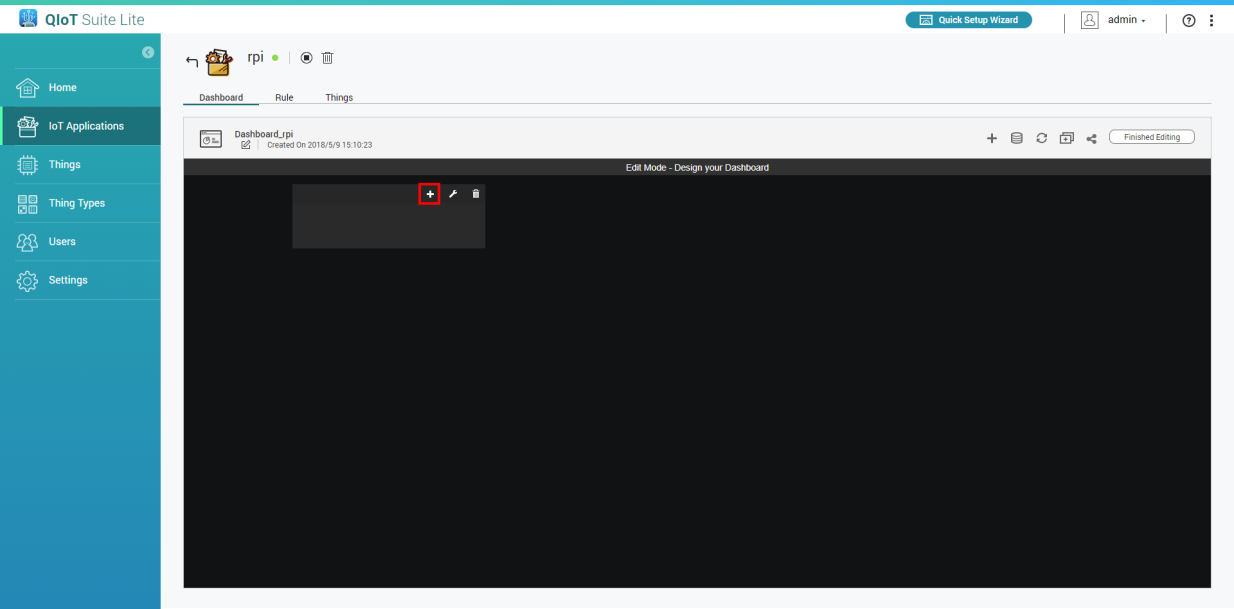
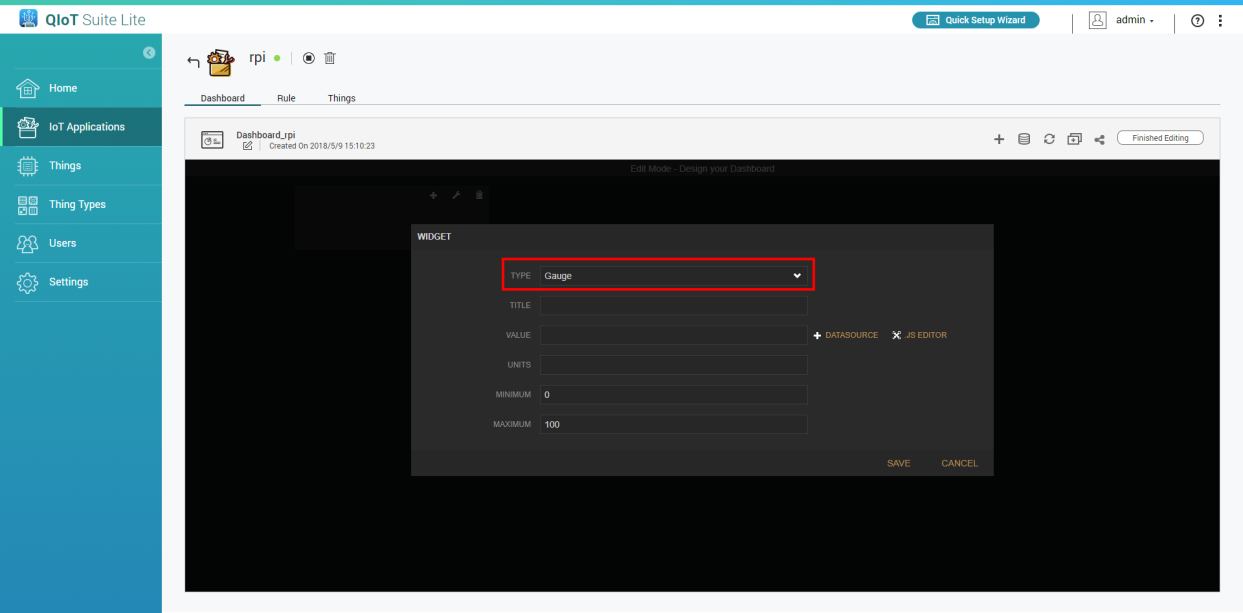
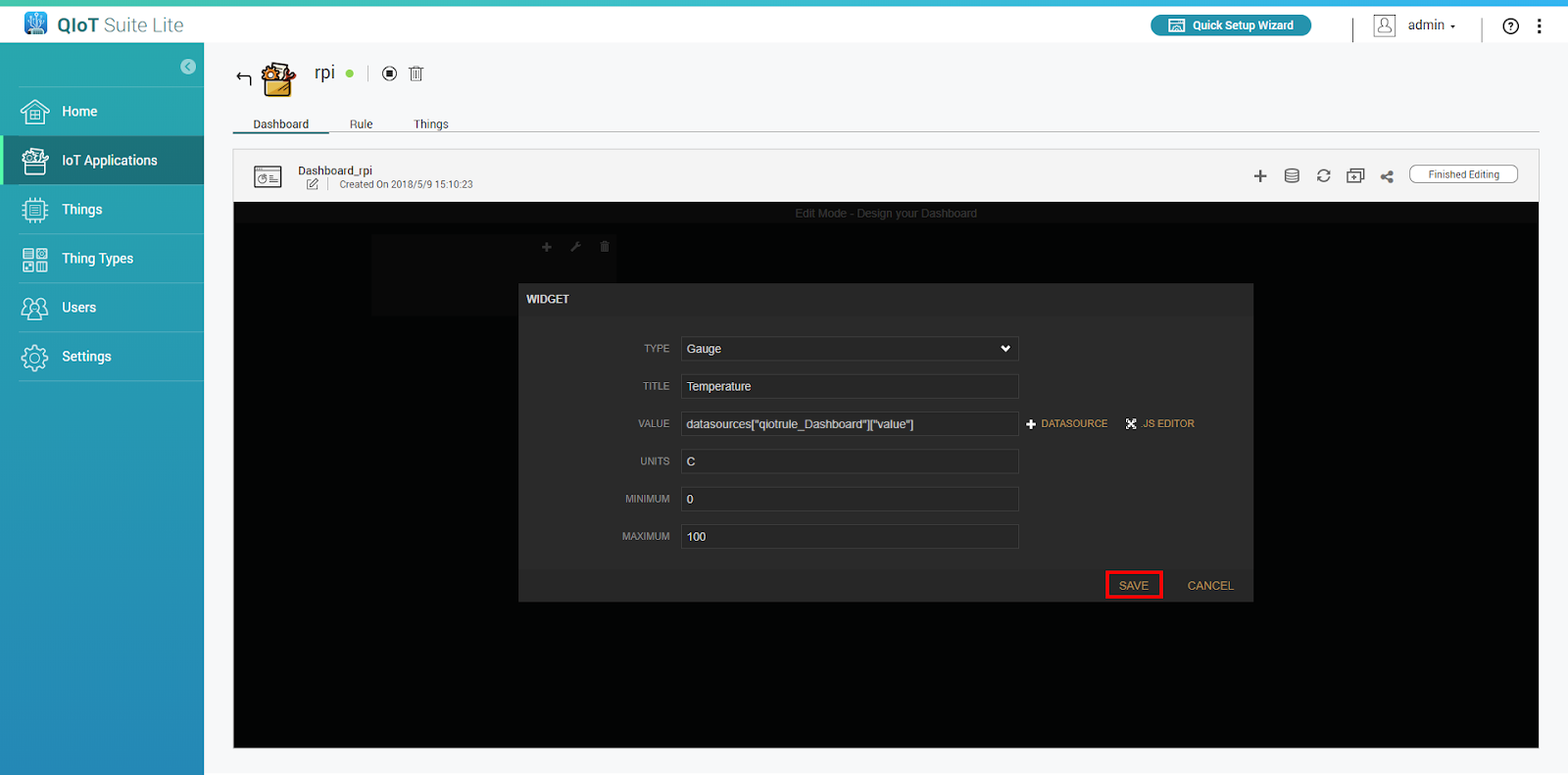
- Enter your information. In "Value", choose your self-defined name (e.g., qiotrule_Dashboard)
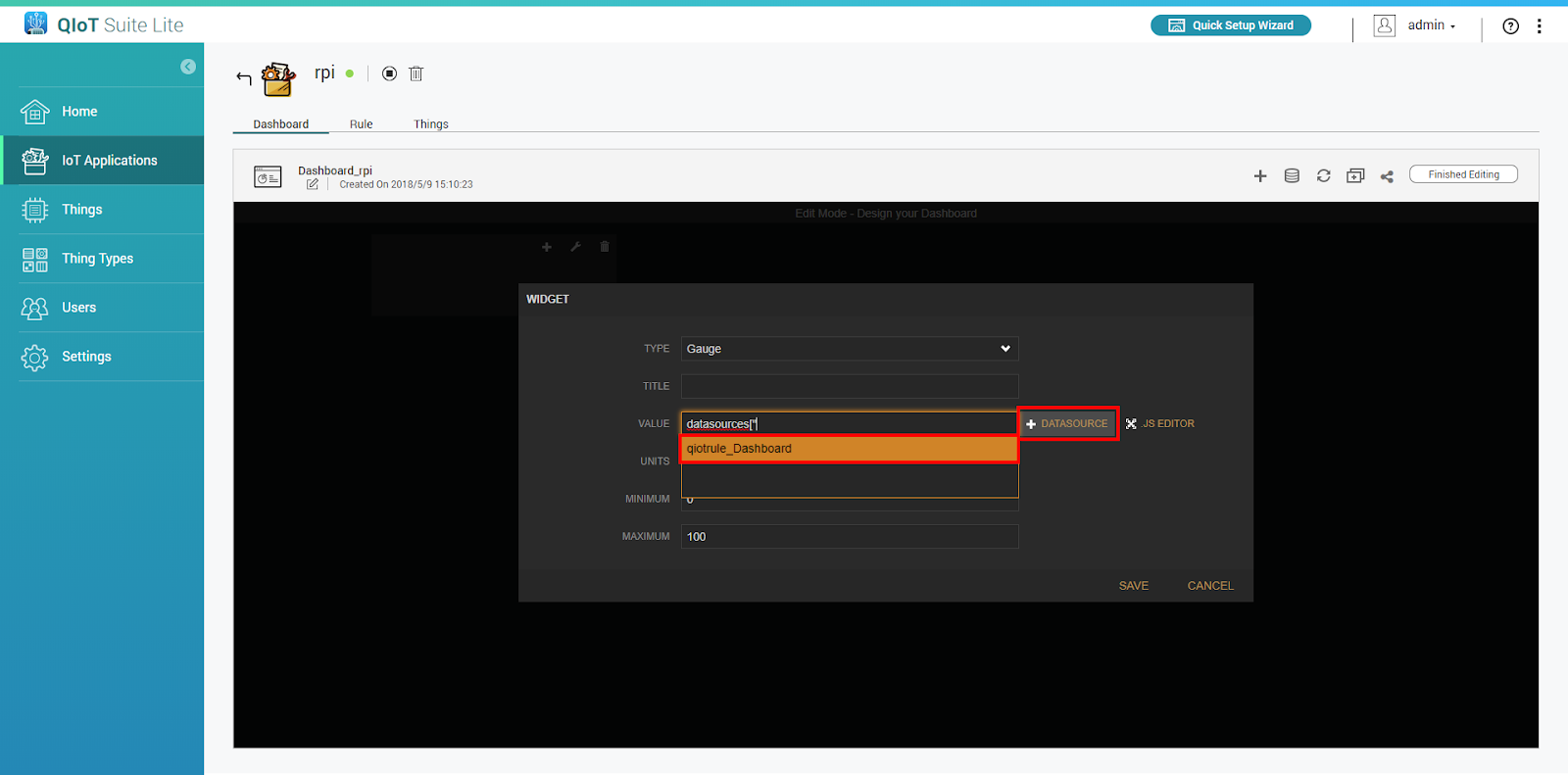
- Click "Save"
- Click "Finished Editing"


