


Virtualization Station
Run multiple virtual machines on NAS and appliances
Virtualization Station is a fast and reliable hypervisor on QNAP NAS and appliances. You can run multiple virtual machines and take advantage of live migration, hardware acceleration, and VM High Availability — cutting IT costs, enhancing flexibility, and ensuring minimal downtime.
What is Virtualization Station?
Virtualization Station is a powerful hypervisor on your QNAP appliances that allows you to build a cost-effective virtualization environment. Virtualization Station supports many operating systems such as Windows, Linux, and QuTScloud. Based on available system resources, you can set up and run several virtual machines. It also supports many resource management and acceleration functions, providing an affordable virtualization platform with superb performance.
Learn More: QuTScloud for Private Cloud
Virtualization Station supports many operating systems
On your QNAP NAS and appliances, you can run multiple virtual machines with Windows, Linux, and QuTScloud operating systems. You can also download and instantly use virtual appliances from VM Marketplace.
Learn More: List of Supported Operating Systems

User-friendly UI for efficiently managing multiple VMs
Virtualization Station
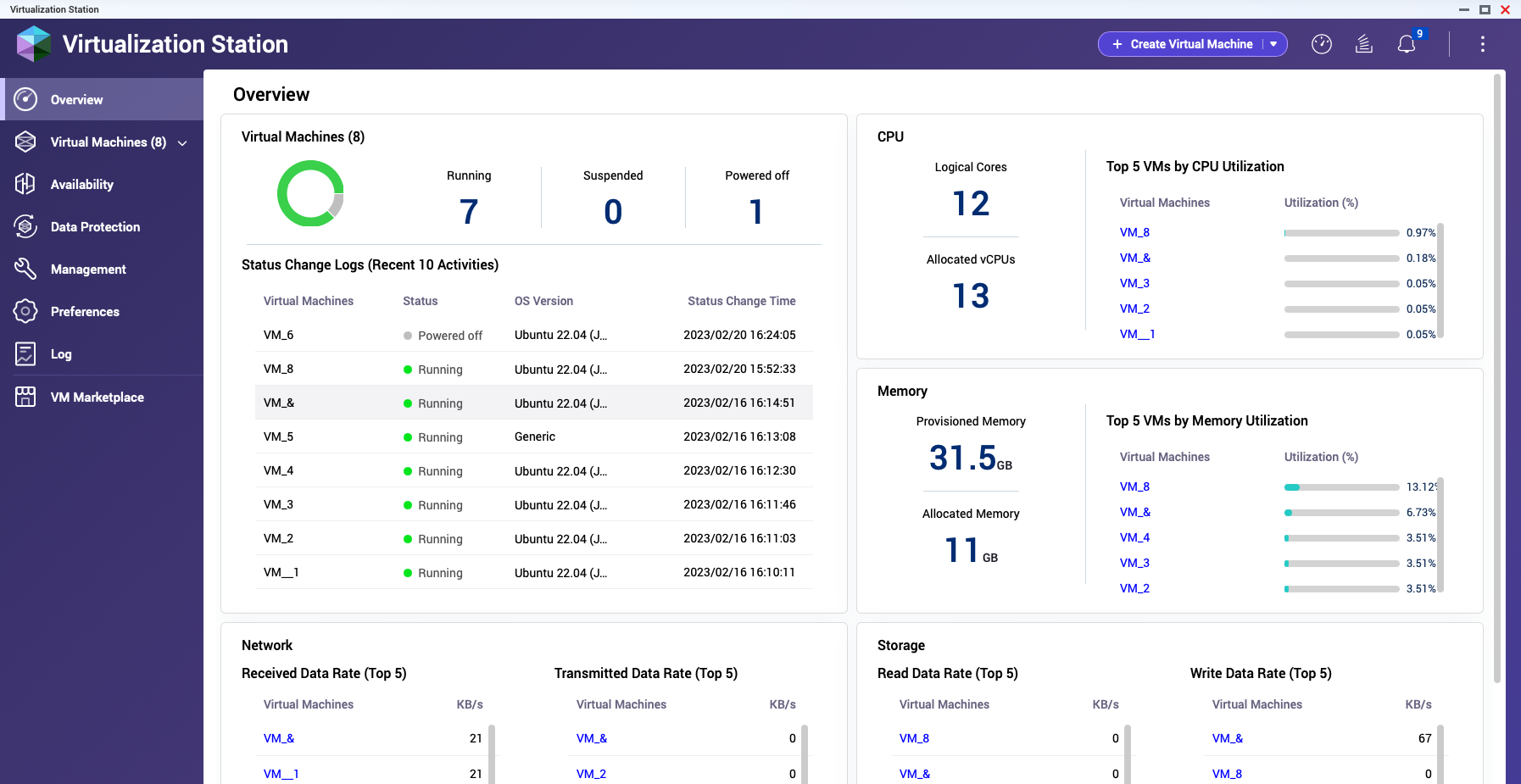
View running VMs and the live data of the Top 5 resource-consuming VMs of CPU, memory, network, and storage. Daily resource use can also be monitored.
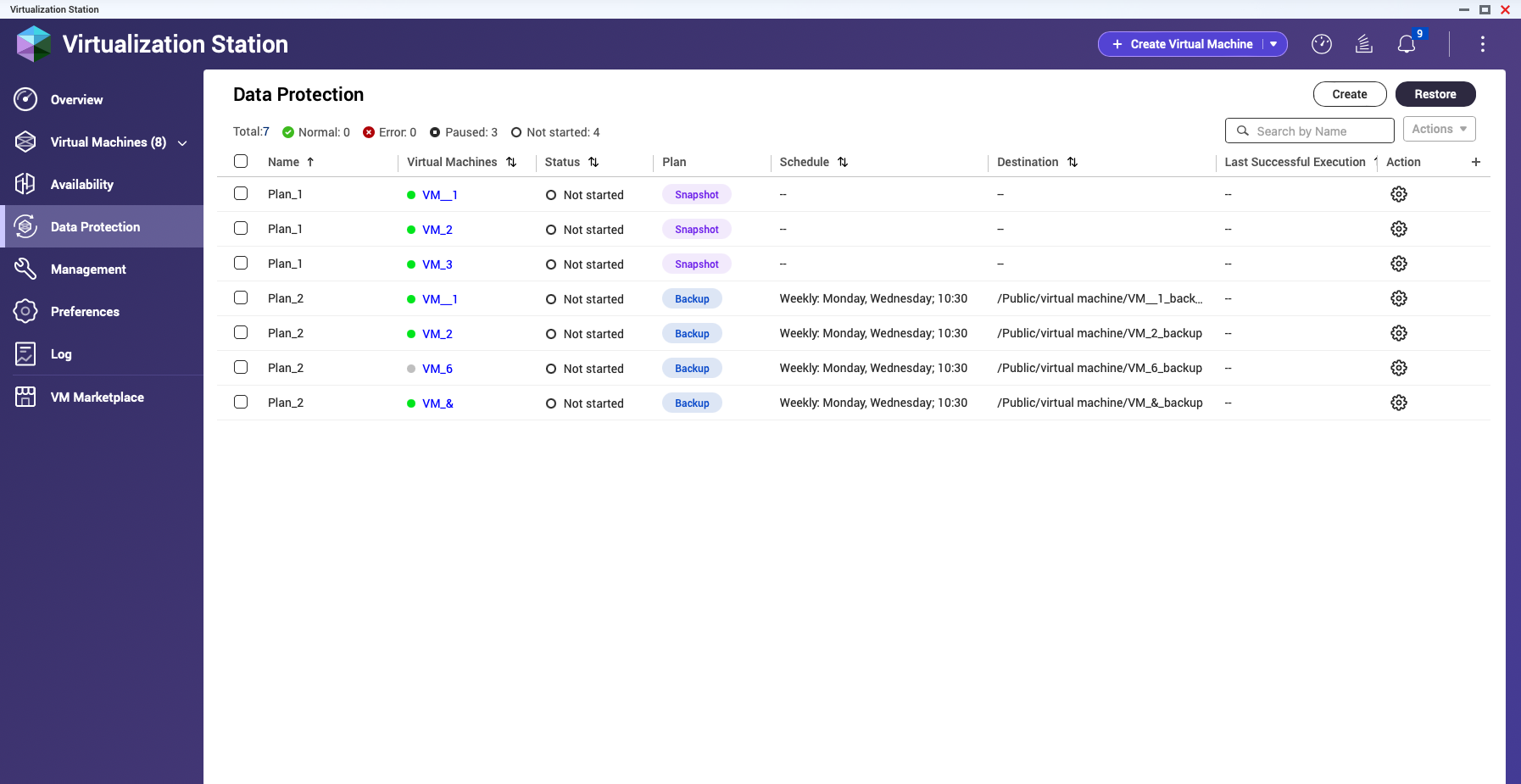
VM backup and Snapshot management is combined. One-time backup scheduling and customized scheduling between a week or a month are available.
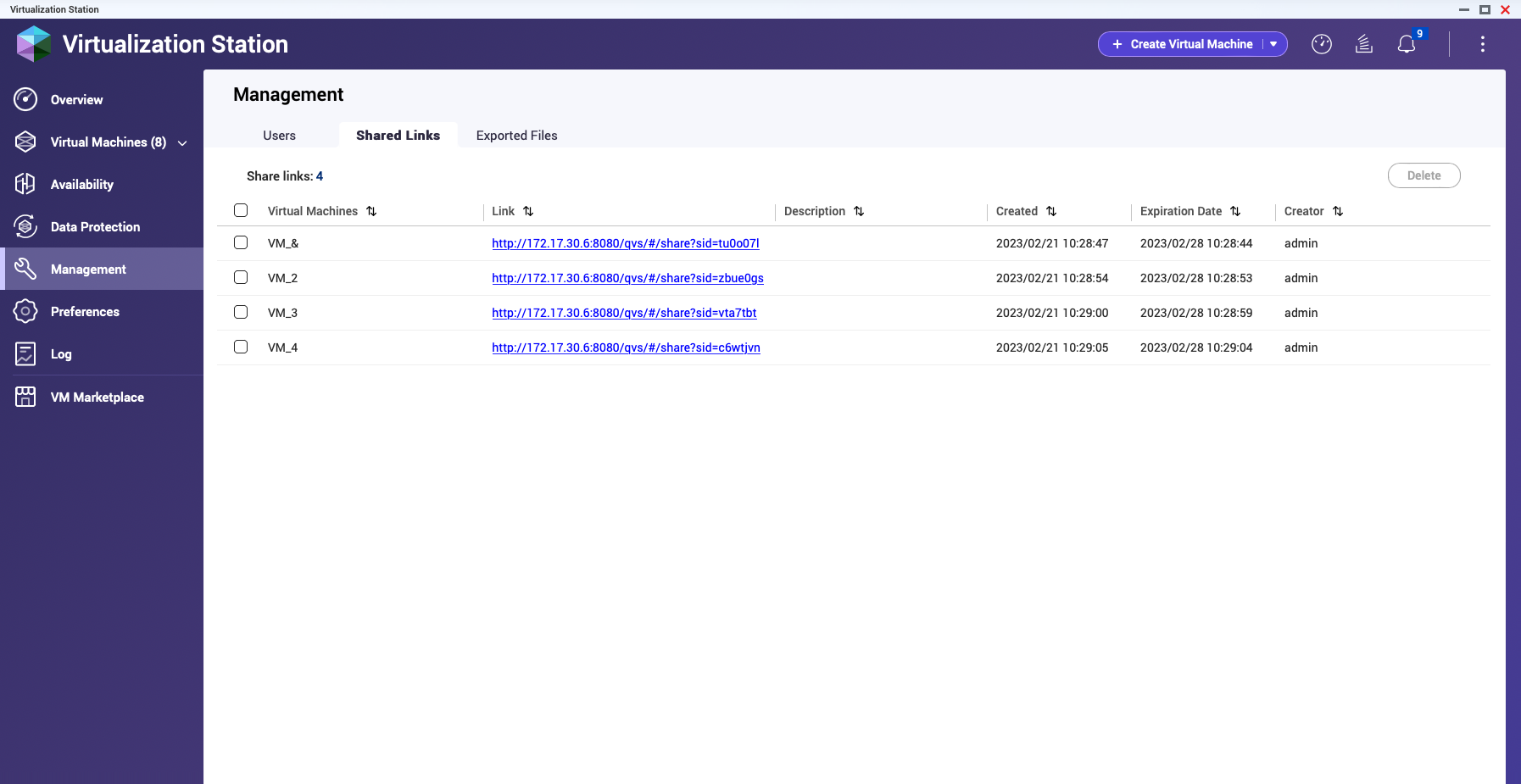
The information of VM sharing links and exported file paths is automatically recorded and listed.
Flexibly manage resources to increase virtual machine usability
Several resource allocation settings are available within Virtualization Station. Use them as needed to keep virtual machines running at optimal efficiency and reliability.
Improve virtual machine performance with hardware acceleration
Select QNAP NAS and appliances support passing through hardware resources to virtual machines. This can greatly strengthen the performance and capabilities of the VM.


Secure your virtual machines with ease
Virtualization Station offers several disaster recovery tools to protect against data loss. Options include local/remote backups, one-time/scheduled tasks, and more.
New High Availability featureBeta
The new High Availability feature in Virtualization Station, combined with QuTS hero's ZFS architecture and SnapSync real-time synchronization, allows two NAS devices to sustain each other's virtual machines. It supports multiple fault detection conditions, bidirectional protection, and seamless switchover, achieving true enterprise-grade virtualization high availability.

Two-NAS High Availability, uninterrupted virtual machines!
Stable, secure, Enterprise-grade architecture, beyond traditional dual-NAS HA
QNAP VM HA architecture not only focuses on automatic protection but also emphasizes data integrity and flexible operation. With QuTS hero's ZFS and SnapSync technologies, intelligent failover condition detection, and uninterrupted switchover, virtual machines remain stable during both abnormal and maintenance processes, creating a truly enterprise-grade virtualization platform.
-
VM High Availability without external shared storage
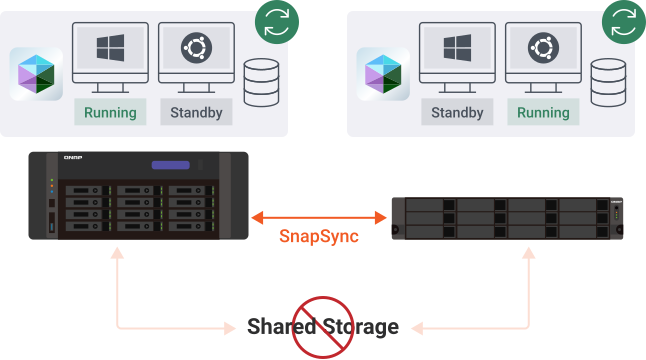
Traditional HA architectures require shared storage, adding cost and risking downtime if it fails. QNAP Virtualization Station HA removes this dependency, delivering full Failover and Switchover with just two NAS units—ensuring uninterrupted operations and lowering total cost of ownership (TCO).
-
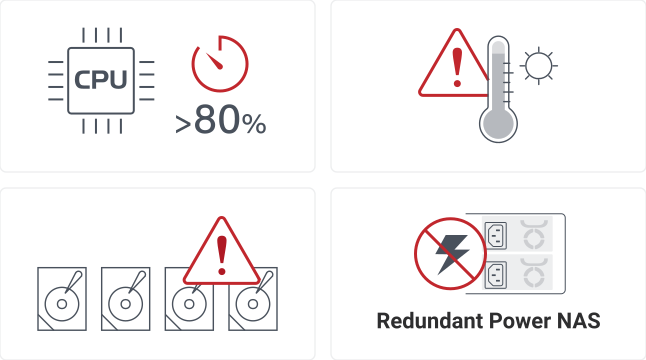
Intelligent failover condition detection, automatic fault handling
Multiple hardware and system resource fault detection conditions are provided, and the system actively determines whether to automatically switch the virtual machine to another NAS for continued operation, avoiding delays from manual intervention and ensuring business continuity.
-
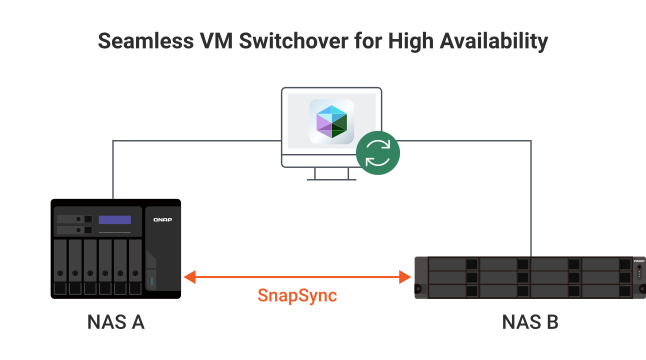
Online switchover, seamless transfer and maintenance operations
Supports manual Switchover operations, allowing IT personnel to smoothly migrate virtual machines to another NAS during system maintenance, firmware upgrades, or configuration adjustments. The entire process is seamless, with no service interruption, enabling true seamless transfer. This also applies to HA testing and environment simulation, enhancing system reliability and management efficiency.
-
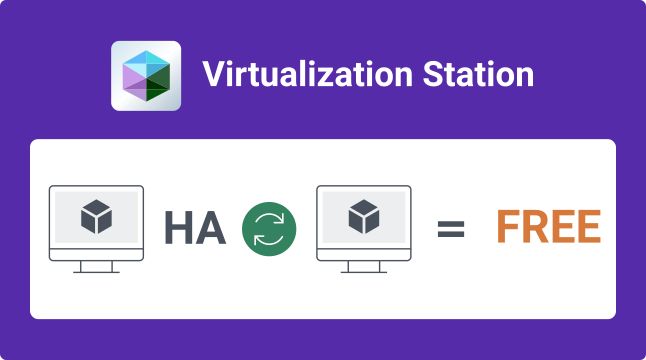
Free HA licensing and easy deployment
The VM HA feature is integrated into Virtualization Station, enabling activation without the need for additional virtualization platform licenses, saving on setup and maintenance costs. Additionally, with the advantages of QNAP QuTS hero and ZFS storage architecture, there is no need for additional shared storage devices (such as external iSCSI or FC-SAN storage systems), significantly reducing deployment complexity and costs, making high-availability virtualization environments accessible to SMBs.
Virtualization Station HA deployment requirements:
- The models do not need to be identical, but the processors must be from the same brand (e.g., Intel® & Intel® or AMD & AMD).
- Requires QuTS hero version 5.3 (or later).
- The two NAS devices must be deployed in the same network segment and connected via at least one physical network cable to perform virtual machine data synchronization.
- The current Beta version supports up to two virtual machines for HA protection. Some features, such as GPU or USB passthrough, are not supported.
- For detailed support conditions and limitations, please refer to the Tutorial.

Run QuTScloud on Virtualization Station for a multitenant QNAP NAS
QuTScloud is a virtual NAS appliance based on QNAP’s QTS operating system. Benefits of QuTScloud include resource elasticity, budget flexibility, and many more. Enterprises and workgroups can set up QuTScloud as virtual machines in existing on-premises data centers. Deploy QuTScloud now with Virtualization Station to turn a physical NAS appliance into a multitenant environment. It is cost-saving, space-saving, and flexible!
Learn More: QuTScloud for Private Cloud

Virtualization Station can help in many ways
Using virtual machines delivers many benefits to IT professionals and developers, including cost savings, efficiency improvements, better eco-friendliness, and many more.


SR-IOV and Intel® QAT Compatibility List for NAS, Appliances and Optional Network Adapters
Yes No Optional NIC required


