


What to do if my NAS data transfer rate is slow?
Applicable Products
- All QNAP NAS models
Scenario
My NAS file transfer is much slower than expected. What preliminary checks I can do to help expedite the problem solved.
Solution
You may perform the following three quick tests before opening a support case. These checks help confirm whether the bottleneck is in the NAS network path, NAS disks, or the client-side storage.
Test 1: Verify NAS network link speed
- Log in to the NAS web interface.
- Go to Control Panel > Network & Virtual Switch > Interfaces > Information > Hardware.
- Check the active LAN port link speed (for example, 1GbE, 2.5GbE, 10GbE).
- Confirm the negotiated speed matches your expected hardware capability.
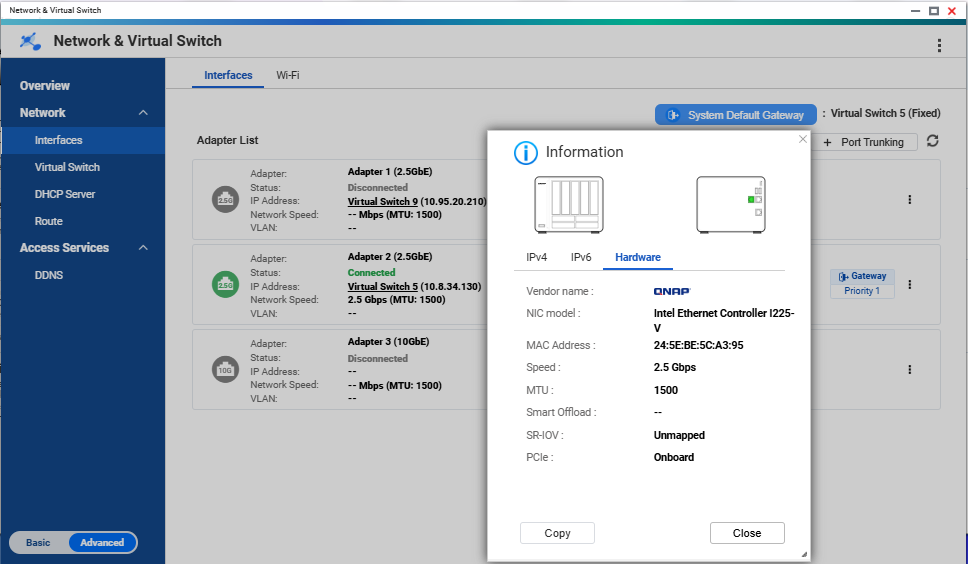
Speed: NAS interface page showing the active adapter and negotiated link speed.
If the link speed is lower than expected, check cable type, switch port capability, and NIC negotiation settings first.
Test 2: Test NAS disk speed (identify abnormally slow disk)
- Go to Storage & Snapshots.
- Open Disks/VJBOD.
- Run the disk performance/Sequential Read Test on all disks. .
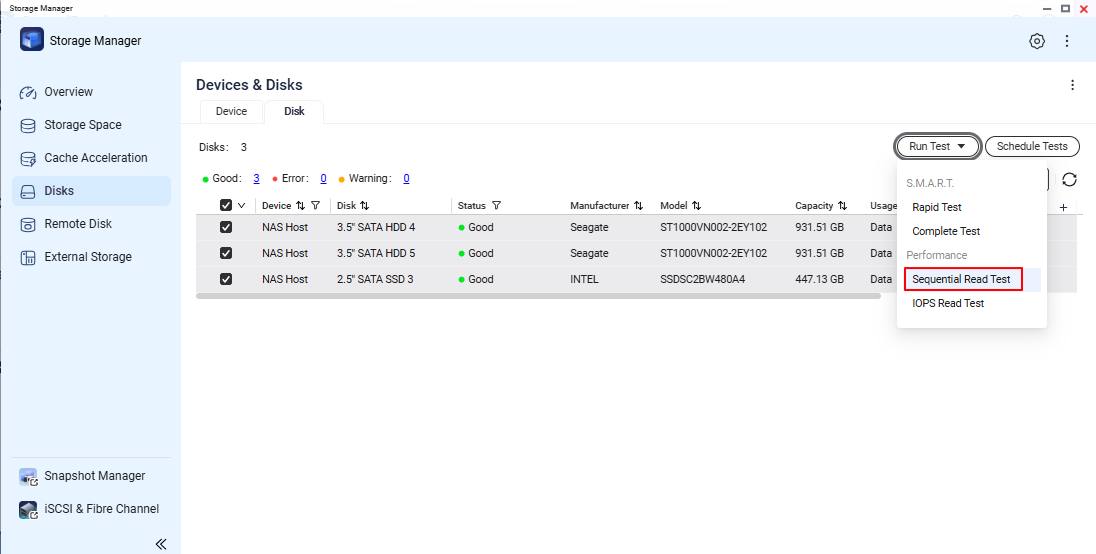
- Compare each disk result and verify there is no single disk with extremely low performance.
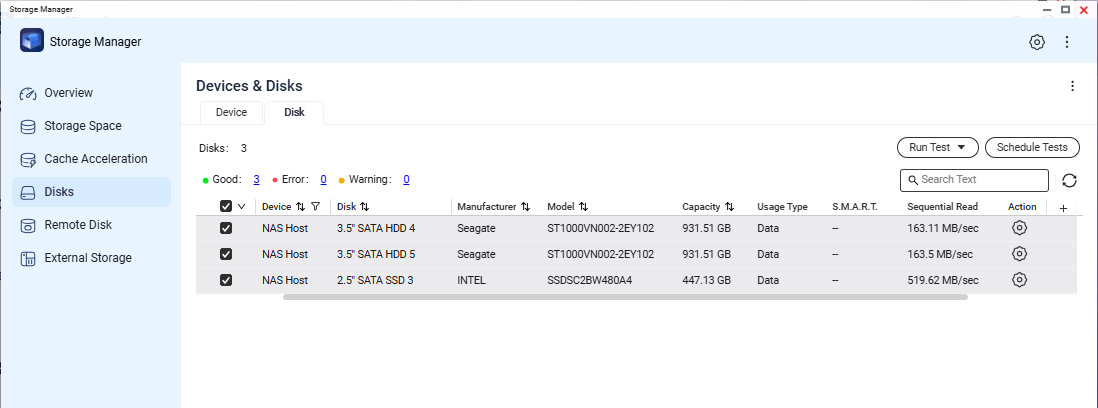
Screenshot needed 2: Disk list or test result screen showing per-disk status/performance values.
If one disk is significantly slower than others, record the slot number and disk model/serial for support analysis.
Test 3: Validate client machine disk performance with a USB external drive
- Connect a USB external drive to the client machine.
- On the client machine, run a local read/write test to that USB external drive.
- Verify the client-side disk path can deliver normal read/write speed for that system.
This step helps rule out local client storage bottlenecks that can be mistaken as NAS transfer issues.
Verification Checklist
- NAS link speed is confirmed and documented.
- NAS disk test confirms no specific disk with abnormally low speed.
- Client-side USB external drive read/write performance is confirmed to be normal.
After performing the above preliminary checks, if each item of checklist is normal but the problem is still not solved. You may conatct QNAP support for further assisitances.
While opening a support request, enclose the following information can help expedite the process:
- NAS model and firmware version.
- NAS system dump logs.
- Test 1 result (network link speed) with screenshot.
- Test 2 result (disk check) with screenshot.
- Test 3 result summary (client local USB read/write test).
- Brief topology note (client <-> switch <-> NAS).
Further Reading
For further assistance, ask other users and QNAP experts in the community. Go to QNAP Community


