


¿Dónde se habilitan o se deshabilitan los Servicios multimedia?
Productos aplicables
QTS, QuTS hero
Descripción general
Los servicios multimedia (como QuMagie, Video Station, Music Station, Media Streaming add-on y CAYIN Media Viewer) se habilitan automáticamente cuando instalas Multimedia Console en el App Center. No hay un control de interfaz de usuario independiente para activar o desactivar todos los servicios a la vez. En cambio, cada servicio se puede habilitar o deshabilitar individualmente. Se pueden deshabilitar por completo desinstalando Multimedia Console.
Solución
Opción 1: Habilitar o deshabilitar un servicio individual
- Abre Multimedia Console.
- Ve a Multimedia App Suite.
- Encuentra un servicio que quieras verificar y haz clic en su estado debajo del nombre del servicio.
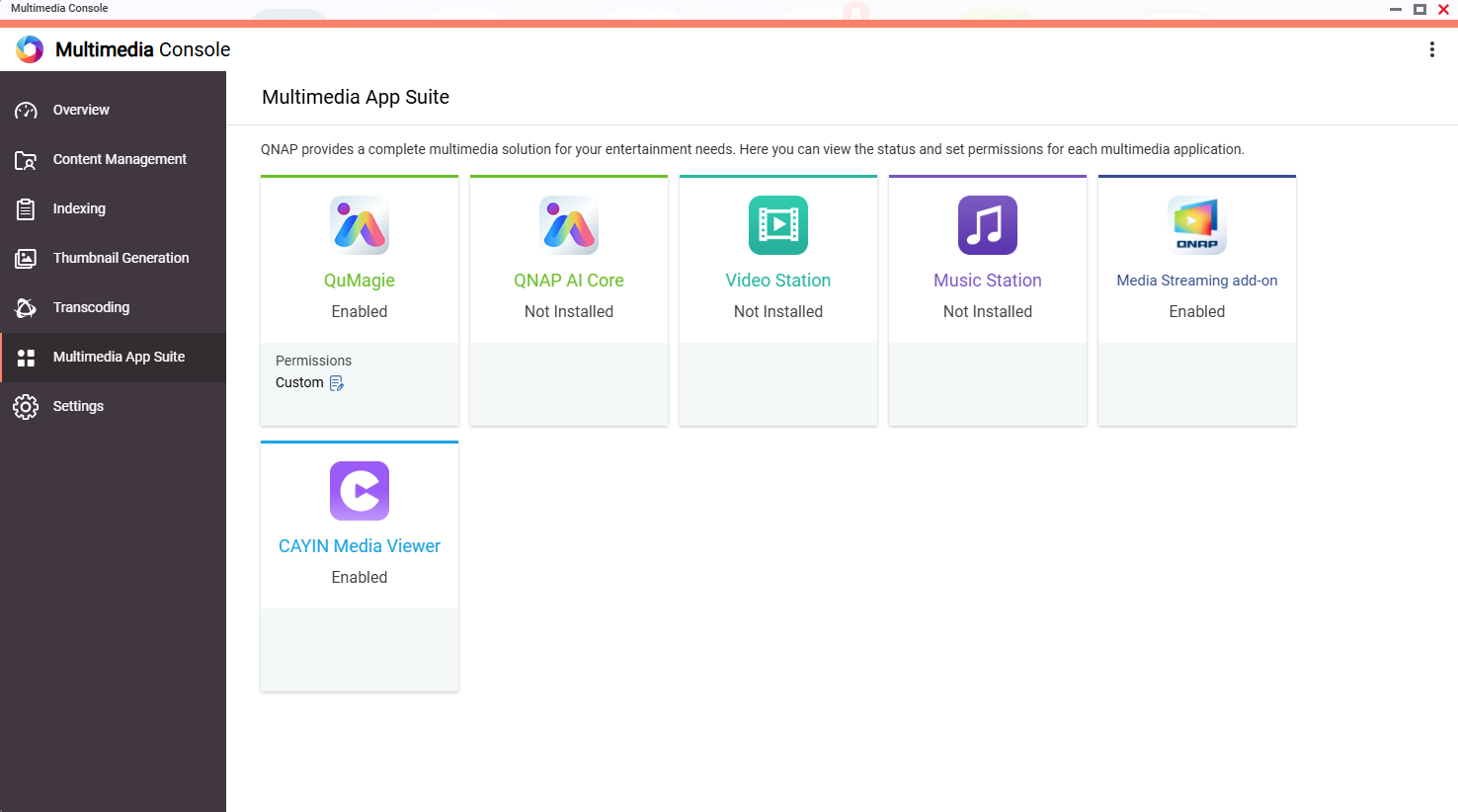
- El servicio se abre en una nueva ventana, donde puedes habilitarlo o deshabilitarlo en el App Center.
Opción 2: Deshabilitar todos los servicios multimedia a la vez
Si deseas deshabilitar todos los servicios multimedia, puedes eliminar Multimedia Console del App Center. Esto deshabilita o elimina todos los servicios multimedia que dependen de Multimedia Console.
- Abre App Center.
- Encuentra Multimedia Console.
- Haz clic en Eliminar.
Para obtener más ayuda, pregunte a otros usuarios y a los expertos de QNAP en la comunidad. Ir a la comunidad de QNAP


