


Correct mangle filename for all shared folders in one time.(8.3 Filename)
最後修訂日期:
2022-03-30
Summary
If the name of files and folders are in an unreadable format (8.3 filename) in a shared folder, you can find the properties of the problem shared folder and enable Only allows applications to access files using the long file name format, therefore, the name can be correctly displayed.
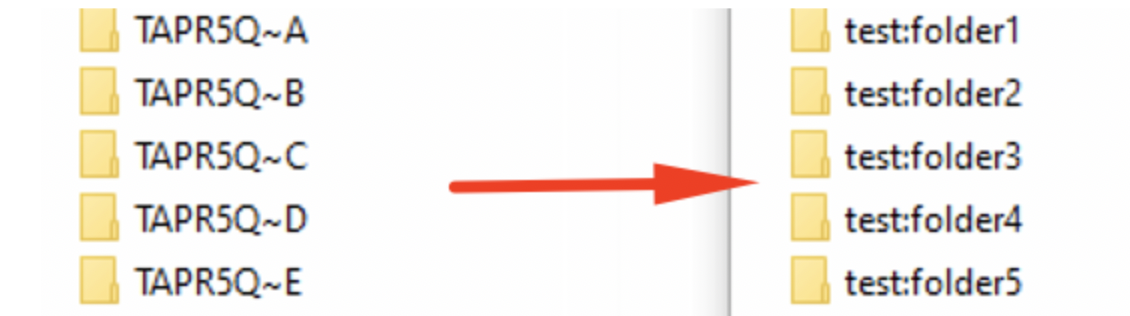
If you have multiple shared folders with the same problem, executing the following commands applies the setting to all shared folder in one time.
Procedures
- SSH access to the NAS
- Execute the following commands
/bin/sed -i '/^oplocks/d' /etc/config/smb.conf
/bin/sed -i '/^mangled names/d' /etc/config/smb.conf
/sbin/setcfg global "oplocks" yes -f /etc/config/smb.conf
/sbin/setcfg global "mangled names" no -f /etc/config/smb.conf
/etc/init.d/smb.sh restart
/bin/sed -i '/^mangled names/d' /etc/config/smb.conf
/sbin/setcfg global "oplocks" yes -f /etc/config/smb.conf
/sbin/setcfg global "mangled names" no -f /etc/config/smb.conf
/etc/init.d/smb.sh restart
還有疑問?
在 QNAP 官方社群提問,獲得 QNAP 官方與熱心用戶的第一手建議。


