


Correct mangle filename for all shared folders in one time.(8.3 Filename)
최신 업데이트일:
2022-03-30
Summary
If the name of files and folders are in an unreadable format (8.3 filename) in a shared folder, you can find the properties of the problem shared folder and enable Only allows applications to access files using the long file name format, therefore, the name can be correctly displayed.
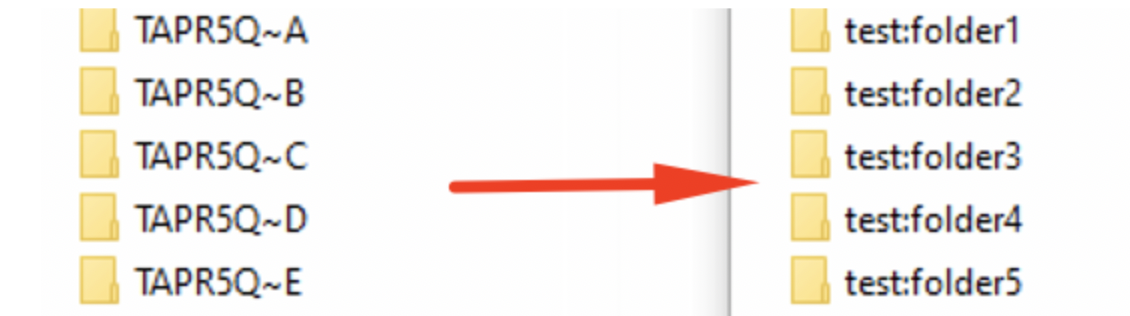
If you have multiple shared folders with the same problem, executing the following commands applies the setting to all shared folder in one time.
Procedures
- SSH access to the NAS
- Execute the following commands
/bin/sed -i '/^oplocks/d' /etc/config/smb.conf
/bin/sed -i '/^mangled names/d' /etc/config/smb.conf
/sbin/setcfg global "oplocks" yes -f /etc/config/smb.conf
/sbin/setcfg global "mangled names" no -f /etc/config/smb.conf
/etc/init.d/smb.sh restart
/bin/sed -i '/^mangled names/d' /etc/config/smb.conf
/sbin/setcfg global "oplocks" yes -f /etc/config/smb.conf
/sbin/setcfg global "mangled names" no -f /etc/config/smb.conf
/etc/init.d/smb.sh restart
아직 도움이 필요하신가요?
QNAP 커뮤니티에 질문을 올려 주세요. QNAP 직원과 경험 많은 사용자가 답변해 드립니다.


