


 Plex Media Server
The Best NAS for Plex, Optimized for Transcoding
Plex Media Server
The Best NAS for Plex, Optimized for Transcoding
QNAP NAS with Plex enables the perfect multimedia experience - easily stream your media library to all connected devices across your home network. With powerful high-capacity NAS supporting 4K transcoding and HDMI output, QNAP is perfect for hosting your Plex Media Server!
Setting up Plex Media Server on NAS is just that easy
Simply install Plex Media Server from the QNAP App Center and your NAS is ready to go. Plex Media Server allows you to maintain local collections of movies, videos, photos, and music on your NAS, and streams them from Plex to various devices such as phones, tablets, and TVs via media streaming devices (including DLNA®, Roku®, Amazon Fire TV® and Google Chromecast™).

24/7 accessible media for always-on entertainment
QNAP NAS is built for running 24/7 and uses significantly less power than most desktop PCs. With a QNAP NAS you can enjoy a stable network environment for Plex to provide continuous multimedia streaming and access to media anytime and anywhere.

Choose a NAS optimized for HD content transcoding
Store your Plex DVR
If you are currently paying for TV cable boxes, then you may consider the all-new Plex DVR feature (available for Plex Pass users). Integrating DVR, Plex, and QNAP NAS can drastically redefine your entertainment lifestyle, allowing you to easily record your favorite TV shows on your QNAP NAS and watch them later while skipping commercials.
-
1.Install digital antennas
Plex works with all types of indoor or outdoor digital antennas. Simply choose your preferred brand.

-
2.Connect digital tuners
Plex currently works with HDHomeRun digital tuners. They are easy to set up and work with all digital antennas.
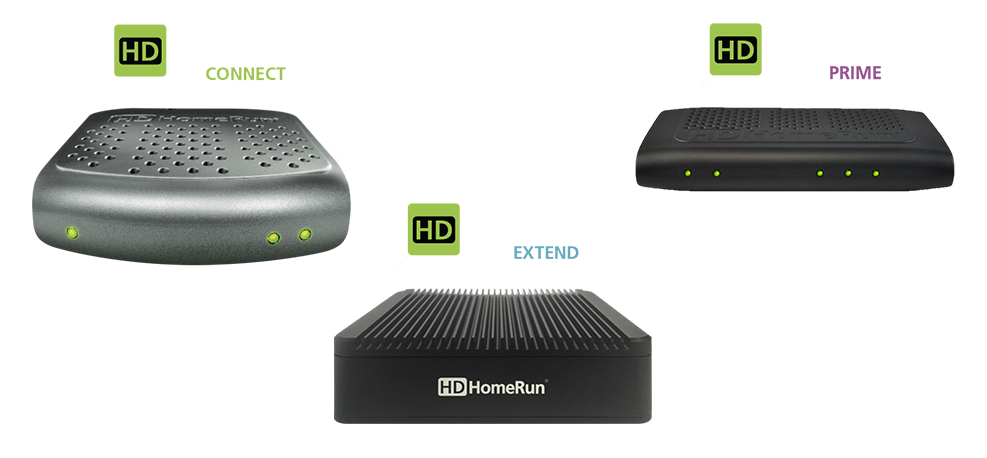
-
3.Set up Plex DVR
Plex automatically detects all the channels available in your area and customizes your TV program guide.

Install digital antennas
Plex works with all types of indoor or outdoor digital antennas. Simply choose your preferred brand.
Connect digital tuners
Plex currently works with HDHomeRun digital tuners. They are easy to set up and work with all digital antennas.
Set up Plex DVR
Plex automatically detects all the channels available in your area and customizes your TV program guide.
Recommended NAS for Plex
 TS-453E
|
 TS-664
|
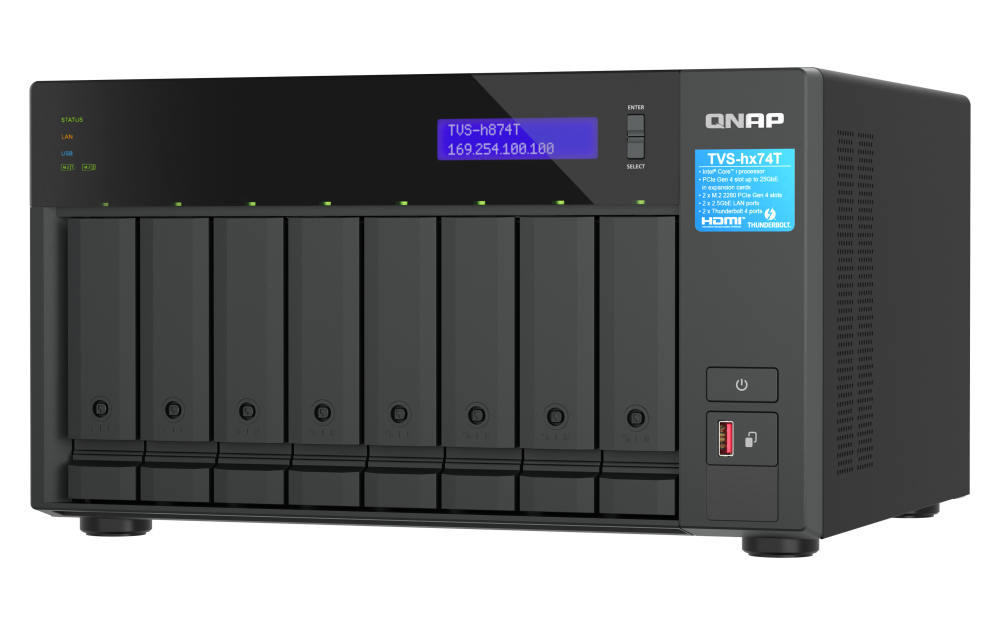 TVS-h874T
|
|
|---|---|---|---|
| CPU | Intel® Celeron® processor | Intel® Celeron® processor | Intel® Core™ i7 / i9 processor |
| RAM | 8 GB | 8 GB | 32 GB - 64 GB |
| Available models | 4 drive bays | 6 drive bays | 8 drive bays |
| HDMI | 2 (1.4b) | 1 (2.1) | 1 (1.4b) |
| PCIe slots | - | 1 x PCIe Gen 3 | 2 x PCIe Gen 4 |
| Hardware transcoding (Plex Pass is required) |
|||
| Transcoding support | 720P, 1080P, 4K | 720P, 1080P, 4K | 720P, 1080P, 4K |
| Learn More | Learn More | Learn More |
FAQ
-

Why You Need a NAS at Home?
-

Build the Ultimate Music Server with QNAP and Roon
-

Game on! Make QNAP NAS an Exclusive Game Server


