


Backup that attackers can't find
HBS × Airgap+
Ransomware can't encrypt what it can't reach. HBS Airgap+ physically disconnects your backup NAS from the network—every single backup cycle. Pair it with QuTS hero's ZFS WORM and your data is locked on write: untouchable, unalterable, and always recoverable.
Just three components: a QNAP NAS, a QHora router or QSW switch, and HBS Airgap+ enabled. View recommended configuration →
Your backup is the #1 target of ransomware
Modern ransomware doesn't just encrypt files. It lurks for weeks, silently compromising your backup system before it strikes.
By the time you notice, your last line of defense may already be gone.
target backup systems
of a single data breach
recover more than 90% of data
[2] IBM / Ponemon Institute, Cost of a Data Breach Report 2025, Aug 2025
[3] Veeam, Veeam Report Finds Close to 70% of Organizations Still Under Cyber Attack, 2025
HBS Airgap+ physically removes the backup from the network. If attackers can't see it, they can't touch it.
What changes when you enable HBS Airgap+?
Without HBS Airgap+, your source and backup NAS share a live connection during transfer. Ransomware can follow that path straight to your backup.
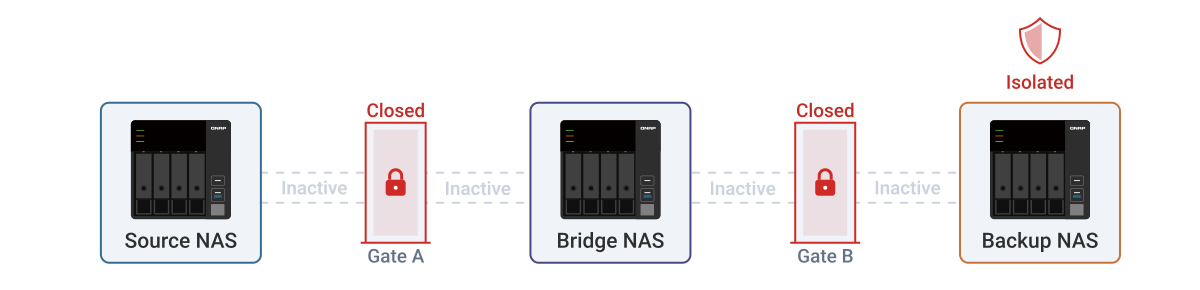
With HBS Airgap+, a Bridge NAS sits in between, and the two gates never open at the same time. Your backup NAS stays invisible.
 Source
NAS
BackupNAS
SourceNAS
BridgeNAS
BackupNAS
The airlock principle: 5-stage isolation
Borrowed from semiconductor cleanroom design, HBS Airgap+ uses a Bridge NAS and a router or switch to create a physical airlock. Data passes through, but a direct connection never exists.
① Standby: everything disconnected
No active backup task. The Bridge NAS is offline, no connection exists between source and backup, and the backup NAS is completely invisible on the network.
See HBS Airgap+ in action (2 min)
Ready to enable HBS Airgap+?
Follow the step-by-step guide and get HBS Airgap+ running in about 10 minutes.
HBS + ZFS WORM: write once, tamper never
Isolation keeps attackers out. WORM keeps your data untouched.
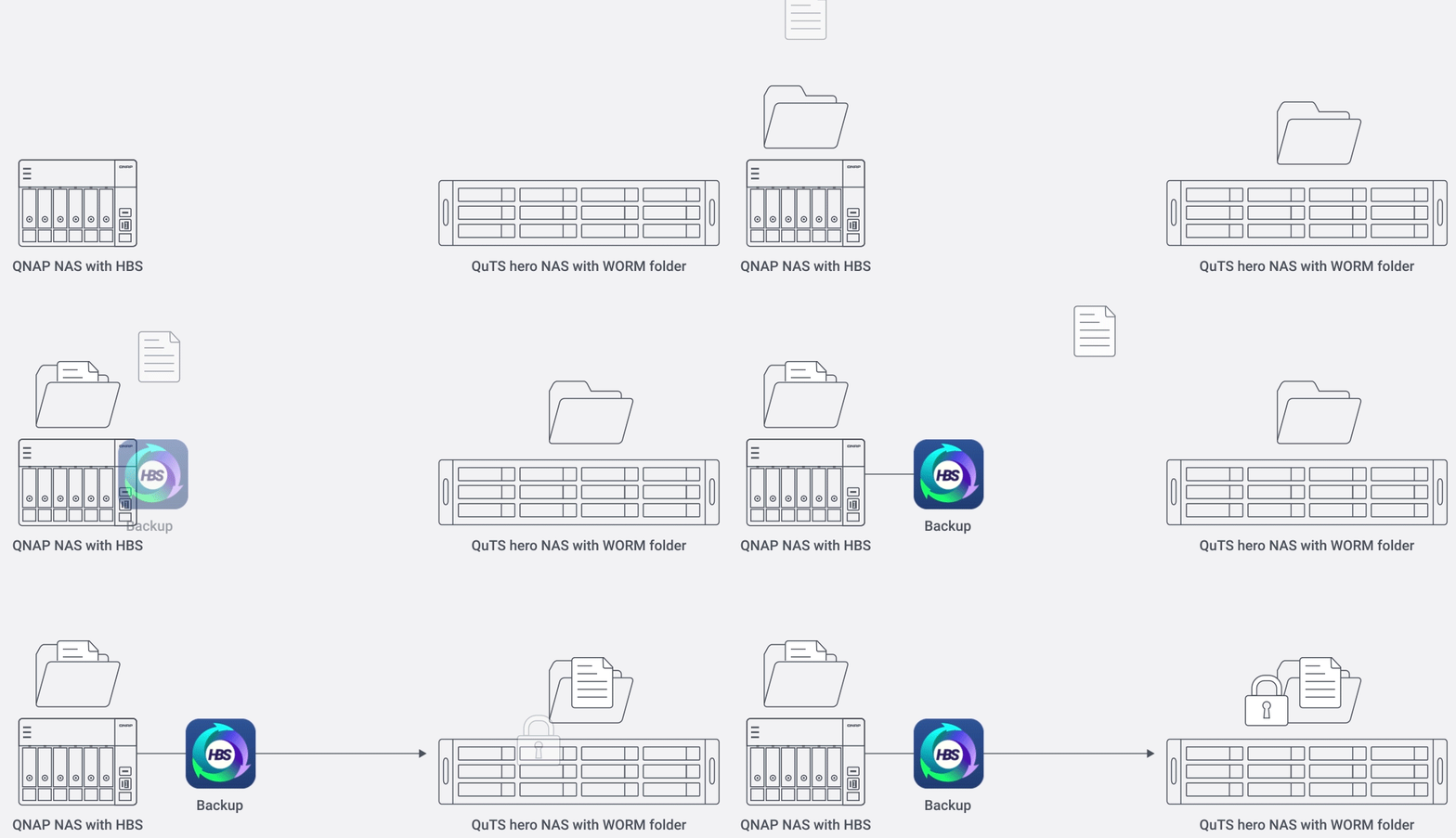
QuTS hero locks backup data at the ZFS level the moment it's written. No one can modify or delete it during the retention period. Not administrators. Not attackers with root access. HBS triggers the lock automatically after every backup.
| Mode | File-level protection | Folder deletion policy |
|---|---|---|
| Enterprise Mode | Files cannot be modified or deleted during the retention period. | Administrators can delete the entire WORM shared folder (management flexibility). |
| Compliance Mode | Files cannot be modified or deleted during the retention period. | No one, including administrators, can delete the folder (maximum protection). |
Set up immutable backup in 6 steps
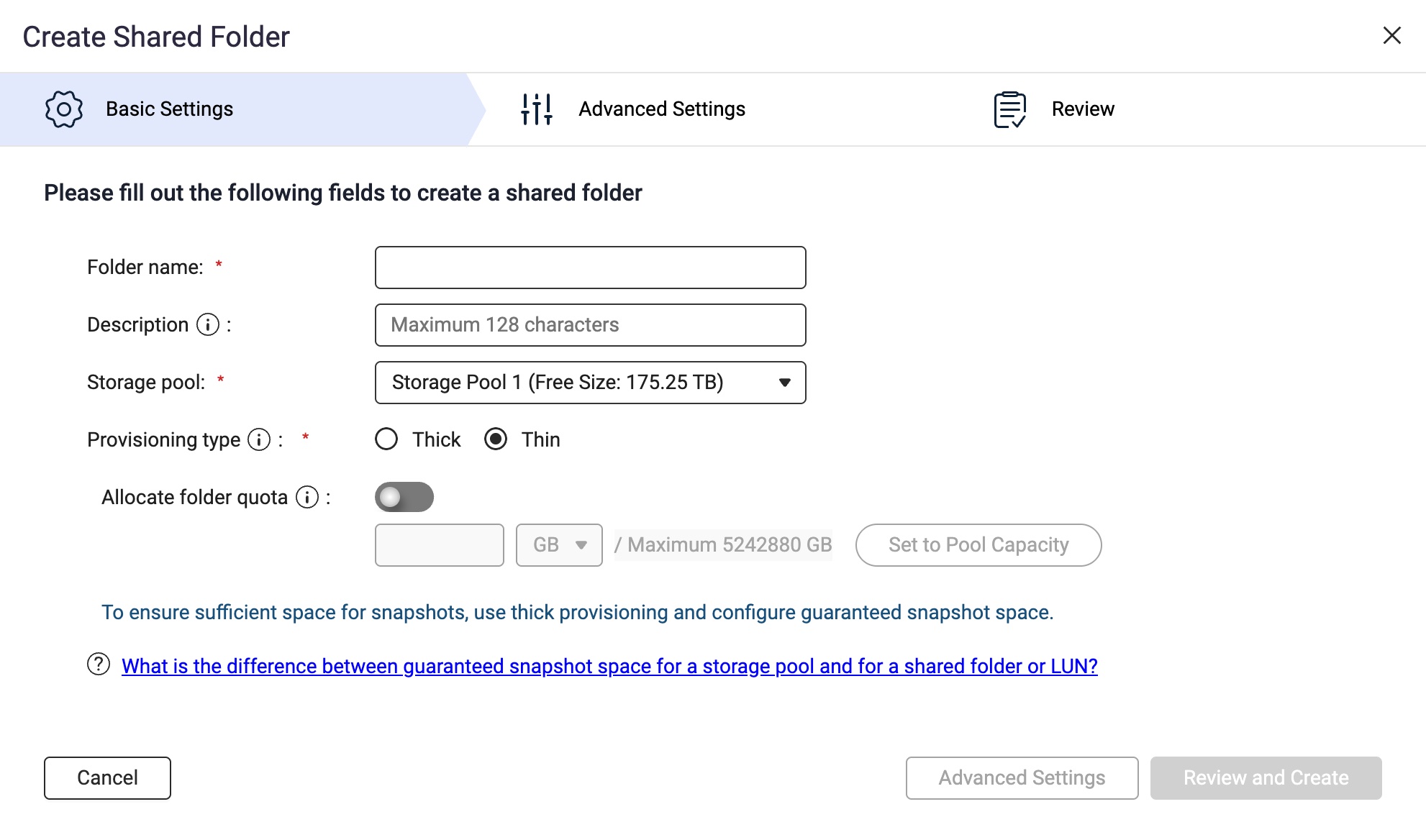
Start setting up immutable backup
Follow the step-by-step tutorial to configure WORM + HBS on your backup NAS.
HBS Airgap+ Full Isolation Backup
Compatible router and switch models
HBS Airgap+ requires one of the following QNAP routers or switches. Third-party devices and other QNAP series are not supported.
| Device type | Product series | Max speed | Recommended model |
|---|---|---|---|
| Managed Switch | QSW 7000 Series | 100GbE | QSW-M7308R-4X |
| Managed Switch | QSW 3000 Series | 10GbE | QSW-M3224-24T / QSW-M3212R-8S4T / QSW-M3216R-8S8T / QSW-IM3216-8S8T |
| QHora Router | QHora Series | 10GbE | QHora-322 |
| QHora Router | QHora Series | 2.5GbE | QHora-321 |
Deployment Recommendations
Pick the hardware that fits your team size. Enable HBS Airgap+, add ZFS WORM on the backup NAS, and you have a fully isolated, immutable backup: the strongest defense against ransomware.
Why HBS Airgap+ for enterprise backup?
High-speed transfer
Pair with a QSW switch (10/25/100GbE) to slash backup windows and minimize downtime during restores.
Faster recovery
Backups live on local NAS with high-speed networking. Restore in minutes, not hours, compared to cloud-based recovery.
Immutable backup
ZFS WORM on QuTS hero locks data the moment HBS writes it. No one can modify or delete it. Period.
Learn more ›Scales with you
Hot-swap larger drives, add expansion units, or migrate to a bigger NAS. Your backup capacity grows as your business does.
Set it and forget it
Schedule once in HBS. HBS Airgap+ handles gate control, backup execution, and disconnection. Fully automated, zero manual steps.
Remote power control
Power NAS devices on and off remotely. No physical access needed.
FAQ
Ready to go air-gapped?
Talk to a QNAP solution expert and get a tailored HBS Airgap+ deployment plan, from hardware to activation.


