


How to enable and setup host access for NFS connection
-
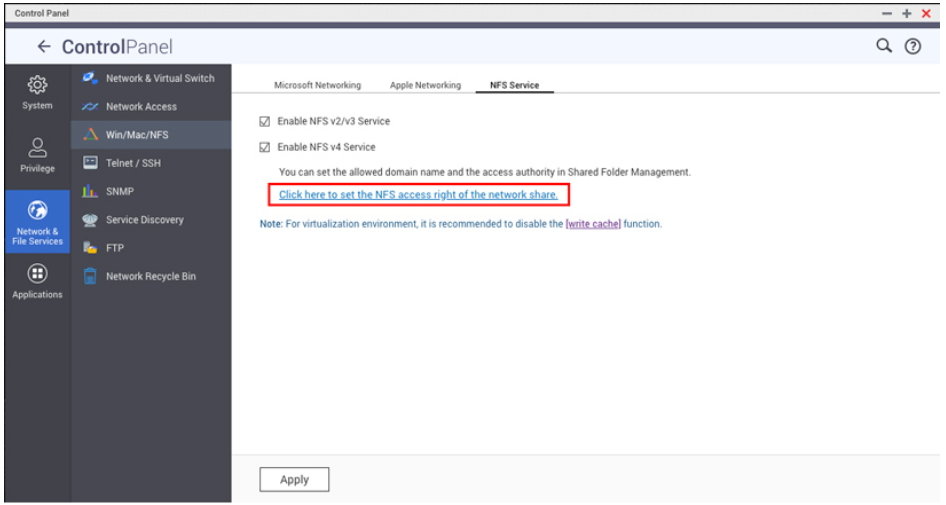
Please open Control Panel and navigate to Network & File Services > Win/Mac/NFS

-
Click NFS Service in the new window and enable NFS v2/v3 and/or NFS v4

-
After the services have been enabled, follow the link “Click here to set the NFS access right of the network share”. You will be taken to the Shared Folders menu.
-
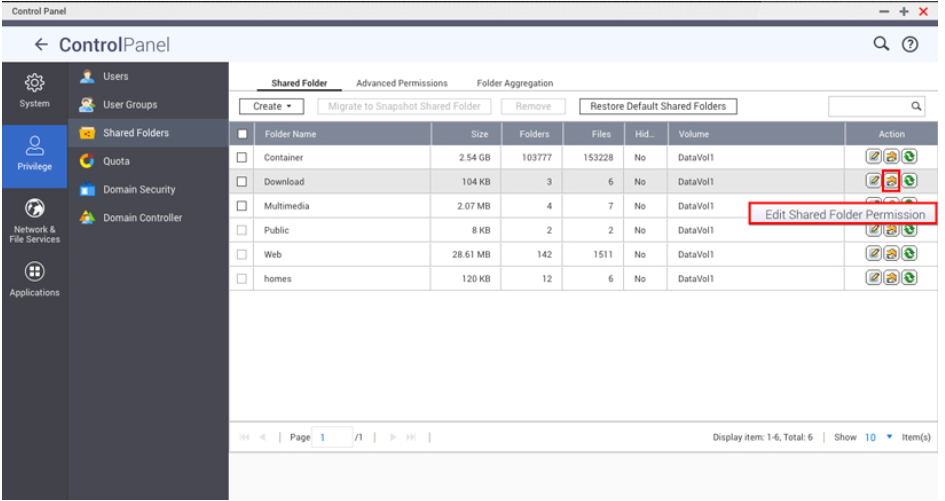
Under the Action column, please click on Edit Shared Folder Permission
-
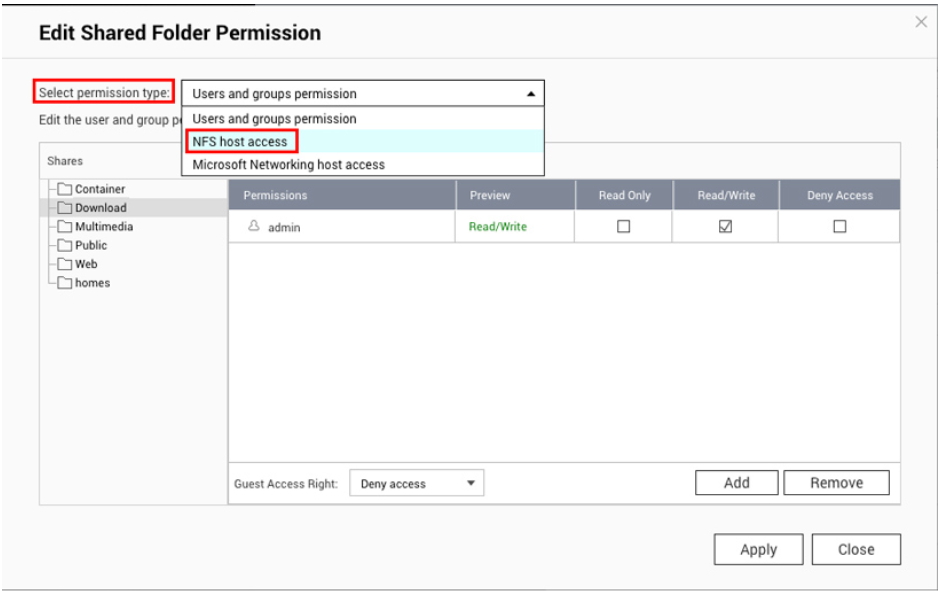
In the next window, select NFS host access under Select permission type
-
NFS access right is disabled by default, here you can enable it first

- Click the Add button to add Host / IP / Network and to set their permissions
Allowed IP Address or Domain Name
- Single server: A valid domain name, host name, or IP address that can be resolved by a DNS server.
- Use wildcard characters to specify a series of servers: Use “*” or “?” to specify the string criteria. When you use wildcard characters in a valid host name, dot (.) is not included in wildcard characters. For example, when you enter *.example.com, one.example.com is counted while one.two.example.com is not counted.
- IP network: Use a.b.c.d/x. a.b.c.d refers to the network and x refers to number of bits of the network mask, for example, 192.168.0.0/24. Another valid format is a.b.c.d/network mask. In this case, a.b.c.d refers to the network and the following value refers to the network mask setting. For example, 192.168.100.8/255.255.255.0.
- If using IPv6, enter the IP address and prefix length (ex: 2001::208:9bff:feed:5023/64) for filtering devices and permission settings. If the prefix length is not set, it will refer to a single host IP.
- Network group: Represented as @group-name; group-name refers to the name of NIS network group.
Note: Please make sure the format you entered is correct. An incorrect format can lead to access errors.

-
Hit Apply after you have finished setting everything up
さらにサポートが必要な場合は、コミュニティで他のユーザーや QNAP の専門家にご質問ください。 QNAP コミュニティへ


