[Important Security Notice] Fake Qfinder Pro Websites Detected. Learn more >

Qsirch AI Mode — Now Available

Describe what you remember, let AI find your file. No filename needed.

Can't remember the filename? Forgot which folder it's in? No problem. Qsirch uses On-Premise AI semantic understanding — just describe what you remember in plain language, and AI retrieves the file in seconds.

Qsirch AI Mode — AI semantic file search on QNAP NAS
Recommended Feature

Introducing AI Smart Summary —
Find it and read it in seconds.

Traditional search stops at finding the file — you still have to read through it yourself. Qsirch AI Mode integrates an on-premise LLM to generate one-click full-text summaries directly within your search results — for any document, video, or audio file.

  • Cross-language auto-translation: When AI finds an English, Japanese, or French file, the summary is automatically translated into your interface language — no need to open the file at all.
  • Covers all media types: Documents, images, videos, and audio — all summarized without opening a single file.
All Media Types Covered

AI search across 4 media types — smarter than your filing system

Documents, images, video, and audio — search all your corporate media in a single click with On-Premise AI.

Document Search

Thousands of pages, dense contracts —
AI surfaces the exact paragraph you need.

No Ctrl+F, no memorizing keywords. Just describe the clause or context you're looking for, and AI will dig through the entire document to pull out the most relevant passage — with one-click full-text summary so you understand it without even opening the file.

  • Semantic understanding, not keyword matching: Describe "non-compete clause" and AI finds it — even if the exact wording differs.
  • One-click AI full-text summary: Manually trigger a summary and digest a 400-page report in seconds, auto-translated to your interface language.

Supported formats: PDF · DOCX · XLSX · PPTX · TXT · MD · EPUB · EML

Image Search

No filename? No tags?
Search by the scene you remember.

Your NAS is filled with tens of thousands of untitled "IMG_8492.jpg" photos with no labels whatsoever? Just describe what you remember — "athlete on a soccer field" or "sunset at the beach" — and your on-device AI visually understands the photo content and retrieves it instantly.

  • Zero tagging, zero organizing required: No albums, no manual labels. AI automatically understands the scene and content of each photo.
  • VLM Visual Semantic Understanding: On-Premise VLM inference guarantees critical data never leaves your NAS. Native support for HEIC, RAW, and professional media.

Supported formats: JPG · JPEG · HEIC · HEIF · PNG · BMP · TIF · TIFF · WEBP

Video Search

One-hour recording,
need just one moment?

Recorded a long company event, product launch, or hours of surveillance footage — and you only need one specific scene? Stop scrubbing through the timeline.

  • Relevance-ranked scene retrieval: AI surfaces the most accurate matching clips, sortable by relevance or chronological order with a single click.
  • Transcript and video bidirectional sync: Auto-generated timeline. Click any transcript line to jump to that exact moment in the video. Text highlights as the video plays.

Supported formats: MP4 · MOV

Audio Search

Skip re-listening to interviews and lectures!
Type what you remember, jump straight there.

Have a backlog of press recordings, keynote audio, or important phone calls you never have time to re-listen to? Type the vague fragment you remember, and AI will scan the entire audio track and pinpoint the exact second that sentence was spoken.

  • Precision cross-sentence jump: Click any transcript line and audio instantly jumps to that exact timestamp — no manual scrubbing required.

Supported formats: WAV · MP3 · M4A

On-Prem Advantages

Why choose on-premises AI semantic search?

Maximum performance with the highest level of data privacy — your files never leave your building.

  • Zero data egress cost

    All LLM and VLM inference runs entirely on your QNAP NAS. No cloud API uploads — no bandwidth fees, no costly subscription-based privacy tradeoffs.

  • Works offline and air-gapped

    The core AI engine has zero internet dependency. Regardless of your network environment, AI semantic search responds in seconds — stable, fast, and completely independent of external bandwidth.

  • Enterprise-grade permission & security

    Seamlessly integrated with NAS folder permission management. Only files a user has read access to will appear in their AI search results — zero risk of confidential document exposure.

System Requirements & Hardware

To ensure the best local AI search experience, please verify your QNAP NAS hardware configuration before deployment.

Qsirch AI Mode — Core Compute Requirements

Qsirch AI Mode integrates three AI engines — ASR (Automatic Speech Recognition), Multimodal Embedding, and VLM (Vision Language Model) — to enable deep semantic search across file formats, voice transcription, visual content understanding, and intelligent document summarization.

  • Qsirch 7.1.0 or above installed
  • QNAP NAS of the x74 series or later
  • QTS 5.2.0 or above, or QuTS hero h5.2.0 or above
  • A GPU with 16 GB of VRAM or above is required to load and run AI models locally on the NAS
  • Use Case / Scenario

    Edge AI Storage Server

    QAI-h1290FX

    QAI-h1290FX

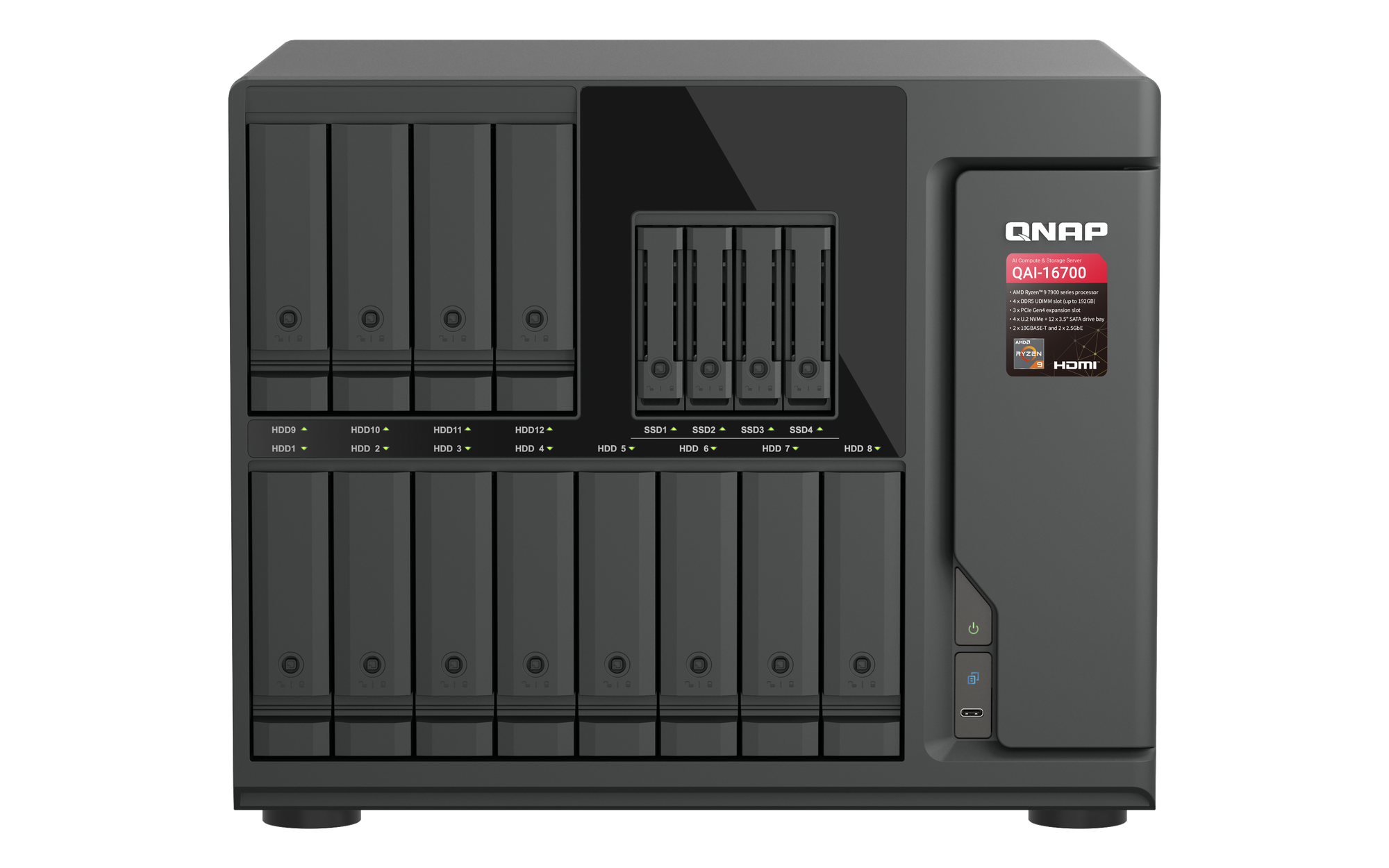
    QAI-16700

    QAI-16700

    Deployment Notes

    Top-tier storage platform built for high-load enterprise AI workloads. Whether the current flagship or the next-generation model, delivers the ultimate local compute performance and deep search experience.

    Requires a compatible NVIDIA or Intel discrete GPU with 16GB VRAM or more (per compatibility list).

  • Use Case / Scenario

    Enterprise NAS

    TVS-h1677AX

    TVS-h1677AX

    Deployment Notes

    Ideal for mid-to-large enterprises deploying on-premises AI semantic search. Pair with a compatible GPU to unlock the full AI Mode feature set, balancing storage scalability with AI compute.

    Requires a compatible NVIDIA or Intel discrete GPU with 16GB VRAM or more (per compatibility list).

  • Expanding Compatibility

    To meet growing demand for AI-powered search, the QNAP engineering team is continuously optimizing hardware and software integration. More compatible models and hardware configurations will be added progressively — details will be announced as official testing is completed.

  • Compatibility List Is Final Reference

    All GPU and compute module compatibility is determined by the latest QNAP Hardware Compatibility List published on the official website.

AI Semantic Search — find anything in seconds.

Upgrade to Qsirch 7.1.0 and turn your on-premises NAS into the most powerful AI knowledge base that truly understands natural language.

Choose specification

      Show more Less
      Choose Your Country or Region
      back to top