


If I install and enable the QuFirewall on NAS and it causes the FTP service to become not accessible, what can I do to fix this?
Last modified date:
2022-06-24
Applied Products:
-
All NAS Series
-
All QTS Firmware Versions
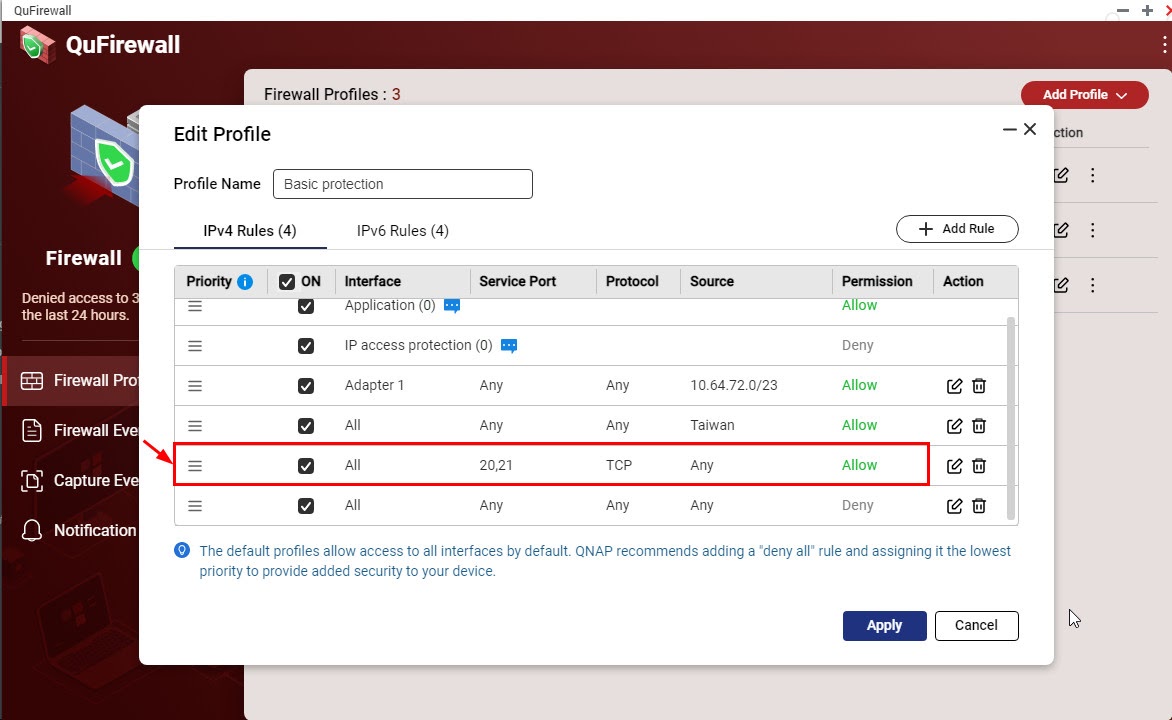
The default profiles will added a “deny all” rule and assigned it the lowest priority. The FTP service default port is TCP 20-21, you could go to QuFirewall Firewall Profiles > Add Profile > Create Profile, then add a new allow rule for FTP service and move it before “deny all” rule priority.

For further assistance, ask other users and QNAP experts in the community. Go to QNAP Community


