


How can I use Qmiix in Notification Center to send alerts to third-party messaging platforms such as Microsoft Teams?
Applicable Products
- QTS / QuTS hero
- Notification Center
Overview
Notification Center is QNAP’s centralized hub for managing system notifications and alerts. You can integrate Notification Center with Qmiix—QNAP’s automation platform—to forward notifications to third-party messaging platforms such as Microsoft Teams. Qmiix allows you to automate workflows between your NAS and external services.
Procedure
- Open Notification Center on your QNAP device.
- Go to Alert Notification Rules > Alert Notification and click Create Rule.
- In Name and Events, specify the event triggers and notification scope.
- In Methods and Recipients > Method, select Qmiix as the delivery channel.
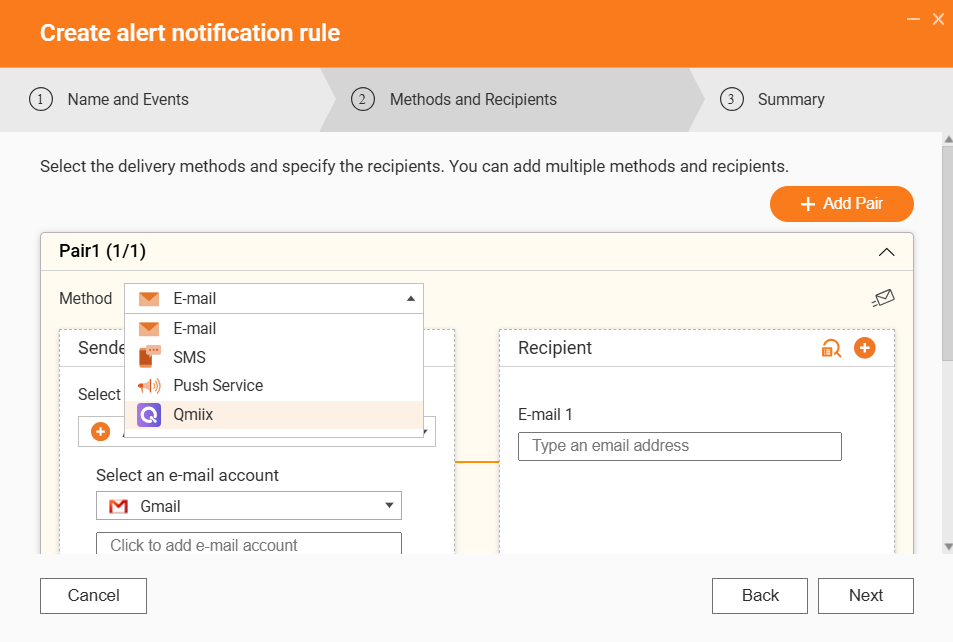
- If this is your first time, sign in with your QNAP ID to link your QNAP NAS to Qmiix.
- Set up your Qmiix integration:
- To create or edit a Qmiix recipe (automation rule), visit qmiix.com or use the Qmiix app.
A Qmiix recipe is an automation rule that specifies what event will trigger which action. For example, sending a notification to Microsoft Teams when a NAS event occurs. - For Microsoft Teams:
- Create an incoming webhook in Teams. See official Microsoft Teams documentation.
A webhook is a special URL provided by services like Microsoft Teams that allows external applications to send messages directly to a channel. - In your Qmiix recipe, use the webhook URL to send alerts to your Teams channel.
- Create an incoming webhook in Teams. See official Microsoft Teams documentation.
- Complete the steps as guided in Qmiix.

- To create or edit a Qmiix recipe (automation rule), visit qmiix.com or use the Qmiix app.
- Click Finish to save your notification rule.
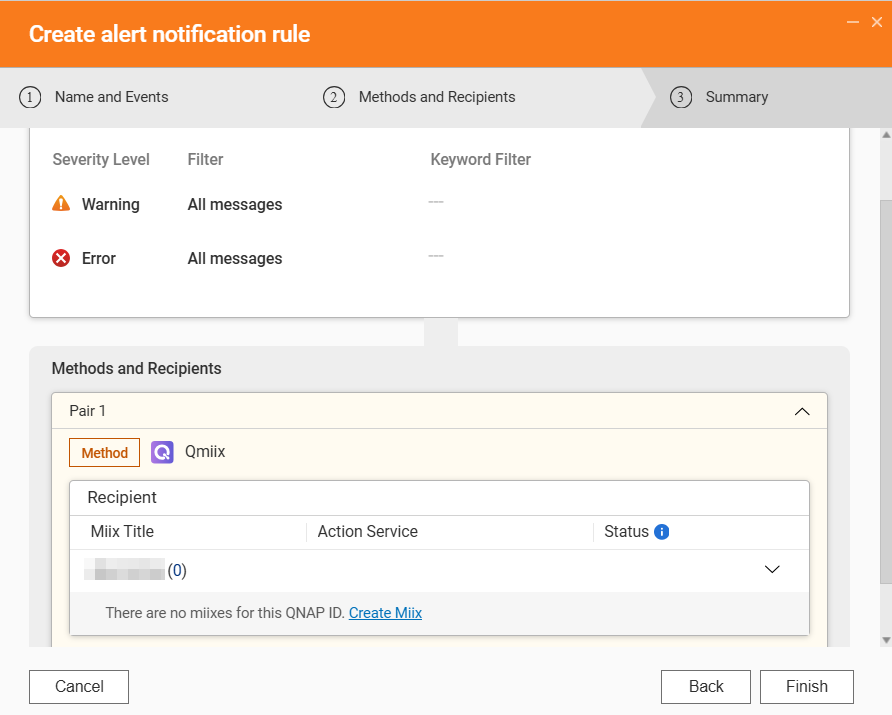
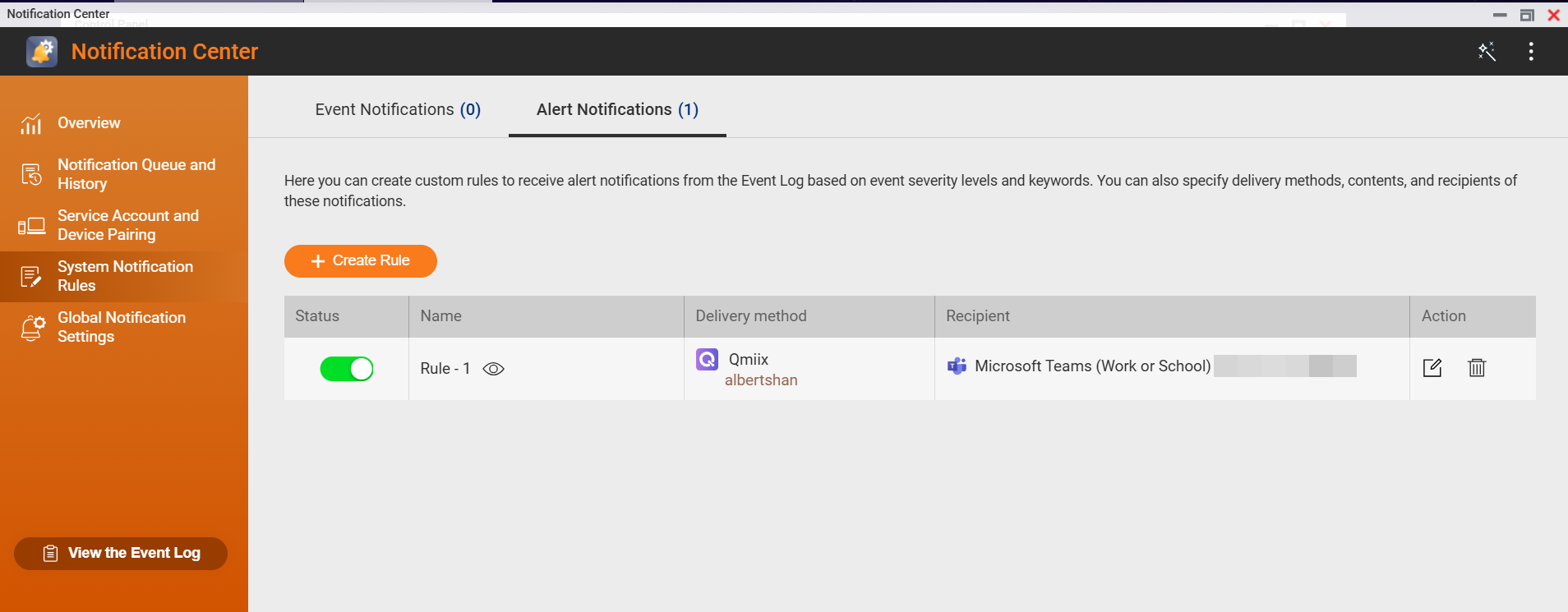
- Test the rule to ensure alerts are received on your chosen platform.
Note: Qmiix supports numerous third-party services. If your platform is not natively supported, use webhooks or similar integration methods.
Reminder: Ensure your NAS has internet access and appropriate permissions to enable Qmiix workflows.
Further Reading
For further assistance, ask other users and QNAP experts in the community. Go to QNAP Community


