


Why does QuWAN Orchestrator occasionally display the data transfer rate as 0 MB in the traffic report of a QuWAN device?
Applicable Products
QuWAN Orchestrator version 2.1.x
Root Cause
The data traffic displayed in the Traffic Report page corresponds to the WAN traffic egressing from the QuWAN device to the internal VPN network or the internet gateway.
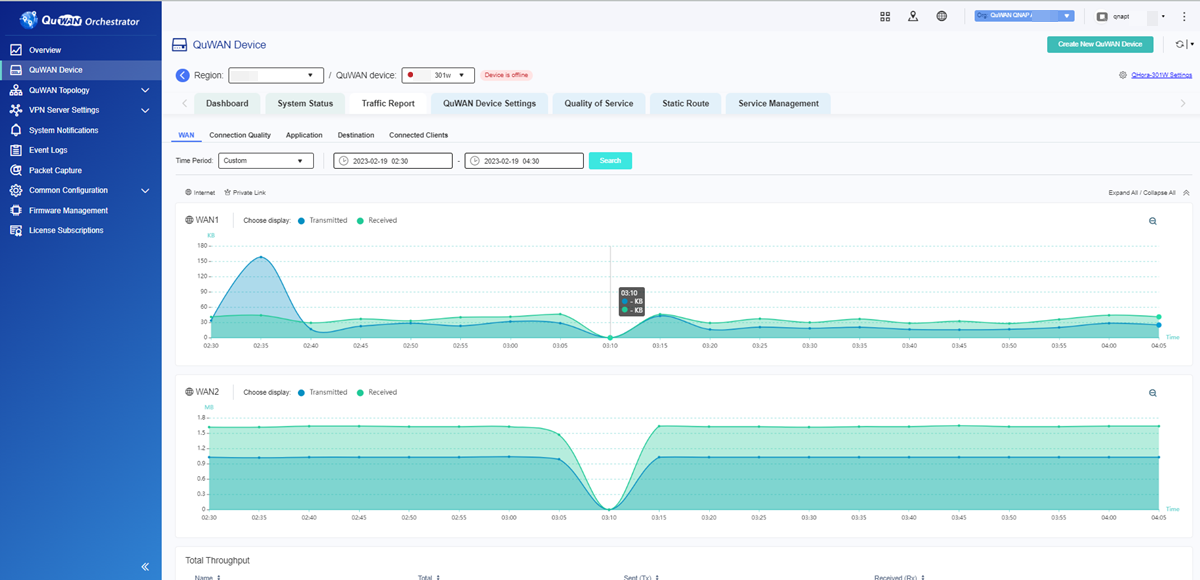 If you encounter the network usage as 0 MB in the traffic report, try the following troubleshooting steps.
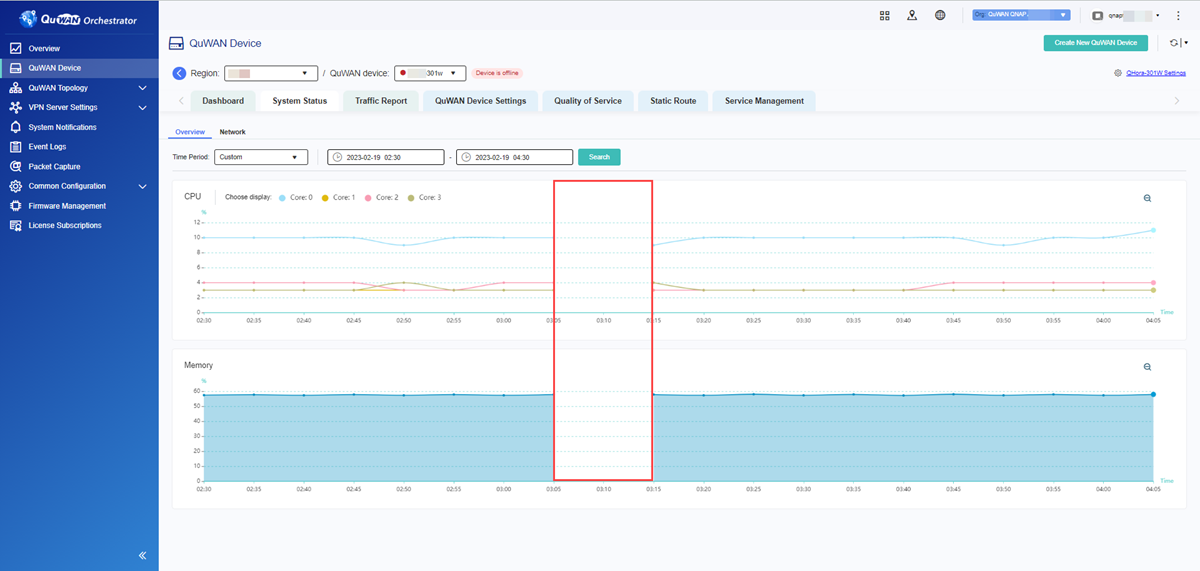
- Go to System Status > Overview, and check the CPU and memory data transmissions for any interruptions in the selected period.
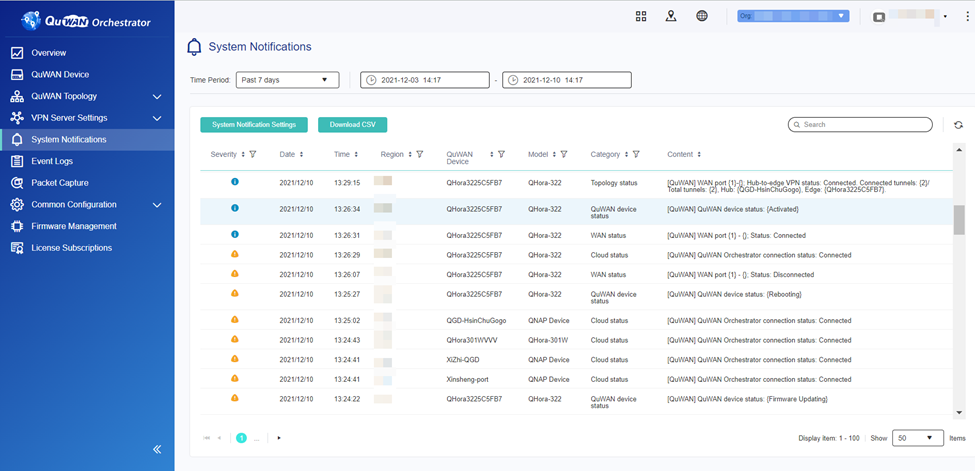
- Go to System Notifications and download the system logs. Check if the QuWAN Orchestrator, WAN, and VPN connection statuses are normal.
Details
QuWAN Orchestrator and VPN connections automatically disconnect from the network and connections are reestablished only once the WAN connection is stable.
If the WAN connection is stable and the QuWAN Orchestrator connection is interrupted, it could be temporary SD-WAN connection issue, which is usually resolved automatically without any troubleshooting.
During the downlink period, a Message Queuing Telemetry Transport (MQTT) connection failure between the MQTT broker and client may occur, and the QuWAN device is unable to transmit CPU and memory information to QuWAN Orchestrator. MQTT failure could be a result of faulty internet connectivity, network latency, or packet loss issues.
For yderligere hjælp kan du spørge andre brugere og QNAP-eksperter i vores community. Gå til QNAP Community


