


TS-453Be Quad-core multimedia NAS with PCIe slot for diverse application expansion and greater efficiency
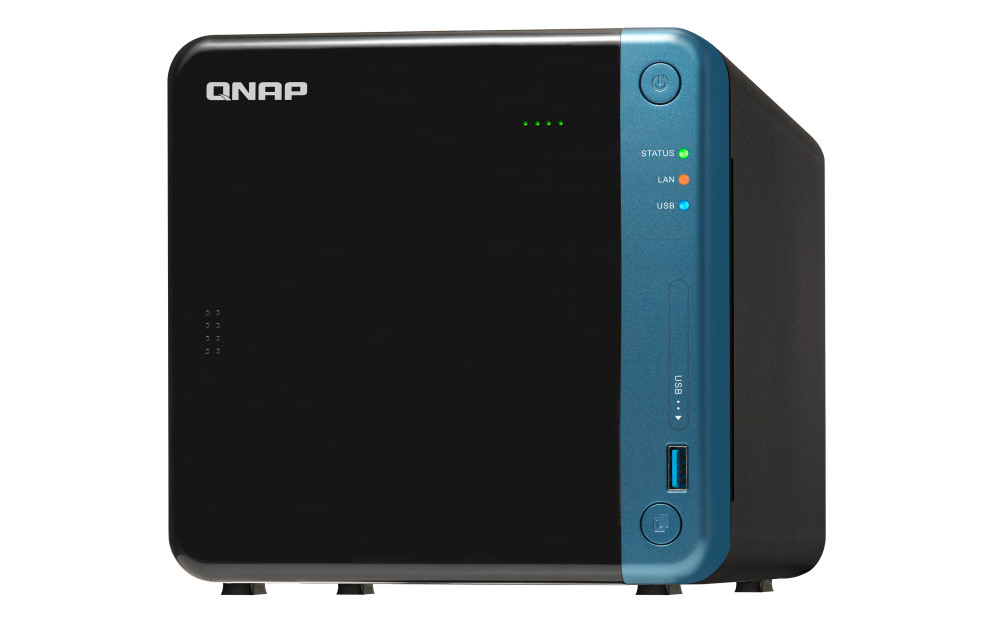
The TS-453Be features a simple physical design that can easily fit into office and home environments. It provides a PCIe port that can boost its functionality: a QNAP QM2 expansion card can be installed to add M.2 SSD caching/10GbE connectivity and support for Qtier auto-tiering technology, or a compatible wireless card can be installed to use the TS-453Be as a wireless access point. The TS-453Be also supports dual-channel 4K H.264 processing to provide a smooth media viewing experience on all connected devices. In addition, a wide range of productivity tools are available for use on the TS-453Be to improve work efficiency for media creators or creative professionals, while also enriching their multimedia experience.


1
The PCIe port supports installing a 10GbE network card, a QM2 dual-port M.2 SSD/10GbE card, a USB 3.2 Gen 2 card or a compatible PCIe wireless adapter.
2
4K media playback and online transcoding; multimedia viewing on HDTV via HDMI™ output
3
Snapshots fully record the system status and data. If files are accidentally deleted or modified, you can quickly restore the previously-recorded data.
4
Hybrid Backup Sync consolidates backup and sync tasks into a single app.
5
Secure private cloud solution with high storage scalability.
6
Supports containerized applications and hosting multi-OS virtual machines.


Extend NAS functionalities with the PCIe slot
With PCIe expansion, the TS-453Be provides flexibility in extending NAS functionality and potential applications. Install a QNAP QM2 card to provide M.2 SSD caching/10GbE connectivity, or use the TS-453Be as a wireless access point by installing a compatible wireless network card (ex. QNAP QWA-AC2600), or boost the USB connectivity of the TS-453Be by installing a USB 3.2 Gen 2 card.
Learn More: QM2, WirelessAP Station

Protect data with snapshots
Snapshots help protect your data by fully recording the NAS system state and metadata. If a file is accidentally deleted or modified, you can use snapshots to quickly restore the file to its previously-recorded state. QNAP snapshots are block-based and only record the changed data. Not only does this save storage space but also reduces the time required to back up and restore data. The TS-453Be supports up to 1,024 snapshots per NAS and up to 256 snapshots per volume or LUN.
Learn More: Volume & LUN Snapshots

Upgrade your IT environment with QNAP's fast and affordable 10GbE Switch!
QNAP 10GbE/NBASE-T™ unmanaged switches allow you to instantly upgrade your network environment at a cost-effective price. With a 10GbE network you can enjoy blazing-fast transfer speeds, empower bandwidth-demanding tasks like virtualization, and enable simultaneous real-time access to large NAS-based files using multiple workstations (ideal for video editing and multimedia). QNAP also provide a 10GbE PCIe network expansion card for the TS-453Be and Windows®/Linux® PCs to take advantage of high-speed LAN environments.
Learn More: 10GbE switches, 10GbE LAN cards


HBS 3
QuDedup technology deduplicates data at the source, helping to reduce the time and storage space needed for backup.

VJBOD Cloud
Seamlessly connect local storage with cloud object storage to easily backup local application data to the cloud.


Real-time video transcoding
Featuring advanced 9th-generation Intel® HD Graphics, the TS-453Be supports dual-channel 4K H.264* hardware decoding and real-time transcoding, allowing you to convert videos to universal file formats that can be smoothly played on multiple devices*. Therefore, you can easily share movies and videos stored on your NAS with family and friends for their enjoyment on a range of devices. The QNAP RM-IR004 remote control (sold separately) can be configured using QButton to customize the actions of individual buttons, providing a more convenient NAS experience.
*The TS-453Be’s hardware provides H.264 hardware decoding, encoding and transcoding capabilities. However, playback quality may vary due to factors including playback software, file formats, system usage, and available bandwidth.

Multiple ways to enjoy videos
QNAP provides a wide range of multimedia applications for you to easily enjoy photos, music, and videos.
Learn more:Multimedia Streaming
-

Qmedia allows music, photos and videos to be effortlessly streamed to Android TVs or set-top boxes.
-

Video HD is a free KODI add-on that combines KODI's streaming and video decoding capabilities and fully supports Video Station's features.
Multiply your productivity
The app-driven QTS operating system provides solutions for simplifying file backup, management, search, and more. With File Station you can view and manage your files not only from NAS but also from multiple storage devices; the OCR Converter allows you to extract text from images; Qfiling helps automate file organization, and Qsirch helps quickly find files.
-

Centralized File Management
Use File Station to directly access files on USB devices - including optical disc drives. Files from different devices can be easily viewed and managed on a single interface.
-

File Digitization
OCR Converter extracts text from images, helping to boost productivity and making it easier to find files.
Learn More: OCR Converter
-

Smart Filing
Qfiling automates file organization. Files are automatically archived into folders based on your settings.
Learn More: Qfiling
-

Full-text Search
Qsirch quickly finds images, music, videos, documents, emails, and other files.
Learn More: Qsirch
Multi-point backup and access
With integrated data backup, restoration and synchronization, Hybrid Backup Sync helps you easily backup or synchronize data on the TS-453Be to other QNAP NAS, USB storage (one touch copy) or cloud storage. With Qsync, you can also access your NAS files from PCs, laptops or mobile devices connected with the TS-453Be at any time.
Learn More: Hybrid Backup Sync, Qsync

NAS as a Multi-OS Platform
Virtualization Station and Container Station provide comprehensive solutions for creating virtualized environments to improve business IT infrastructure, workflows, and productivity.
-

Virtualization Station
Virtualization Station allows you to run multiple Windows®, Linux®, UNIX® and Android™ virtual machines on the TS-453Be. You can use Virtual Network Computing (VNC) through a browser to manage the VMs. Virtualization Station is ideal for organizations to run multiple applications on a single NAS.
Learn More: Virtualization Station, P2V
-

Container Station
Container Station integrates LXC and Docker® lightweight virtualization technologies. You can download apps from the built-in Docker Hub® to easily import/export container apps and manage access control, enjoying the benefit of easy installation, transferability and high-efficiency.
Learn More: Container Station, QIoT Containers
High-speed VM Backup Solution
With Hyper Data Protector, the TS-453Be becomes an agentless backup tool for unlimited VMware® vSphere and Microsoft® Hyper-V VM backup. Hyper Data Protector features incremental backup, global deduplication, backup scheduling and recovery compression that provides you with a cost-effective and reliable disaster recovery plan, ensuring 24/7 operation of your services.
Learn More: Hyper Data Protector
Notes: QNAP NAS must be running QTS version 4.3.6 or later
Supports 360-degree panorama photos and videos
QNAP NAS now supports the popular 360-degree panorama recording format! By clicking the 360-degree panorama display button, these photos and videos will be displayed as 360-degree panorama media files. The QNAP mobile apps Qfile, Qphoto and Qvideo also support 360-degree format viewing.

Whole new QVR Pro surveillance solution
QNAP’s new QVR Pro surveillance solution allows you to arrange a dedicated, independent storage space for surveillance data on TS-453Be and leverage the advantages of scalability and storage manageability from QTS. With QVR Pro, camera management, storage space allocation, camera live view and playback become more easily. You can also use QVR Pro Client’s mobile app to monitor anytime, or use a USB webcam as an ONVIF network camera with the QUSBCam2 app.
Learn More: QVR Pro
*The maximum number of channels supported varies by NAS model, network configuration, and camera settings. For more information, visit https://www.qnap.com/go/qvr-nas-selector.

Comprehensive surveillance solution for 24/7 monitoring
Surveillance Station provides an intelligent video management system to assist in managing real-time monitoring, video & audio recording and playback with a wide range of customizable settings to safeguard your physical environment. You can use the Vmobile mobile app to manage the monitored channels at anytime and anywhere, or install the Vcam mobile app to turn your device into a network camera to instantly record to your NAS.
Learn More: Surveillance Station, QNAP mobile apps
Flexible and economical storage expansion
You need an easy solution to increase storage capacity when running out of space. QNAP provides several ways to expand your NAS storage as needed to accommodate data and business growth.
-

Upgrade RAID Capacity
Hot swap lower-capacity drives with larger-capacity drives so that your QNAP NAS can grow with your business.
Learn More: Online RAID Capacity Upgrade
-

Attach Expansion Enclosures
Connect a UX-800P or UX-500P expansion enclosure and use the QTS Storage & Snapshots Manager to easily handle NAS capacity expansion.
-

VJBOD
Use VJBOD (Virtual JBOD) to expand your storage capacity by using the unused storage of other QNAP NAS. Up to 8 QNAP NAS can be mounted as local disks on the TS-453Be.
Learn More: VJBOD
-

Migrate to a New NAS
Install your NAS hard drives into a larger QNAP NAS and retain all your existing data and configurations.
Learn More: Migrating from Old NAS
Extend hardware warranty up to 5 years
The TS-453Be is backed by a 2-year warranty at no extra cost. If needed, you can purchase a warranty extension that increases your coverage up to 5 years.
Learn More: QNAP warranty services

Need help?
Contact us now to get more recommended products or solutions catered to your needs and requirements!
People Also Viewed
-
QWA-AC2600
Turn your Ubuntu/Linux PC or QNAP NAS into a high-performance and secure wireless access point/base station

-
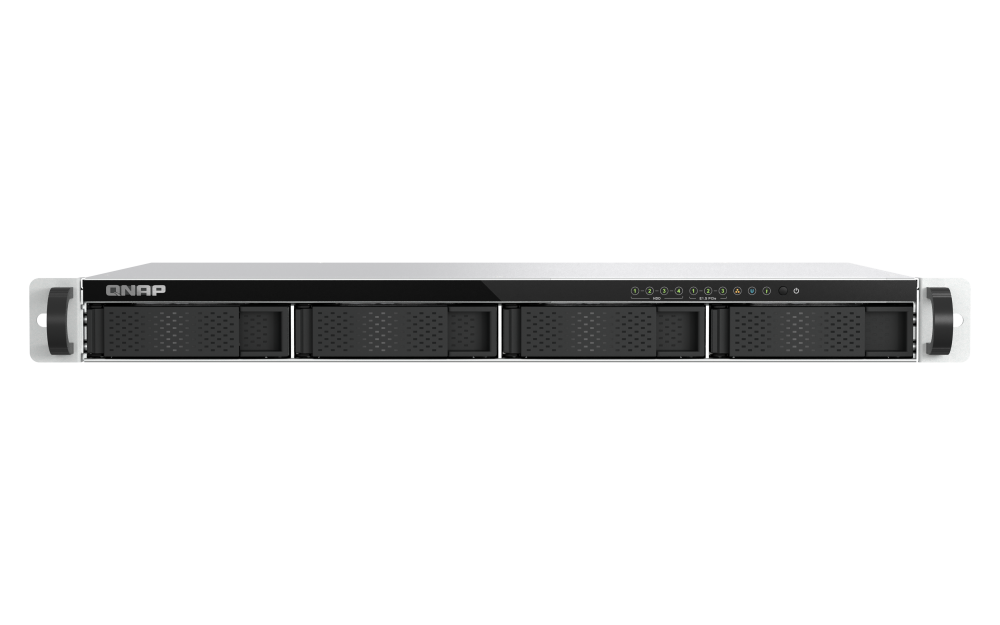
TS-h765eU
Compact 1U short-depth rackmount NAS, with E1.S/M.2 PCIe NVMe slots and 10GbE expandability
-
TS-216G
The most affordable 2-bay 2.5GbE QNAP NAS. Your most reliable file management center.



QWA-AC2600
Turn your Ubuntu/Linux PC or QNAP NAS into a high-performance and secure wireless access point/base station
TS-h765eU
Compact 1U short-depth rackmount NAS, with E1.S/M.2 PCIe NVMe slots and 10GbE expandability
TS-216G
The most affordable 2-bay 2.5GbE QNAP NAS. Your most reliable file management center.


