


QAI-16700
Storage × Virtualization × On-Premises AI — the all-in-one tower Edge AI NAS
QAI-16700 is a tower Edge AI NAS built for on-premises AI. A 12-core AMD Ryzen™ 9 7900 with DDR5 memory delivers workstation-class compute, while a 750W power supply drives high-end graphics cards such as the NVIDIA RTX PRO 6000 Blackwell — so one system serves as enterprise ZFS storage, a virtualization platform, and a local LLM / generative AI engine. Your data and your compute stay in the office: no cloud, no extra boxes.
* Specifications and performance figures are for reference only; actual results vary with configuration and workload.


Three-in-One Integration
NAS storage, virtual machines, and on-premises AI inference run on one system — replacing a NAS, a VM host, and a GPU workstation.
GPU-Ready
An upgraded 750W power supply drives the 96GB NVIDIA RTX PRO 6000 Blackwell in lab testing, so 70B-class models run on-premises.
Workstation-Class Compute
The 12-core, 24-thread AMD Ryzen™ 9 7900 pairs a high core count with high clock speeds, so heavy virtualization and AI inference run in parallel without stalling.
QuTS hero ZFS
Self-healing, near-unlimited snapshots, and inline deduplication protect every piece of AI data with an enterprise-class file system.
QuTS hero Operating System
Honored with 2026 MSP Today Product of the Year Award
On-Premises AI, Data Stays In-House
Everything from inference to generation runs on the local GPU, so sensitive data never goes to the cloud — performance, privacy, and compliance in one.
AMD Ryzen™ 9 7900
A 12-core / 24-thread Zen 4 architecture combines a high core count with high clock speeds: the cores carry heavy virtualization and multitasking, while high frequencies accelerate AI pre-processing and inference scheduling. Paired with dual-channel DDR5, virtualization and on-premises AI run side by side on a single machine.

Lab-Tested GPU Lineup
The 750W power supply drives a single high-end workstation GPU. Choose by model size and budget, from the 96GB flagship to a compact card; Intel Arc Pro support is coming soon.
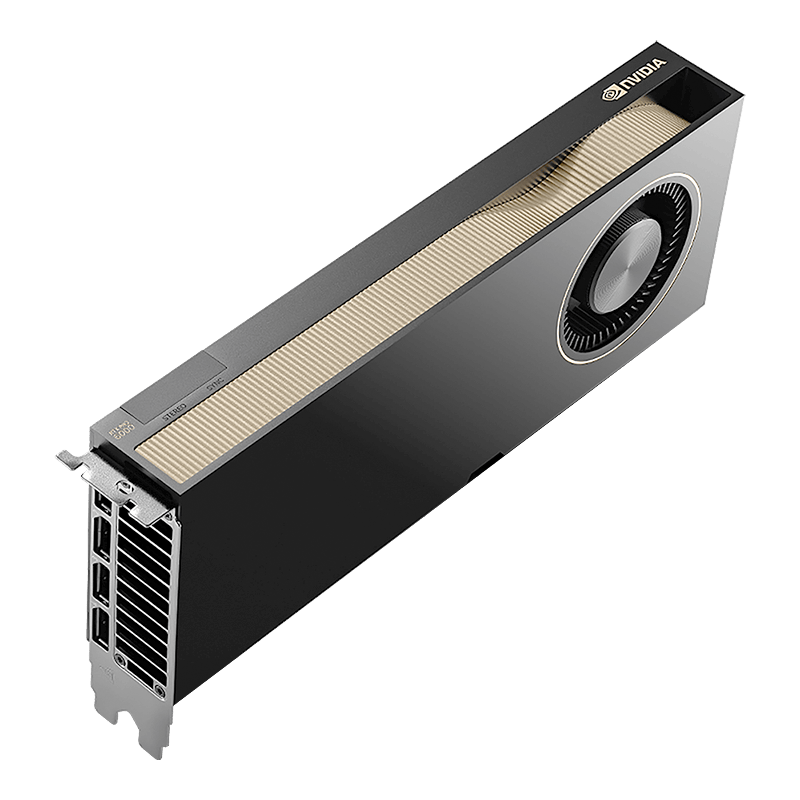
RTX PRO 6000 Blackwell
- GPU Memory96 GB GDDR7
- ArchitectureBlackwell
- Best for70B+ LLMs · Generative AI
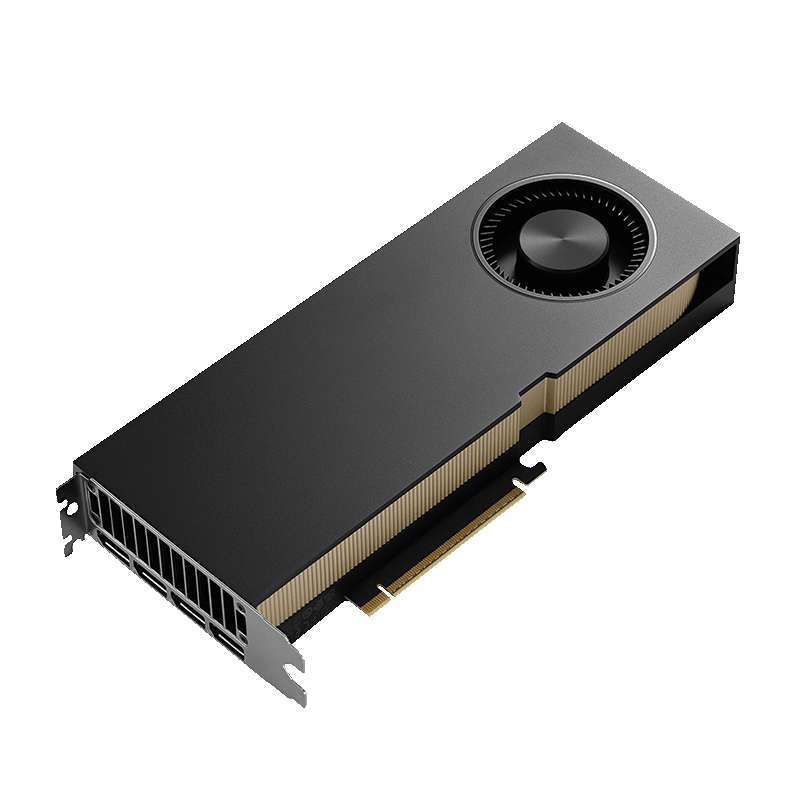
RTX PRO 5000 Blackwell
- GPU Memory48 GB GDDR7
- ArchitectureBlackwell
- Best for32B LLMs · Image Generation
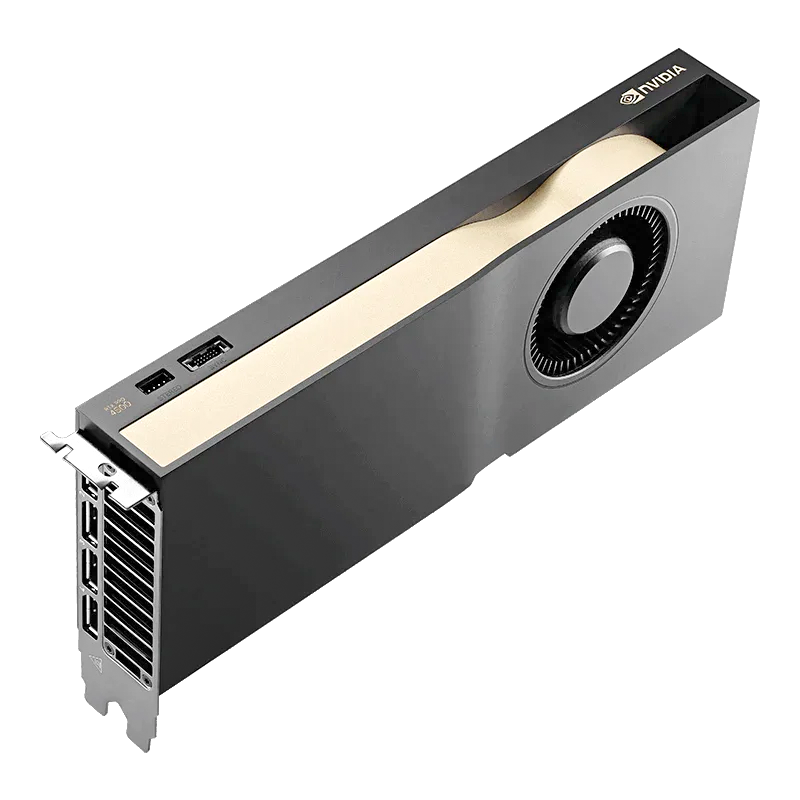
RTX PRO 4500 Blackwell
- GPU Memory32 GB GDDR7
- ArchitectureBlackwell
- Best forMid-to-Large Model Inference
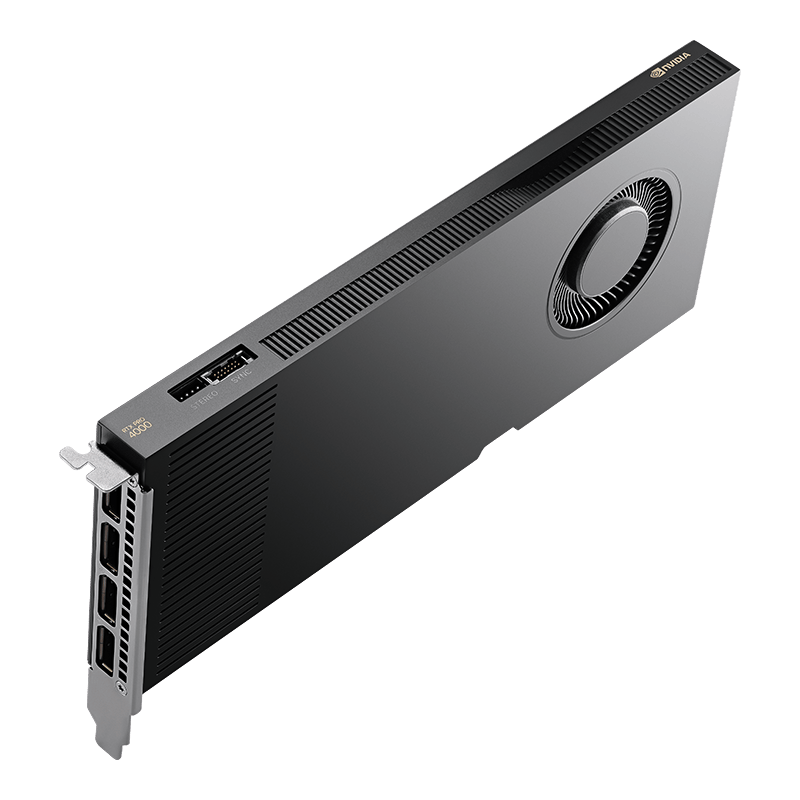
RTX PRO 4000 Blackwell
- GPU Memory24 GB GDDR7
- ArchitectureBlackwell
- Best forEntry-Level AI · Multi-Task Inference
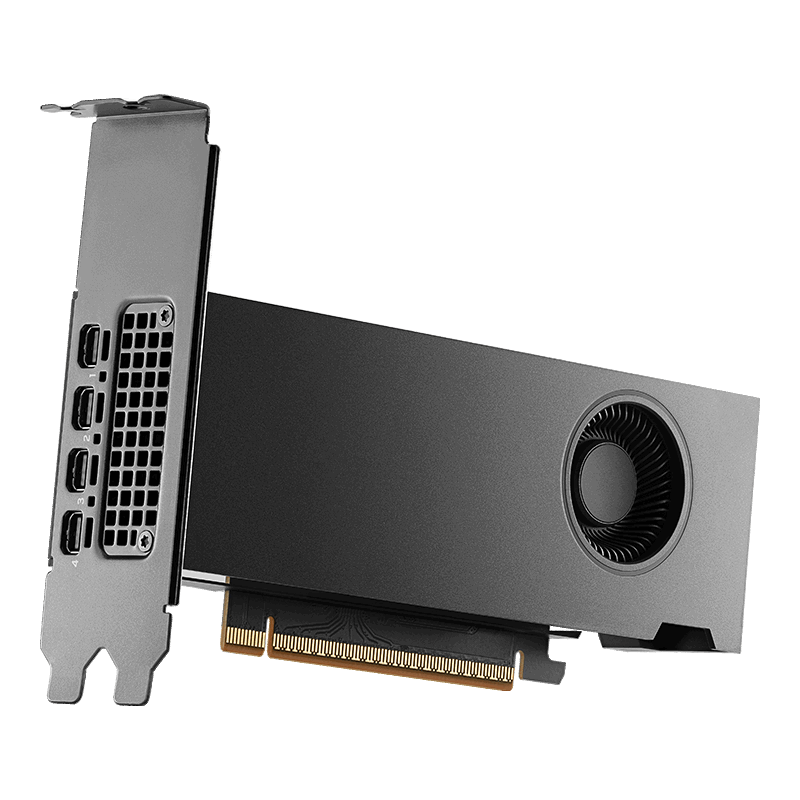
RTX PRO 2000 Blackwell SFF
- GPU Memory16 GB GDDR7
- ArchitectureBlackwell
- Best forLightweight Inference · Compact Build
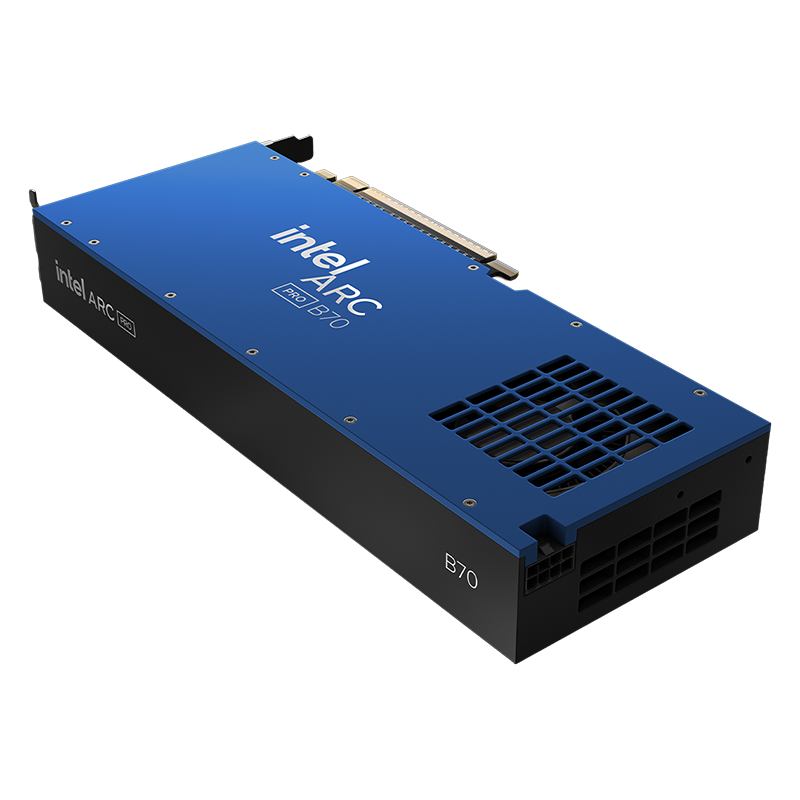
Intel Arc Pro B70
- GPU Memory32 GB GDDR6
- ArchitectureIntel Xe2 (Battlemage)
- Best forMid-to-Large Model Inference
* GPU memory and architecture are manufacturer specifications; actual support and performance depend on model configuration and firmware version.
Qsirch & RAG Search
Turn Company Documents into a Private, Conversational Knowledge Base
Qsirch full-text search combined with RAG turns internal documents into a private, queryable knowledge base linked to a local LLM — search and generation both stay on-premises, so knowledge never leaks out.
Learn More: Learn about Qsirch

A More Powerful Container Station for One-Stop On-Premises AI
Container Station on the QAI-16700 includes a rich catalog of AI app templates for one-click deployment of mainstream AI tools and frameworks, continuously updated by QNAP. Whether you are new to AI or moving existing workloads back on-premises, you can adopt AI easily, cut costs, strengthen data security, and even build your own AI tools to drive the business forward.
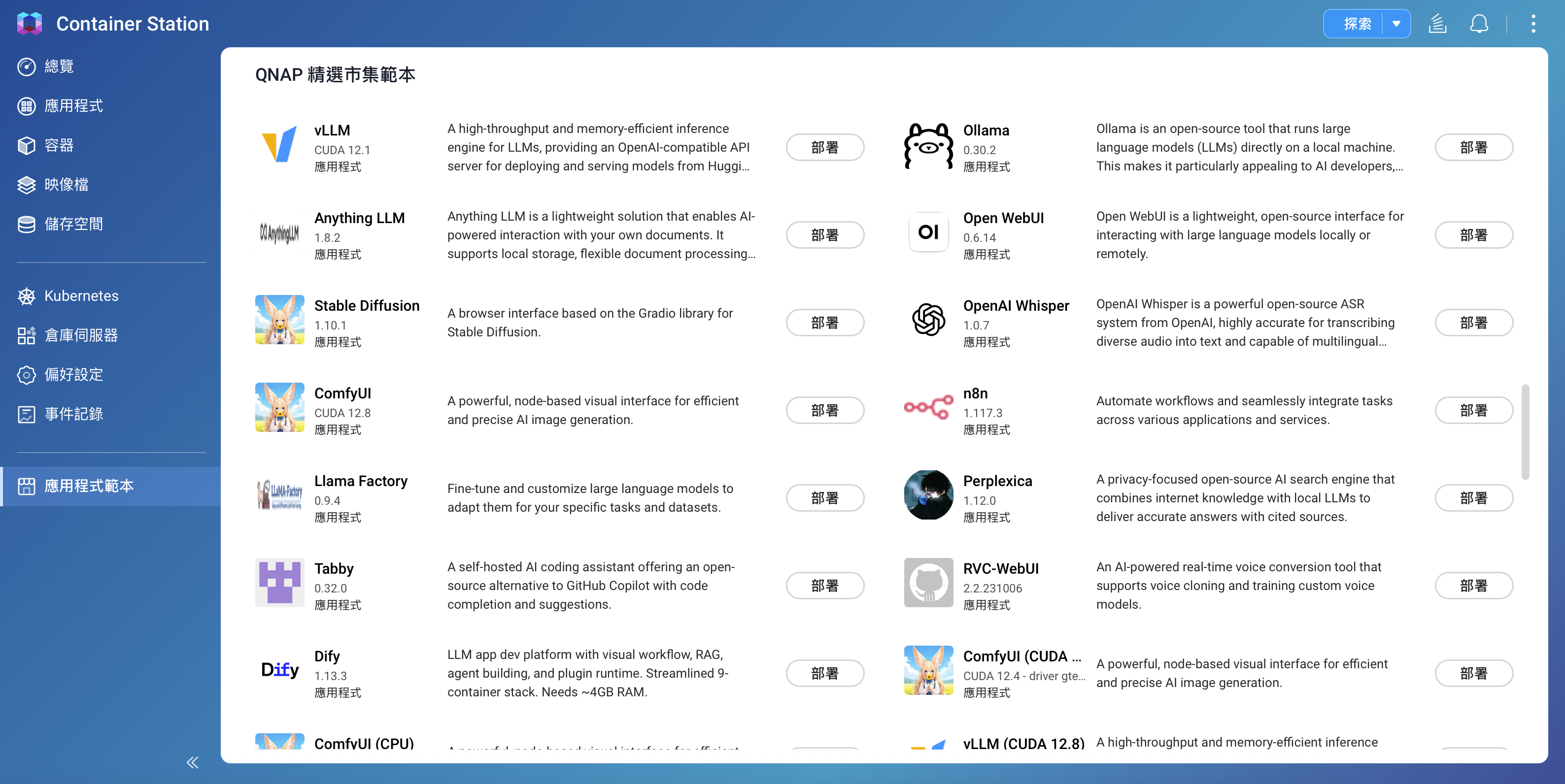
One-Click On-Premises AI Solutions
From inference engines and chat interfaces to vector search and RAG knowledge bases, every solution below runs locally through Container Station with GPU integration — your data never leaves the company.
Ollama
Run and experiment with open-source language models the easy way: GPU acceleration lets developers test, fine-tune, and serve LLMs efficiently on-premises, with data staying local.
Open WebUI
A full-featured, easy-to-use web interface for interacting with local or remote LLMs, with chat, prompt engineering, and conversation management that make AI adoption simpler.
AnythingLLM
Deploy a customizable private large language model in a secure environment: connect multiple data sources for tailored Q&A and document analysis — ideal for businesses that value privacy and control.
RAGFlow
A document RAG engine: a built-in vector database and document chunking turn contracts, specifications, and presentations into a searchable vector index, so a local LLM answers from your actual documents and cites its sources.
Dify
An LLM application development platform: a built-in vector knowledge base and prompt-flow orchestration let you build a company-specific Q&A bot without coding from scratch, then expose it to other systems through an API.
Flowise
A drag-and-drop AI flow builder: chain large language models, vector search, and external APIs into agents or Q&A flows, so teams that do not code can assemble their own AI applications.
ComfyUI
An advanced modular generative AI workflow interface: build complex AI pipelines such as image generation by dragging nodes, all GPU-accelerated.
Whisper
A single open-source model for multilingual speech recognition: accurate transcription, translation, and language identification, deployable on-premises for both data security and voice application integration.
Tabby
An on-premises AI coding assistant: code completion and Q&A on your own GPU, with source code that never leaves the company — ideal for development teams with compliance requirements.
Real-World AI Scenarios, from Enterprises to Studios
A single QAI-16700 supports a wide range of on-premises AI scenarios.
Why Choose the QAI-16700
Compared with other AI NAS brands, GB10-class mini AI appliances, or large GPU servers, the QAI-16700 brings enterprise storage, virtualization, and on-premises GPU AI together in a single deskside tower.
| QAI-16700 | Other AI NAS brands | GB10 mini AI appliance | Large GPU server | |
|---|---|---|---|---|
| On-premises GPU AI inference | ✔ | Partial | ✔ | ✔ |
| Swappable high-end workstation GPU (RTX PRO 6000 class) | ✔ | ✘ | GPU soldered | ✔ |
| Enterprise ZFS storage + snapshots | ✔ | Partial | ✘ | Partial |
| High-capacity drive bays | 16-bay | 4–8 | No built-in array | Sold separately |
| Virtualization (VM / container) | ✔ | Partial | ✘ | ✔ |
| Unified management interface (QuTS hero) | ✔ | Partial | ✘ | ✘ |
| Deskside deployment · no server room | ✔ | ✔ | ✔ | ✘ |
* GB10 refers to NVIDIA Grace Blackwell-class mini AI computers (such as DGX Spark-style appliances). Some items depend on configuration; this comparison is for positioning reference only.
One QNAP Edge AI Family — Choose by Scale
From a deskside entry point to a data-center flagship, a complete on-premises AI upgrade path.
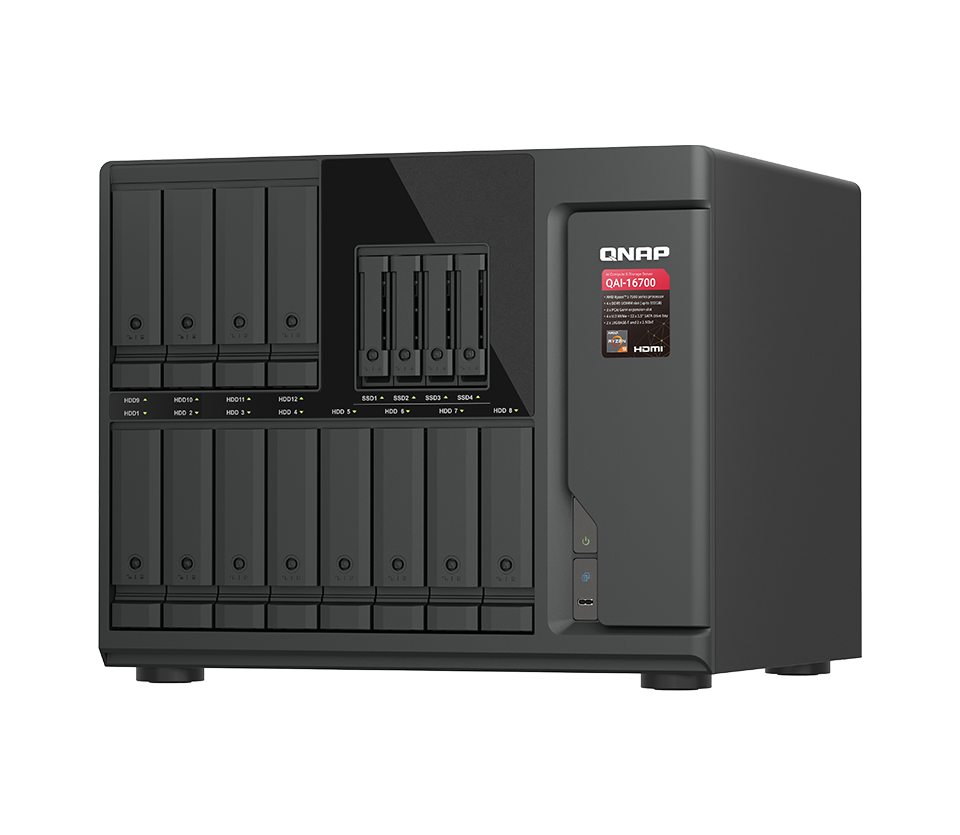
QAI-16700
The on-premises AI starting point for SMBs, studios, and R&D teams: a tower chassis, Ryzen 9 plus a single high-end GPU, and 16-bay hybrid storage — deployable right in the office.

QAI-h1290FX
A flagship platform for larger scale and higher throughput: server-grade processors, U.2 all-flash storage, and higher GPU / memory ceilings — the upgrade of choice as compute demand grows.
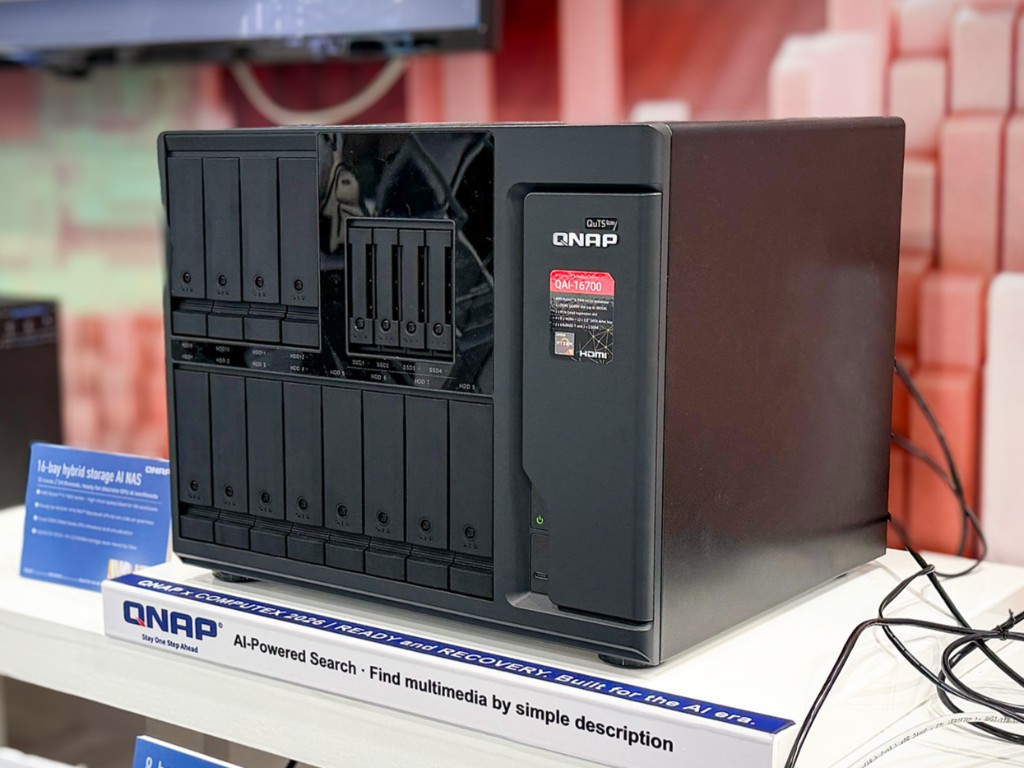
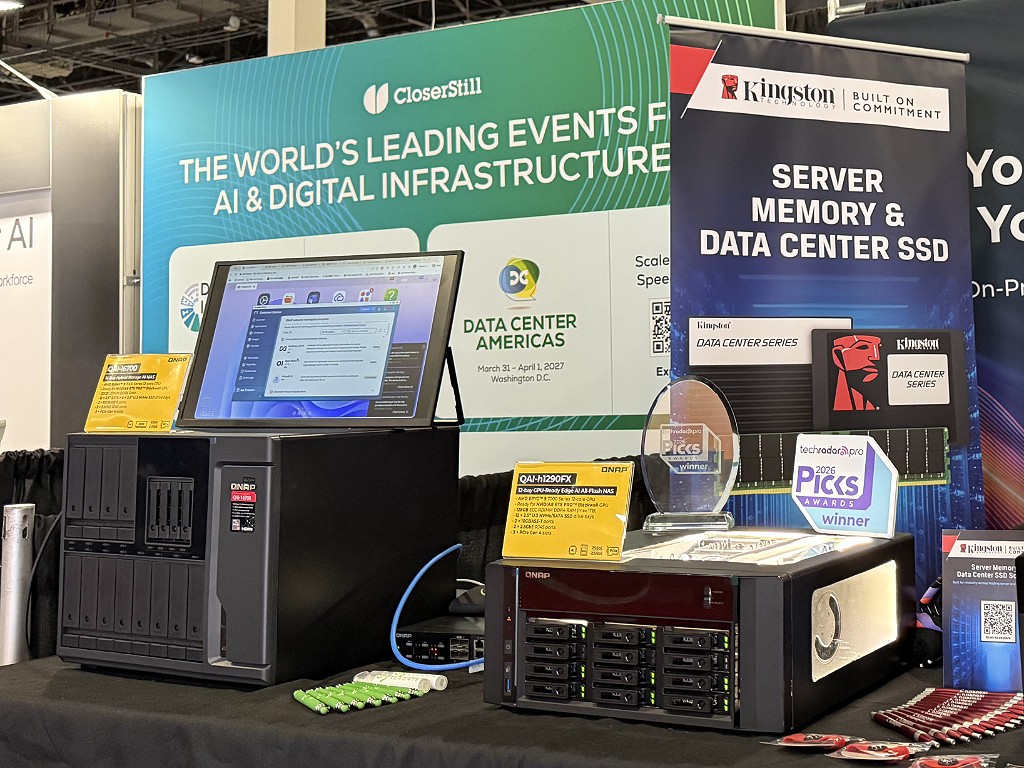
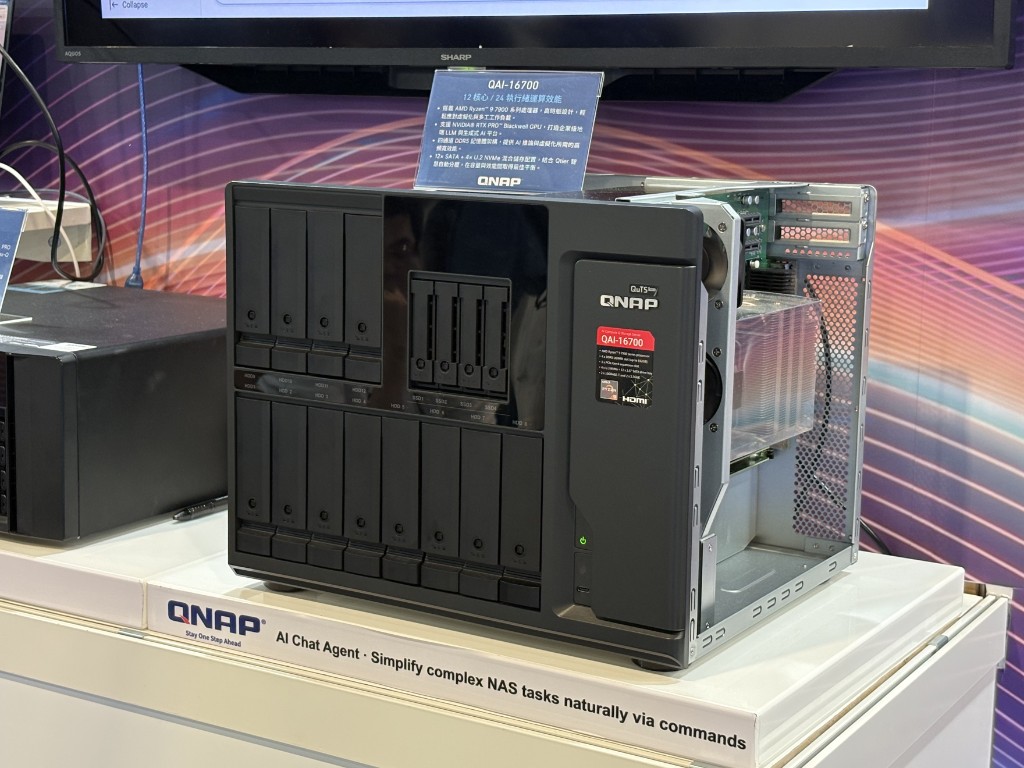
QAI-16700 on the Show Floor
Visiting trade shows and customer sites worldwide, so you can experience the QAI-16700's on-premises AI firsthand.
QuTS hero · ZFS
Enterprise ZFS That Safeguards Your AI Assets
QuTS hero, built on ZFS, delivers self-healing, near-unlimited snapshots, inline deduplication, and SSD endurance optimization. Keep model weights, training data, and vector databases on storage with end-to-end integrity protection, and your AI results stay safe.
Learn More: Learn about QuTS hero

Virtualization, Ready to Work
GPU passthrough and container-native GPU access turn one machine into a flexible virtualization and AI platform.
FAQ
Need help?
Contact us now to get more recommended products or solutions catered to your needs and requirements!
Optional Accessories
-

QM2-2P-244A
Dual M.2 22110/2280 PCIe SSD expansion card;
Dimension (L × W × H): 170.5 × 20.6 × 68.9 (mm)
Weight: 0.29 (kg)
Please check the M.2 SSD compatibility list and QM2 Installation Guide
-

QM2-2P-344A
Dual M.2 PCIe SSD expansion card; M.2 2280/22110 PCIe NVMe(Gen 3x4) SSDs; PCIe Gen3x4 host interface
Dimension (L × W × H): 170.5 × 19.3 × 68.9 (mm)
Weight: 0.30 (kg)
-

QM2-2P-384A
Dual M.2 PCIe SSD expansion card; M.2 2280/22110 PCIe NVMe(Gen 3x4) SSDs; PCIe Gen3x8 host interface
Dimension (L × W × H): 170.5 × 19.3 × 68.9 (mm)
Weight: 0.30 (kg)
-

QM2-2P10G1TB
QM2 series, 2 x PCIe 2280 M.2 SSD slots, PCIe Gen3 x 8 , 1 x Marvell AQC113C 10GbE NBASE-T port
Dimension (L × W × H): 152.65 × 18.9 × 68.9 (mm)
Weight: 0.30 (kg)
-

QM2-2P2G2T
QNAP QM2 series, 2 x PCIe 2280 M.2 SSD slots, PCIe Gen3 x 4 , 2 x Intel I225LM 2.5GbE NBASE-T port
Dimension (L × W × H): 152.65 × 20.6 × 68.9 (mm)
Weight: 0.29 (kg)
-

QM2-2P410G1T (EOL)
QM2 series, 2 x PCIe 2280 M.2 SSD slots, PCIe Gen4 x 4 , 1 x AQC113C 10GbE NBASE-T port
Dimension (L × W × H): 187 × 19.35 × 68.9 (mm)
Weight: 0.30 (kg)
-

QM2-2P410G2T (EOL)
QM2 series, 2 x PCIe 2280 M.2 SSD slots, PCIe Gen4 x 4 , 2 x AQC113C 10GbE NBASE-T port
Dimension (L × W × H): 187 × 19.35 × 68.9 (mm)
Weight: 0.30 (kg)
-

QM2-2S-220A
Dual M.2 22110/2280 SATA SSD expansion card;
Dimension (L × W × H): 147.15 × 20.6 × 68.9 (mm)
Weight: 0.30 (kg)
-

QM2-4P-384
Quad M.2 PCIe SSD expansion card; supports up to four M.2 2280 formfactor M.2 PCIe (Gen3 x4) SSDs; PCIe Gen3 x8 host interface; Low-profile bracket pre-loaded, Low-profile flat and Full-height are bundled
Dimension (L × W × H): 204.95 × 68.9 × 20.6 (mm)
Weight: 0.32 (kg)
-

QM2-4S-240 (EOL)
Quad M.2 2280 SATA SSD expansion card
Dimension (L × W × H): 204.95 × 68.9 × 20.6 (mm)
Weight: 0.32 (kg)
-

QXG-10G1T
Single-port (10Gbase-T) 10GbE network expansion card, PCIe Gen3 x4, Low-profile bracket pre-loaded, Low-profile flat and Full-height are bundled
Dimension (L × W × H): 143 × 193 × 52 (mm)
Weight: 0.53 (kg)
-

QXG-10G2SF-NXE
Dual-port SFP+ 10Gb network expansion card; low-profile formfactor; PCIe Gen3 x8
Dimension (L × W × H): 110 × 18.3 × 68.9 (mm)
Weight: 0.23 (kg)
-

QXG-10G2T
Dual-port 10GBASE-T 10Gb network expansion card; low-profile formfactor; PCIe Gen3 x4
Dimension (L × W × H): 54.5 × 39.5 × 18 (mm)
Weight: 0.24 (kg)
-

QXG-10G2TB (EOL)
Dual-port 10GbE Network Adaptor, Aquantia AQC113C
Dimension (L × W × H): 104.7 × 16.1 × 68.9 (mm)
Weight: 0.28 (kg)
-

QXG-25G2SF-CX6
Dual-port SFP28 25Gb network expansion card; Mellanox ConnectX-6 Lx;low-profile formfactor; PCIe Gen4 x8
Dimension (L × W × H): 120 × 16.5 × 69 (mm)
Weight: 0.15 (kg)
-
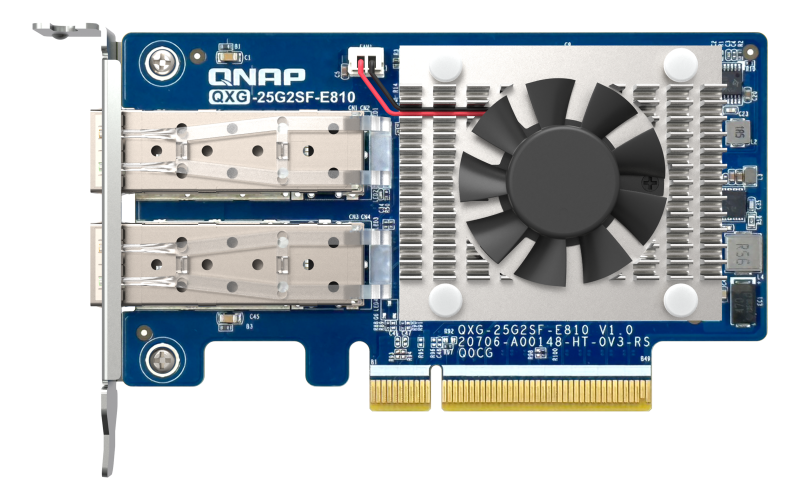
QXG-25G2SF-E810
2 port 25GbE(Intel E810-XXVAM2) Network Interface Cards (NIC)
Dimension (L × W × H): 119.3 × 68.9 × 18.1 (mm)
Weight: 0.23 (kg)
-

QXG-2G1T-I225
Single port 2.5GbE 4-speed Network card
Dimension (L × W × H): 67.3 × 68.9 × 25.2 (mm)
Weight: 0.19 (kg)
-

QXG-2G2T-I225
Dual port 2.5GbE 4-speed Network card
Dimension (L × W × H): 54 × 39.5 × 17 (mm)
Weight: 0.33 (kg)
-

QXG-2G4T-I225
Quad port 2.5GbE 4-speed Network card
Dimension (L × W × H): 104.6 × 68.9 × 24.1 (mm)
Weight: 0.24 (kg)
-

QXG-5G1T-111C
QNAP 5GbE multi-Gig expansion card;Aquantia AQC111C;Gen2 x 1;low profile
Dimension (L × W × H): 145 × 190 × 52 (mm)
Weight: 0.20 (kg)
-

QXG-5G2T-111C (EOL)
QNAP dual port 5GbE multi-Gig expansion card;Aquantia AQC111C;Gen2 x 2;low profile
Dimension (L × W × H): 145 × 190 × 52 (mm)
Weight: 0.20 (kg)
-
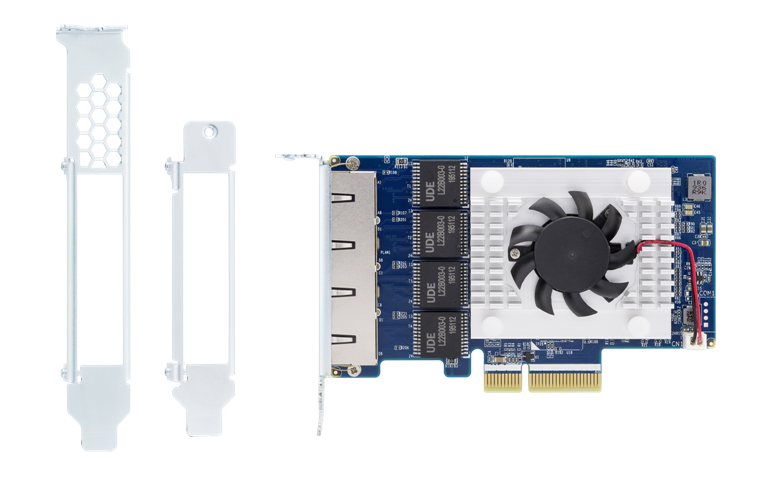
QXG-5G4T-111C (EOL)
QNAP Quad port 5GbE multi-Gig expansion card;Aquantia AQC111C;Gen2 x 4;low profile
Dimension (L × W × H): 145 × 190 × 52 (mm)
Weight: 0.23 (kg)
-
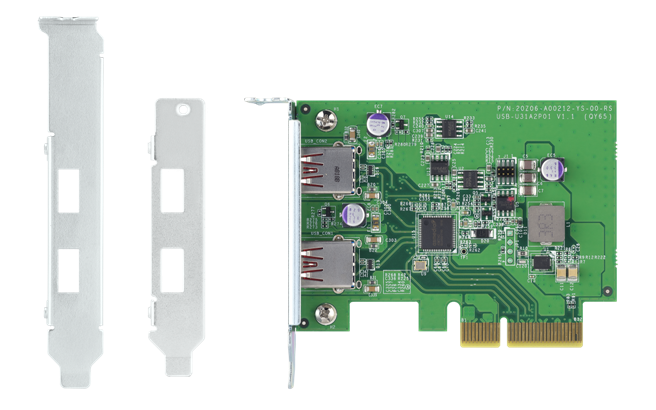
QXP-10G2U3A
Dual-port USB 3.2 Gen 2 10Gbps Type-A PCIe Gen 3 x2 Card, Asmedia ASM3142
Dimension (L × W × H): 89.6 × 68.9 × 14 (mm)
Weight: 0.09 (kg)
-

QXP-16G2FC
QNAP 2-port 16Gbps fiber channel adapter, PCIe 3.0 x8, SFP+, low profile, w/ SFP+ 16G transceivers
Dimension (L × W × H): 190 × 143 × 50 (mm)
Weight: 0.28 (kg)
-

QXP-32G2FC
QNAP 2-port 32Gbps fiber channel adapter, PCIe 3.0 x8, SFP+, low profile, w/ SFP+ 32G optical transceivers
Dimension (L × W × H): 190 × 143 × 50 (mm)
Weight: 0.28 (kg)


