QuTScloud

QuTScloud is the operating system for QNAP Cloud NAS virtual appliances. With the possibility of on-premises and cloud deployment, QuTScloud enables optimized cloud data usage and flexible resource allocation at a predictable monthly cost.

System
Applications

QES

QES is the operating system for dual-controller QNAP NAS models. With FreeBSD and ZFS, QES is flash-optimized, capable of driving outstanding performance for all-flash storage arrays.

System
Product
Resources

QNE Network

QNE Network is the operating system for QuCPE, QNAP's universal customer premises equipment series. Run virtual network functions, freely configure software-defined networks, and enjoy benefits such as lowered costs and reduced management efforts.

System
Applications

QSS

QNAP Switch System (QSS) is the configuration interface for QNAP's managed switch series. Enable management functions such as link aggregation, VLAN, and RSTP, to take care of your network topology with ease.

System

QuRouter

QNAP’s QuRouter OS simplifies managing high-speed and high-coverage LAN/WAN. With NAT, VPN, security, and QuWAN SD-WAN, network management is made easier and remote connections more secure.

System
Applications

QVR Elite

QVR Elite is the subscription-based network video recorder software for QNAP's QTS, QuTS hero, and QNE Network operating systems. Its low monthly fee enables homes and small businesses to build a cost-effective and flexible video surveillance system.

System
Resources

QVR Pro

QVR Pro is the network video recorder software for QNAP's QVR Pro video surveillance appliances. QVR Pro can be also used with a series of apps, such as face recognition and door access control, making it versatile for a range of scenarios.

System
Applications
Resources

QVR Face

QVR Face is a smart facial recognition solution featuring real-time live streaming video analytics from connected cameras. It can be integrated into multiple scenarios to provide intelligent attendance management, door access control management, VIP welcome systems and smart retail services.

System
Applications
Resources

Smart Video Solutions

QNAP smart video solutions provides integrated intelligent packages such as video conferencing and smart retail, boosting productivity for individuals and businesses.

Video Conferencing
Smart Retail

KoiMeeter 2.0
Wireless Presentation Device for Enterprise

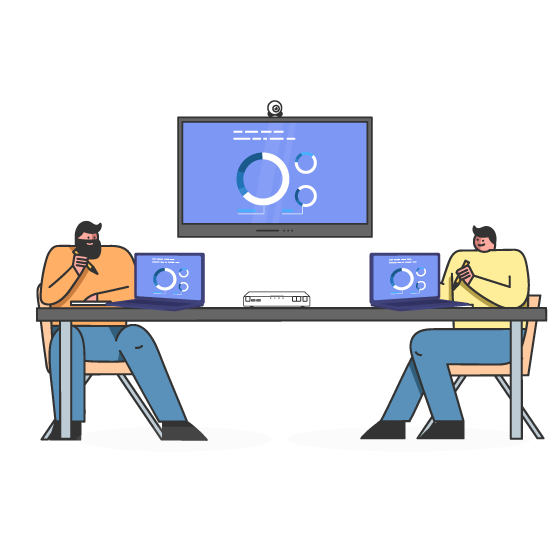
KoiMeeter makes your wireless presentations easier! Presenters can easily share their screens using their web browser, and meeting participants can join video conferences remotely. Important files can be shared using the built-in chat room and video calls and messages can be recorded to the QNAP NAS for future playback or archiving.

Start Wireless Presentations in Your Browser!

No extra wireless projectors, dongles or software is needed. All you need to do is open your web browser to directly start a video conference.
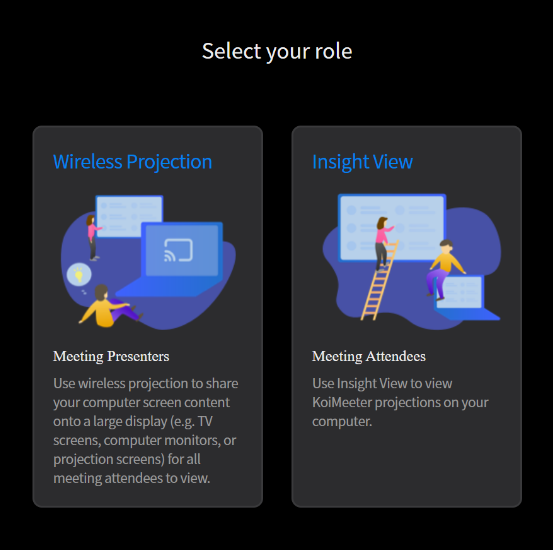
Output at 4K Ultra HD

Make your beautiful slides shine and ensure that all your details are pristinely presented with 4K Ultra HD playback!

Supports Three Projection Modes

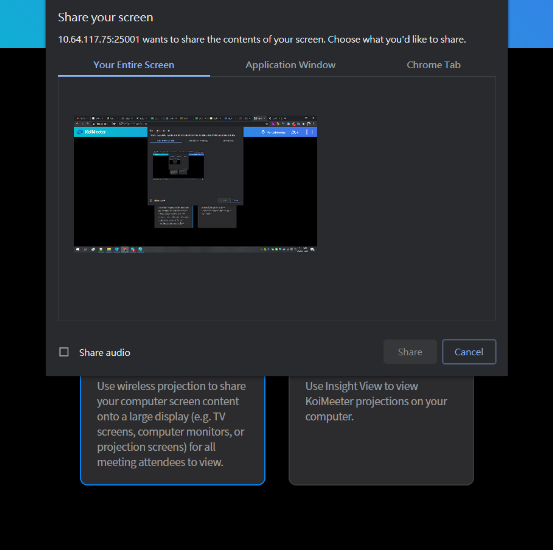
KoiMeeter can display in “entire screen mode”, “specific application window mode” and “Chrome tab mode”. Presenters can choose the mode that fits their needs.

Notes: Firefox does not support “specific application window mode”.
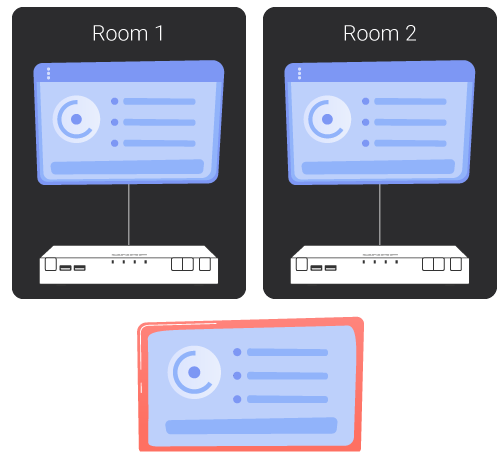
Remote Projection

Simultaneously project one screen to multiple KoiMeeter via the Internet for greater flexibility and convenience.
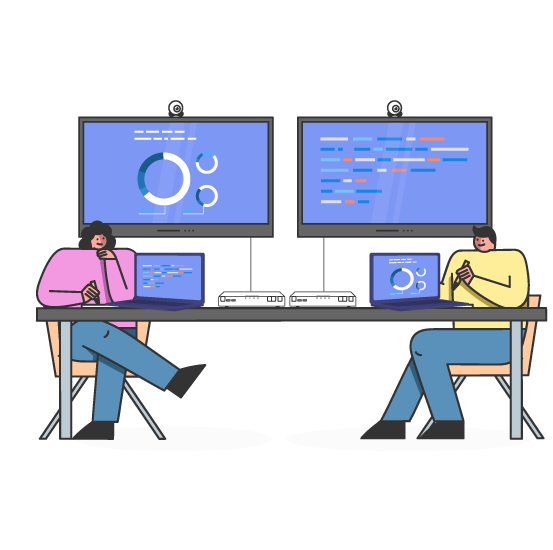
Use Multiple Displays

Some QNAP NAS have multiple HDMI ports, allowing presenters to output on more than one screen simultaneously.
Share Mobile Screens with KoiCast

Simply scan the KoiMeeter QRcode to display a mobile phone screen and camera display on your TV using KoiCast.

Remotely Join Meetings

Meeting participants can remotely view the presentation on their own device, and use the built-in chat room to share files and have their voices heard.
Record Meetings

Video calls can be recorded and directly saved on the NAS for record keeping or sharing with partners.

Simple and Effective Video Conferencing

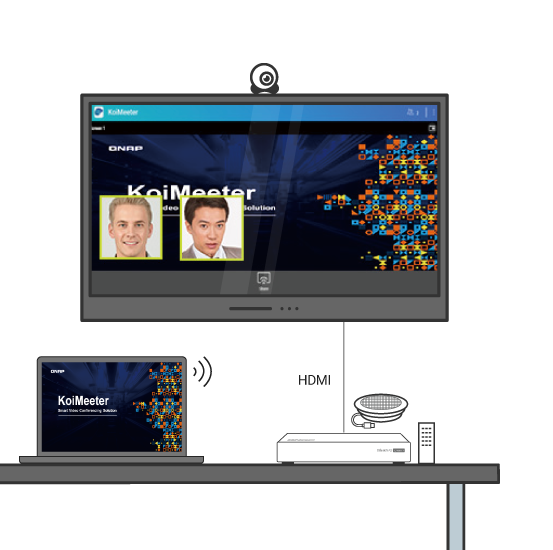
KoiMeeter video conferencing works with any HDMI display. You can easily deploy a video conference system that is both within your budget and without requiring complex settings.
KoiMeeter License Plan

Free license plan

Wireless presentation
  • Up to two HDMI outputs (total number varies by NAS).
  • Up to 30 minutes each meeting.
Insight View
  • View the presentation screen on individual devices.
  • Instant messaging and file sharing.
Video call
  • One-to-one.

Basic license plan

Wireless presentation
  • Up to two HDMI outputs (total number varies by NAS).
Insight View
  • View the presentation screen on individual devices.
  • Instant messaging and file sharing.
Video call
  • One-to-one.
Meeting recording
  • Supports recording meetings and saving files.

Start wireless presentation with KoiMeeter today!

Choose specification

      Show more Less

      Choose Your Country or Region

      open menu
      back to top