


How to Claim 6 Additional Free Channels in QVR Surveillance?
Available Product
- QVR Surveillance
Summary
Every QVR Surveillance installation ships with 2 embedded free channels. QVR Surveillance grants an additional 6 free channels to users who complete a one-time registration . After registration, the total free channel count reaches 8, which is sufficient for many small-to-medium surveillance deployments.
How to Claim the 6 Additional Free Channels
Step 1 -- Sign In with Your QNAP ID
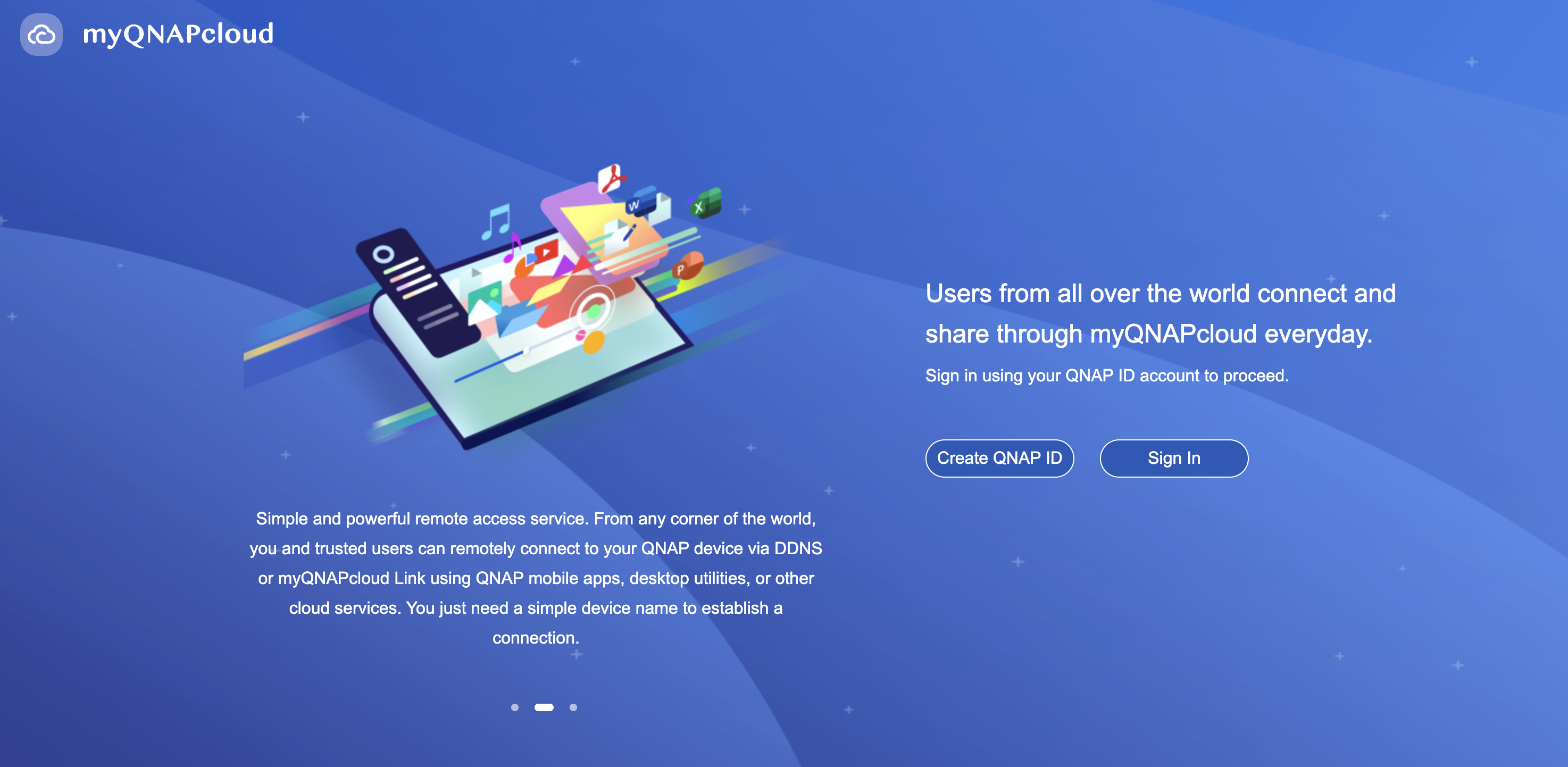
- Go to QTS desktop and open myQNAPcloud.
- Sign in with your QNAP ID (QID).
Step 2 -- Complete In-App Registration
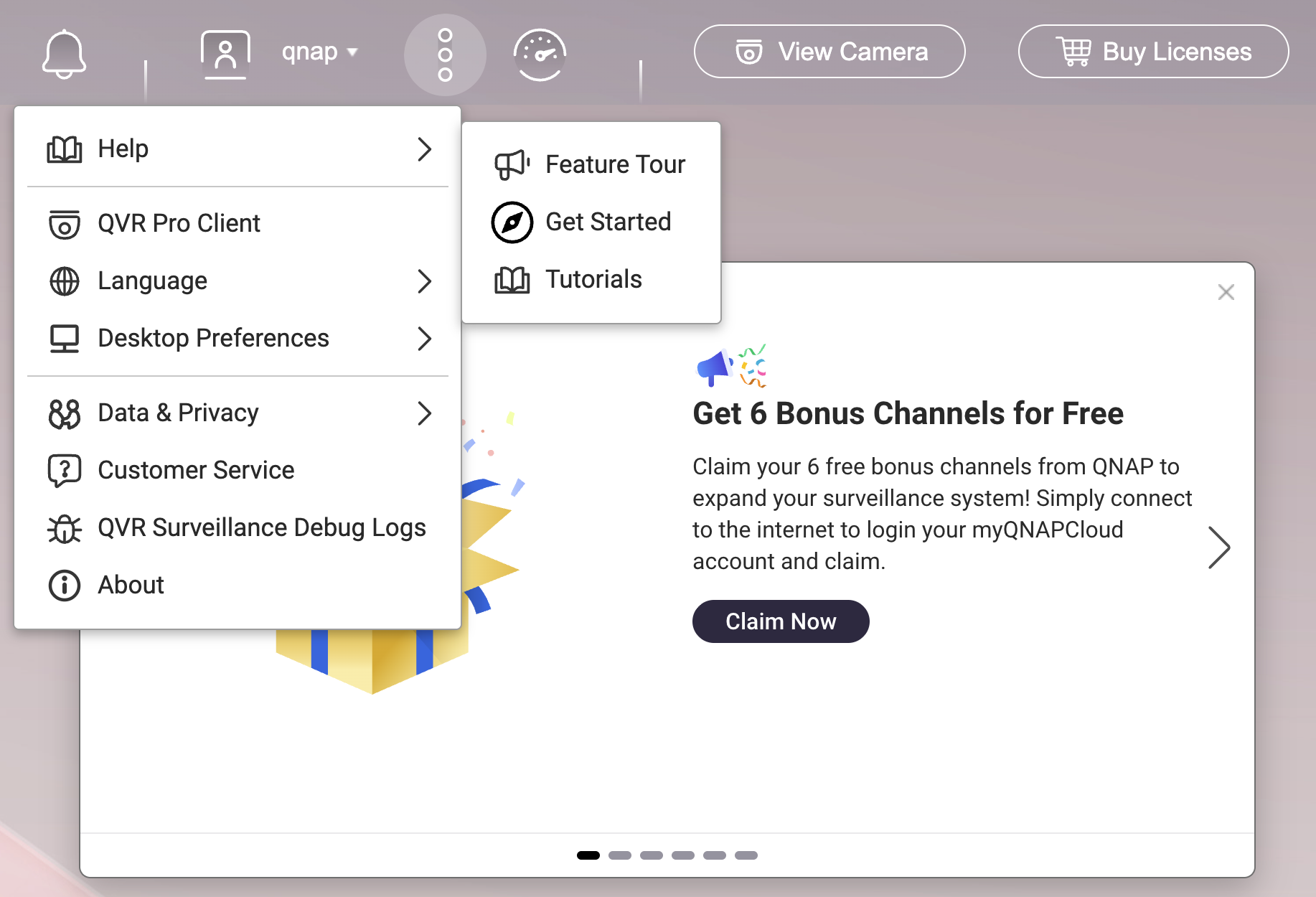
- Go to QVR Surveillance desktop.
- Click the "..." icon on menu bar.
- Go to "Help" and select "Feature Tour".
- Click "Claim now" button.
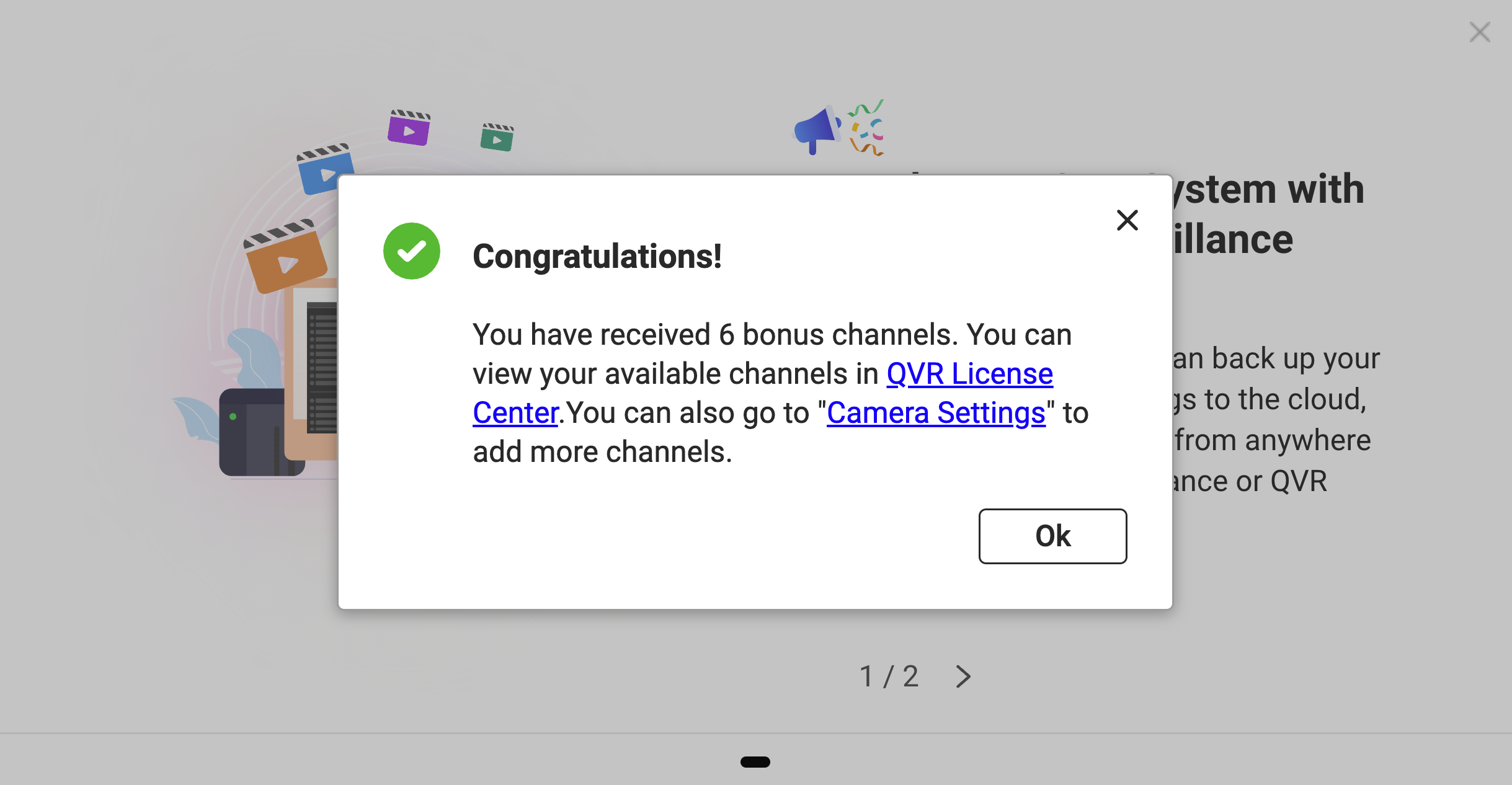
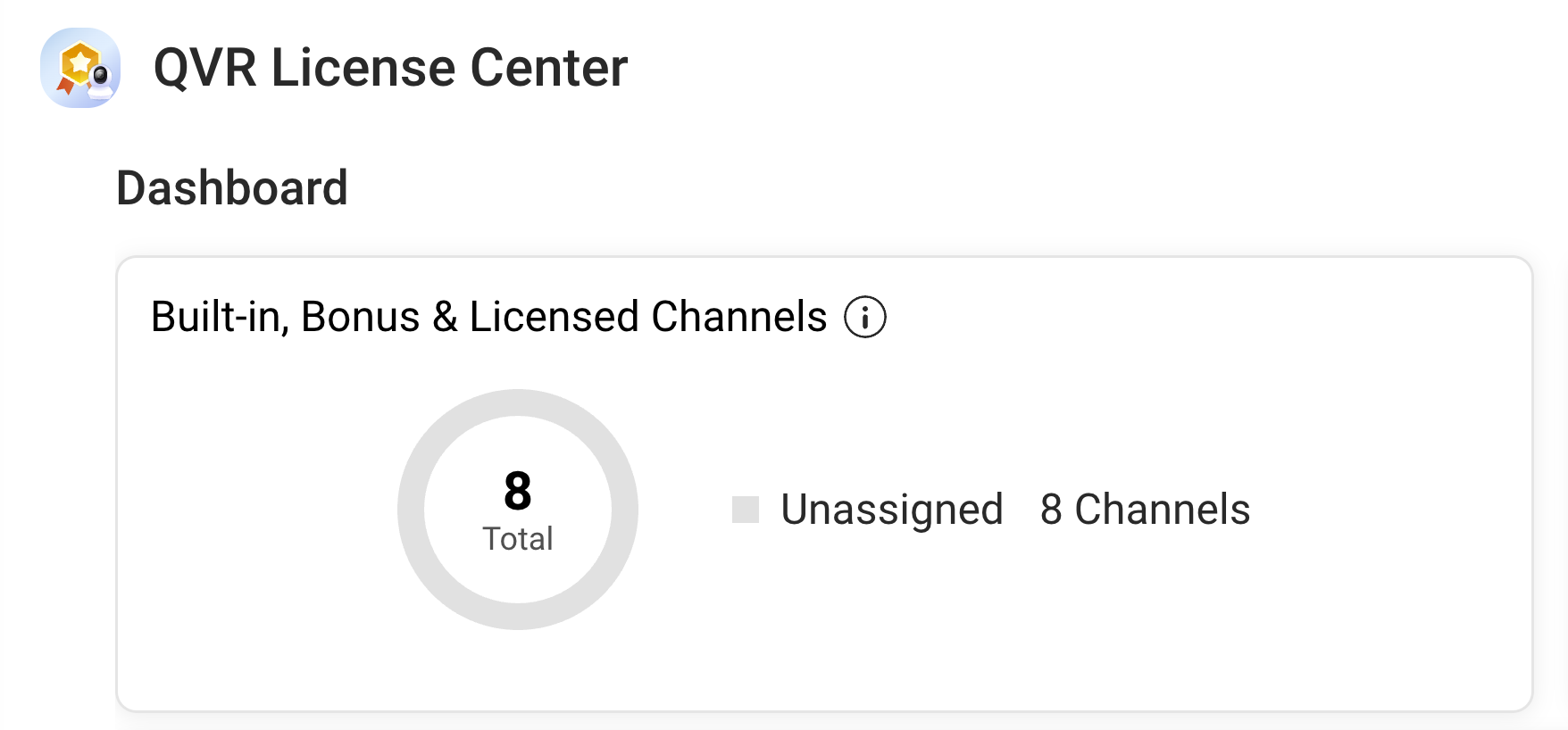
After registration, you can see that the number of available channels has increased to 8 in the QVR License Center.
Frequently Asked Questions
Do I need to stay logged into my QNAP ID to use the extra channels?
No. You can log out of your QID after successful activation. The channels remain functional even if the NAS is completely disconnected from the internet.
Is the 6-channel bonus a limited-time promotion?
The 6 free channels are part of the QVR Surveillance launch campaign. QNAP has not announced an end date as of this writing. Register promptly to secure the offer.
What happens to my existing paid licenses?
Paid licenses stack on top of the base channels. If you have built-in channels, the 6 bonus channels, and additional lifetime or subscription licenses, they sum together without replacing one another.
For further assistance, ask other users and QNAP experts in the community. Go to QNAP Community


