


How to view cloud file thumbnails in Windows File Explorer when enabling Qsync Client Space-Saving mode
Applicable Products
QTS, QuTS hero
Qsync Client for Windows v6.0.3 and later
Overview
In earlier versions of Qsync Client for Windows, files stored in Space-Saving mode appeared as placeholders in Windows File Explorer without thumbnail previews.
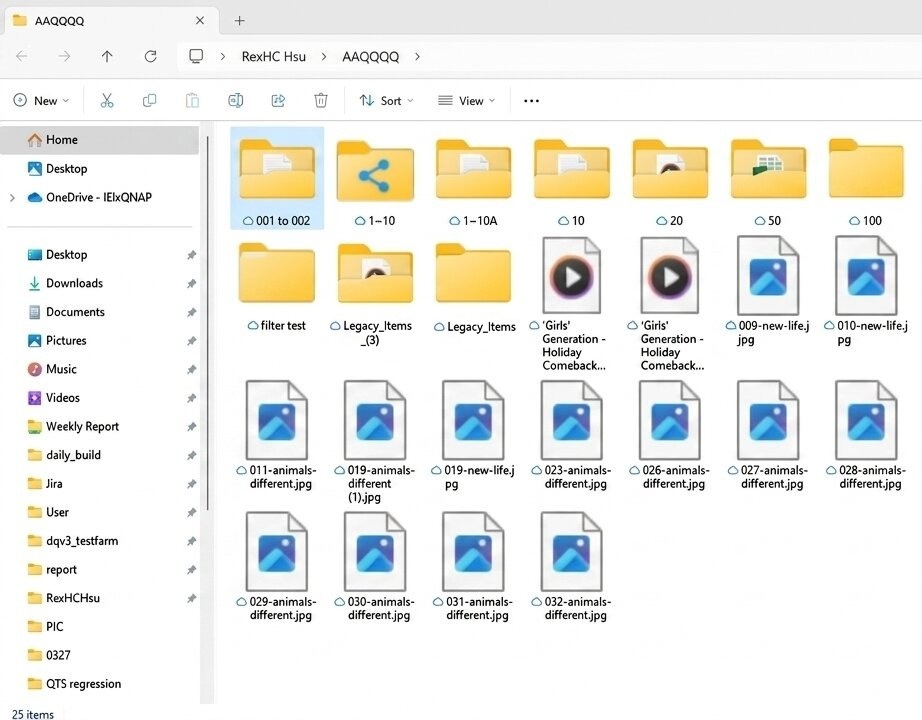
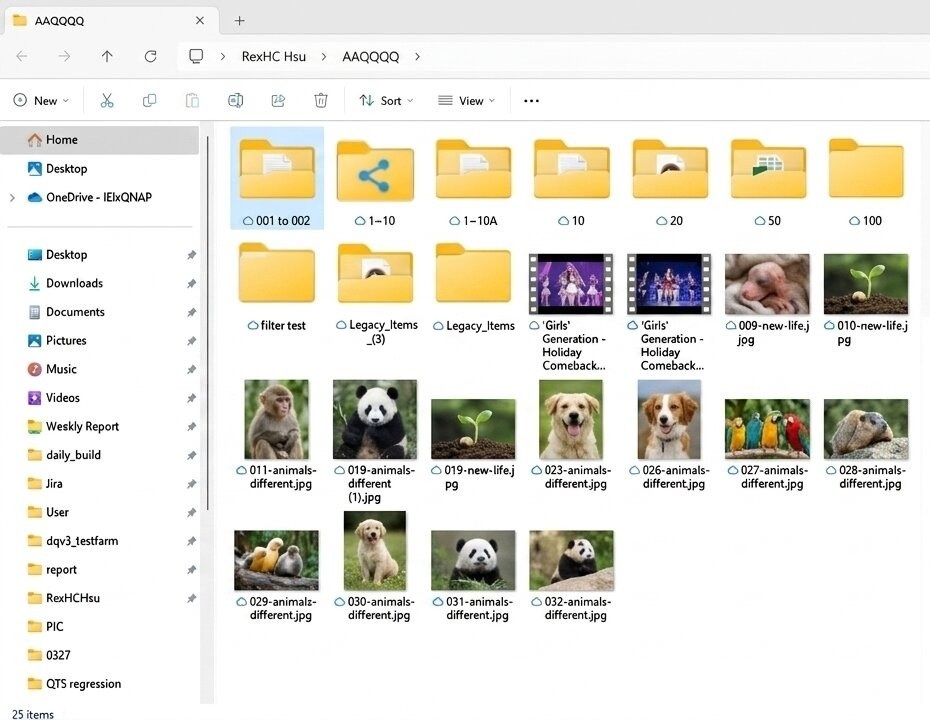
Starting from Qsync Client for Windows v6.0.3, thumbnail preview for cloud-only files is supported. Thumbnails are fetched in real time from your NAS, allowing you to visually identify files without downloading them.
Prerequisites
File Station thumbnail support must be enabled on your NAS. For details, see: How do I enable thumbnails for File Station, Qfile Pro, and other apps?
Solution
Verify thumbnail display
- Verify that Qsync Client for Windows is updated to v6.0.3 or later.
- Open Windows File Explorer and navigate to your Qsync folder.
- Switch to a thumbnail view, such as Large icons or Extra large icons.
Cloud-only files (indicated by a cloud icon) should now display thumbnails fetched in real time from your NAS.
- An active network connection to your QNAP NAS is required to display cloud file thumbnails.
- Thumbnail loading speeds may vary depending on your network conditions.
Troubleshooting
If File Station thumbnail support is enabled and Qsync Client has been upgraded to v6.0.3 or later, but thumbnails are still not visible in Windows File Explorer, try the following steps:
- Verify that Qsync Client is connected to your NAS.
Open Qsync Client for Windows and confirm that the connection status is shown as Connected. - Clear the Windows thumbnail cache.
- Press Win + R, type
cleanmgr, and click OK. - Select Thumbnails and click OK.
- Wait for Disk Cleanup to complete.
- Reopen Windows File Explorer and navigate to your Qsync folder to check whether thumbnails now display correctly.
- Press Win + R, type
Further reading
How do I enable thumbnails for File Station, Qfile Pro, and other apps?


