How Do I Add or Remove Devices in My Service Portal Account?
Data ostatniej modyfikacji:
2022-03-30
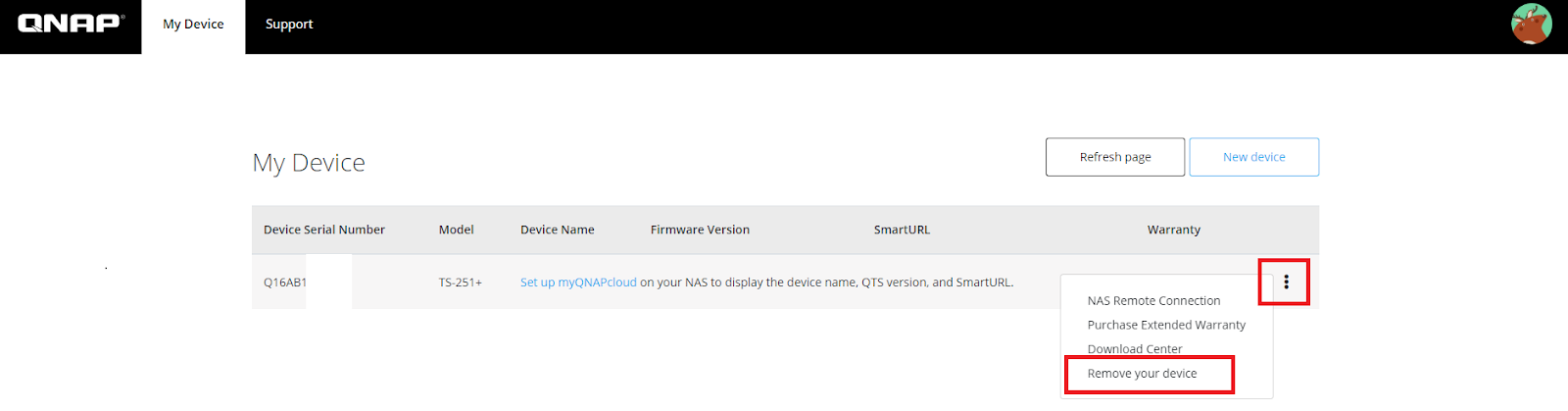
To add new devices to your account, simply click on the New Device button located on the top right corner of the page and enter the serial number of the device. The serial number can be found on the sticker located on the back of the device.
To remove the device, click on the drop down menu located on the right of the device you wish to remove and select “Remove your device”. Do note, this option would not be available for devices added from myQNAPcloud, if you wish to remove these devices, you could refer to the following link for steps to remove them from the myQNAPcloud page: