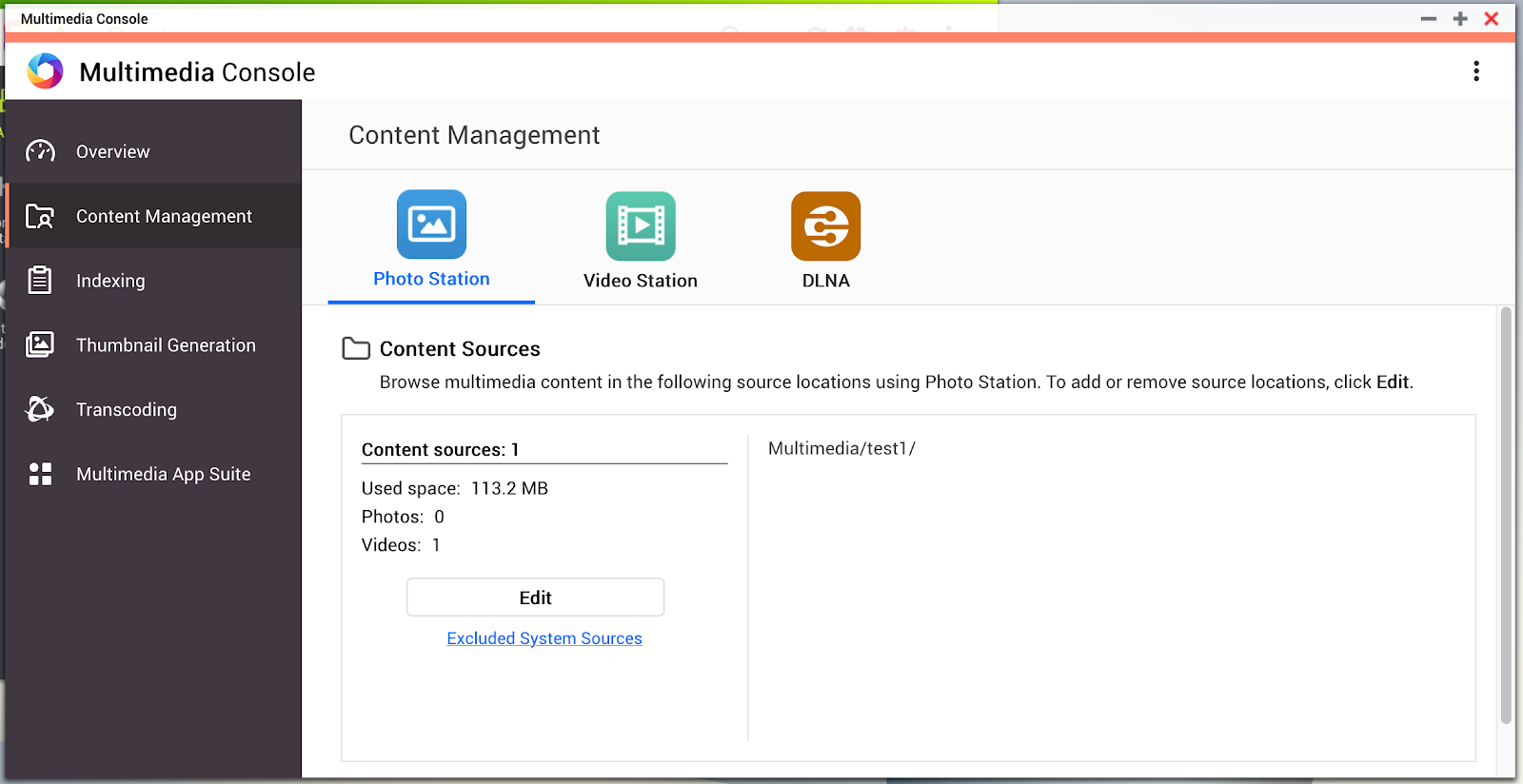
Can I set Photo Station to only display photos from one directory inside the Multimedia folder instead of automatically scanning all the folders?
Applied Version
QTS 4.4.1 and later.
For QTS 4.3.6 and priors, please refer to this link.
Summary
By default, QTS is set to only display photos, music and video content from the “Multimedia” folder. If you wish to change this behaviour you may delete this folder from being scanned and then only add specific folders to show up in Photo, Music and the Video Station apps. When you add folders you will be able to specify what content would they be scanned for by the system (music, photos, videos or any combination of these three).
-
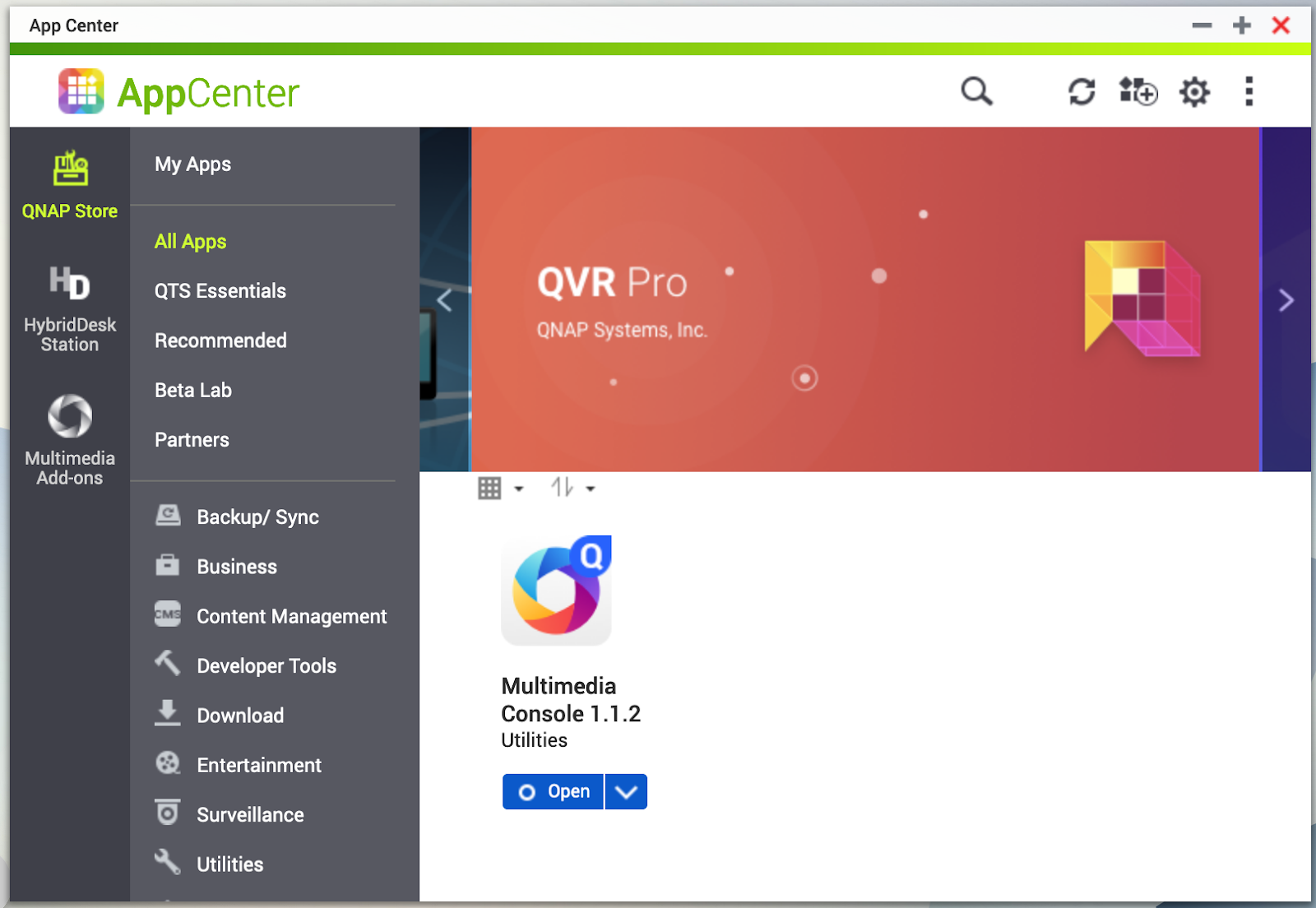
Open App center and find “Multimedia Console”
-
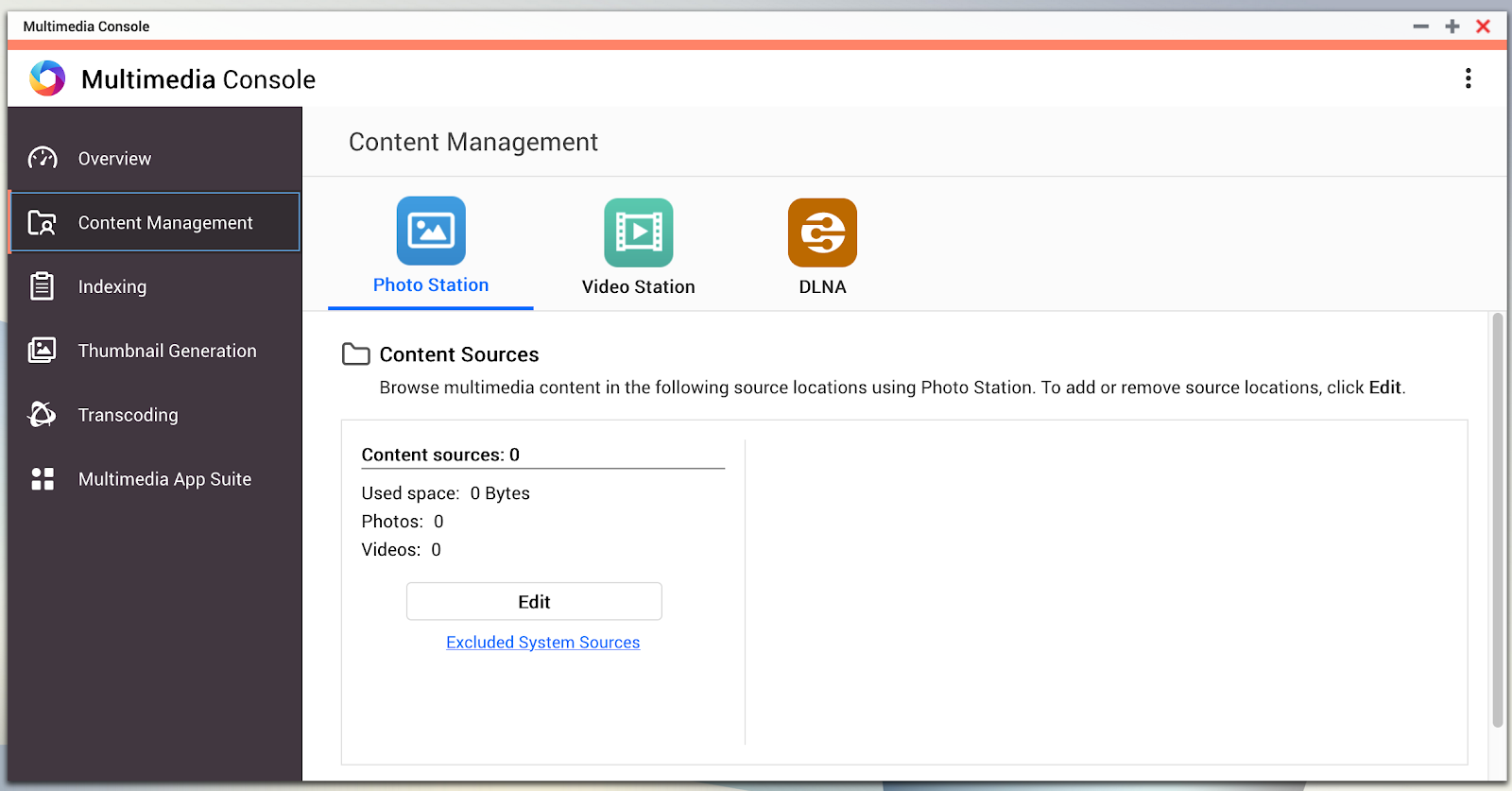
Find Content Management > Photo Station and click Edit
-
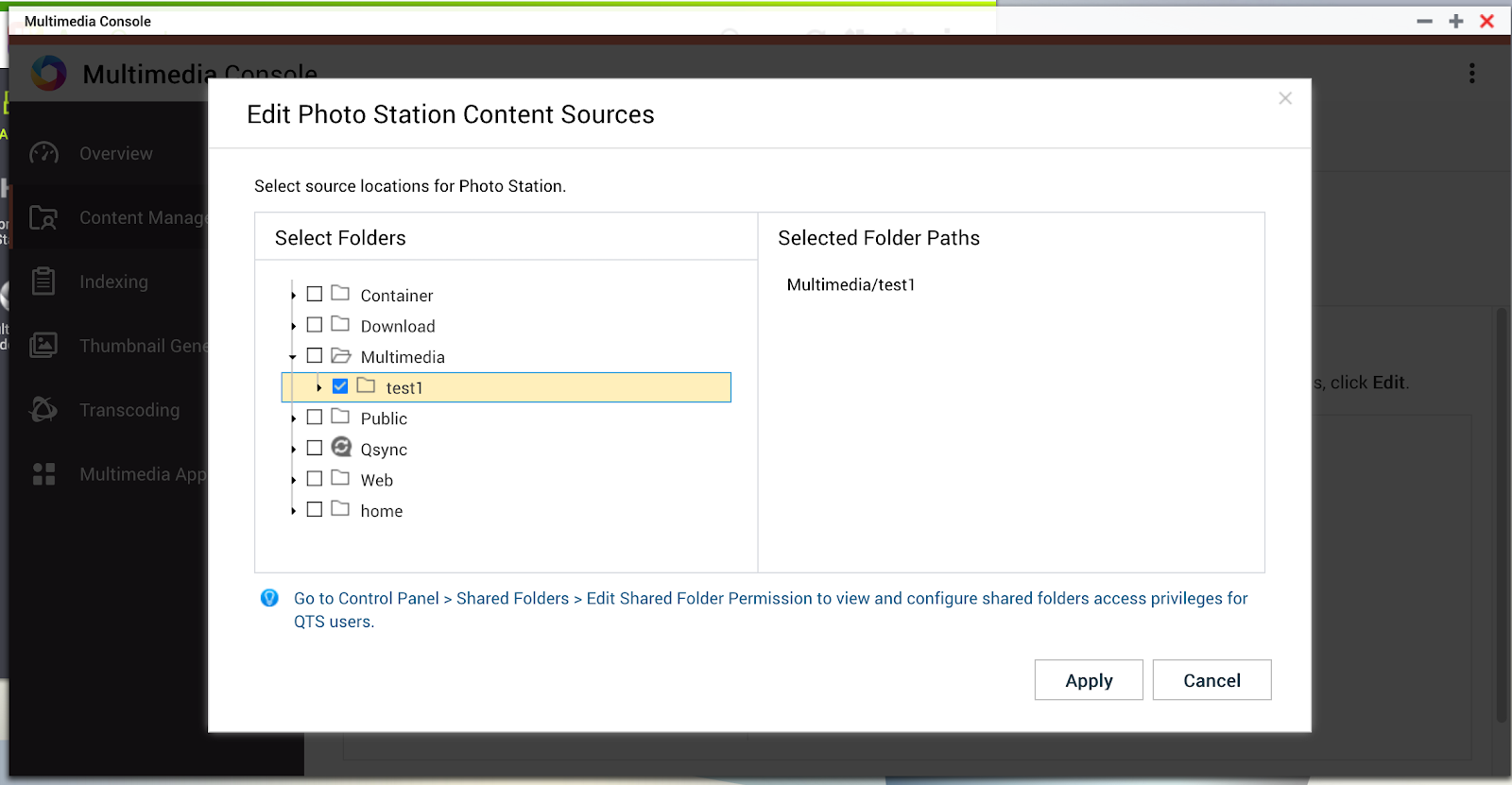
Select the specific folder and apply.
-
The selected folder becomes the source of the photo station.