


How do I renew the credentials for a datastore connection between ESXi and a QNAP NAS?
To renew the credentials, follow the steps below.
Part 1: Enable ESXi Shell
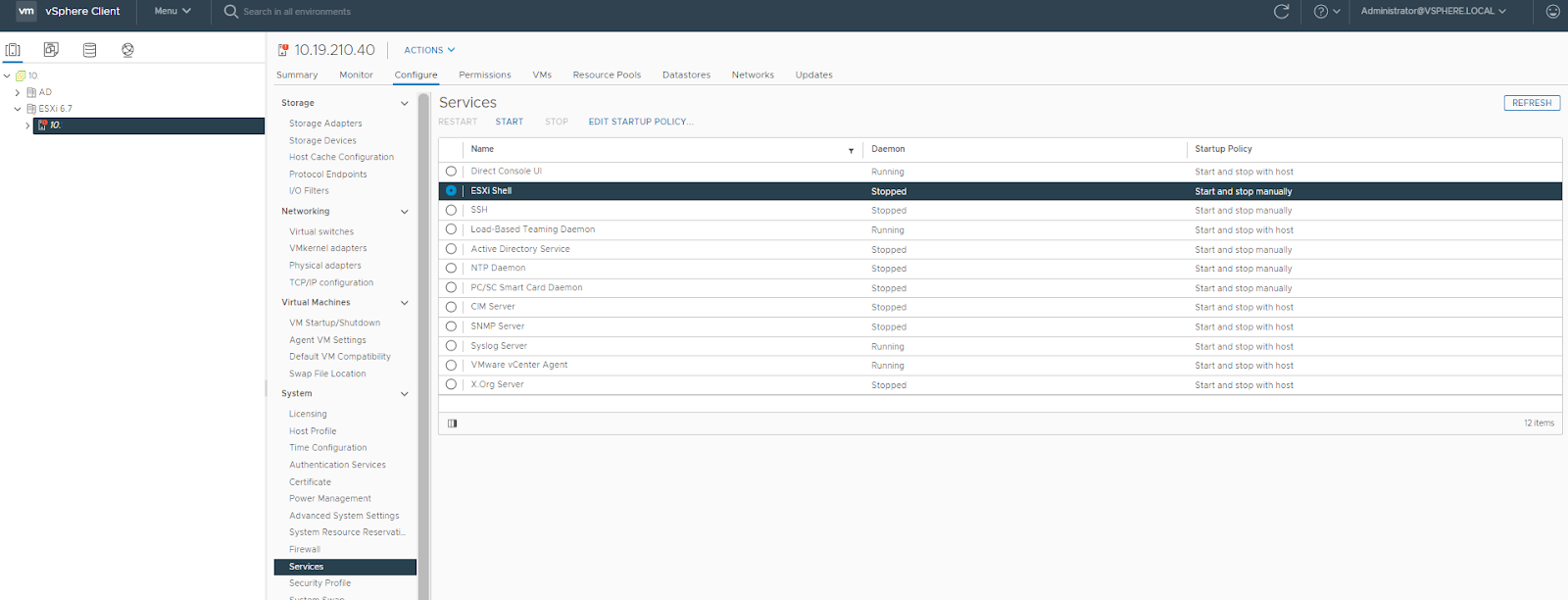
-
Log into a vCenter Server system using vSphere Client.
-
In the Inventory panel, select the host.
-
Click the Configure tab, and then select System > System.
-
For each of the following services, click Edit Startup Policy, select Start and stop manually, and then click Start to enable the service.
-
ESXi Shell
-
SSH
-
Direct Console UI
Note: If you want the service to start whenever you restart the host, select Start and stop with host.
Step 2: Delete existing krb5 NFS credentials
-
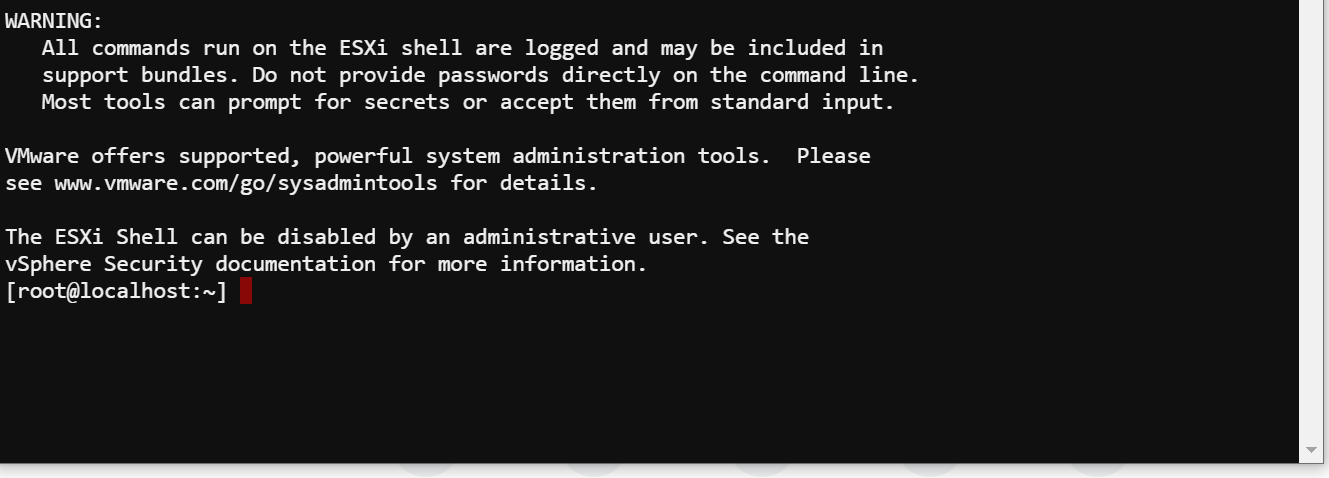
Log into the target ESXi server using an SSH client, such as PuTTY.
-
Go to the following directory:
/tmp/nfsgssd_krb5cc
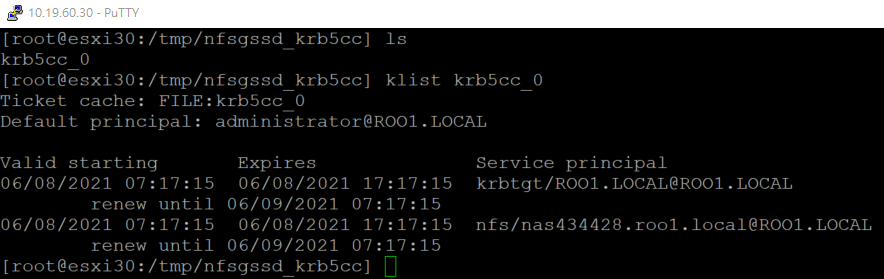
3. Locate the existing credentials file using the klist command, and then delete the credentials file using the rm command.

Step 3: Renew krb5 NFS credentials
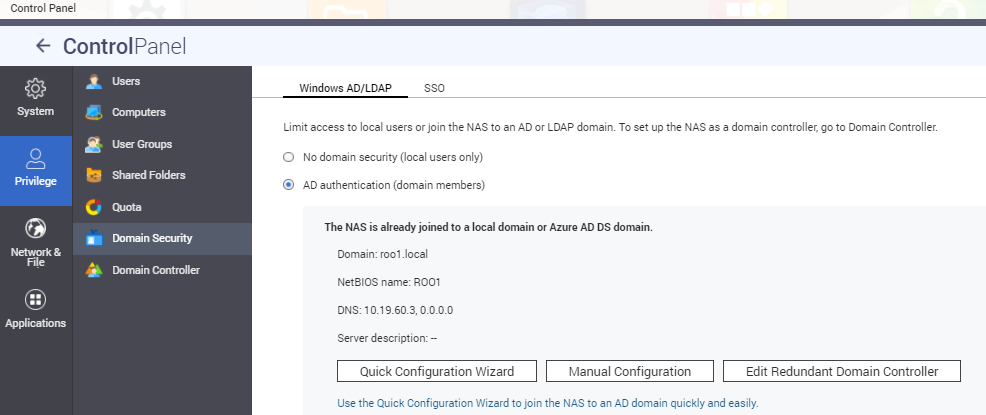
1. On the NAS, ensure that the NAS has joined the domain.
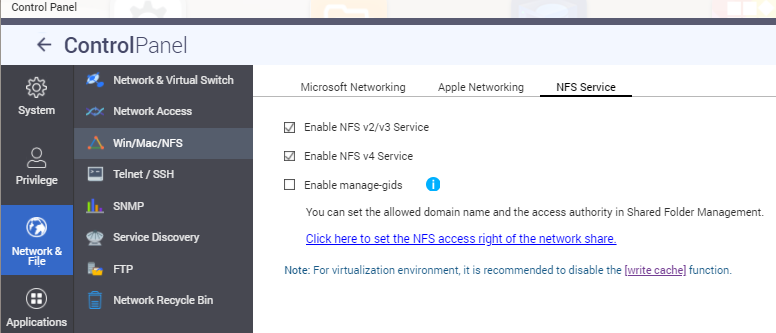
2. Disable and then re-enable the NFSv4 service.
3. In ESXi, remount the NAS NFS shared folders using the Kerberos option krb5 or krb5i.
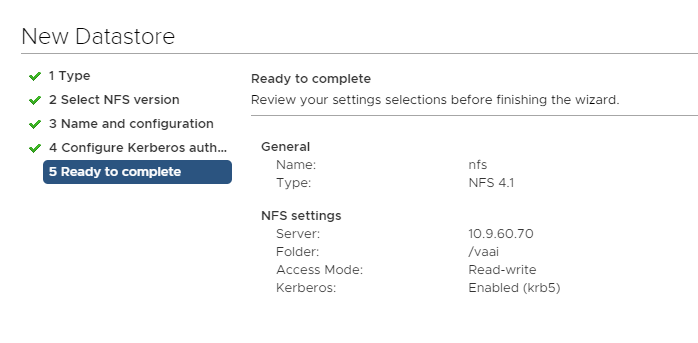
When the mount operation has finished, a new Kerberos credential is created on the ESXi server at /tmp/nfsgssd_krb5cc.
4. Using the klist command, verify that the Kerberos credentials file exists and is valid.
For yderligere hjælp kan du spørge andre brugere og QNAP-eksperter i vores community. Gå til QNAP Community


