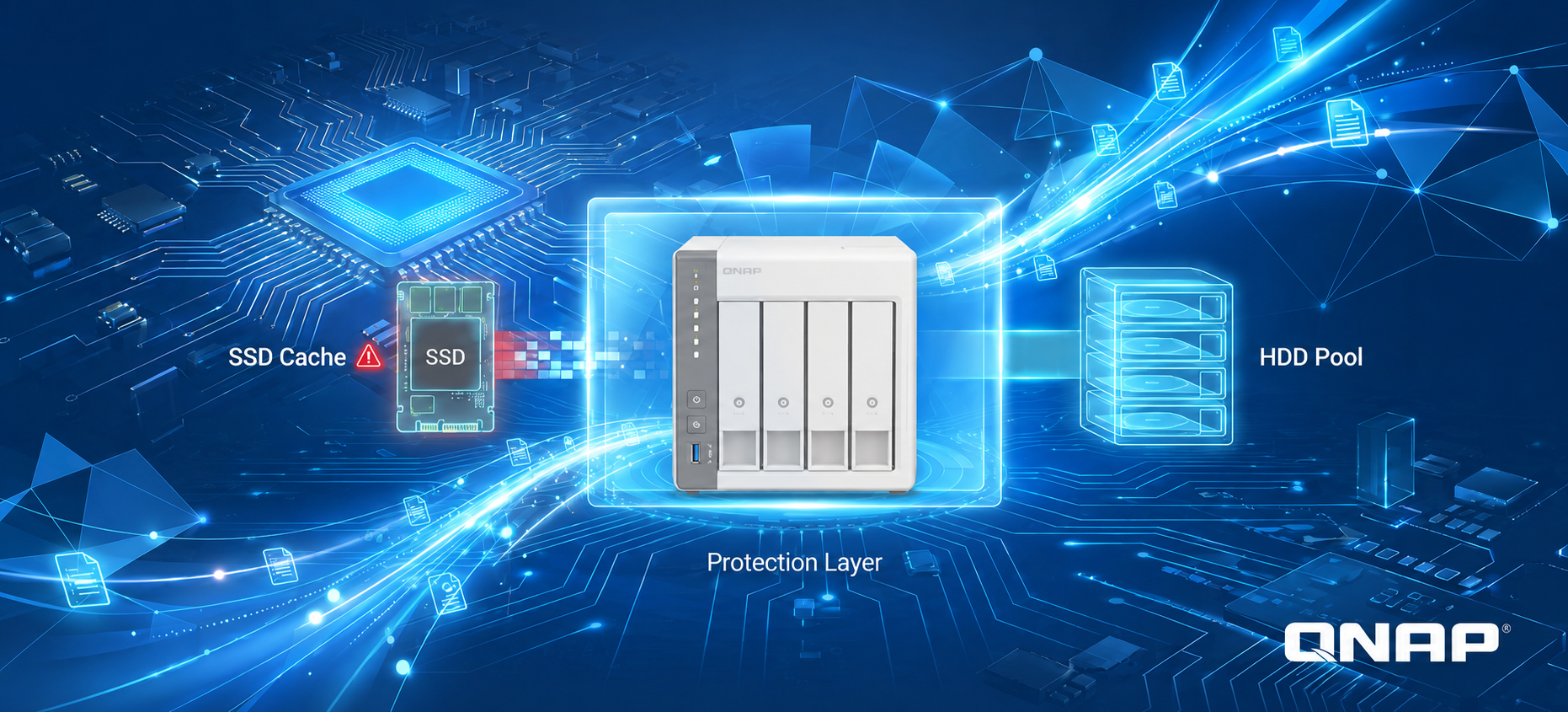
QNAP QTS's SSD cache feature is a core tool for accelerating the random-access performance of enterprise virtual machines (VMs), databases, and VDI. When a read-only cache SSD goes offline unexpectedly due to hardware aging or poor contact, QTS activates a proactive protection mechanism to safeguard your data and ensure data consistency.
Benefits of QTS SSD Caching
When VMs are slow to start, database query latency rises, or VDI desktops begin to lag, many people instinctively look to the CPU or network for the cause. The real bottleneck, however, is often the traditional hard disk drive (HDD): when handling large volumes of small, random read/write requests, the seek latency of mechanical drive heads quickly accumulates and becomes the performance ceiling for the entire system.
With QTS SSD caching, you can automatically keep frequently accessed hot data on SSDs without migrating existing data or rebuilding your storage pool. The HDD storage pool handles capacity while the SSDs focus on reducing latency, perfectly balancing enterprise-grade performance with large-capacity needs. For VMs, VDI, databases, iSCSI LUNs, and frequently read/written shared folders, a properly configured SSD cache often improves the perceived experience more directly than simply adding more hard drives.
The Three Modes of QTS SSD Caching and Their Differing Risks
QTS SSD caching offers three modes: read-only, read-write, and write-only.
-
Read-only cache: Accelerates reads only; the cache holds a copy of the hot data. Even if the cache device fails, the original data remains fully intact on the HDD—only performance is affected.
-
Read-write and write-only cache: Newly written data is first held on the cache device, then gradually written back to the HDD by a background write-back mechanism. Until write-back completes, this not-yet-written-back data exists only on the cache device, so the reliability of the cache device directly affects data safety.
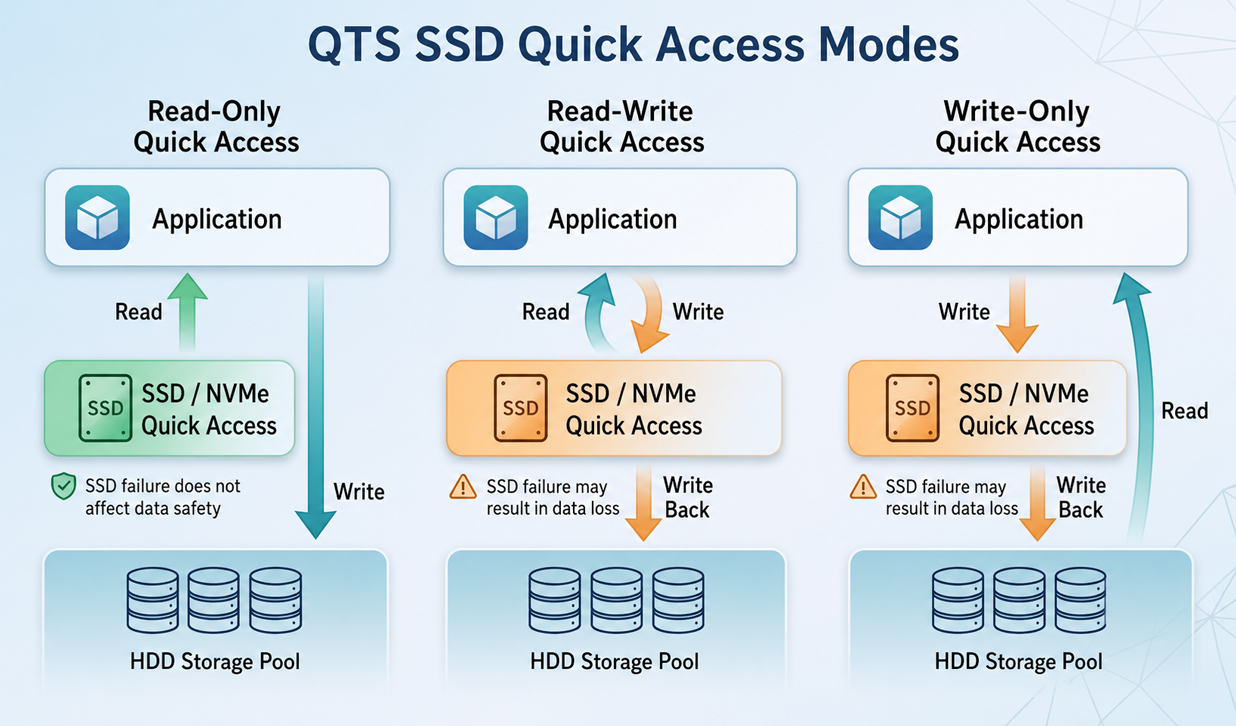
▲ Data flow and failure-risk differences across the three QTS SSD cache modes
Because the risk levels differ, a read-only cache and a read-write/write-only cache are handled very differently when the cache device fails. A read-write or write-only cache failure is close to a data emergency and must be handled carefully to avoid losing not-yet-written-back data; a read-only cache failure does not involve data loss, but QTS still includes a proactive protection mechanism to ensure data consistency.
When a read-only cache SSD goes offline unexpectedly, QTS does more than disable the cache—it proactively suspends access to the volume and waits for user intervention. Next, let's take a closer look at the design thinking behind this protection mechanism.
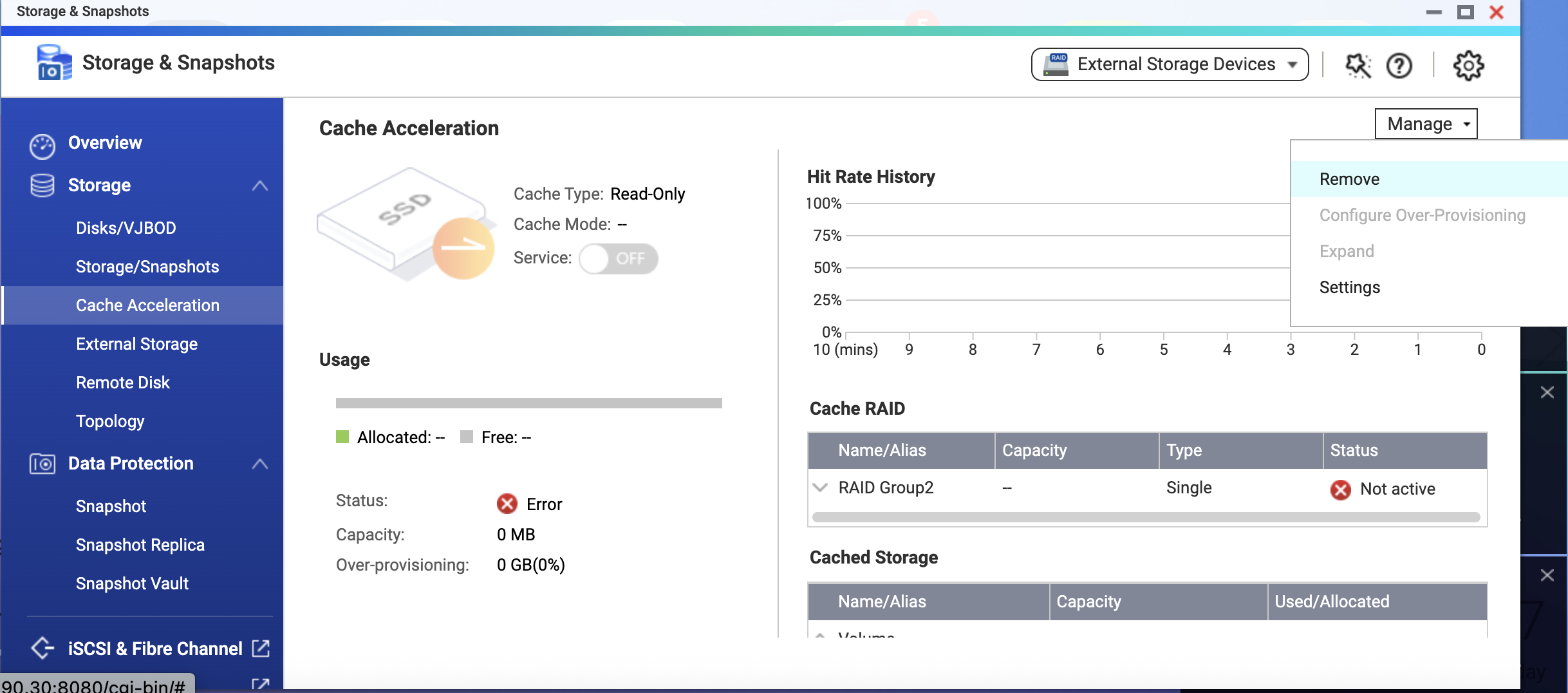
▲ QTS "Cache Acceleration" page: the read-only cache is running, with a warning shown in its status
Why Does an Offline Read-Only Cache SSD Cause the Volume to Stop Serving Access?
A read-only cache does not participate in writes, so no data is lost when the SSD fails. At first glance, simply letting the service fall back to HDD speed and keep running seems like the simplest approach—but QTS's design is more thorough.
A caching system must continuously track which data has been cached and whether the cached content is still valid; this information is recorded in the cache's metadata. When the SSD suddenly goes offline, QTS cannot verify the integrity of that cache metadata. More importantly, if the system allowed direct access to the underlying storage while the cache was offline, the data in the cache could become inconsistent with the actual state of the underlying storage once the cache device reconnects.
QTS chooses to suspend access at this moment precisely to safeguard you proactively—ensuring that whether you go on to restore or remove the cache, the data you read always matches the underlying storage.
Therefore, when QTS detects a problem with a cache SSD, it proactively halts access to the volume. This not only ensures data consistency but also gives you a chance to step in and resolve the issue—for example, by reseating a temporarily loose SSD—so you don't abandon the hot data already accumulated on a large cache just because of a brief offline event. Every time access is restored, your data is trustworthy, and the benefit of the cache is preserved as much as possible.
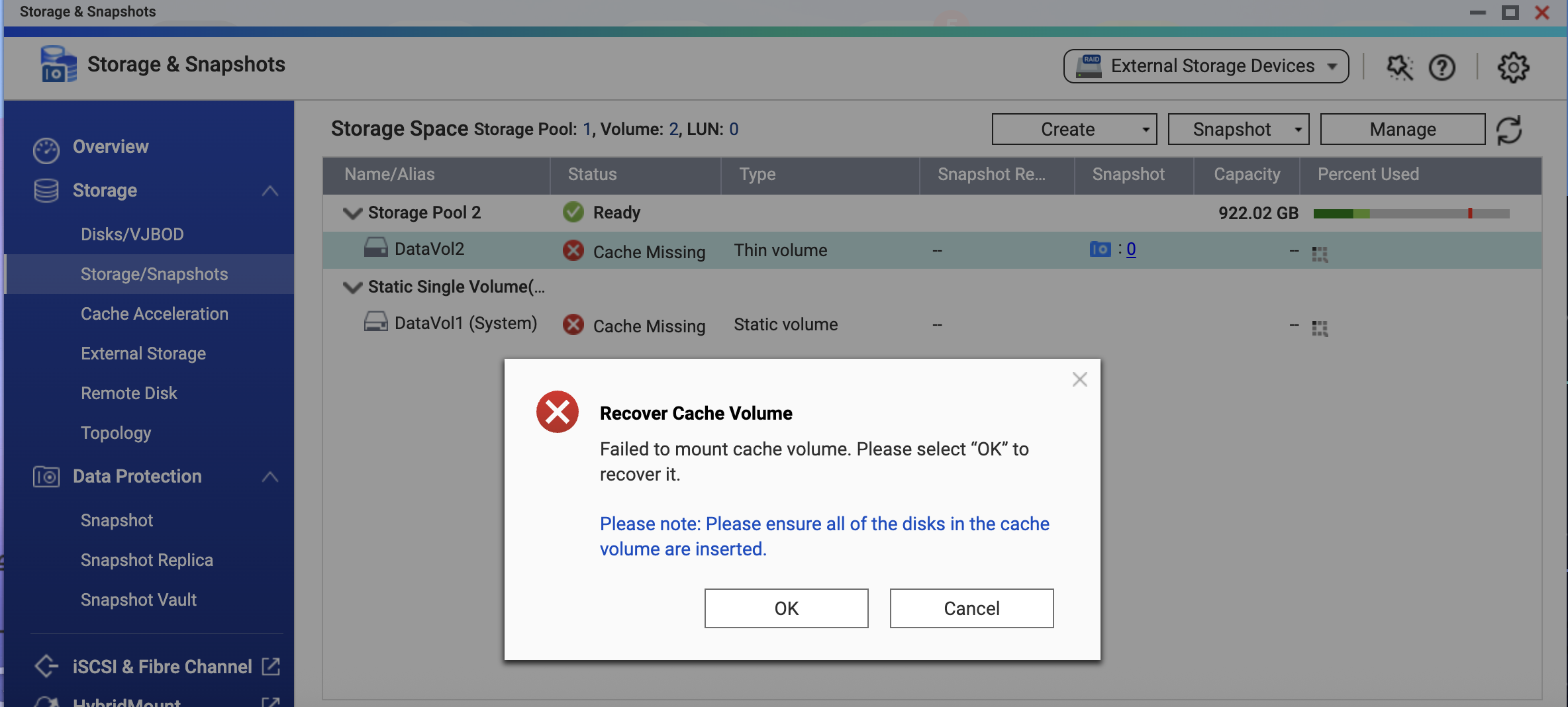
▲ The volume shows a "Cache Missing" status; QTS indicates the cache volume needs to be recovered
Two Ways to Restore Volume Access
QTS will not decide for you how to handle the cache. Based on your current situation, you need to choose one of the following methods:
Method 1: Reinsert the SSD (temporary hardware disconnection)
If the SSD went offline only due to poor contact or a temporary issue, reinsert it and follow these steps:
- Go to Storage & Snapshots > Cache Acceleration in QTS.
- The system will prompt you to "Recover Cache Volume"; click "OK" and the system will begin the recovery process.
- After recovery, the system automatically runs a file system check. Once data consistency is confirmed, the volume returns to normal access.
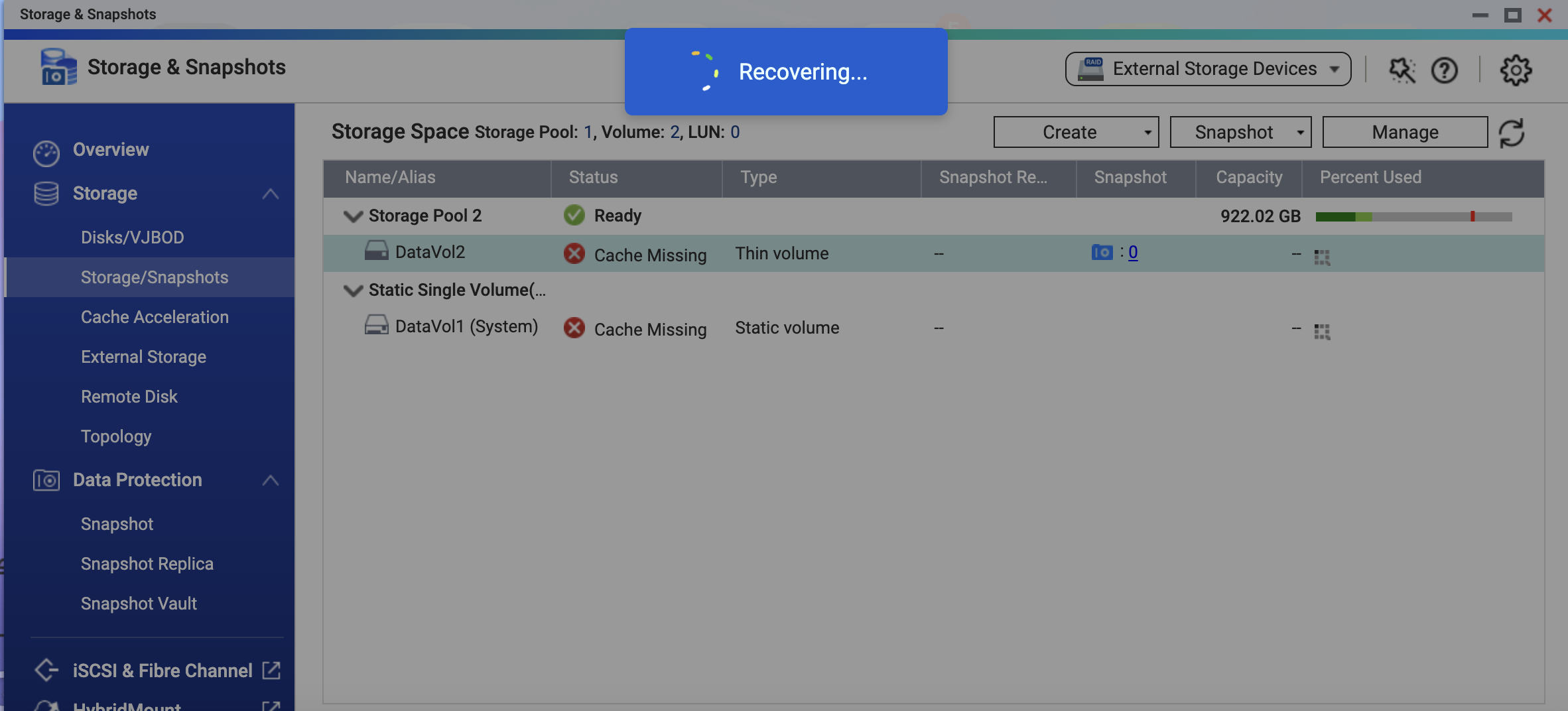
▲ The system is performing the cache volume recovery operation
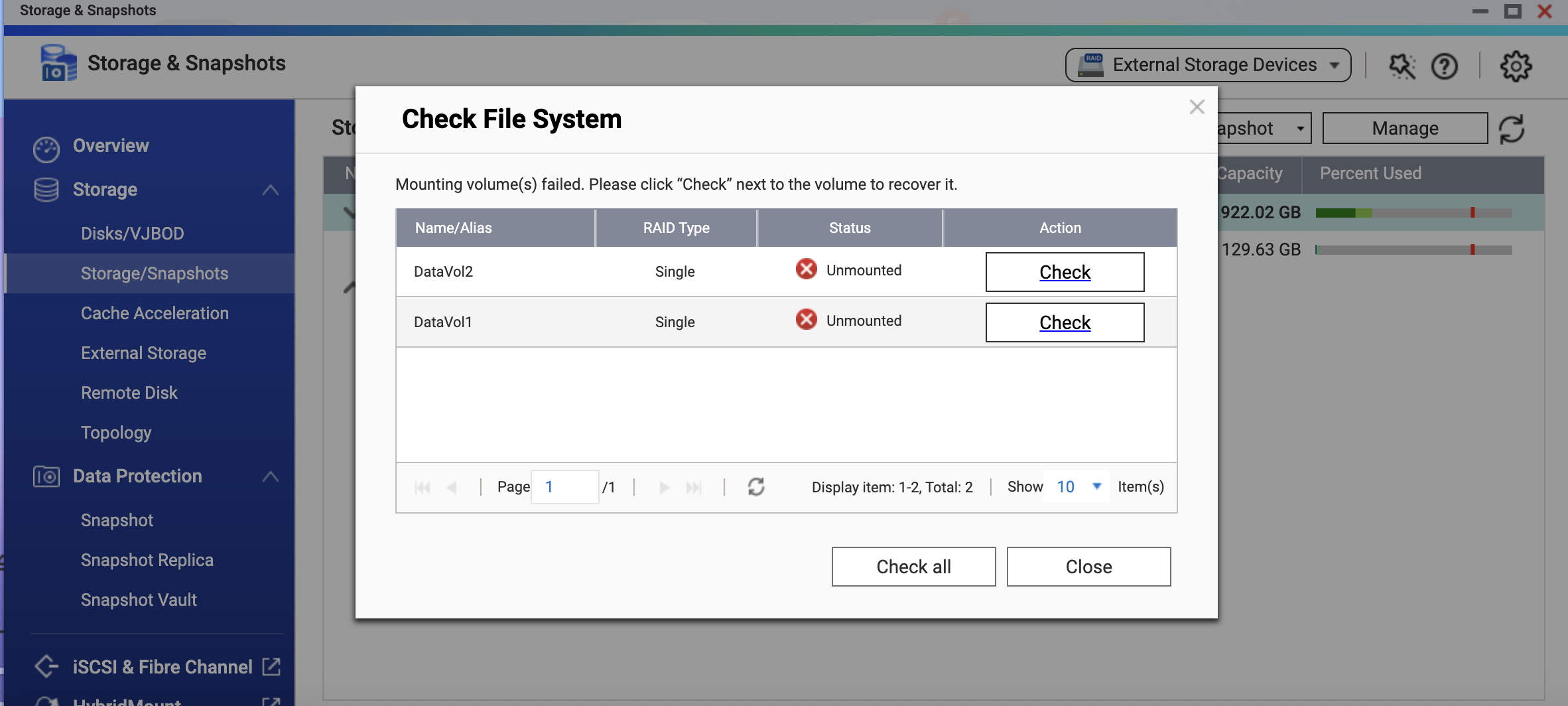
▲ After recovery, a file system check is required to confirm data consistency
Method 2: Remove the SSD Cache via QTS (permanent hardware failure)
If the SSD is confirmed to be damaged, or you want to bring the service back before replacing the cache later:
- Open the Storage & Snapshots interface in QTS and locate the SSD cache.
- Go to the "Manage" menu and click "Remove" to clear the cache configuration.
- After removal, the system automatically flushes the data and runs a file system check to confirm data consistency.
- Once the check completes, the volume returns to normal access. Your original data is fully intact, and you can later install a new SSD to rebuild the cache.
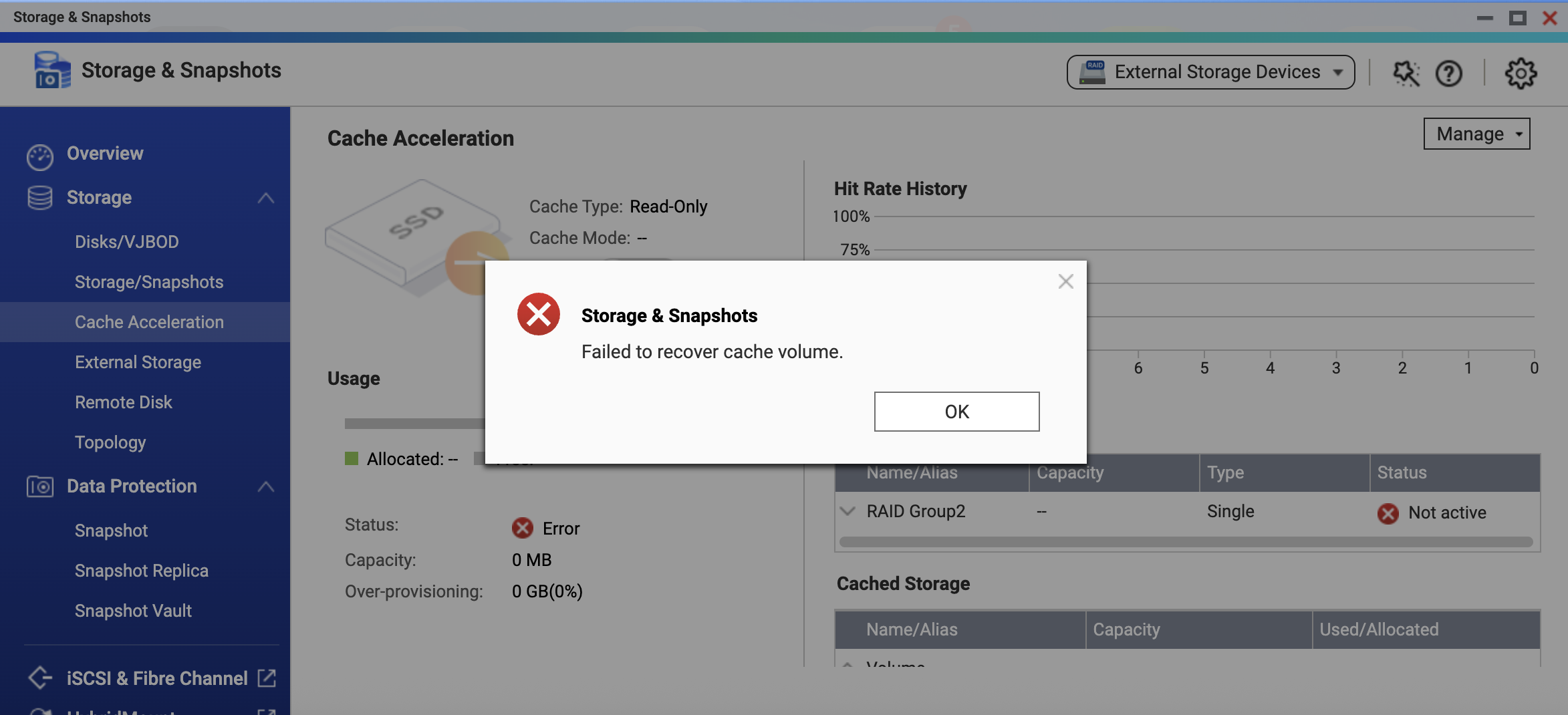
▲ If the SSD cannot be recovered, QTS displays "Unable to recover cache volume"
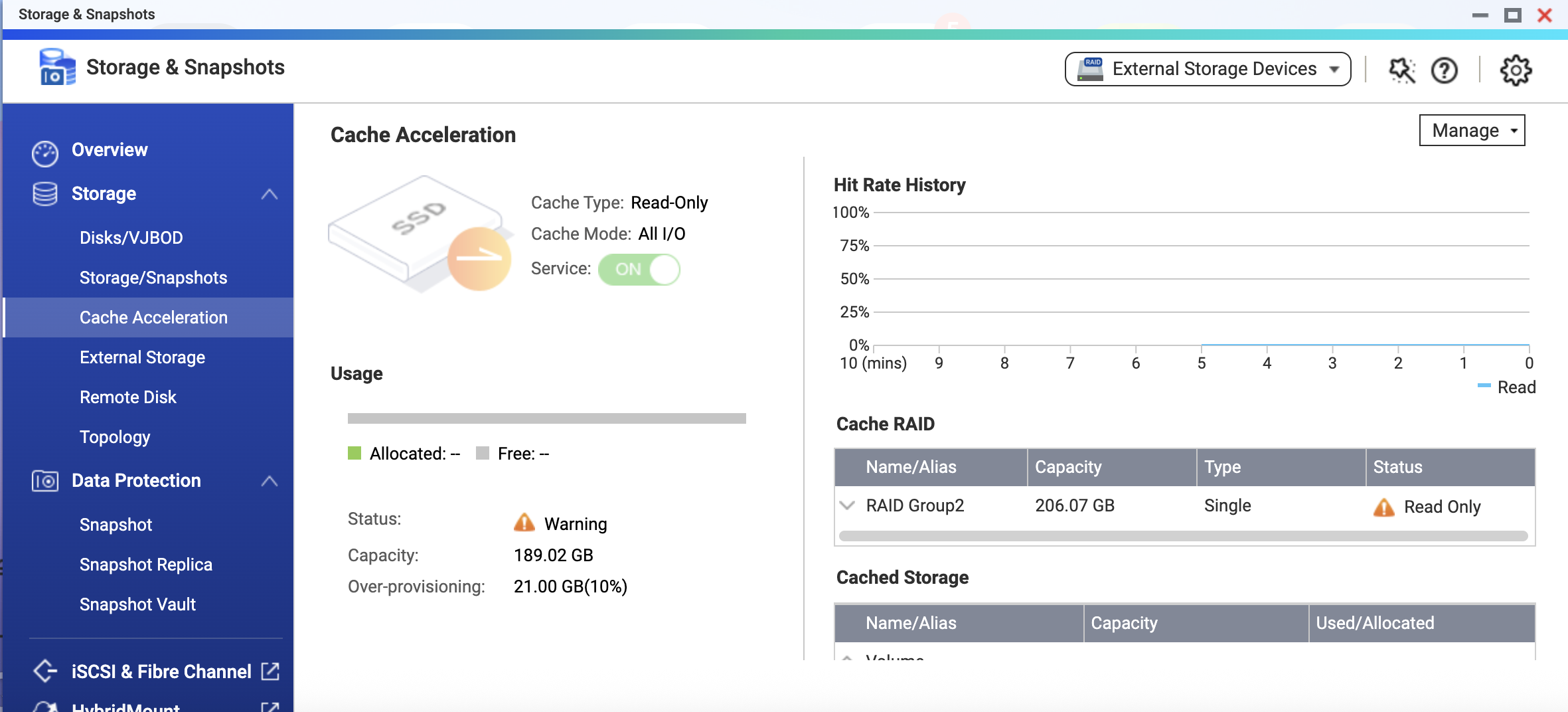
▲ Go to the "Manage" menu and select "Remove" to clear the cache configuration
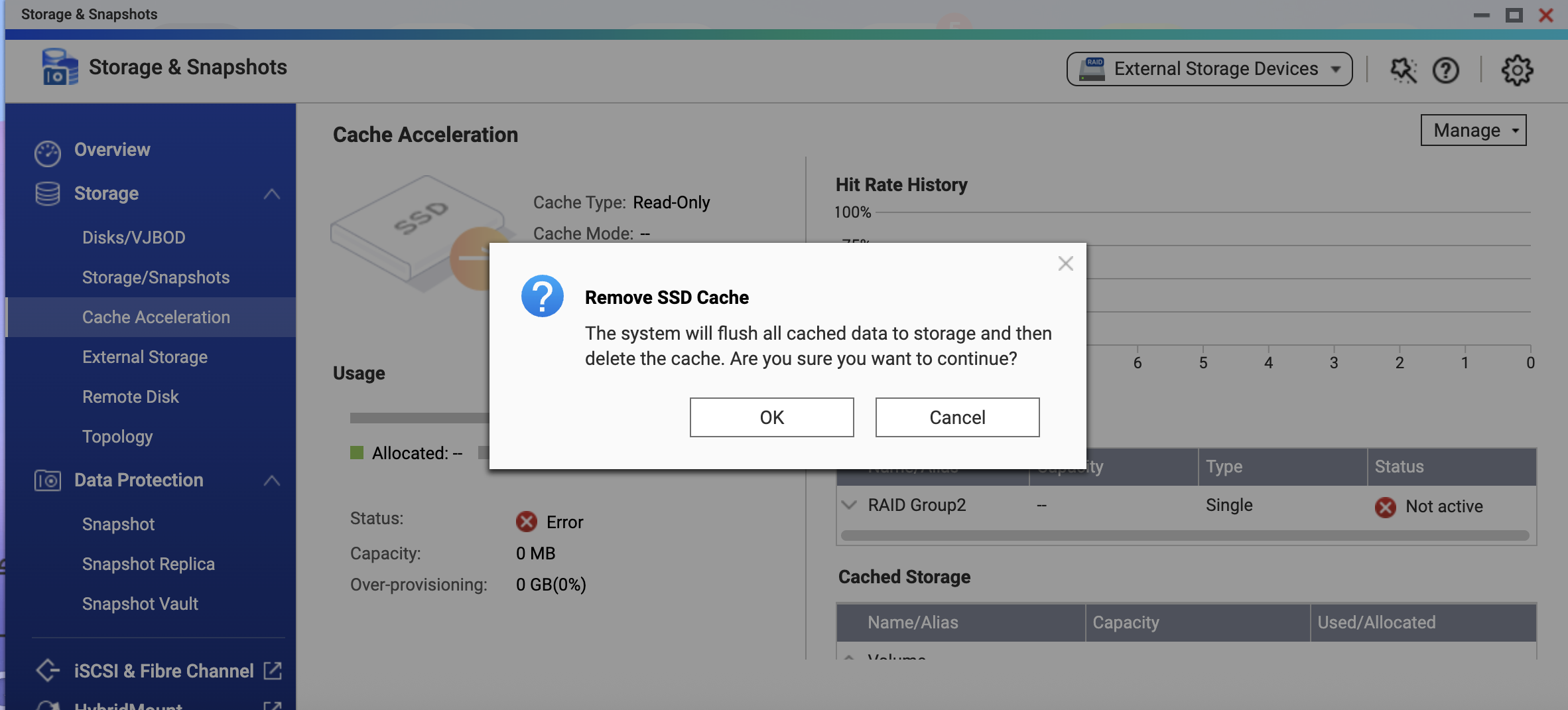
▲ Confirm removal of the SSD cache; the system flushes the data and deletes the cache configuration
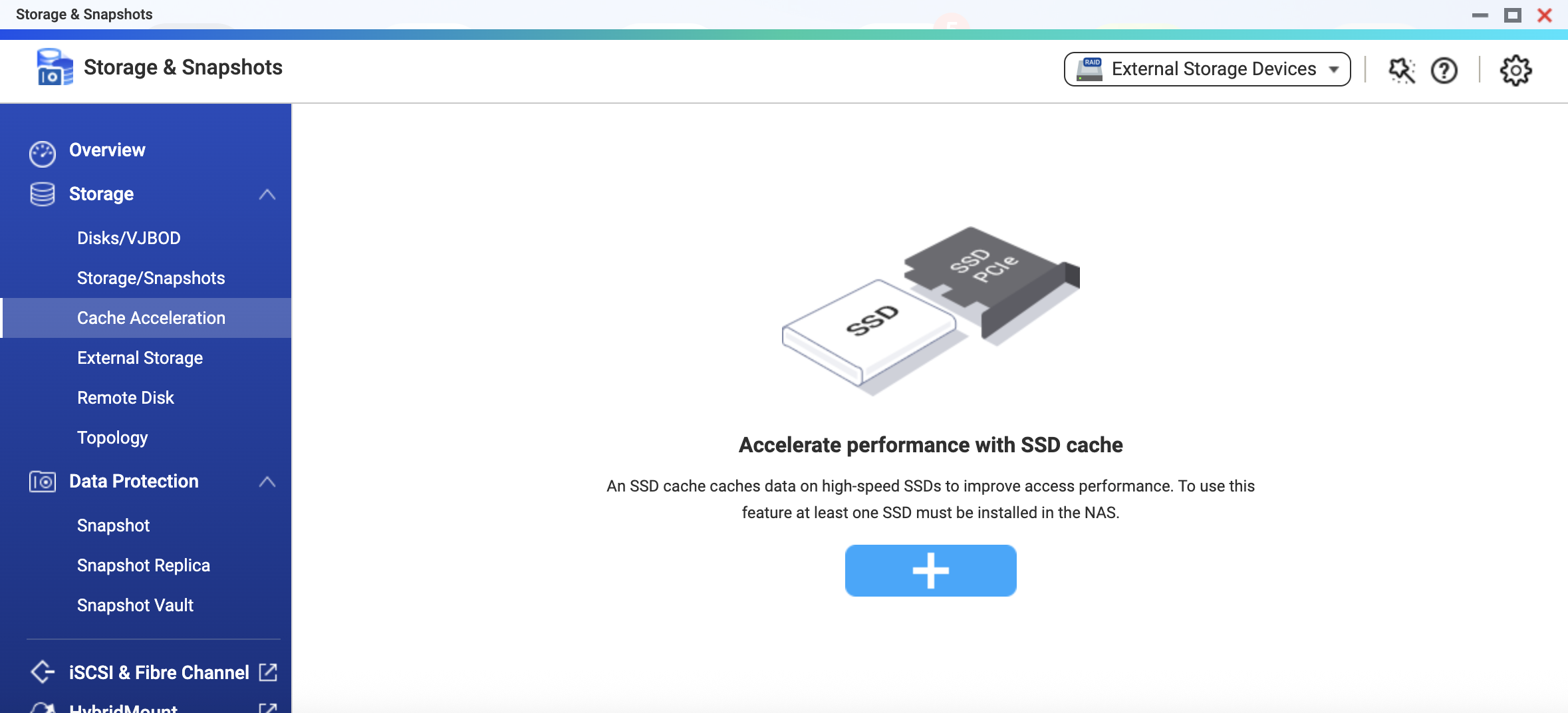
▲ After the cache is removed, the page returns to its initial state, ready for you to create a new SSD cache
Note: Regardless of which method you choose, your data on the HDD is unaffected once the process completes.
How Can You Further Improve Cache Service Availability?
Read-only cache data is always stored in the HDD storage pool, and the SSD is used only to accelerate reads. From a data-integrity standpoint, it is therefore technically viable to build the cache with a single SSD or RAID 0.
However, as described above, once a read-only cache SSD fails, access to the volume is suspended and manual intervention is needed to restore it. If your service has availability requirements and you want the cache to keep running without interrupting access when a single SSD fails, we recommend building the read-only cache on a RAID level with redundancy (such as RAID 1 or RAID 5).
With a redundant RAID configuration, the cache can keep operating through its remaining members when a single SSD fails—until you replace the failed SSD and the rebuild completes—preventing the volume from going offline due to a cache problem.
Summary
QTS proactively suspends volume access when a read-only cache goes offline in order to ensure that the data you read is always fully consistent with the underlying storage. This reflects QNAP's design principle for data protection: it is better to pause the service than to let an uncertain state undermine the trustworthiness of your data. By following the recovery steps and the RAID redundancy recommendation in this article, you can enjoy the performance gains of SSD caching while maintaining high service availability.
If you need further assistance during the process, feel free to contact the QNAP technical support team at any time.
La funzione di cache SSD di QNAP QTS è uno strumento fondamentale per accelerare le prestazioni di accesso casuale di macchine virtuali (VM) aziendali, database e VDI. Quando una cache SSD in sola lettura va offline inaspettatamente a causa dell'invecchiamento dell'hardware o di un cattivo contatto, QTS attiva un meccanismo di protezione proattiva per salvaguardare i tuoi dati e garantire la coerenza dei dati.
Vantaggi della cache SSD di QTS
Quando le VM sono lente ad avviarsi, la latenza delle query del database aumenta o i desktop VDI iniziano a rallentare, molti cercano istintivamente la causa nella CPU o nella rete. Tuttavia, il vero collo di bottiglia è spesso il tradizionale disco rigido (HDD): quando si gestiscono grandi volumi di richieste di lettura/scrittura casuali e di piccole dimensioni, la latenza di ricerca delle testine meccaniche si accumula rapidamente e diventa il limite prestazionale dell'intero sistema.
Con la cache SSD di QTS, puoi mantenere automaticamente i dati più frequentemente utilizzati (hot data) sugli SSD senza migrare i dati esistenti o ricostruire il pool di archiviazione. Il pool HDD gestisce la capacità, mentre gli SSD si concentrano sulla riduzione della latenza, bilanciando perfettamente prestazioni di livello enterprise e necessità di grande capacità. Per VM, VDI, database, LUN iSCSI e cartelle condivise frequentemente lette/scritte, una cache SSD configurata correttamente spesso migliora l’esperienza percepita più direttamente rispetto all’aggiunta di ulteriori dischi rigidi.
Le tre modalità della cache SSD QTS e i relativi rischi
La cache SSD di QTS offre tre modalità: sola lettura, lettura-scrittura e sola scrittura.
-
Cache in sola lettura: accelera solo le letture; la cache contiene una copia dei dati hot. Anche se il dispositivo cache si guasta, i dati originali rimangono completamente intatti sull’HDD—solo le prestazioni ne risentono.
-
Cache lettura-scrittura e sola scrittura: i dati appena scritti vengono prima memorizzati sul dispositivo cache, poi gradualmente scritti sull’HDD tramite un meccanismo di scrittura in background. Finché la scrittura non è completata, questi dati esistono solo sul dispositivo cache, quindi l’affidabilità del dispositivo cache influisce direttamente sulla sicurezza dei dati.
▲ Flusso dei dati e differenze di rischio di guasto tra le tre modalità di cache SSD QTS
Poiché i livelli di rischio sono diversi, una cache in sola lettura e una cache lettura-scrittura/sola scrittura vengono gestite in modo molto diverso in caso di guasto del dispositivo cache. Un guasto della cache lettura-scrittura o sola scrittura è vicino a un’emergenza dati e deve essere gestito con attenzione per evitare la perdita di dati non ancora scritti; un guasto della cache in sola lettura non comporta perdita di dati, ma QTS include comunque un meccanismo di protezione proattiva per garantire la coerenza dei dati.
Quando una cache SSD in sola lettura va offline inaspettatamente, QTS fa più che disabilitare la cache: sospende proattivamente l’accesso al volume e attende l’intervento dell’utente. Vediamo ora più da vicino la logica progettuale dietro questo meccanismo di protezione.
▲ Pagina "Accelerazione cache" di QTS: la cache in sola lettura è attiva, con un avviso mostrato nello stato
Perché una cache SSD in sola lettura offline causa l’interruzione dell’accesso al volume?
Una cache in sola lettura non partecipa alle scritture, quindi nessun dato viene perso se l’SSD si guasta. A prima vista, lasciare semplicemente che il servizio torni alla velocità dell’HDD e continui a funzionare sembra l’approccio più semplice—ma il design di QTS è più approfondito.
Un sistema di caching deve tracciare continuamente quali dati sono stati memorizzati in cache e se il contenuto della cache è ancora valido; queste informazioni sono registrate nei metadati della cache. Quando l’SSD si scollega improvvisamente, QTS non può verificare l’integrità di tali metadati. Ancora più importante, se il sistema consentisse l’accesso diretto allo storage sottostante mentre la cache è offline, i dati nella cache potrebbero diventare incoerenti rispetto allo stato reale dello storage una volta che il dispositivo cache viene ricollegato.
QTS sceglie di sospendere l’accesso in questo momento proprio per proteggerti in modo proattivo—garantendo che, sia che tu decida di ripristinare o rimuovere la cache, i dati letti corrispondano sempre allo storage sottostante.
Pertanto, quando QTS rileva un problema con una cache SSD, interrompe proattivamente l’accesso al volume. Questo non solo garantisce la coerenza dei dati, ma ti dà anche la possibilità di intervenire e risolvere il problema—ad esempio, reinserendo un SSD temporaneamente allentato—così da non perdere i dati hot già accumulati su una cache ampia solo per un breve evento offline. Ogni volta che l’accesso viene ripristinato, i tuoi dati sono affidabili e il beneficio della cache viene preservato il più possibile.
▲ Il volume mostra lo stato "Cache mancante"; QTS indica che il volume cache deve essere recuperato
Due modi per ripristinare l’accesso al volume
QTS non decide per te come gestire la cache. In base alla situazione attuale, devi scegliere uno dei seguenti metodi:
Metodo 1: reinserire l’SSD (disconnessione hardware temporanea)
Se l’SSD è andato offline solo per un cattivo contatto o un problema temporaneo, reinseriscilo e segui questi passaggi:
- Vai su Archiviazione e snapshot > Accelerazione cache in QTS.
- Il sistema ti chiederà di "Recuperare volume cache"; fai clic su "OK" e il sistema inizierà il processo di recupero.
- Dopo il recupero, il sistema esegue automaticamente un controllo del file system. Una volta confermata la coerenza dei dati, il volume torna all’accesso normale.
▲ Il sistema sta eseguendo l’operazione di recupero del volume cache
▲ Dopo il recupero, è richiesto un controllo del file system per confermare la coerenza dei dati
Metodo 2: rimuovere la cache SSD tramite QTS (guasto hardware permanente)
Se l’SSD è confermato come danneggiato, o vuoi ripristinare il servizio prima di sostituire la cache in seguito:
- Apri l’interfaccia Archiviazione e snapshot in QTS e individua la cache SSD.
- Vai al menu "Gestisci" e fai clic su "Rimuovi" per cancellare la configurazione della cache.
- Dopo la rimozione, il sistema esegue automaticamente il flush dei dati e un controllo del file system per confermare la coerenza dei dati.
- Una volta completato il controllo, il volume torna all’accesso normale. I tuoi dati originali rimangono completamente intatti e potrai successivamente installare un nuovo SSD per ricostruire la cache.
▲ Se l’SSD non può essere recuperato, QTS visualizza "Impossibile recuperare il volume cache"
▲ Vai al menu "Gestisci" e seleziona "Rimuovi" per cancellare la configurazione della cache
▲ Conferma la rimozione della cache SSD; il sistema esegue il flush dei dati ed elimina la configurazione della cache
▲ Dopo la rimozione della cache, la pagina torna allo stato iniziale, pronta per creare una nuova cache SSD
Nota: indipendentemente dal metodo scelto, i tuoi dati sull’HDD non vengono influenzati una volta completato il processo.
Come migliorare ulteriormente la disponibilità del servizio cache?
I dati della cache in sola lettura sono sempre memorizzati nel pool di archiviazione HDD e l’SSD viene utilizzato solo per accelerare le letture. Dal punto di vista dell’integrità dei dati, è quindi tecnicamente possibile costruire la cache con un singolo SSD o RAID 0.
Tuttavia, come descritto sopra, una volta che una cache SSD in sola lettura si guasta, l’accesso al volume viene sospeso e serve un intervento manuale per ripristinarlo. Se il tuo servizio ha requisiti di disponibilità e desideri che la cache continui a funzionare senza interrompere l’accesso quando un singolo SSD si guasta, consigliamo di costruire la cache in sola lettura su un livello RAID con ridondanza (come RAID 1 o RAID 5).
Con una configurazione RAID ridondante, la cache può continuare a funzionare tramite i membri rimanenti quando un singolo SSD si guasta—fino a quando non sostituisci l’SSD guasto e il rebuild è completato—evitando che il volume vada offline a causa di un problema alla cache.
Riepilogo
QTS sospende proattivamente l’accesso al volume quando una cache in sola lettura va offline, per garantire che i dati letti siano sempre pienamente coerenti con lo storage sottostante. Questo riflette il principio di progettazione di QNAP per la protezione dei dati: è meglio sospendere il servizio che lasciare che uno stato incerto comprometta l’affidabilità dei tuoi dati. Seguendo i passaggi di ripristino e la raccomandazione sulla ridondanza RAID di questo articolo, puoi godere dei vantaggi prestazionali della cache SSD mantenendo un’elevata disponibilità del servizio.
Se hai bisogno di ulteriore assistenza durante il processo, non esitare a contattare in qualsiasi momento il team di supporto tecnico QNAP.


 7 min di lettura