


เนื้อหานี้ได้รับการแปลด้วยเครื่อง กรุณาดูที่คำแถลงการณ์ปฏิเสธความรับผิดชอบของการแปลภาษาด้วยเครื่อง
สลับไปเป็นภาษาอังกฤษ
วิธีตั้งค่าบริการ Push ใน ศูนย์การแจ้งเตือน
Last modified date:
2026-09-09
ผลิตภัณฑ์ที่รองรับ
QTS
ภาพรวม
บริการ Push ส่งข้อความจากเซิร์ฟเวอร์ไปยังอุปกรณ์ของคุณและเป็นหนึ่งในวิธีการส่งการแจ้งเตือนที่มีใน ศูนย์การแจ้งเตือน คุณสามารถรับ การแจ้งเตือนแบบพุช ผ่านเว็บเบราว์เซอร์บนคอมพิวเตอร์ของคุณหรือผ่าน Qmanager บนอุปกรณ์มือถือของคุณ
หมายเหตุ
คุณไม่สามารถบันทึก การแจ้งเตือนแบบพุช ได้ เราแนะนำให้ใช้บริการ Push สำหรับการแจ้งเตือนที่ไม่สำคัญหรือเร่งด่วน
ข้อกำหนดของระบบ
- แอปมือถือ: Qmanager iOS 1.8.0 หรือใหม่กว่า, หรือ Qmanager Android 2.1.0 หรือใหม่กว่า
- เว็บเบราว์เซอร์: Chrome 42 หรือใหม่กว่า, หรือ Firefox 50 หรือใหม่กว่า
ขั้นตอน
ก่อนอื่น เปิดใช้งานบริการ Push ใน ศูนย์การแจ้งเตือน จากนั้นเลือกวิธีการจับคู่ด้านล่าง
- เข้าสู่ระบบ QTS
- ไปที่ แผงควบคุม > System > ศูนย์การแจ้งเตือน
- คลิก บัญชีบริการและการจับคู่อุปกรณ์
- เลือกแท็บ Push Service
- ลงชื่อเข้าใช้บริการ myQNAPcloud ด้วย บัญชี QNAP (QNAP ID) ของคุณ
หมายเหตุ
บริการ Push ใช้ myQNAPcloud เป็นเซิร์ฟเวอร์ คุณต้องลงชื่อเข้าใช้บริการก่อนเริ่มการจับคู่
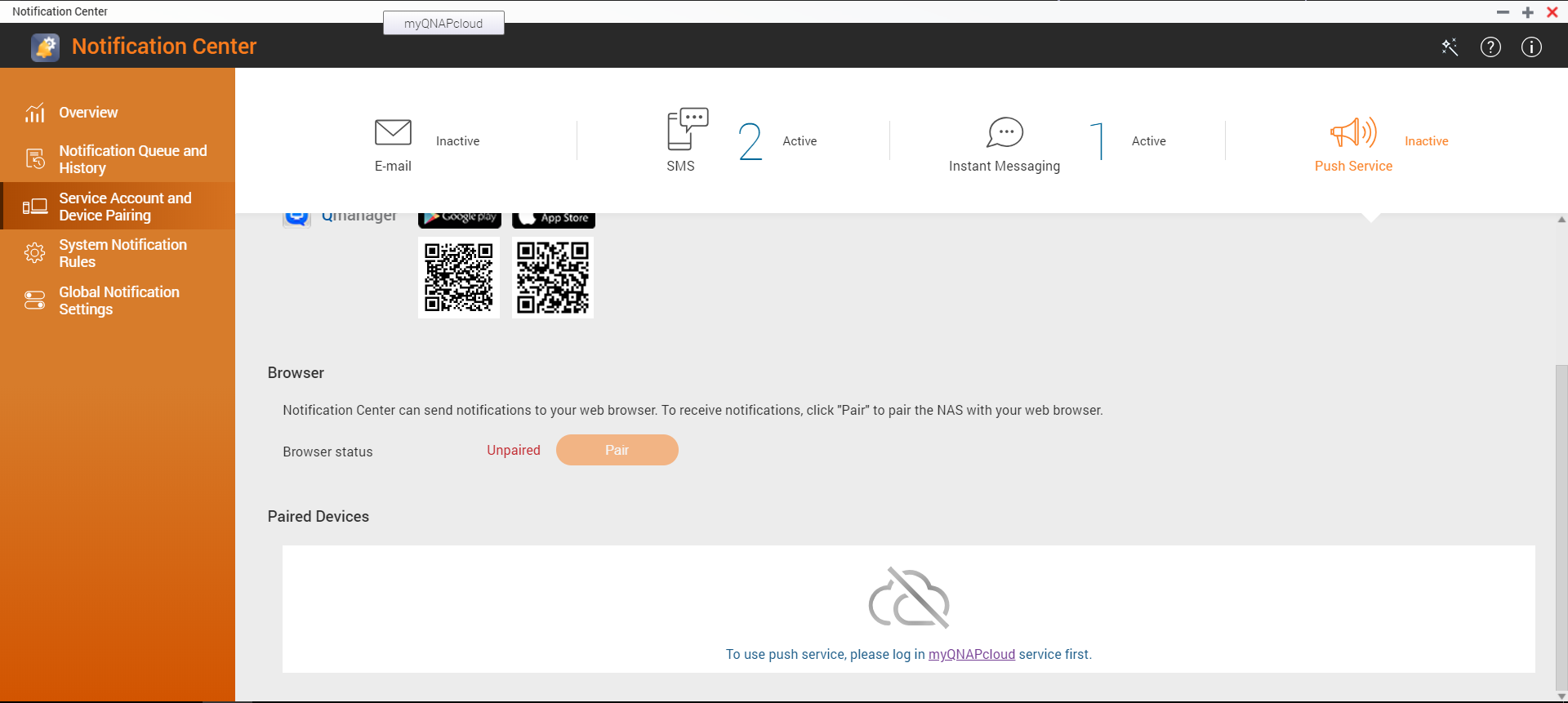
จับคู่ผ่าน Qmanager
- ติดตั้ง Qmanager บนอุปกรณ์มือถือของคุณ
- เข้าสู่ระบบ QTS โดยใช้ Qmanager
- จับคู่ NAS กับอุปกรณ์มือถือของคุณโดยใช้หนึ่งในวิธีต่อไปนี้:
- เปิดใช้งาน การแจ้งเตือนแบบพุช ใน ศูนย์การแจ้งเตือน บน Qmanager
- คลิก Pair เมื่อกล่องโต้ตอบปรากฏขึ้นถามว่าต้องการจับคู่ NAS หรือไม่
หมายเหตุ
เมื่อคุณเข้าสู่ระบบ QTS โดยใช้ Qmanager, Qmanager จะแสดงกล่องโต้ตอบถามว่าต้องการจับคู่ NAS กับอุปกรณ์มือถือของคุณหรือไม่
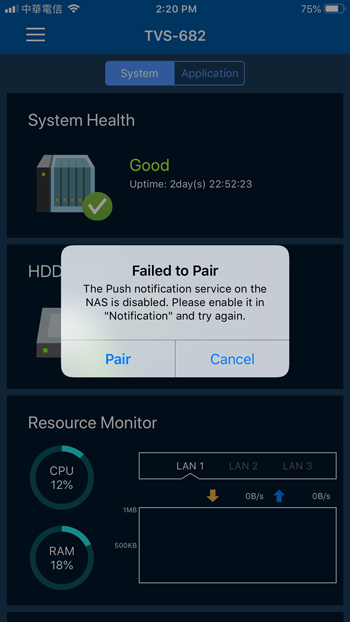
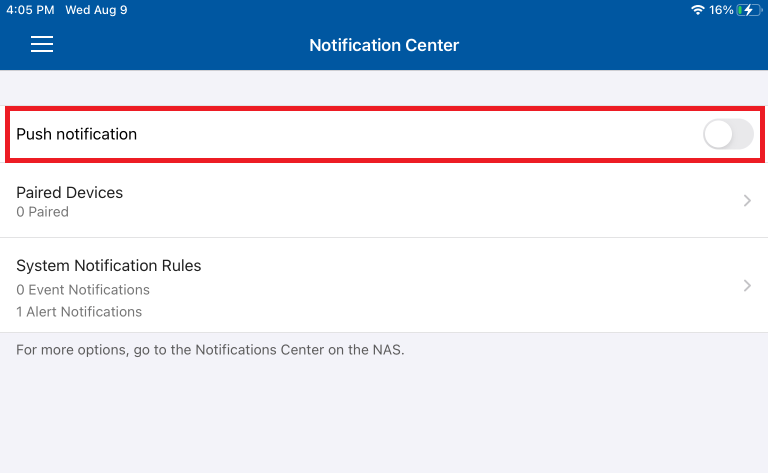
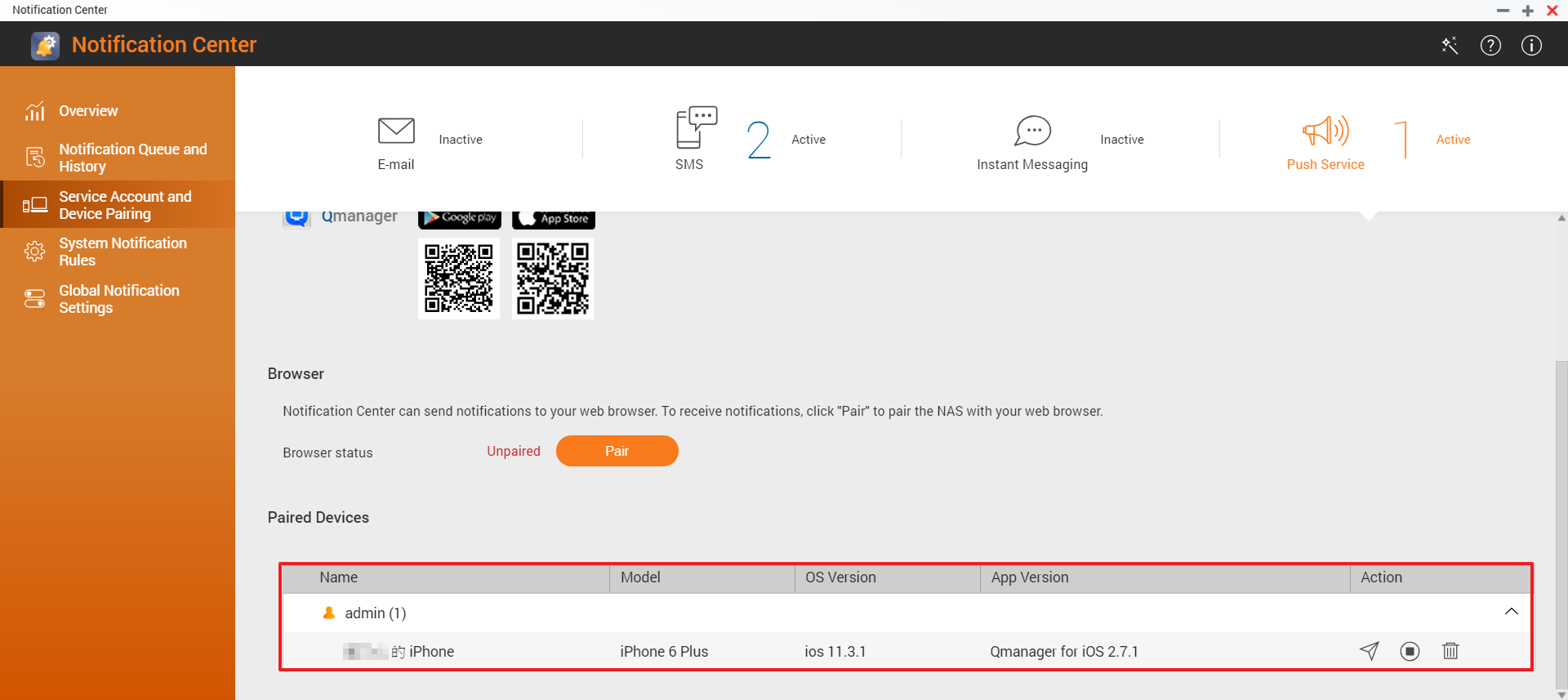
- ใน ศูนย์การแจ้งเตือน, ตรวจสอบว่า NAS ได้จับคู่กับอุปกรณ์มือถือของคุณผ่าน Qmanager แล้ว
การตั้งค่าเสร็จสมบูรณ์แล้ว คุณสามารถคลิกที่  ไอคอนเพื่อส่งข้อความทดสอบ
จับคู่ผ่านเว็บเบราว์เซอร์
- ใน ศูนย์การแจ้งเตือน, คลิก Pair.
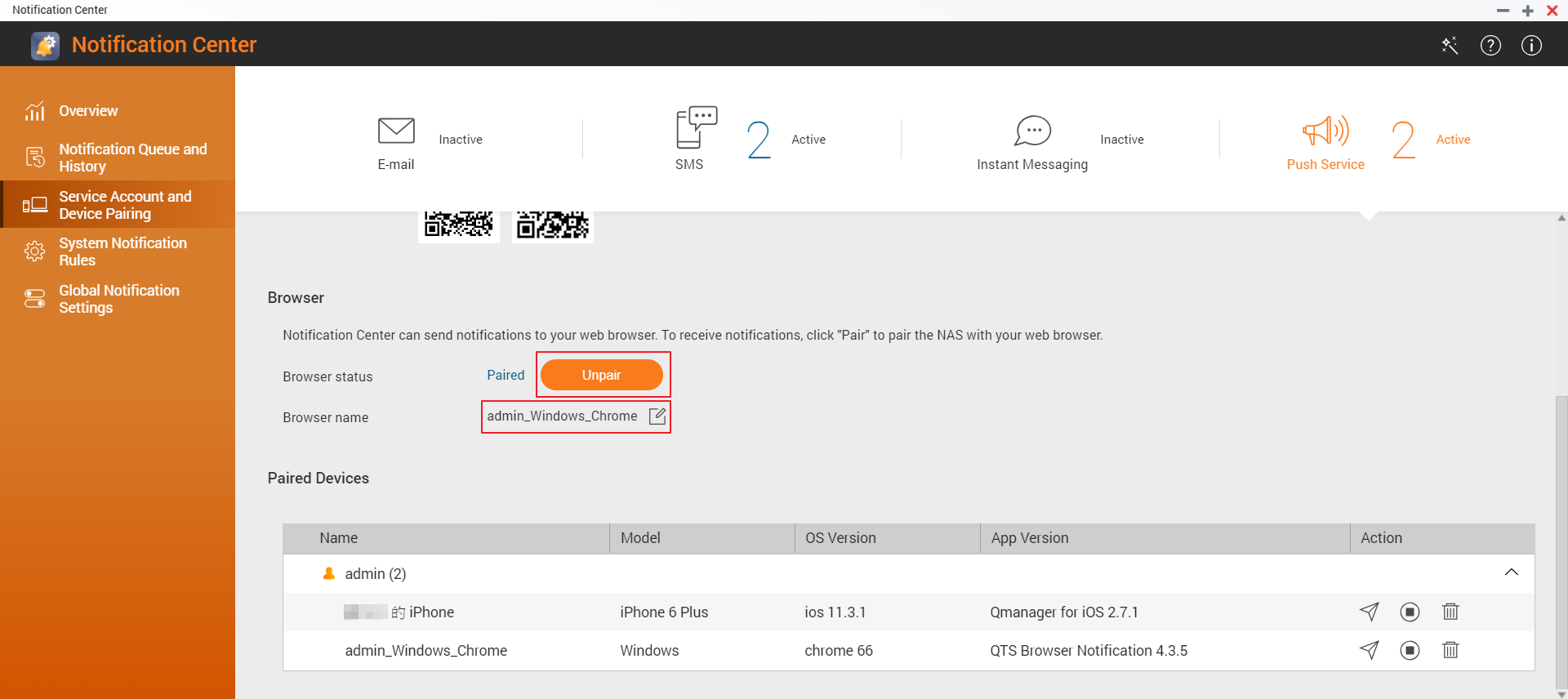
- (ไม่บังคับ) แก้ไขชื่อเบราว์เซอร์
การตั้งค่าเสร็จสมบูรณ์แล้ว คุณสามารถคลิกที่ ไอคอนเพื่อส่งข้อความทดสอบ
ยังต้องการความช่วยเหลือหรือไม่
โพสต์คำถามของคุณใน QNAP Community เจ้าหน้าที่ QNAP และผู้ใช้ที่มีประสบการณ์จะตอบกลับ


