


Why can't I back up my Microsoft or Google domain account data after updating to HDP for SaaS version 2.4 or later?
Last modified date:
2025-11-28
Applicable Products
HDP for SaaS 2.4 or later
Starting from version 2.4, the product previously known as Boxafe has been renamed to HDP for SaaS.
HDP for SaaS license requirement
HDP for SaaS version 2.4 and later requires licenses for backing up and restoring data. To purchase and activate an HDP for SaaS license, follow the steps below:
Tip
Boxafe licenses purchased prior to version 2.4 are still valid for HDP for SaaS version 2.4 and later.
- Purchase an HDP for SaaS license from the QNAP Software Store.
- Activate the HDP for SaaS license in License Center on your NAS.
For details on activating licenses in License Center, see "Licenses > License activation" in the QTS User Guide or QuTS hero User Guide. - Confirm the purchased HDP for SaaS license for Microsoft 365 or Google Workspace.
- Log in to your NAS as an administrator.
- Open HDP for SaaS.
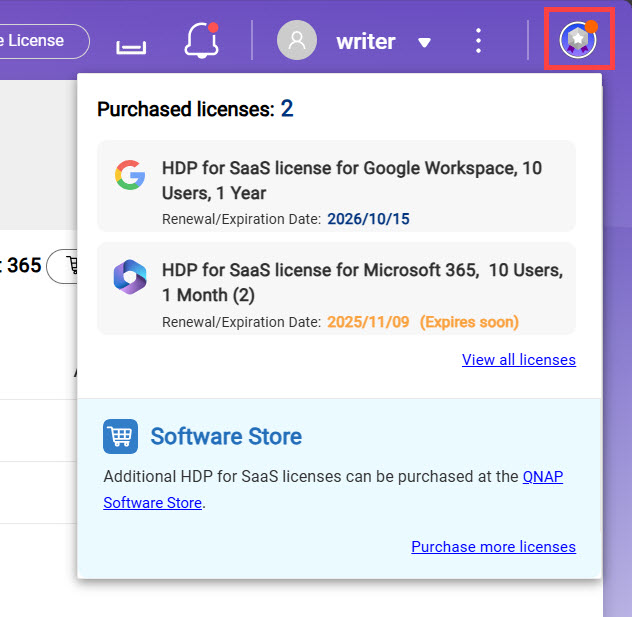
- Click the License Information icon on the top right corner to confirm your purchased HDP for SaaS license.
Assigning HDP for SaaS licenses
With the HDP for SaaS license activated and confirmed, perform the following steps to assign the license to domain users.
- Log in to your NAS as an administrator.
- Open HDP for SaaS.
- Click Domains on the left panel.
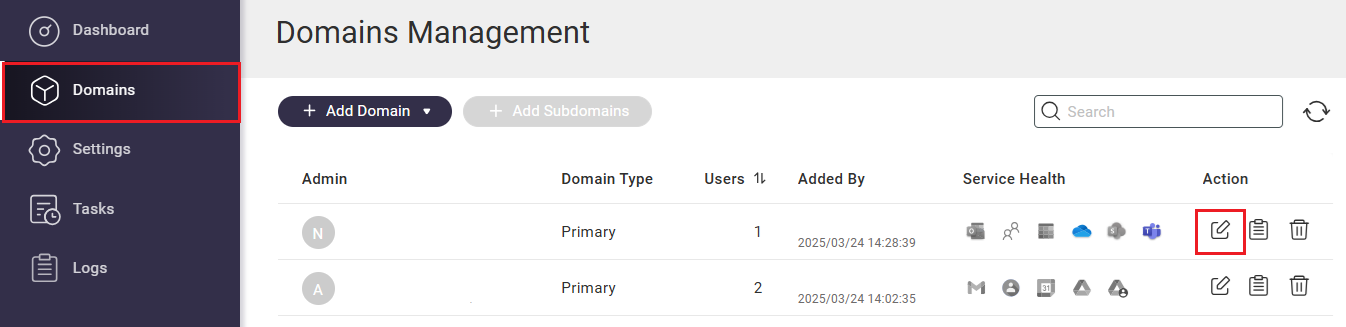
- Click
 in the Action column.
 - Click the Users tab.
- Select all the user accounts associated with your domain.
- Click Actions to expand the context menu.
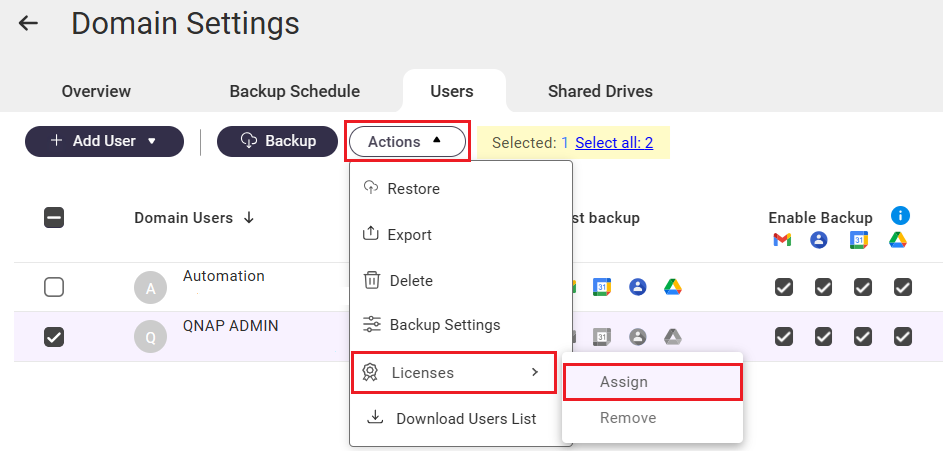
- Click Licenses.
- Click Assign.
The system assigns your HDP for SaaS license to the selected domain user accounts. You can now back up and restore domain data for these users.
Further Reading
HDP for SaaS Quick Start Guide
Why is HDP for SaaS not backing up data after a high availability (HA) switchover?


