


Can I Schedule a SMART Test
Last modified date:
2022-03-30
Applied models:
-
All NAS Series
Applied Firmware:
-
4.4.1 or above
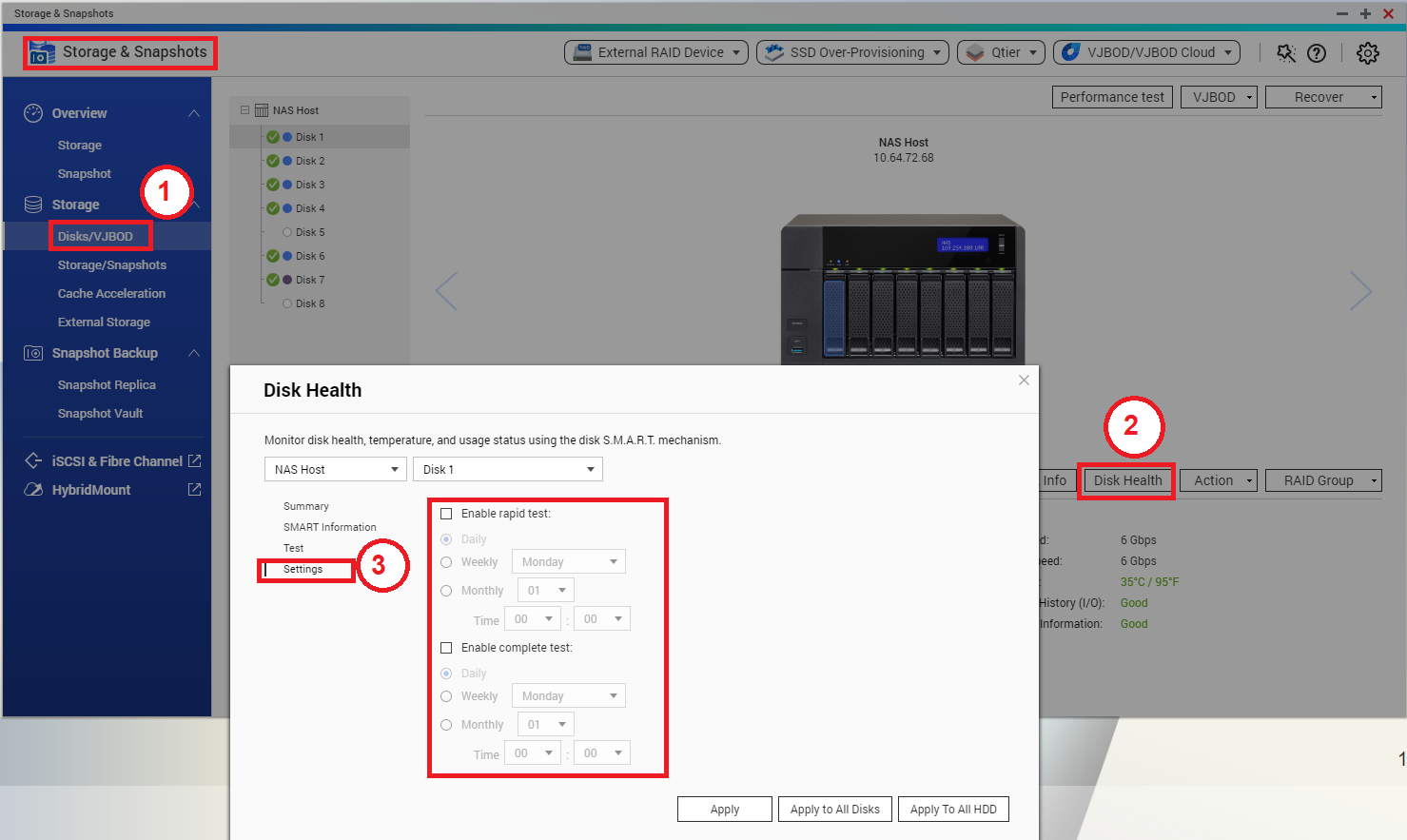
HDD SMART tests can be scheduled from Storage & Snapshots:
-
Go to Storage & Snapshots > Storage > Disks/VJBOD
-
Select one HDD and click on “Disk Health”
-
In the “Disk Health” window, click on “Settings”
-
Configure the test schedule and apply the settings..
Note: It is also possible to apply the same schedule for all disks at once.
For further assistance, ask other users and QNAP experts in the community. Go to QNAP Community


