


Can I Schedule a SMART Test
Last modified date:
2022-03-30
Applied models:
-
All NAS Series
Applied Firmware:
-
4.4.1 or above
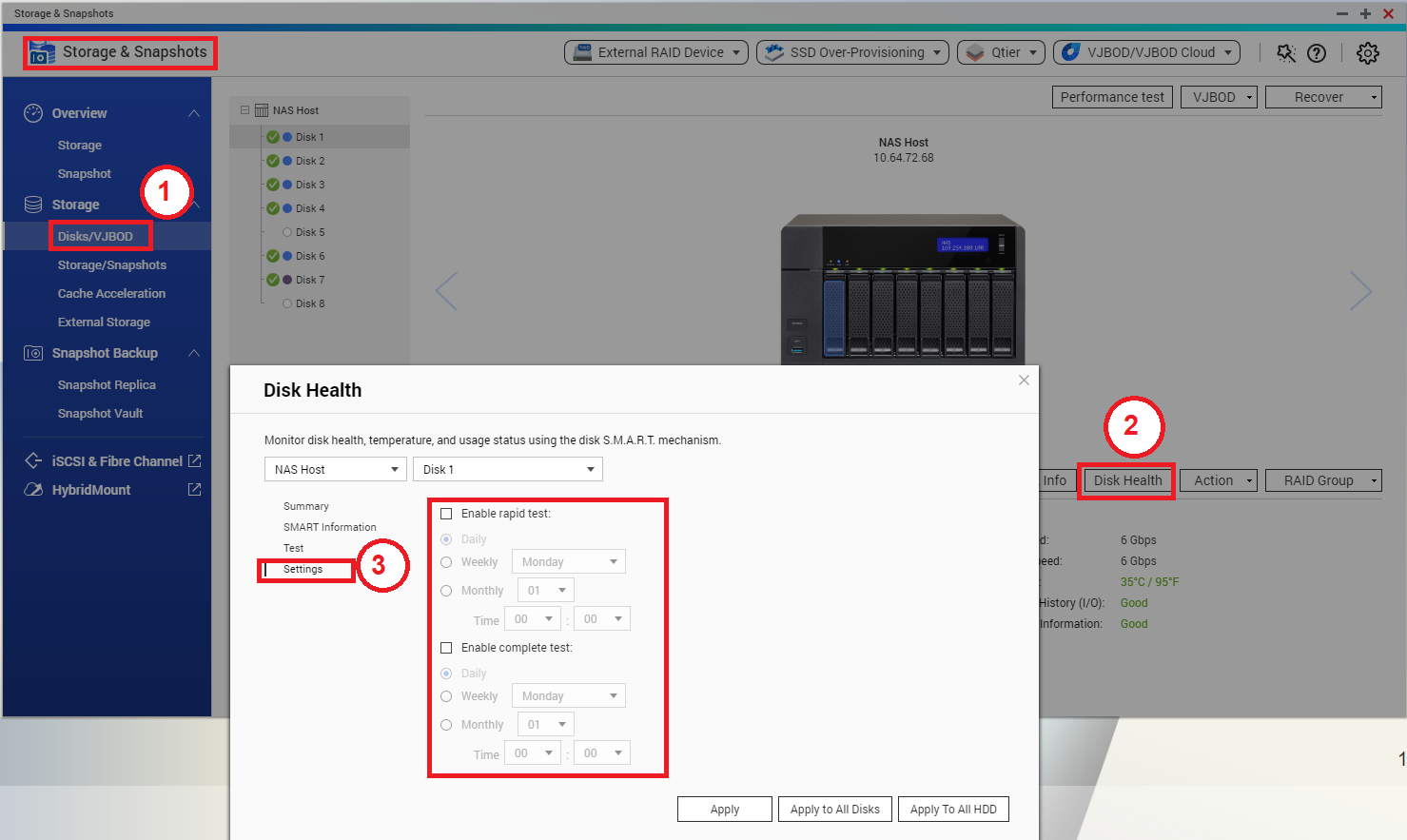
HDD SMART tests can be scheduled from Storage & Snapshots:
-
Go to Storage & Snapshots > Storage > Disks/VJBOD
-
Select one HDD and click on “Disk Health”
-
In the “Disk Health” window, click on “Settings”
-
Configure the test schedule and apply the settings..
Note: It is also possible to apply the same schedule for all disks at once.
Để được hỗ trợ thêm, hãy hỏi những người dùng khác và chuyên gia QNAP trong cộng đồng. Đến Cộng đồng QNAP


