


What Happens to Snapshots When the Pool is Getting Full?
Última fecha de modificación:
2022-03-30
Applied models:
-
All NAS Series
Applied Firmware:
-
4.4.1 or above
When a Storage Pool is full, the volumes in the Storage Pool will enter read-only or read/delete mode. No more Snapshots can be taken.
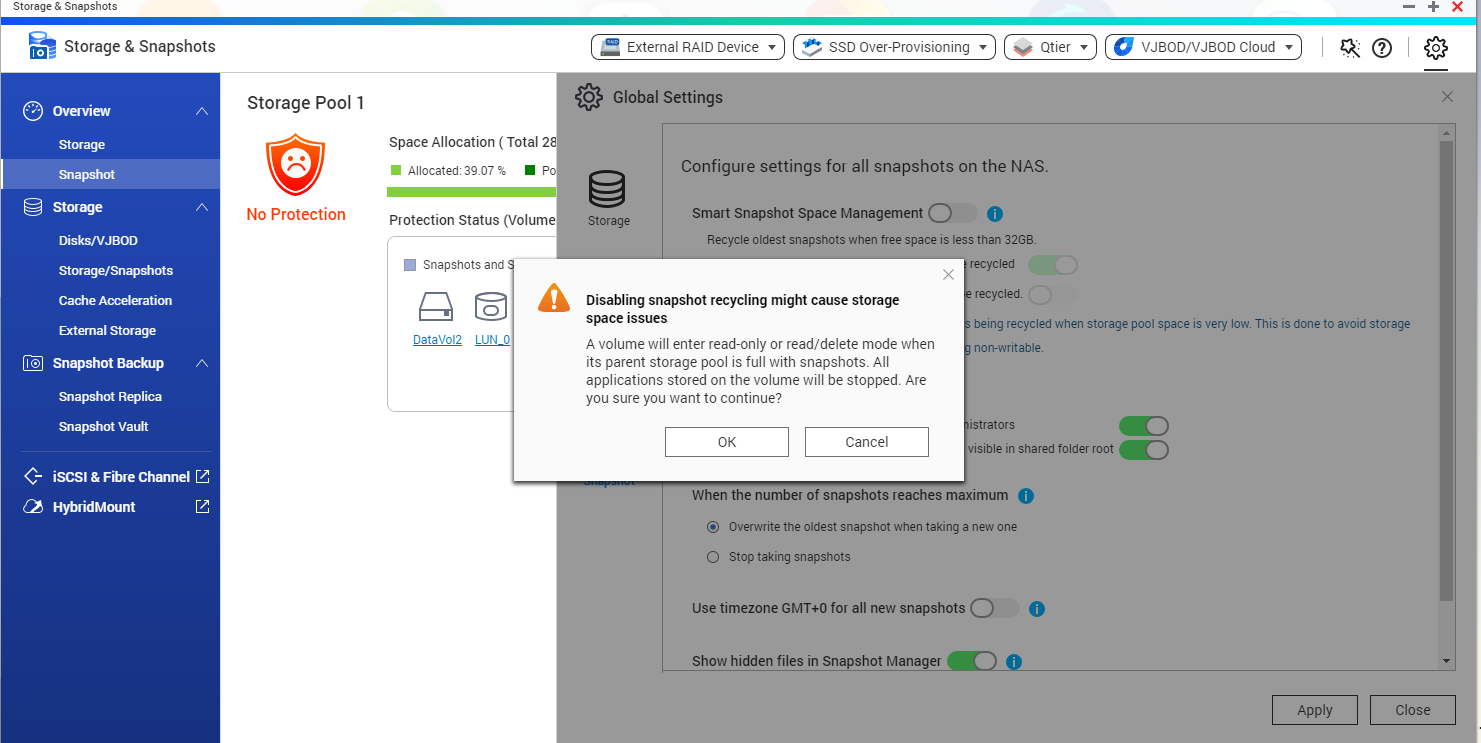
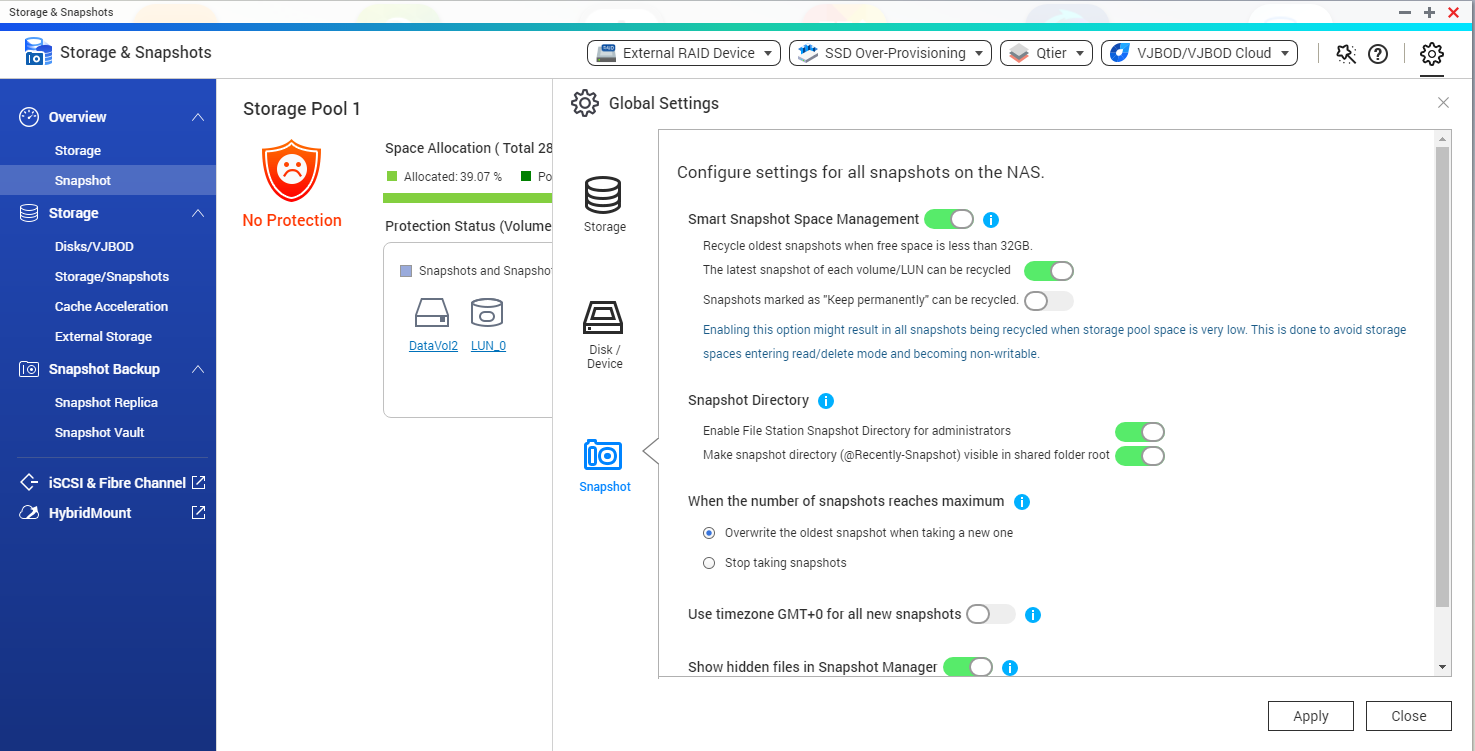
To avoid that, you may enable Smart Snapshot Space Management: open Storage & Snapshots > Global Settings > Snapshot, and enable the setting.
Smart Snapshot Space Management lets you configure the Snapshots behavior when the NAS is getting full.
¿Necesita más ayuda?
Publique su pregunta en la comunidad de QNAP. El personal de QNAP y usuarios experimentados le responderán.


