


What Happens to Snapshots When the Pool is Getting Full?
Data da última modificação:
2022-03-30
Applied models:
-
All NAS Series
Applied Firmware:
-
4.4.1 or above
When a Storage Pool is full, the volumes in the Storage Pool will enter read-only or read/delete mode. No more Snapshots can be taken.
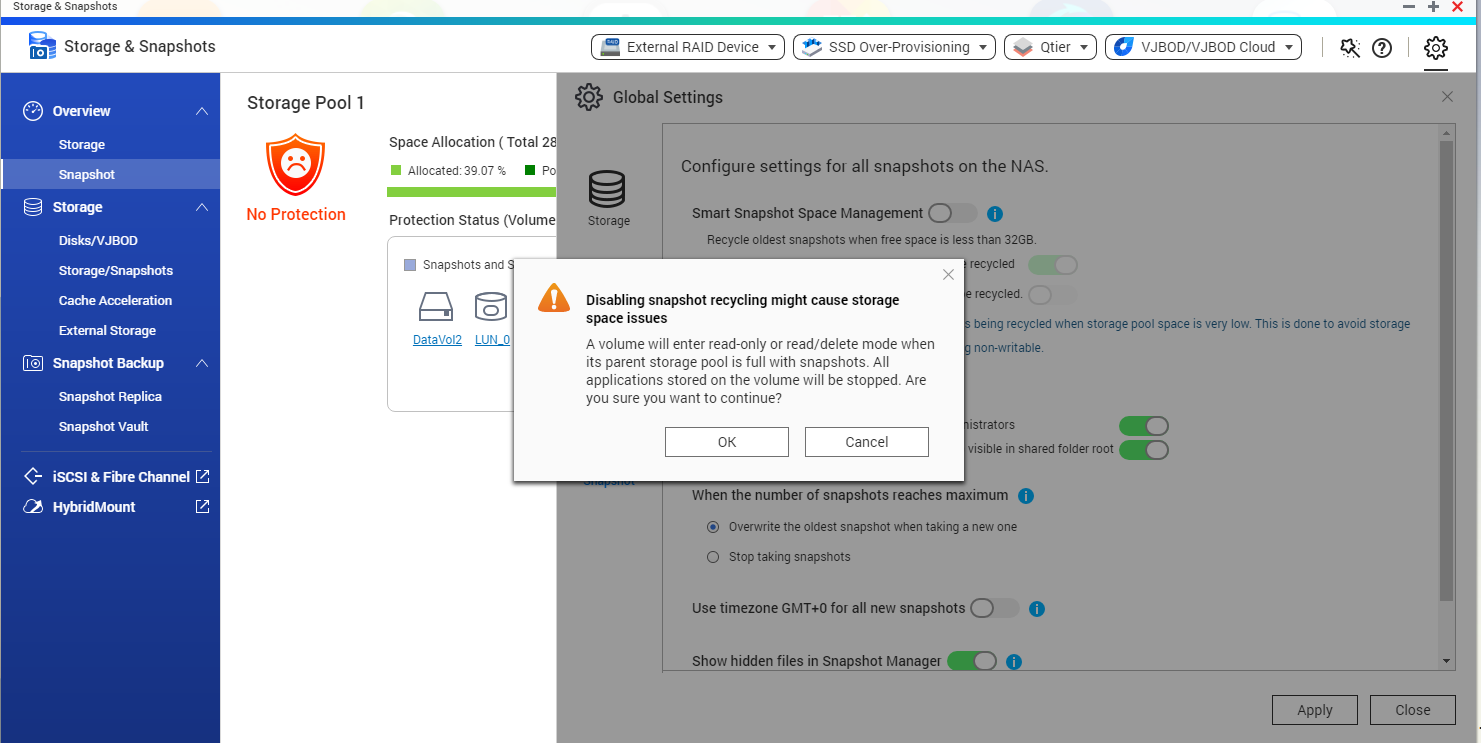
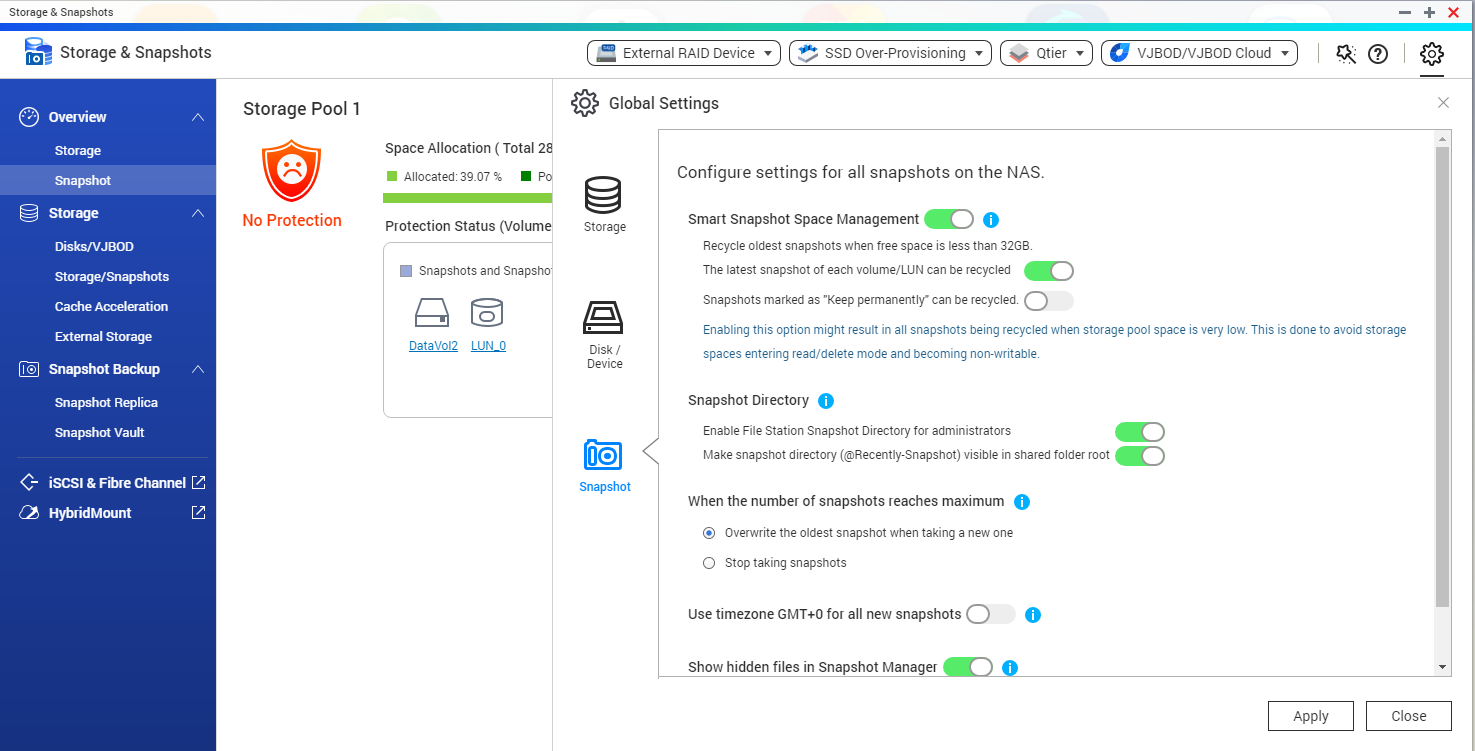
To avoid that, you may enable Smart Snapshot Space Management: open Storage & Snapshots > Global Settings > Snapshot, and enable the setting.
Smart Snapshot Space Management lets you configure the Snapshots behavior when the NAS is getting full.
Para obter mais ajuda, pergunte a outros usuários e aos especialistas da QNAP na comunidade. Ir para a Comunidade QNAP


