


What Happens to Snapshots When the Pool is Getting Full?
최신 업데이트일:
2022-03-30
Applied models:
-
All NAS Series
Applied Firmware:
-
4.4.1 or above
When a Storage Pool is full, the volumes in the Storage Pool will enter read-only or read/delete mode. No more Snapshots can be taken.
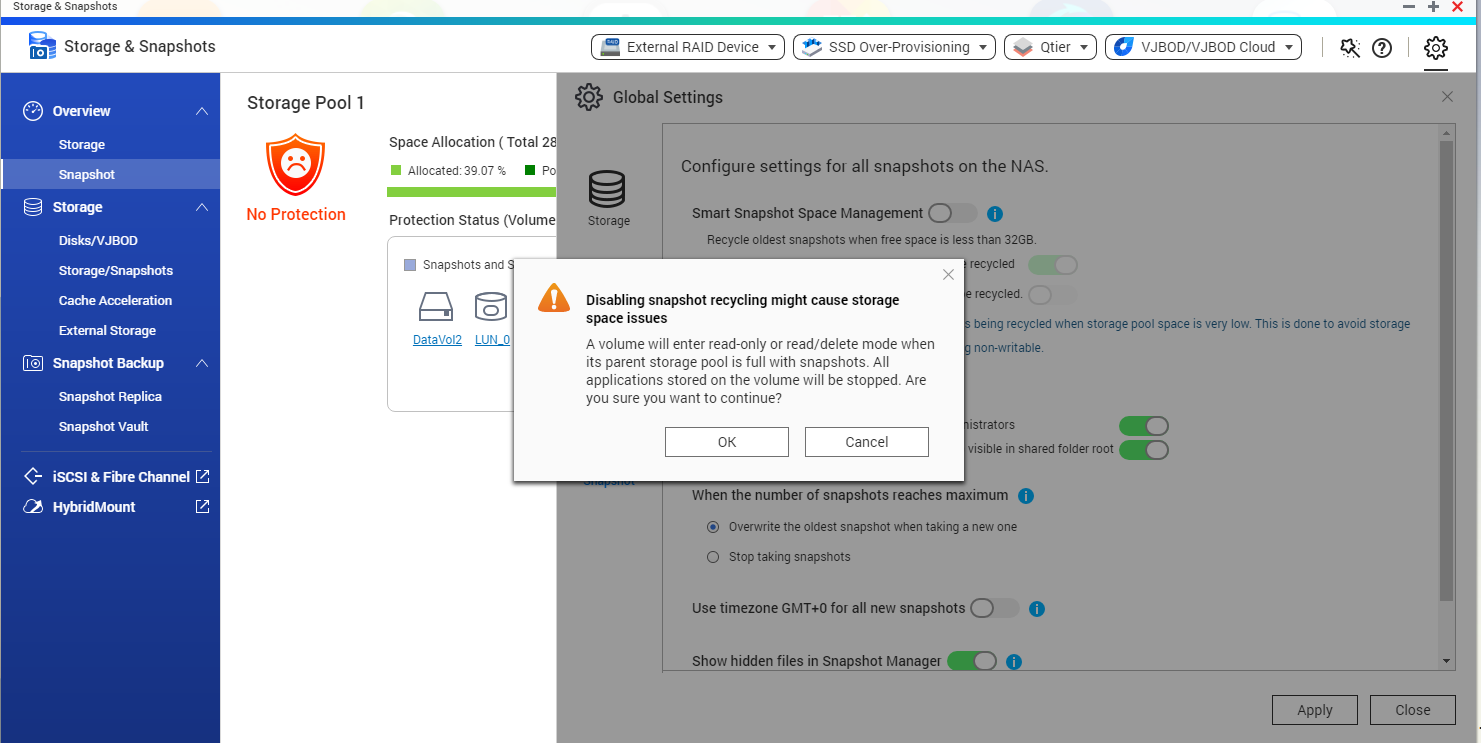
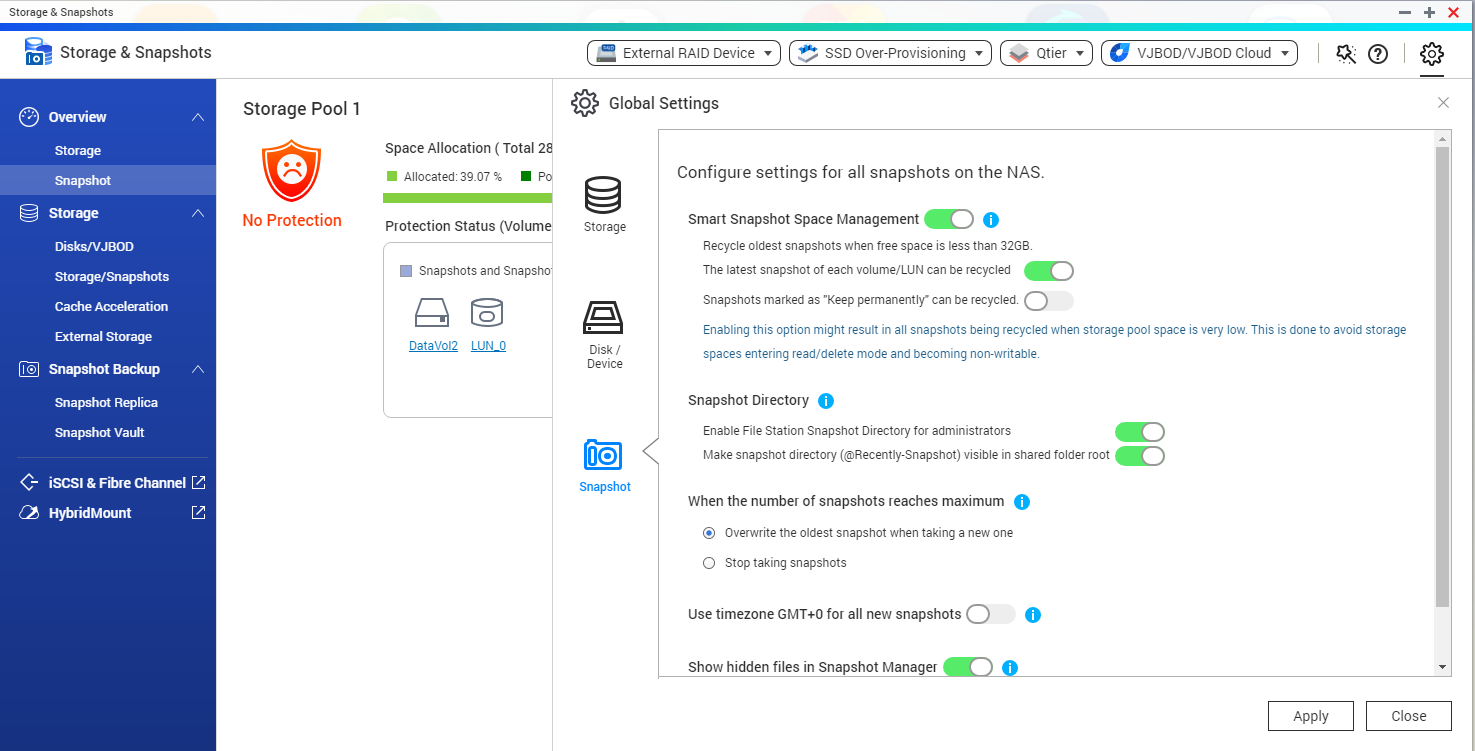
To avoid that, you may enable Smart Snapshot Space Management: open Storage & Snapshots > Global Settings > Snapshot, and enable the setting.
Smart Snapshot Space Management lets you configure the Snapshots behavior when the NAS is getting full.
추가 도움이 필요하시면 커뮤니티에서 다른 사용자 및 QNAP 전문가에게 문의해 보세요. QNAP 커뮤니티로 이동


