


Why does antivirus scan stay at xx%?
Last modified date:
2022-06-24
Applicable Products:
- Antivirus
This could be normal, depends on the number of files and folders, Antivirus may take several hours to finish the virus scan.
You can know if the virus scan is still running by the following steps
- Login QTS as administrators
- Open Resource Monitor
- Click on Processes
- Sort the process by Memory.
- Check if Antivirus or clamscan is on the running process list
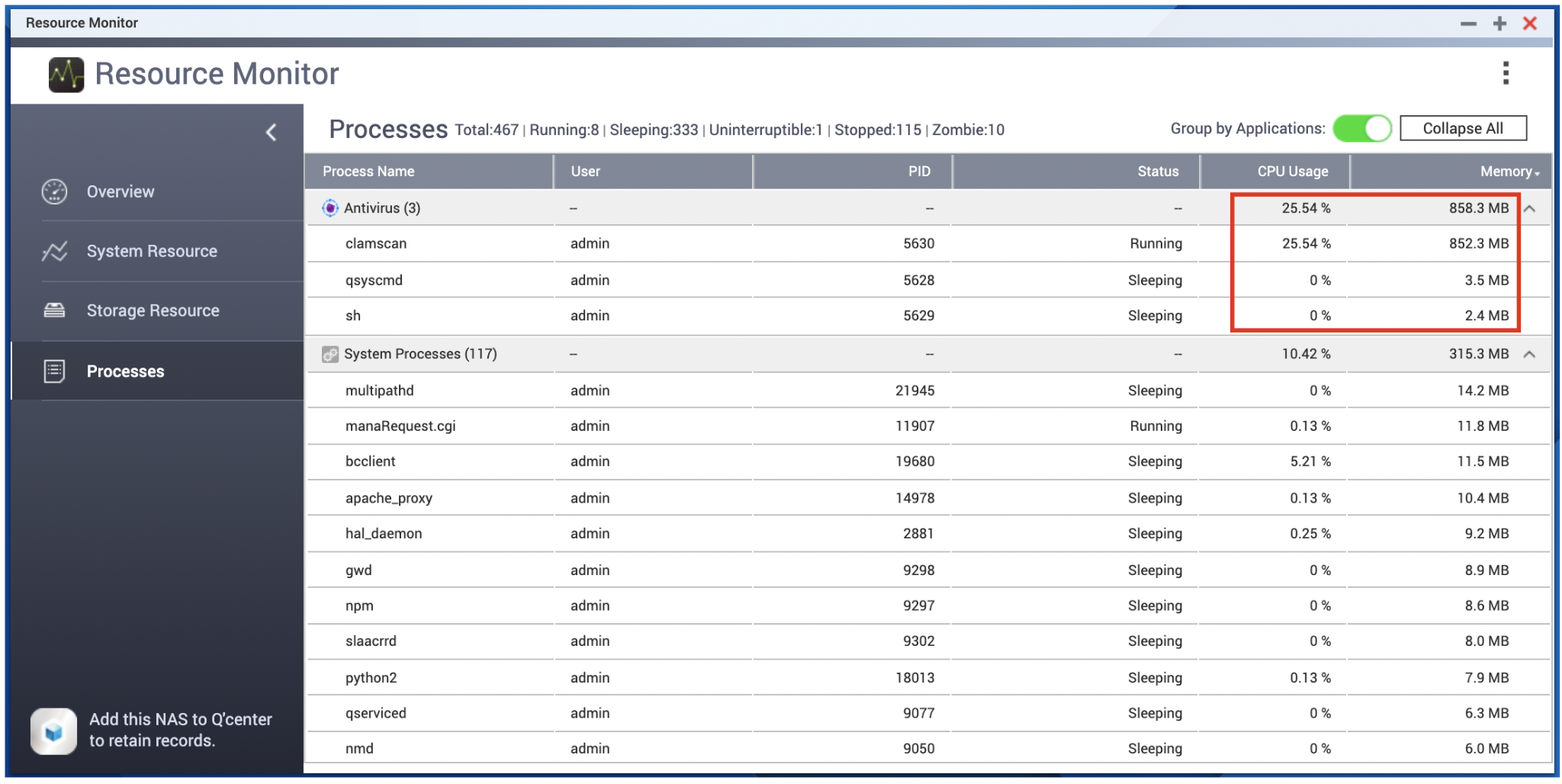
If the process of antivirus scan doesn't move forward for days, contact QNAP support for further assessment.


