


Why can’t I add my QNAP NAS to Q’center?
Last modified date:
2022-06-24
Applicable Products:
- Q’center
Due to a compatibility issue, you cannot add a NAS to Q’center if both of the following conditions are true:
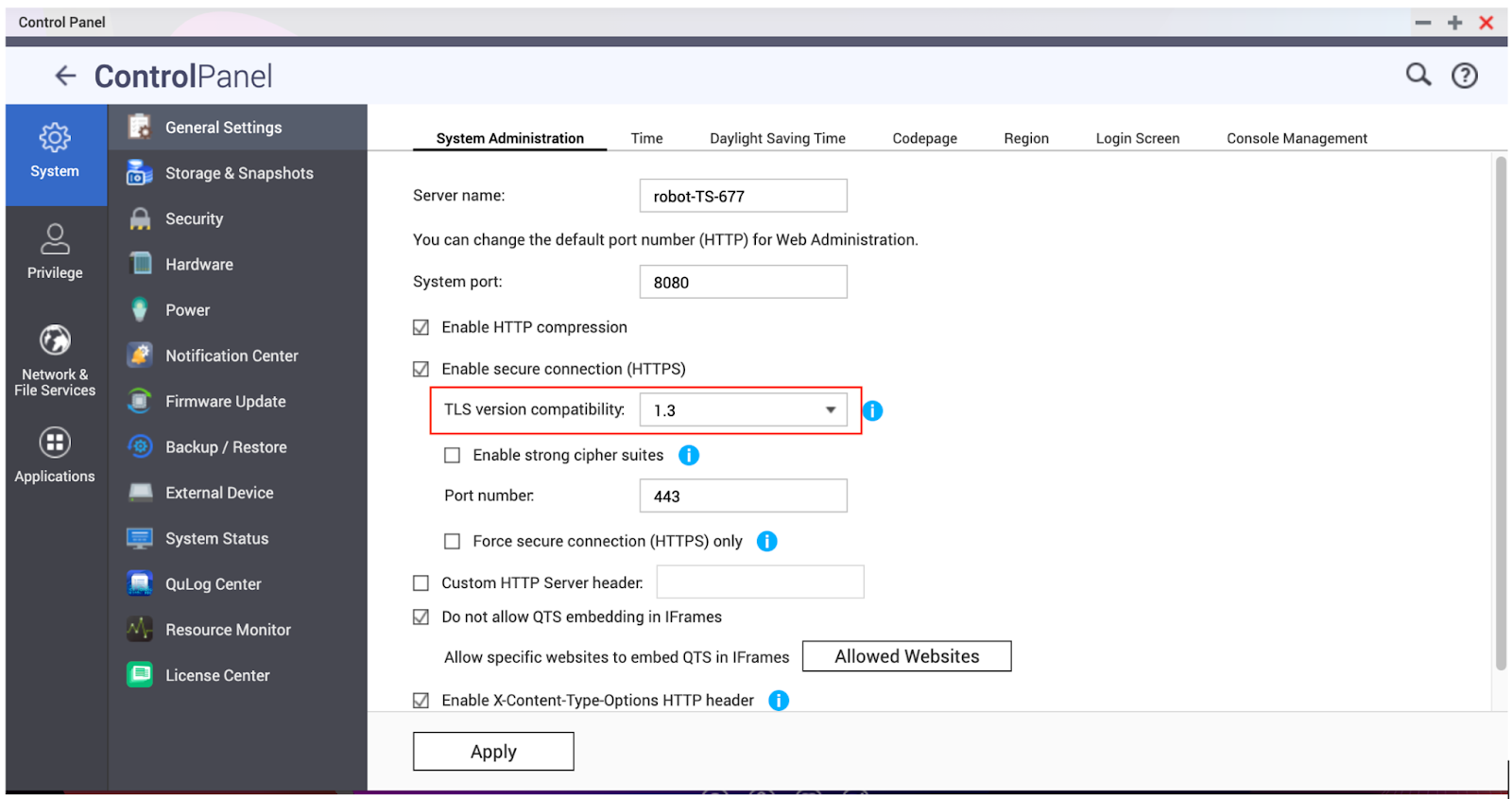
- The NAS that runs Q’center is running QTS 5.0 or later, and you have enabled HTTPS secure connection with TLS version 1.3 on the NAS.
- The NAS you want to add to Q’center is running QTS 4.5 or earlier.
To fix this problem, select one of the following solutions:
- On the NAS that runs Q’center, go to Control Panel > General Settings > System Administration > TLS version compatibility, and select an earlier TLS version (e.g., “1.2 and later”).
- On the NAS you want to add to Q’center, upgrade the QTS version to 5.0 or later.
For further assistance, ask other users and QNAP experts in the community. Go to QNAP Community


