


How do I recreate a shared folder to link to my data stored in the NAS?
Last modified date:
2026-02-05
Applicable Products
- QTS
Overview
On QNAP NAS systems, user data is stored on disks that are organized into storage pools, and then exposed to users through volumes and shared folders. If a shared folder is deleted or not attached, the underlying data on the disks may still exist, but it is not accessible through the usual network paths.
Solution
To create a shared folder and link it to the data folder, follow these steps:
- Go to Control Panel > Privilege > Shared Folders > Shared Folder and select Create.
- Enter a Folder name.
- Select Disk Volume.
- Select Enter path manually and then browse and select the data folder to link.
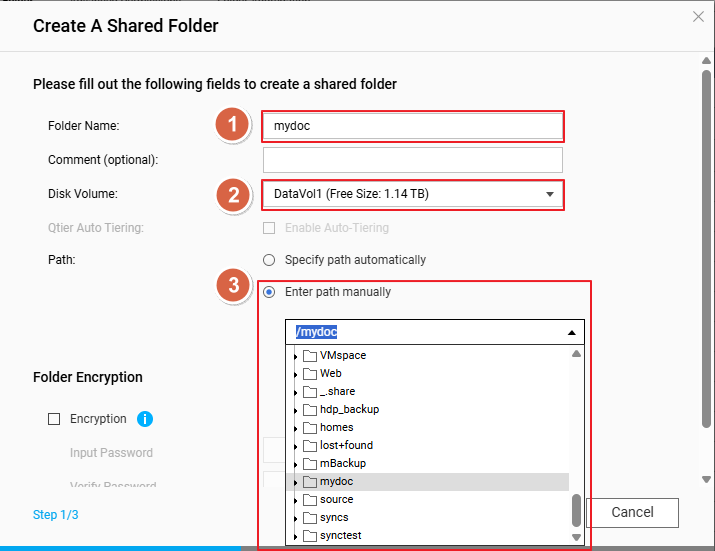
- Configure access privileges for users.
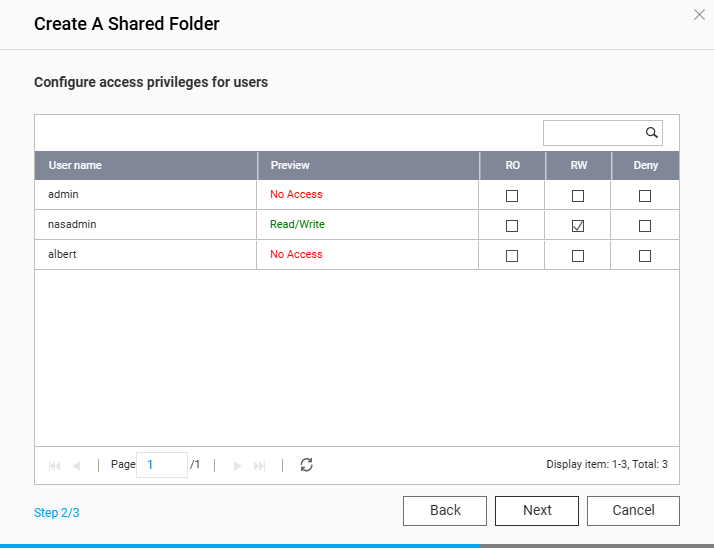
After the shared folder is created, you can quickly access its contents in File Station or via Samba. Done.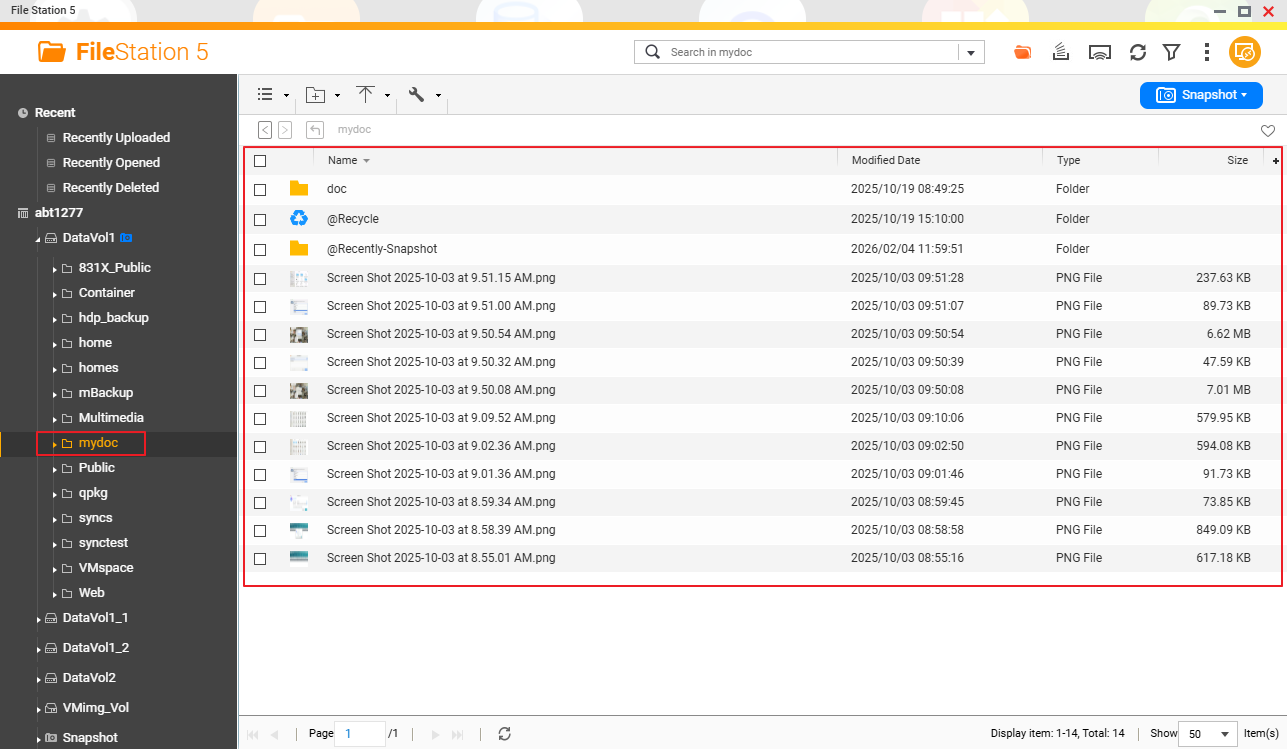
For further assistance, ask other users and QNAP experts in the community. Go to QNAP Community


