


How do I determine the maximum volume size and file limit on my QNAP NAS?
Last modified date:
2026-03-13
Applicable Products
QTS 4.4.1 and later
Details
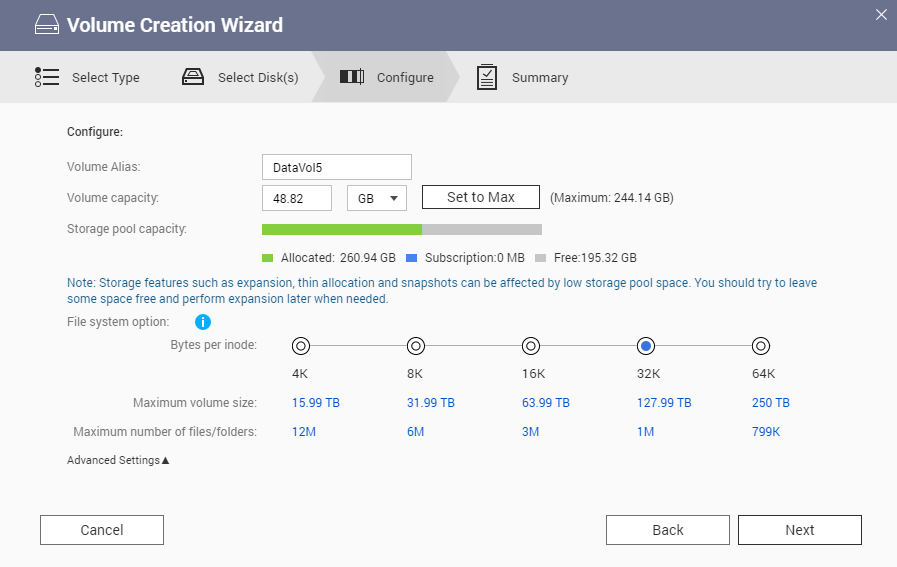
When creating a volume on your QNAP NAS, the maximum volume size and the maximum number of files or folders depend on the bytes per inode setting. This setting determines how many inodes (file system objects) are available for the volume.
- For volumes 32 TB or smaller, the default bytes per inode is 32 KB, which supports:
- Maximum volume size: 127.99 TB
- Maximum number of files/folders: 1,000,000 (1M)
- For volumes larger than 32 TB, the default bytes per inode is 64 KB, which supports:
- Maximum volume size: 250 TB
- Maximum number of files/folders: 799,000 (799K)
Note: The bytes per inode setting cannot be changed after the volume is created.
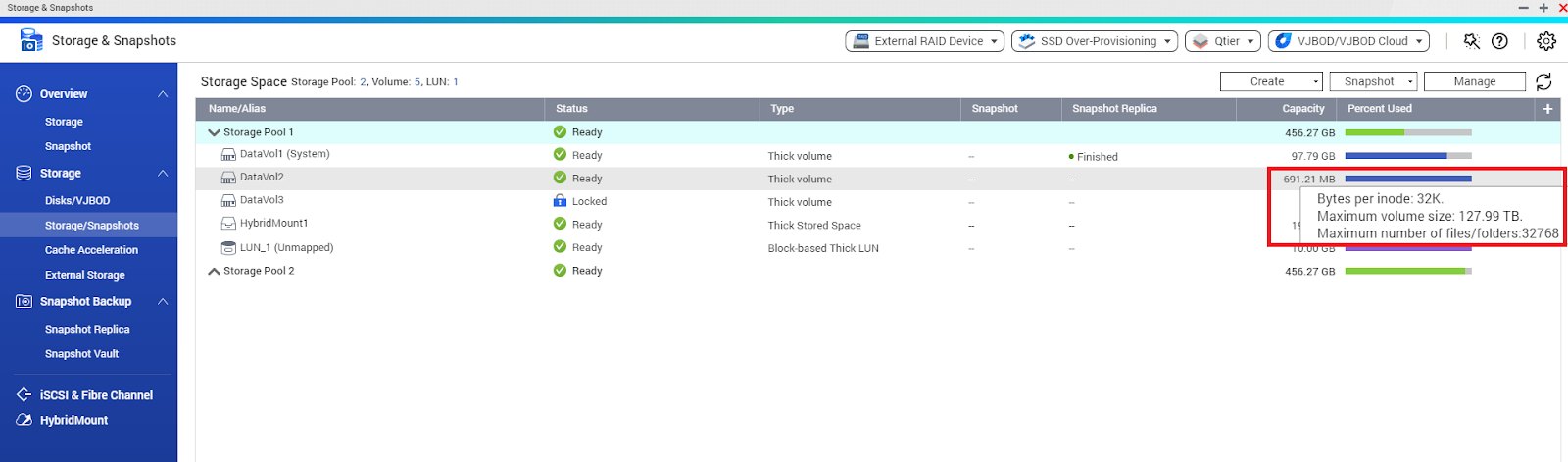
How to check the maximum volume size of an existing volume
You can confirm the maximum volume size by hovering your mouse over the Capacity column in Storage & Snapshots > Storage/Snapshots.
Further Reading
For further assistance, ask other users and QNAP experts in the community. Go to QNAP Community


