


How can I resolve intermittent ping loss on an ADRA NDR SNMP server?
Last modified date:
2023-03-06
Applicable Products
ADRA NDR Series
Root Cause
This issue occurs when multiple devices on the network update the Bridge Protocol Data Unit (BPDU) to assert themselves as the Spanning Tree Protocol (STP) root port role.
When ADRA NDR devices receive these BPDUs, they process the STP flow as if the network topology has changed. During the time it takes the ADRA NDR to process the network change, the uplink port discards any packets.
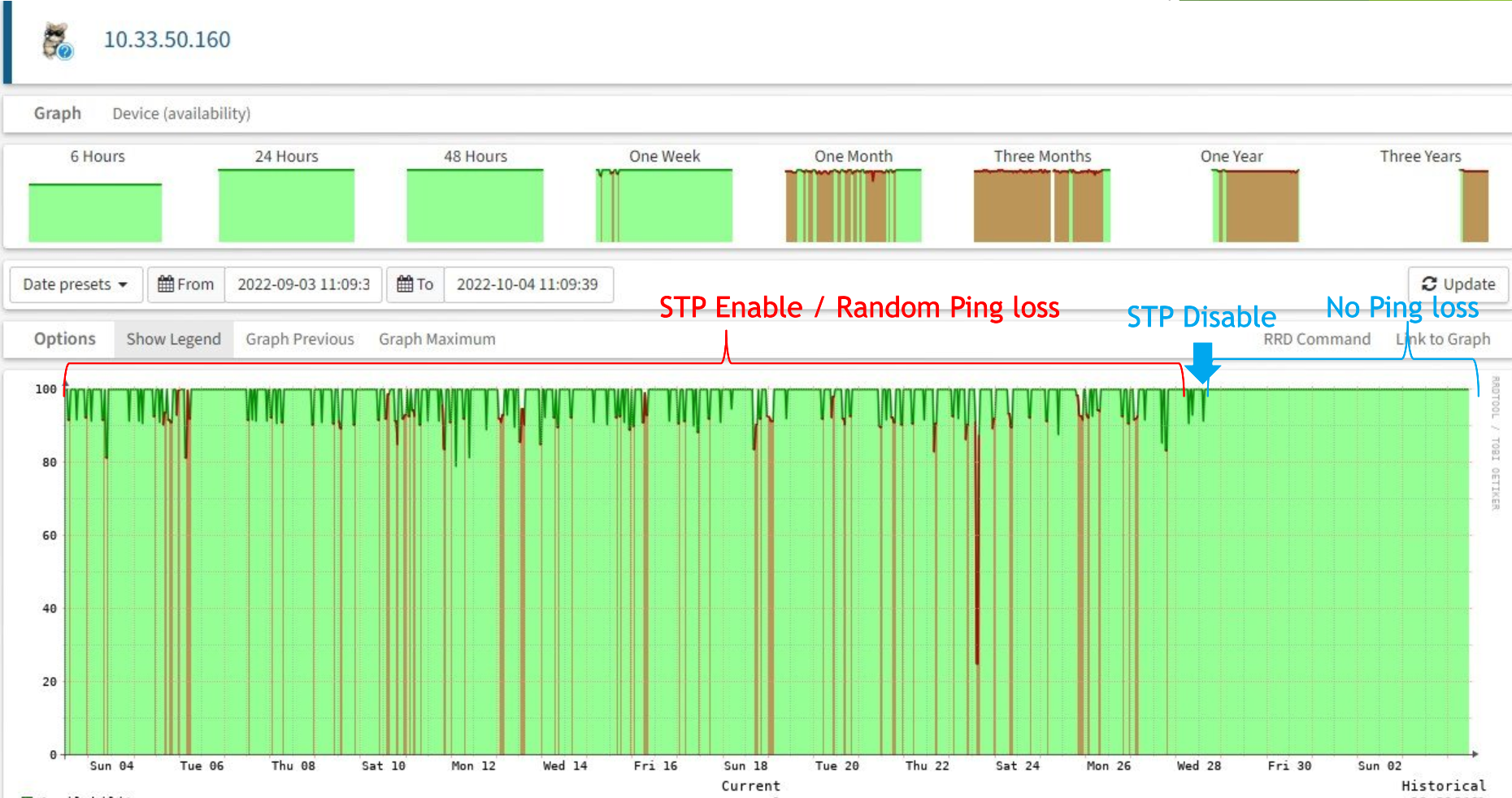
Solution
It's possible to maintain looping protection on your network while restricting the BPDU packet from requesting STP root role changes between devices.
- Sign in to your ADRA NDR device.
- Enable the BPDU filter / BPDU Guard.
- At the ADRA uplink core switch interface, shutdown VLAN1.


