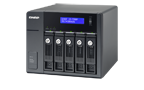
UX-500P Specification


-
UX-500P (ผลิตภัณฑ์รุ่นเก่า)
อินเทอร์เฟซการเชื่อมต่อ JBOD USB ช่องใส่ไดรฟ์ 5 x 3.5-inch The system is shipped without HDD.
For the HDD compatibility list, please visit https://www.qnap.com/compatibility/ความเข้ากันได้ของไดรฟ์ 3.5-inch bays:
3.5-inch SATA 6Gb/s, 3Gb/s hard disk drives
2.5-inch SATA 6Gb/s, 3Gb/s hard disk drives
2.5-inch SATA 6Gb/s, 3Gb/s solid state drivesYou can only use one disk type (HDD or SSD) in a RAID group. Combining different types of disk in one RAID group is not supported.รองรับการถอดเปลี่ยนขณะเปิดเครื่อง (Hot-swappable) รูปแบบตัวเครื่อง Tower อินเทอร์เฟซโฮสต์ USB 3.2 Gen 1 (Type B) ไฟแสดงสถานะ (LED) Power, link, status ปุ่มกด Enter, select, power switch ขนาด (สูงxกว้างxลึก) 185 × 210.6 × 235.4 mm น้ำหนัก (สุทธิ) 5.1 kg น้ำหนัก (รวมบรรจุภัณฑ์) 6.5 kg อุณหภูมิขณะใช้งาน 0 - 40 °C (32°F - 104°F) อุณหภูมิขณะจัดเก็บ -20 - 70°C (-4°F - 158°F) ความชื้นสัมพัทธ์ 5-95% RH non-condensing, wet bulb: 27˚C (80.6˚F) ชุดจ่ายไฟ ATX Power Supply, 250W, 100-240Vac~, 50-60Hz การใช้พลังงาน: โหมดพัก HDD 18.9 W การใช้พลังงาน: โหมดใช้งานทั่วไป 37.78 W Tested with drives fully populated.การแจ้งเตือนระบบ Buzzer QTS / QuTS hero การจัดการ Managed via QNAP QTS OS
1. Supports disk S.M.A.R.T. information
2. Locate RAID expansion enclosures
3. Locate hard disks on RAID expansion enclosure
4. Smart fan control by detecting system and hard drive temperatureหมายเหตุ: กรุณาใช้เฉพาะโมดูลหน่วยความจำ QNAP เพื่อรักษาประสิทธิภาพและความเสถียรของระบบ สำหรับอุปกรณ์ NAS ที่มีช่องใส่หน่วยความจำมากกว่าหนึ่งช่อง กรุณาใช้โมดูล QNAP ที่มีสเปกเดียวกันและอ้างอิงคู่มือผู้ใช้ฮาร์ดแวร์เพื่อการติดตั้งโมดูลหน่วยความจำ QNAP ที่เข้ากันได้
คำเตือน: การใช้โมดูลที่ไม่ได้รับการรองรับอาจทำให้ประสิทธิภาพลดลง เกิดข้อผิดพลาด หรือระบบปฏิบัติการไม่สามารถเริ่มทำงานได้
QNAP ขอสงวนสิทธิ์ในการเปลี่ยนชิ้นส่วนหรืออุปกรณ์บางรายการหากของเดิมไม่มีจำหน่ายจากผู้ผลิต/ซัพพลายเออร์อีกต่อไป การเปลี่ยนใด ๆ จะได้รับการทดสอบและตรวจสอบอย่างเต็มที่เพื่อให้เป็นไปตามแนวทางความเข้ากันได้และความเสถียรที่เข้มงวด และจะให้ประสิทธิภาพเหมือนกับของเดิมทุกประการ
HDMI, HDMI High-Definition Multimedia Interface, HDMI trade dress และโลโก้ HDMI เป็นเครื่องหมายการค้าหรือเครื่องหมายการค้าจดทะเบียนของ HDMI Licensing Administrator, Inc.
ภาพผลิตภัณฑ์ใช้เพื่อการประกอบการอธิบายเท่านั้นและอาจแตกต่างจากสินค้าจริง เนื่องจากความแตกต่างของหน้าจอ สีของผลิตภัณฑ์อาจแตกต่างจากที่แสดงบนเว็บไซต์
การออกแบบและสเปกอาจมีการเปลี่ยนแปลงโดยไม่ต้องแจ้งให้ทราบล่วงหน้า
Expansion Enclosure Management
An expansion enclosure is managed using the QTS operating system of the NAS it is connected to. Once attached, an expansion enclosure will be displayed in Storage Manager of the attached NAS alongside a variety of management features. Please note that expansion enclosure functions may vary by QTS version. Below are some fundamental functions for expansion enclosures in QTS.
* QTS 4.1 (or newer) is recommended when using an expansion unit.
- Expand the Storage Pool of the attached NAS or create separate Storage Pools & Volumes on expansion enclosures.
- Check hard disk S.M.A.R.T. information, S.M.A.R.T. test and performance test report.
- Easily locate/identify expansion units as well as individual hard disks installed within them.
The QTS Storage Manager comes with many advanced functions that have evolved with each version of QTS to provide easier and more efficient storage management. The following are some core applications or functions that are useful for expansion units:
- Use the Dashboard to view system storage allocation or obtain an overview of space utilization by volume.
- Move data to another QNAP NAS for data backup or recovery using QJBOD Express.
https://www.qnap.com/go/tutorial/con_show.php?op=showone&cid=155 - Optimize performance and reduce costs by automatically allocating data to faster or higher-capacity storage media (based on usage frequency) using Qtier.
https://www.qnap.com/go/tutorial/con_show.php?op=showone&cid=181
All features are subject to change based on different QTS versions or NAS models. Please refer to the software specifications of your respective NAS model.
To learn more about using Storage Manager, please visit our Tutorials & FAQ site:
https://www.qnap.com/faq
| ||||||
| ||||||