


How do I back up QNAP router and switch settings?
Last modified date:
2023-09-07
Applicable Products
- QHora-301W
- QHora-321
- QHora-322
- QMiro-201W
- QMiroPlus-201W
- QSW managed switches
Procedure
Backing Up Router System Settings
- Log in to QuRouter.
- Go to System > System Settings > Restart / Reset / Backup / Restore.
- Click Backup.
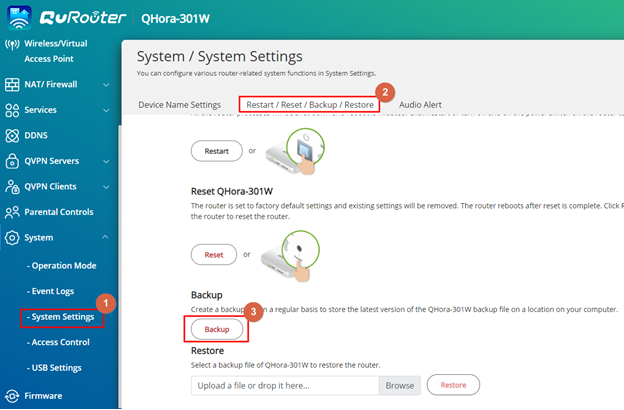
The device exports the system settings as a BIN file and downloads the file to your computer.
Backing Up Switch System Settings
- Log in to QSS.
- Go to System > System Settings > Backup & Restore.
- Click Backup.
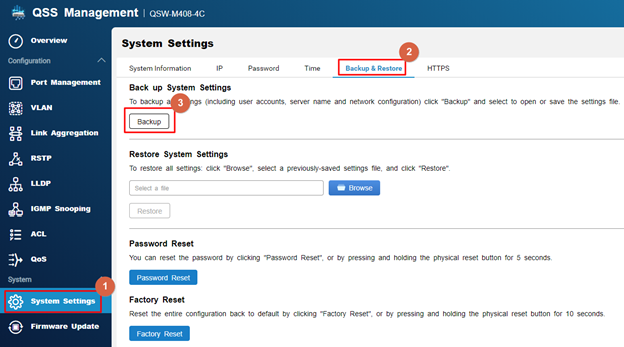
The device exports the system settings as a BIN file and downloads the file to your computer.
หากต้องการความช่วยเหลือเพิ่มเติม สอบถามผู้ใช้รายอื่นและผู้เชี่ยวชาญของ QNAP ได้ในคอมมูนิตี้ ไปที่ QNAP Community


