


What Happens to Snapshots When the Pool is Getting Full?
Ultima data di modifica
2022-03-30
Applied models:
-
All NAS Series
Applied Firmware:
-
4.4.1 or above
When a Storage Pool is full, the volumes in the Storage Pool will enter read-only or read/delete mode. No more Snapshots can be taken.
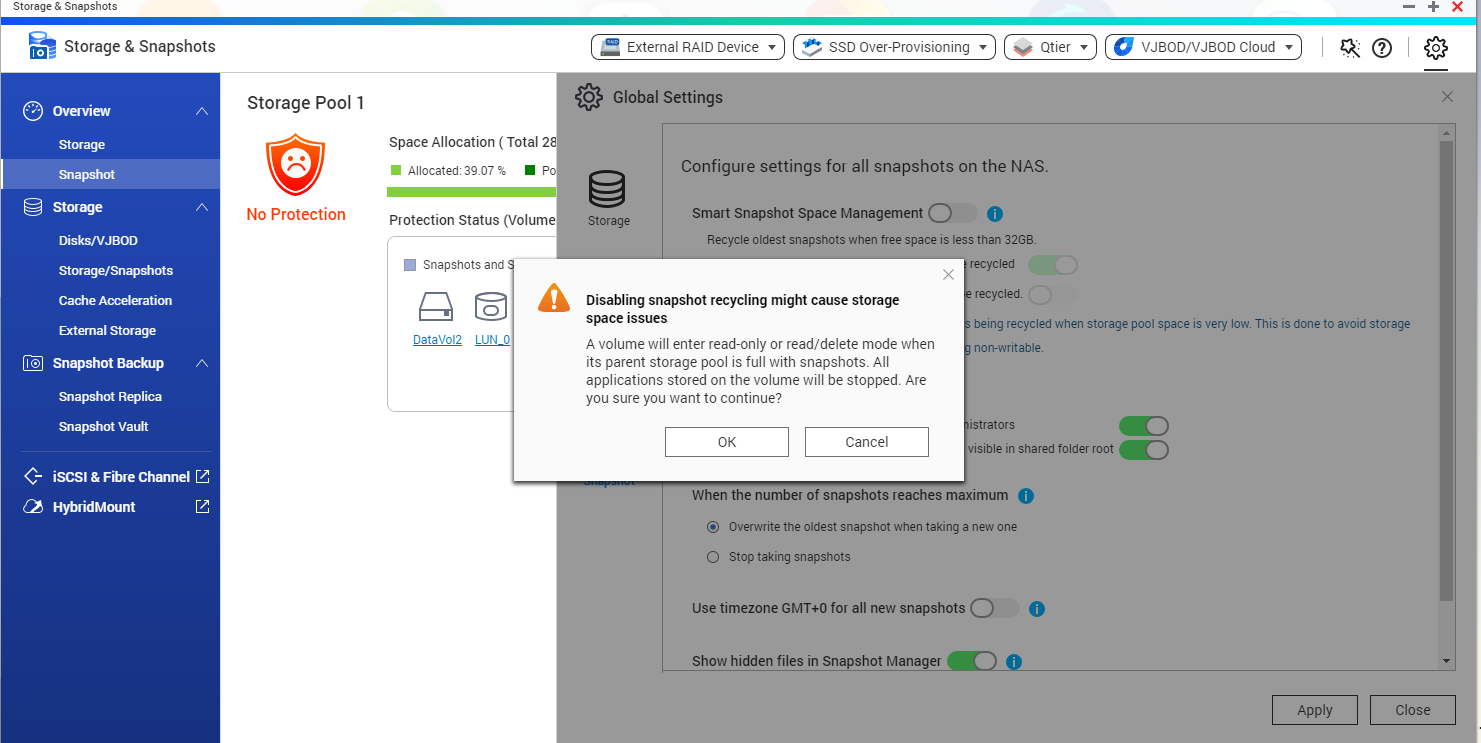
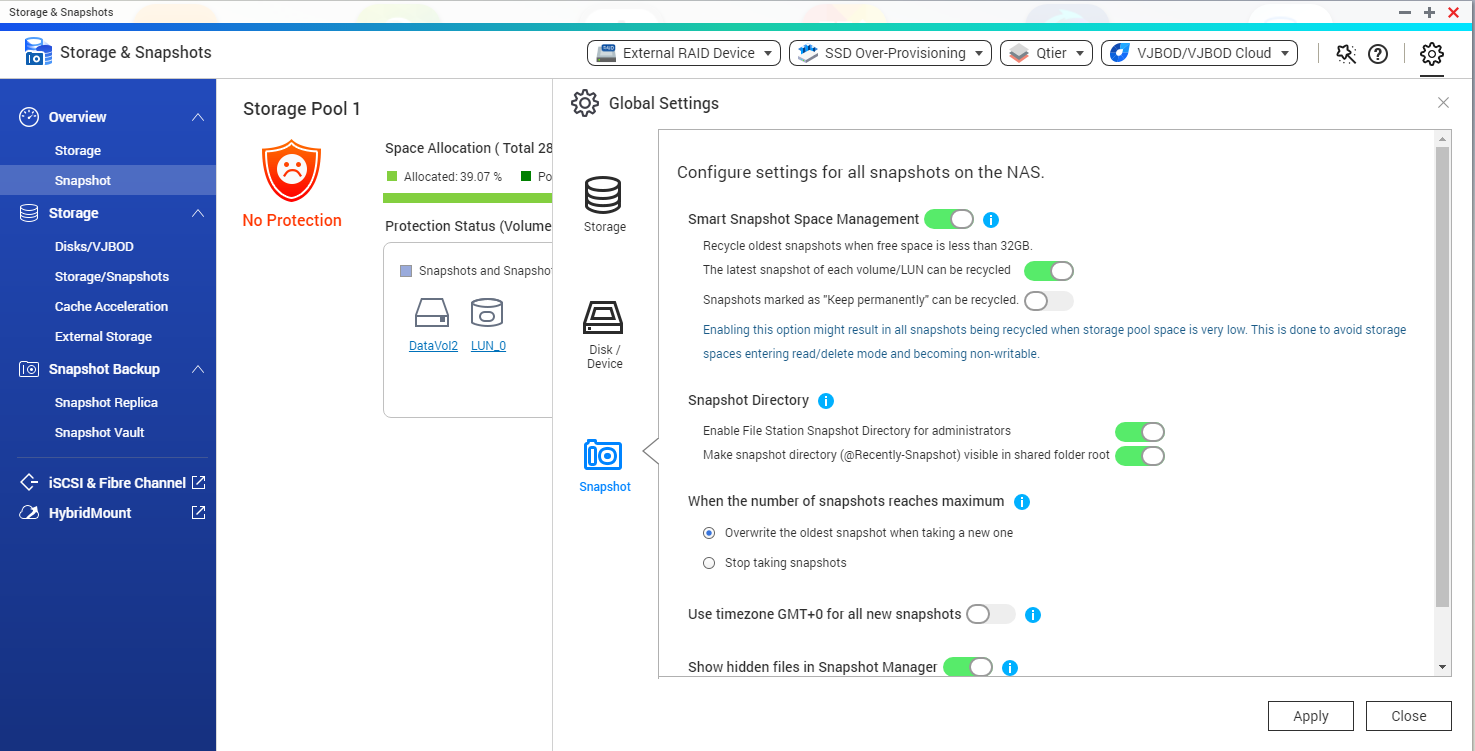
To avoid that, you may enable Smart Snapshot Space Management: open Storage & Snapshots > Global Settings > Snapshot, and enable the setting.
Smart Snapshot Space Management lets you configure the Snapshots behavior when the NAS is getting full.
Hai ancora bisogno di aiuto?
Pubblica la tua domanda nella community QNAP. Lo staff QNAP e gli utenti esperti ti risponderanno.


