


How can I receive notifications from HBS?
Last modified date:
2023-12-07
Applicable Products
Hybrid Backup Sync
To receive notifications from Hybrid Backup Sync (HBS), you need to set up a notification rule in Notification Center.
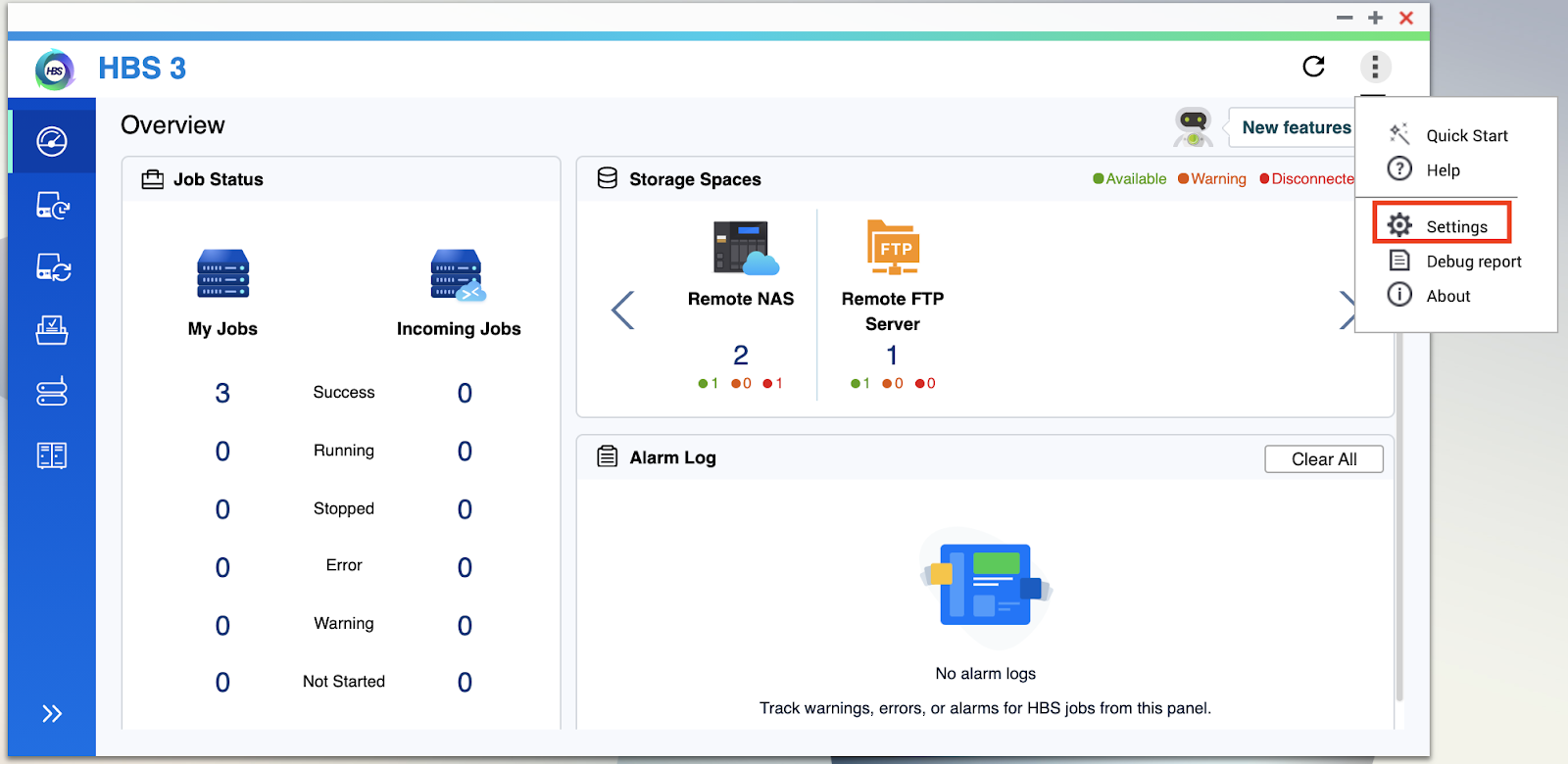
- Open HBS 3.
- Go to More > Settings.
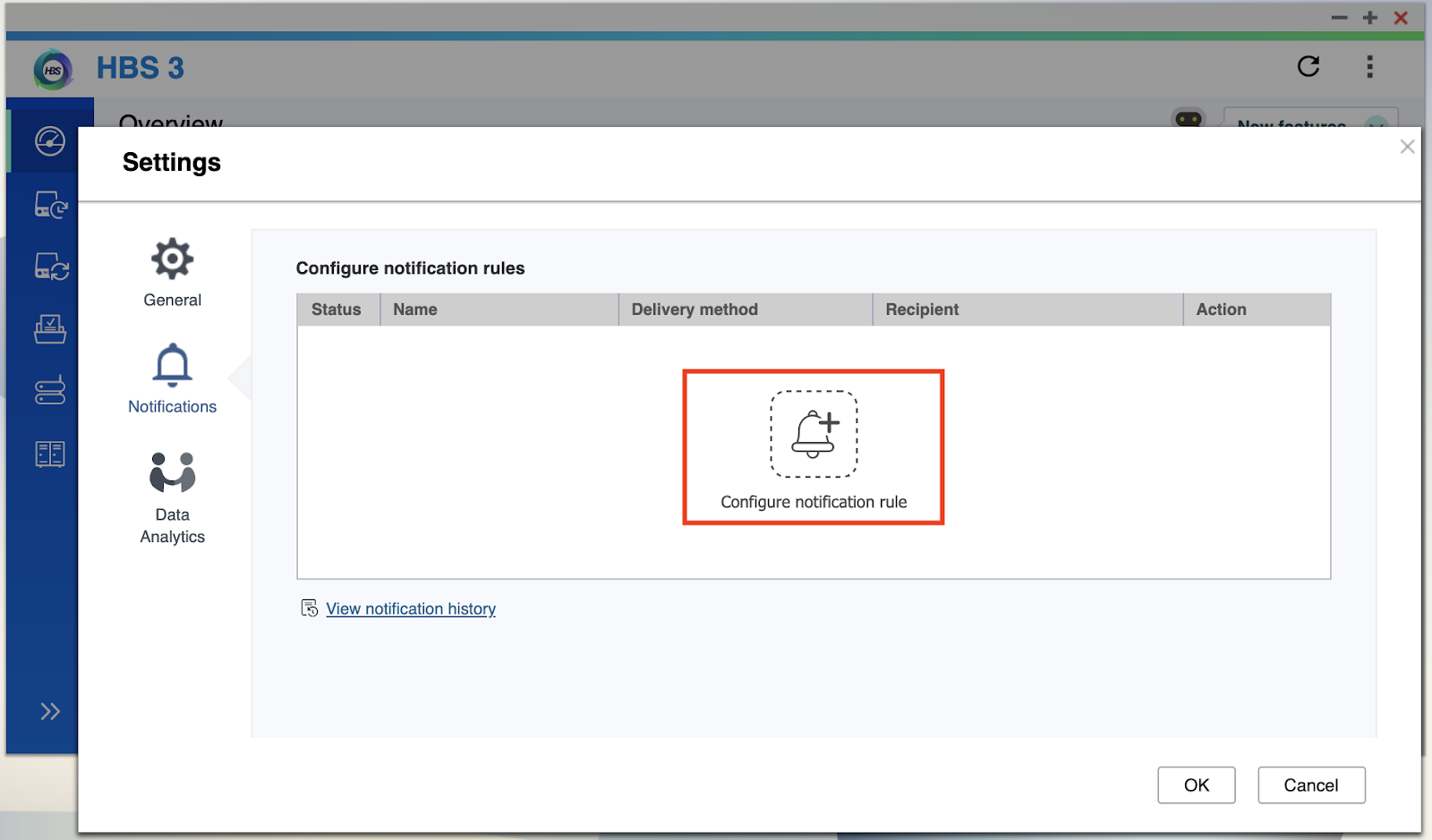
The Settings window opens. - Click Notifications.
- Click Configure notification rule.
The Create event notification rule window opens in Notification Center. - Select one or more notification types.
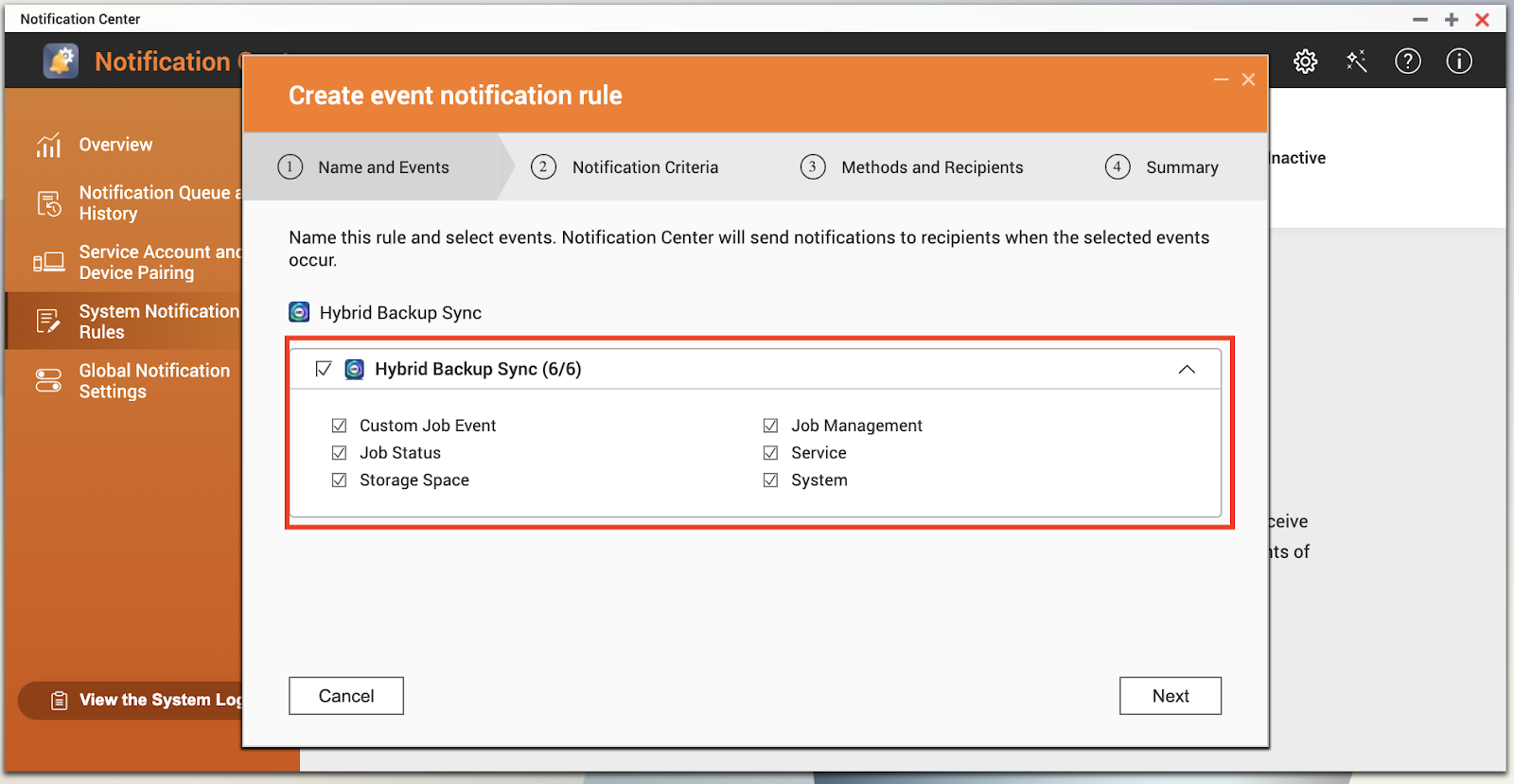
- Click Next.
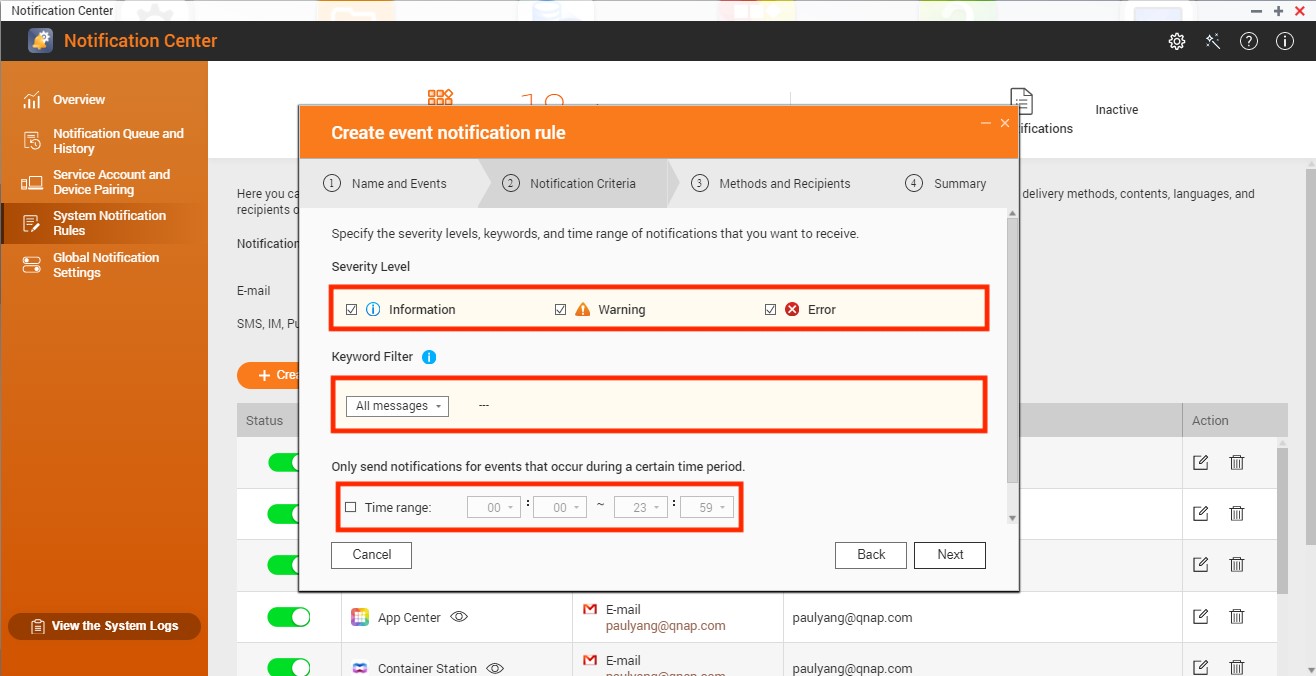
- Select one or more security levels.
- Optional: Configure a keyword filter.
- Optional: Specify a time range you want to receive notifications.
- Click Next.
- Select a delivery method.
- Configure the sender and recipient information.
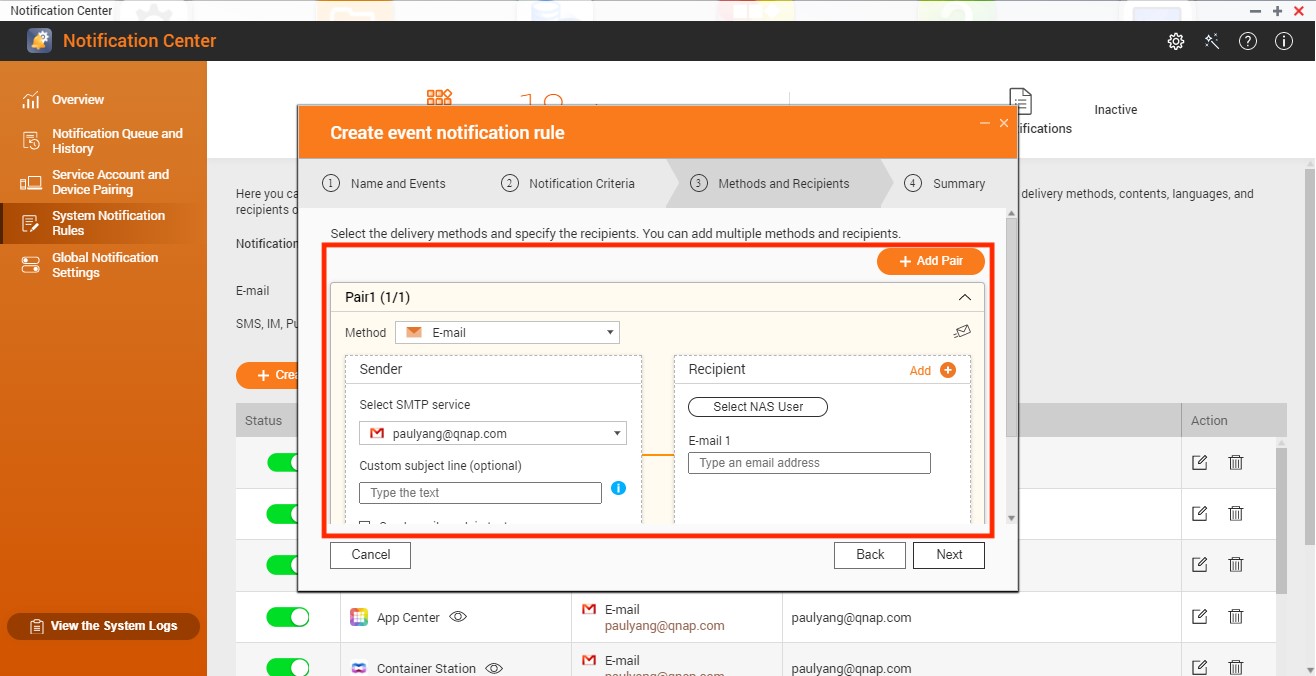
- Optional: Click Add Pair to create a new pair.
- Click Next.
- Review your settings and click Finish.
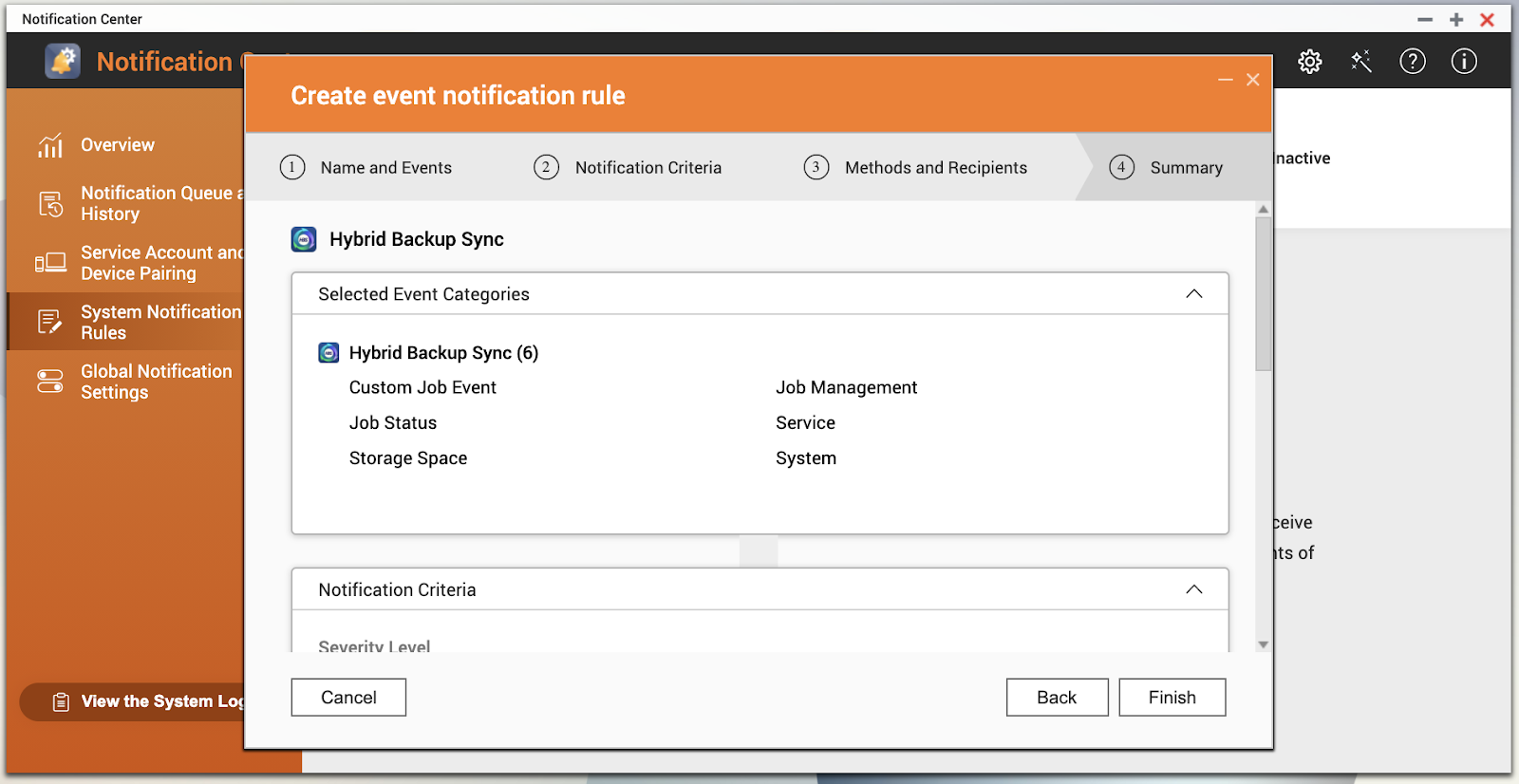
Notification Center creates the notification rule. - Go back to HBS 3 and verify the notification rule has been added.
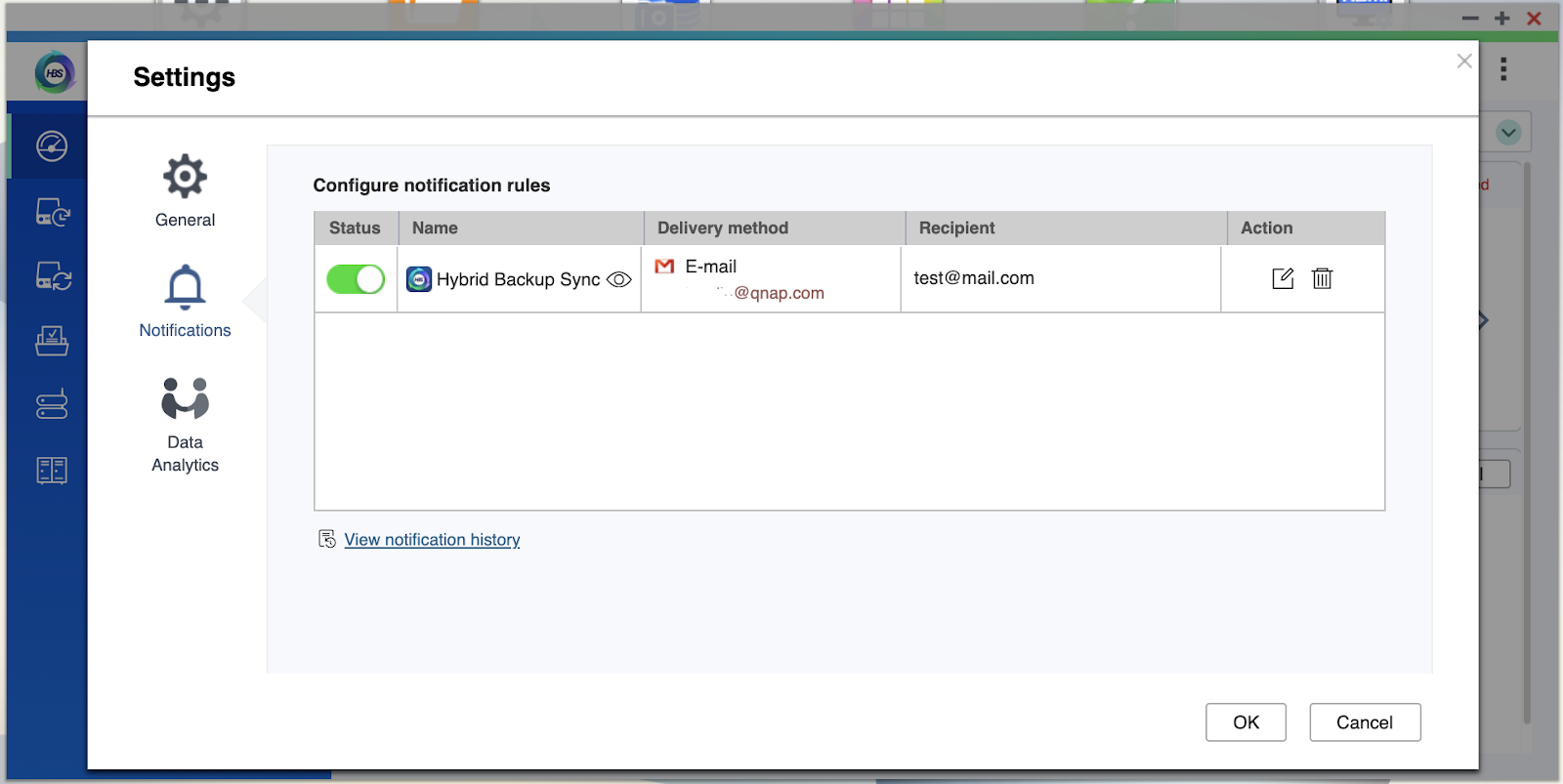 TipClick View notification history to see previous notifications.
For further assistance, ask other users and QNAP experts in the community. Go to QNAP Community


