


How can I receive notifications from HBS?
Release date:
2023-12-07
Applicable Products
Hybrid Backup Sync
To receive notifications from Hybrid Backup Sync (HBS), you need to set up a notification rule in Notification Center.
- Open HBS 3.
- Go to More > Settings.
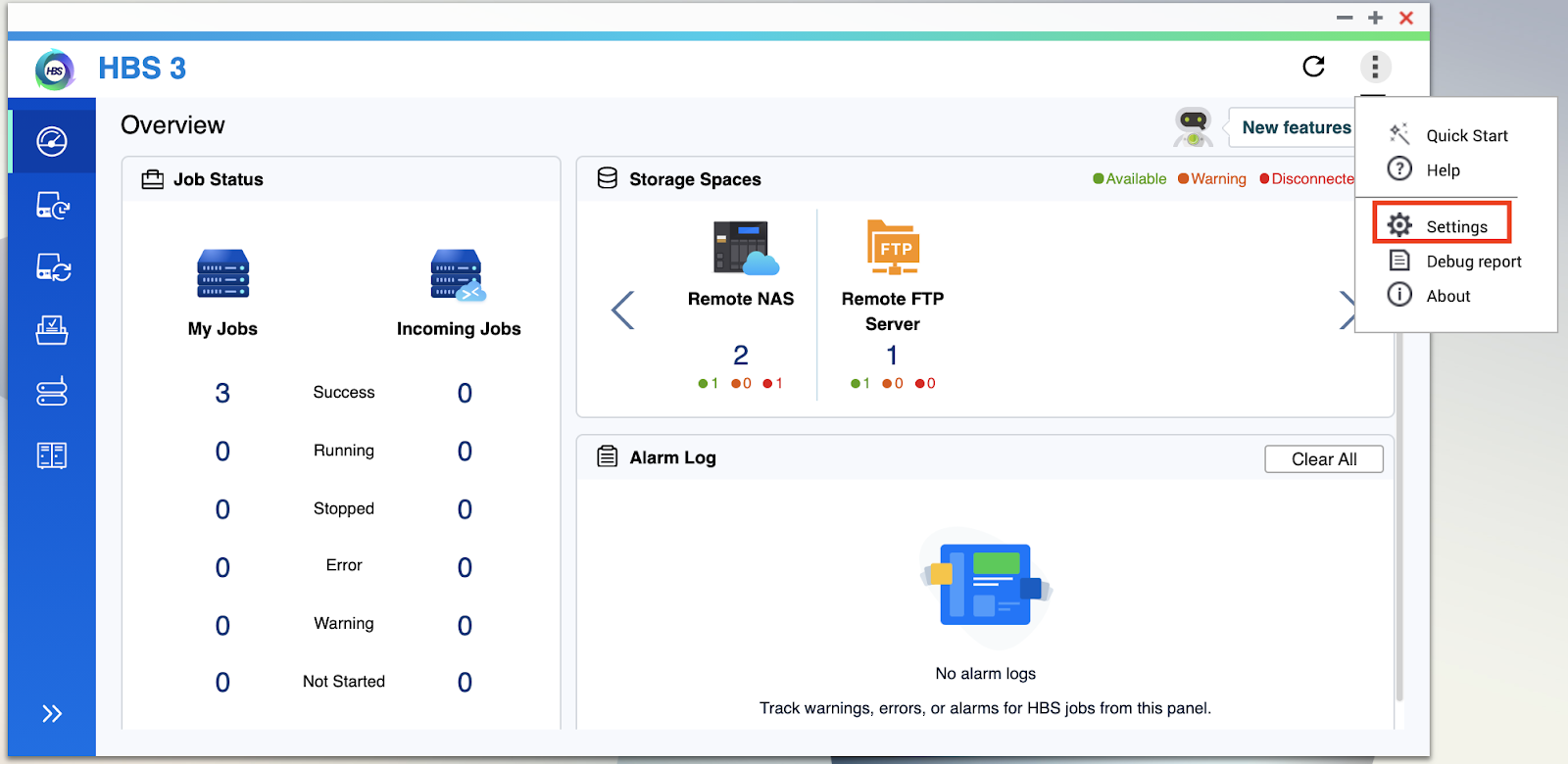
The Settings window opens. - Click Notifications.
- Click Configure notification rule.
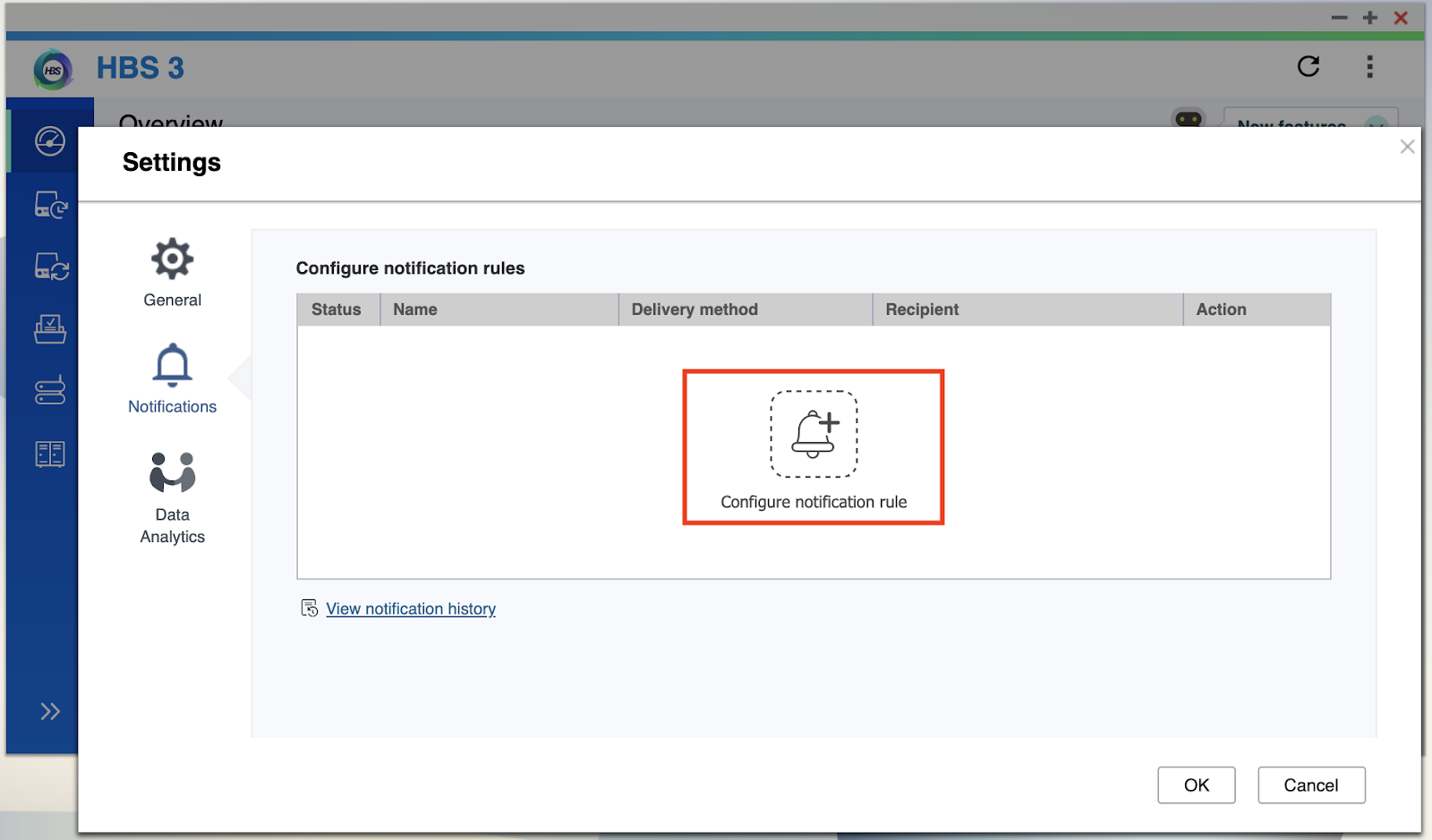
The Create event notification rule window opens in Notification Center. - Select one or more notification types.
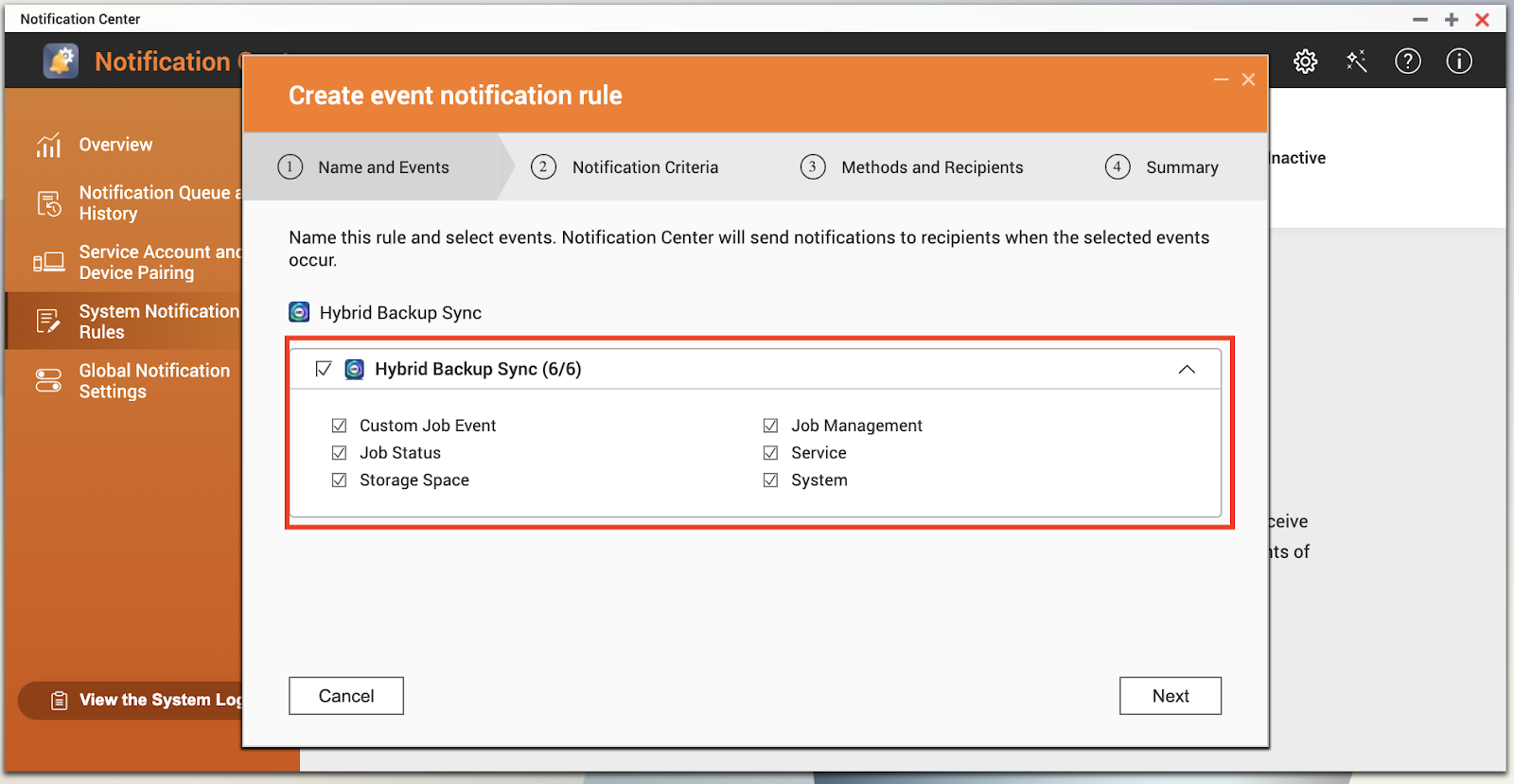
- Click Next.
- Select one or more security levels.
- Optional: Configure a keyword filter.
- Optional: Specify a time range you want to receive notifications.
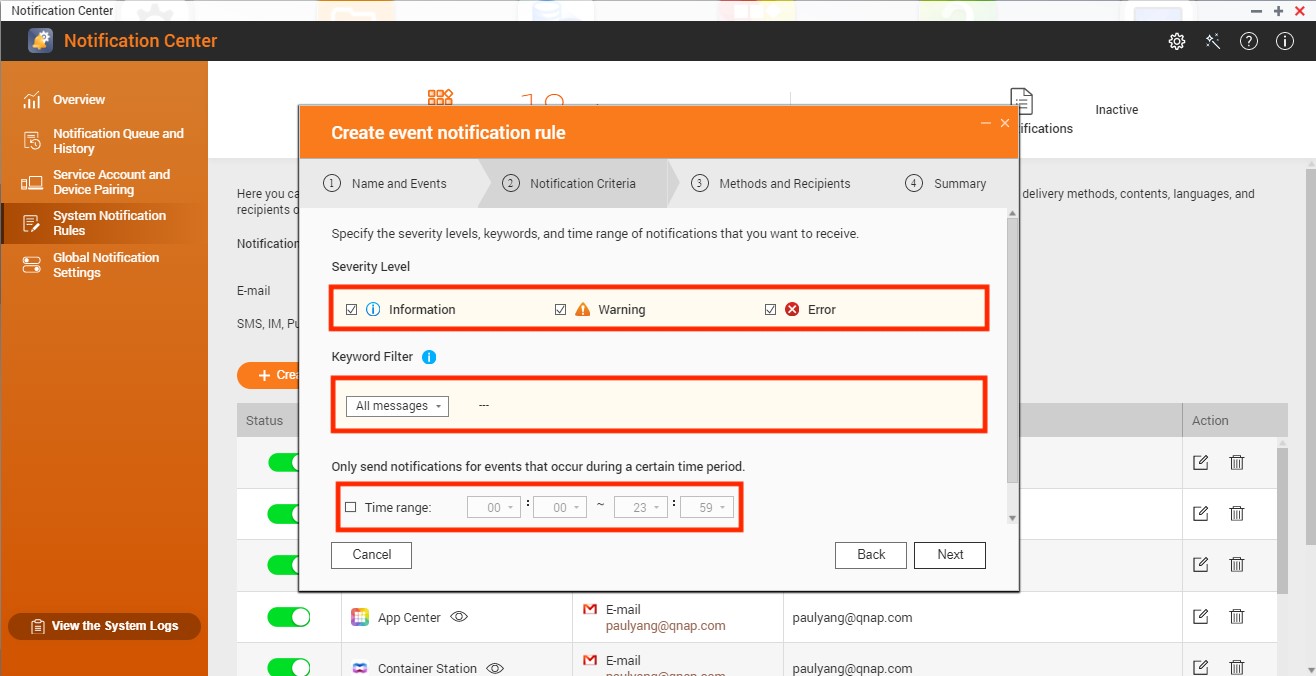
- Click Next.
- Select a delivery method.
- Configure the sender and recipient information.
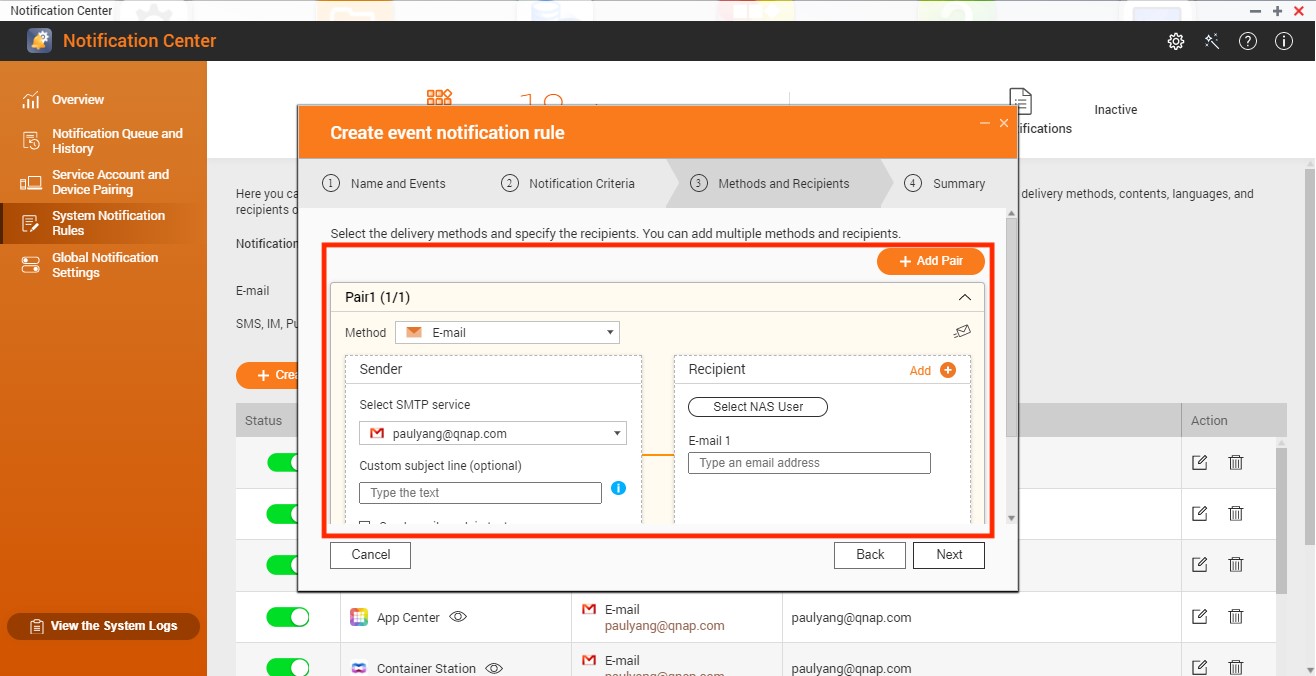
- Optional: Click Add Pair to create a new pair.
- Click Next.
- Review your settings and click Finish.
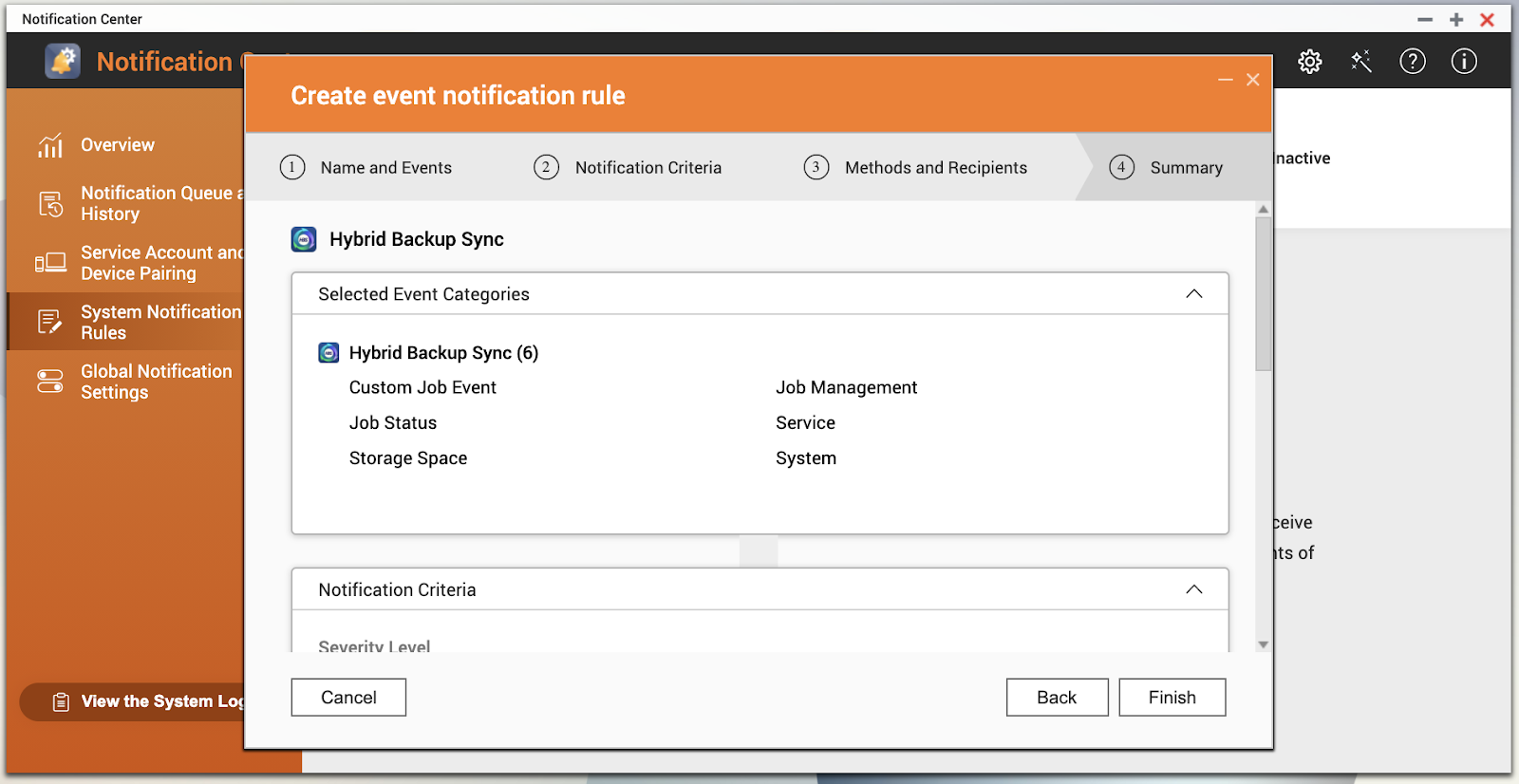
Notification Center creates the notification rule. - Go back to HBS 3 and verify the notification rule has been added.
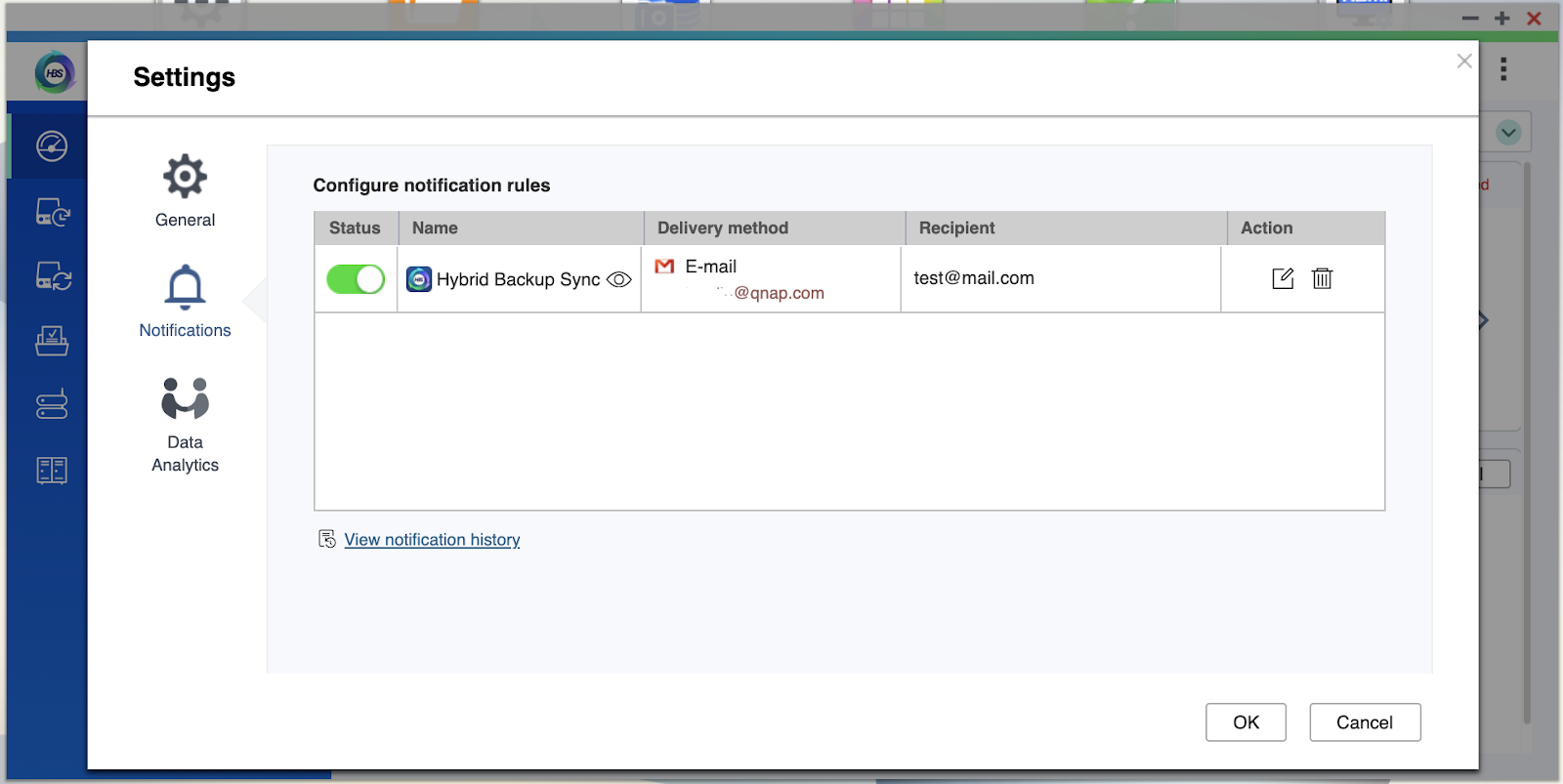 TipClick View notification history to see previous notifications.
További segítségért kérdezze meg a többi felhasználót és a QNAP szakértőit a közösségben. Irány a QNAP közösség


