[Thông báo bảo mật quan trọng] Phát hiện các trang web giả mạo Qfinder Pro. Tìm hiểu thêm >

Creating a QTS Account


Last modified date: 2020-08-20

QTS is the QNAP NAS operating system designed to enhance your productivity and enrich your digital life. While QTS makes file sharing easy, users only get the full benefits of using a NAS with a user account.

Users with administrator privileges can easily create a user account to share the NAS with family members, friends, or colleagues.

  1. Log on to QTS.
    Note:

    The default URL of QTS is http://<IP address>:<port>. For example, http://10.10.0.100:8080.

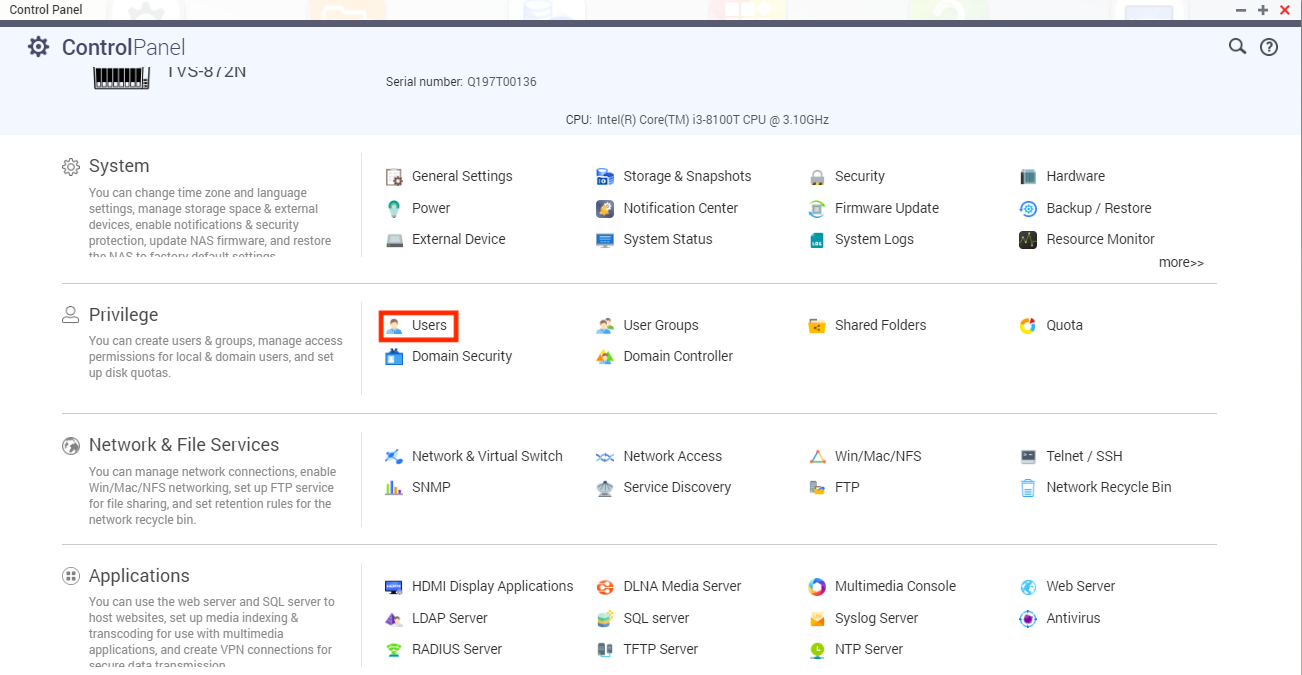
  2. Go to Control Panel > Privilege > Users.

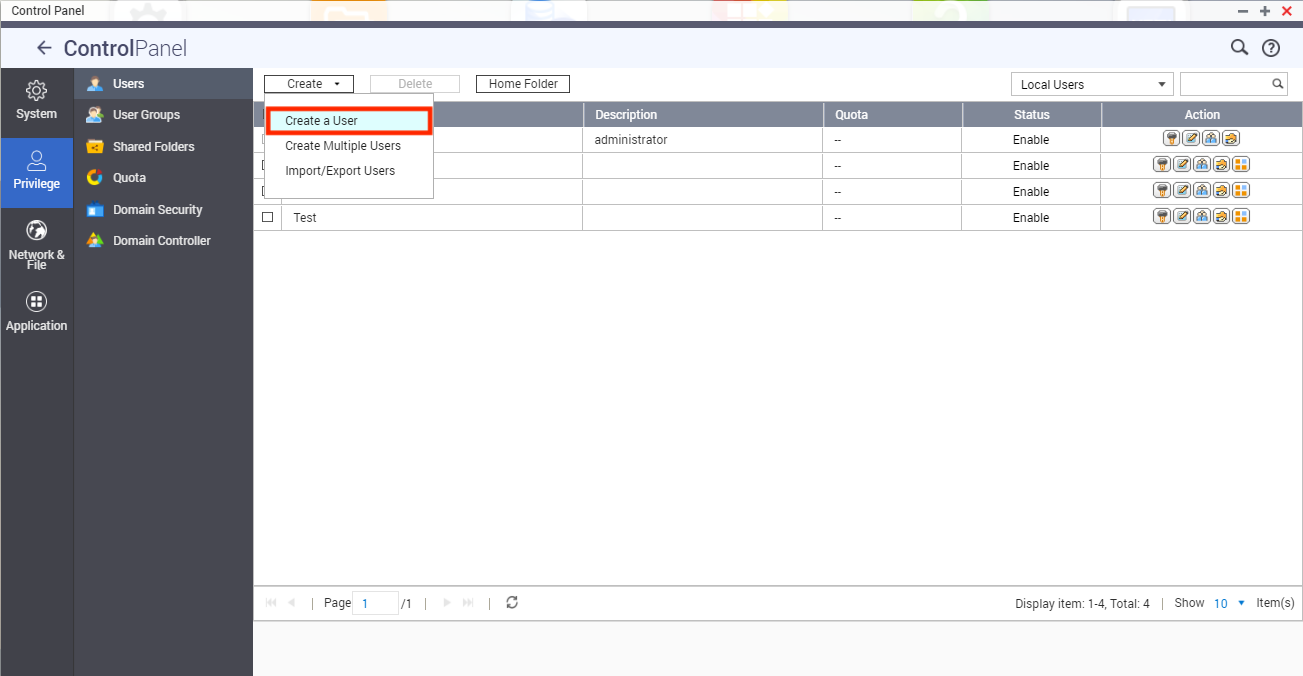
    The Users screen appears.

  3. Click Create and then select Create a User.
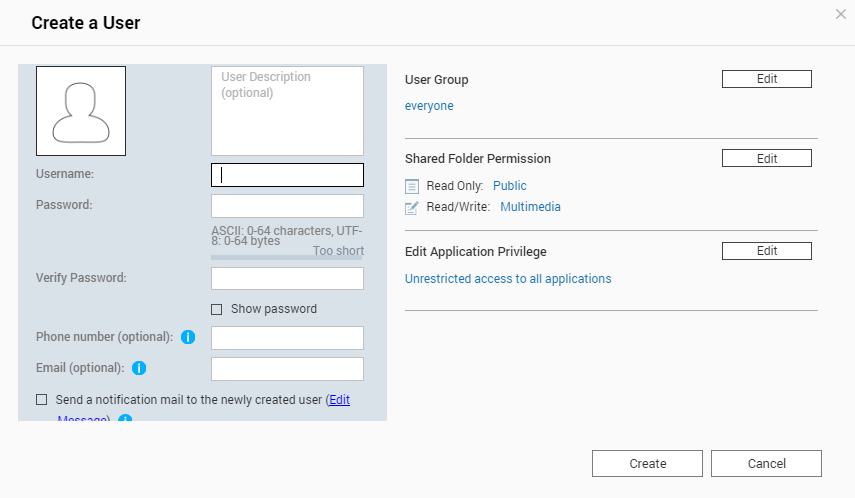
    The Create a User screen appears.

  4. Specify the username and password.
  5. Optional: Specify the user description, phone number, and email address.
  6. Optional: Select Send a notification mail to the newly created user.
    Tip:

    To modify the default email subject and message, click Edit Message.

  7. Optional: Modify the default user group, shared folder permission, application privilege, and quota settings.
    Important:

    Before you can configure the quota settings, you must first select Enable quota for all users. Go to Control Panel > Privilege > Quota.

  8. Click Create.

The account is created and added to the Users list.

Was this article helpful?

65% of people think it helps.
Thank you for your feedback.

Để được hỗ trợ thêm, hãy hỏi những người dùng khác và chuyên gia QNAP trong cộng đồng. Đến Cộng đồng QNAP

Please tell us how this article can be improved:

If you want to provide additional feedback, please include it below.

Chọn thông số kỹ thuật

      Xem thêm Thu gọn
      Chọn quốc gia hoặc khu vực của bạn
      Trò chuyện với chúng tôi! Trò chuyện với chúng tôi!
      back to top