


How to add jobs to crontab to schedule a job
Applicable Products
QTS and QuTS Hero
Solution
You must be able to connect to you QNAP NAS using SSH and know how to edit a file using a text editor such as vi before starting it.
The crontab can be used to execute tasks based on a recurring schedule.
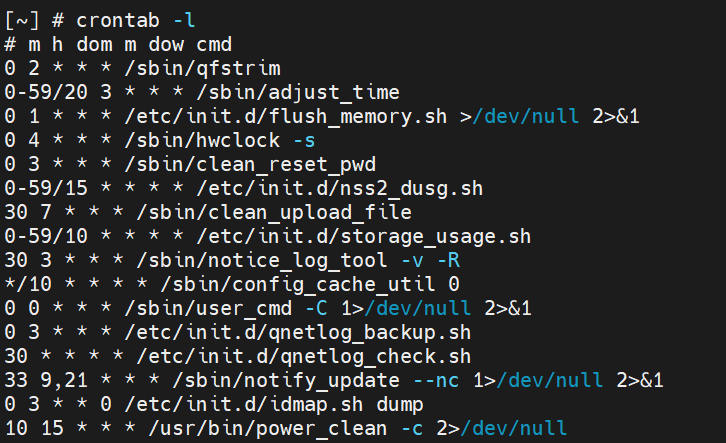
To view the contents of your crontab, please logon to your NAS via SSH and type crontab -l.
[~] # crontab -lYou will see a list of crontab entries.
e.g.:
This is the crontab definition. (from Wikipedia)

For more details, please see Cron on Wikipedia.
Now, we can start to modify crontan entries.
DO NOT edit crontab the usual way, like this.
X [~] # crontab -e
Becaues of the way of the firmware update, the crontab will be overwritten during next system reboot.
Obviously, you would like to your schedule job to survive after the reboot. So please follow steps below.
1. Edit the crontab file, "/etc/config/crontab" directly with the text editor and add a task into it with correct format.
e.g.:
[~] # vi /etc/config/crontab2. Save the changes and exit the editor.
3. Run the command below to reload the crontab file and restart the cron daemon.
[~] # crontab /etc/config/crontab && /etc/init.d/crond.sh restartNote: Don't forget to change the file mode of your script to be executable.
e.g.: Your sccript file name is myscript.sh
[~] # chmod +x myscript.sh4. Done.
Now, you should be able to see your script file running periodically and even after the system reboots.
Ainda precisa de ajuda?
Publique sua pergunta na Comunidade QNAP. A equipe da QNAP e usuários experientes irão responder.


