


QuTScloud for Private Cloud
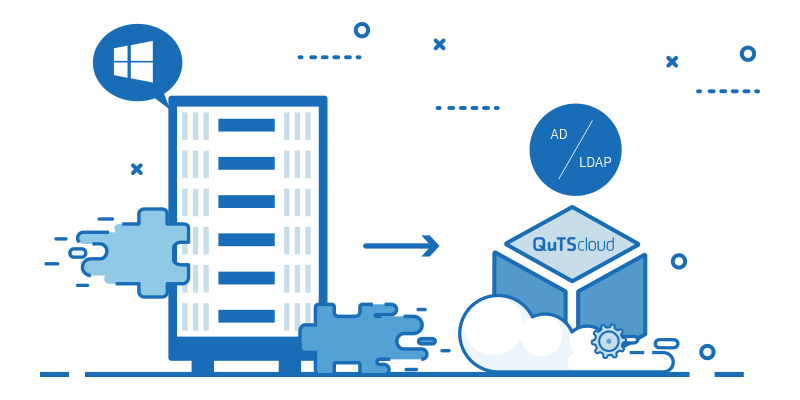
Implement QuTScloud – a virtual appliance based on QNAP NAS operating system – as privately-hosted virtual machines on Linux® KVM, Microsoft® Hyper-V, and VMware ESXi™.
Flexibly run on private data centers, easily acquire app-aware NAS advantages
A virtual NAS solution suited for enterprises and workgroups
QuTScloud is a virtual appliance based on QNAP’s QTS NAS operating system. For enterprises and workgroups that demand resource elasticity and budget flexibility, QuTScloud can be implemented as virtual machines (VMs) running on existing on-premise data centers. This allows for building business-focused private clouds and acquiring advanced NAS features without requiring additional NAS hardware. It is cost-saving, space-saving, and flexible!

Supported server virtualization platforms for QuTScloud


Benefits of QuTScloud virtual NAS
-

Optimized resource utilization
Run QuTScloud VMs on existing private servers to optimize resource usage (CPU, memory, storage, and network) for greater application potential.
-

Agility and cost savings
QuTScloud makes it easy to acquire feature-rich QTS services and on-demand NAS applications.
-

Valued-added App Center
The built-in App Center includes numerous free apps and several value-added premium apps for boosting QuTScloud functionality.
-

Cloud storage gateways
QuTScloud supports apps that provide cloud storage gateway functionality for enterprises looking for private and hybrid cloud solutions.
Quickly launch QuTScloud in a wide range of virtual environments
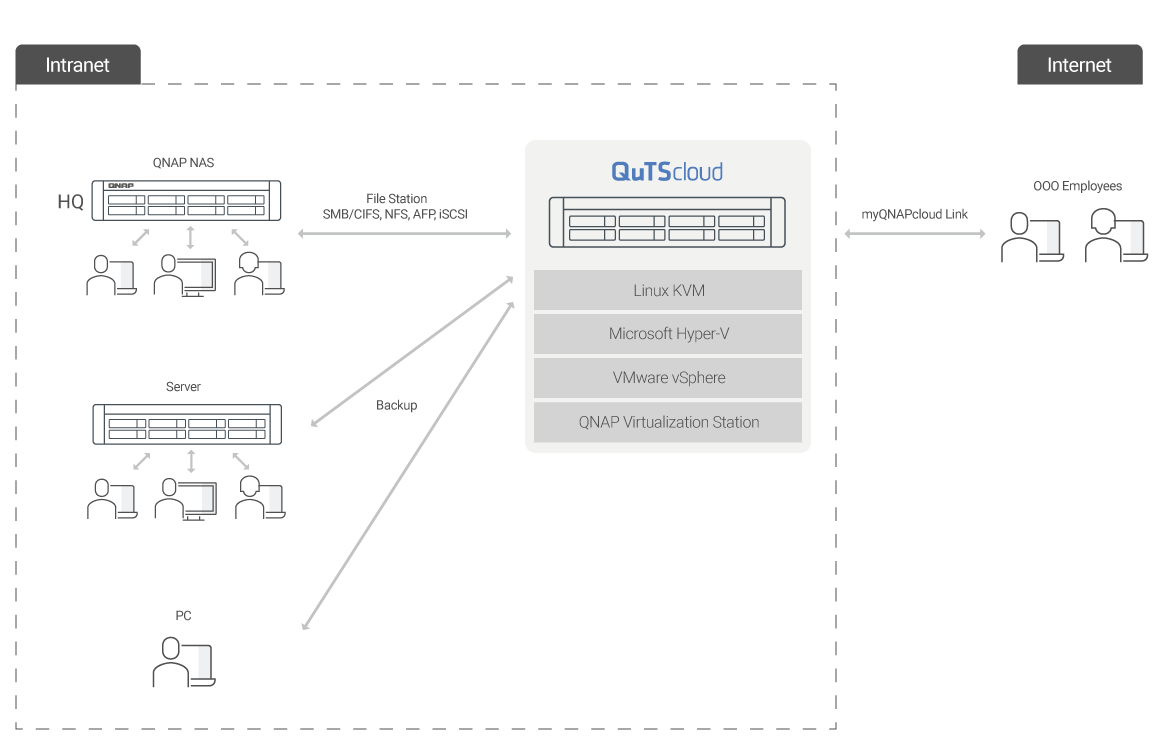
QuTScloud can be quickly launched on hypervisors including Linux® KVM, Microsoft® Hyper-V, and VMware ESXi™, and also on QNAP Virtualization Station. Organizations can increase their budget flexibility by using existing virtual environments, saving hardware space and additional maintenance efforts, and by leveraging the application advantages of the app-aware QuTScloud operating system.
QuTScloud feature highlights
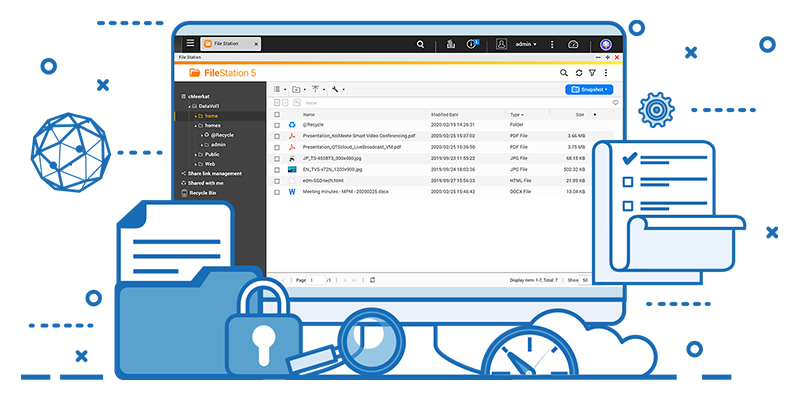
Centralized file and data management system
Set up a QuTScloud virtual NAS to create a business file server. It is packed with comprehensive features to make file management, sharing, and team collaboration a breeze.
Easy connection and anywhere access
-

Access via Samba share with file browser
Users can access QuTScloud via familiar protocols (including SMB/CIFS, NFS, and AFP) for file sharing across Windows®, Mac®, and Linux®/UNIX® networks. Connection through iSCSI is also supported.
-

Quick access via myQNAPcloud Link
myQNAPcloud Link allows connecting to QuTScloud using a unique domain name, making it easy to access, manage, and share data without requiring a static IP. Dedicated mobile apps also provide hands-on ways to control QuTScloud’s file access, system management, and multimedia.
Backup center for data recovery and protection
It is imperative that every company-from home offices to multinationals-have complete plans for data backup and disaster recovery.


Cloud storage gateways for hybrid cloud connectivity
Organizations can utilize HybridMount and VJBOD Cloud apps to form file-based and block-based cloud storage gateways and mount mainstream cloud storage on QuTScloud. Moving business data to the cloud becomes easy, and users can seamlessly leverage the cloud for storage, backup, and data recovery with low-latency access for an innovative hybrid cloud experience.

Create S3 compatible object storage on hypervisors
QuObjects allows organizations to operate an S3 compatible object storage environment on QuTScloud at no extra cost, helping them to attain high performance and unlimited uploading/downloading advantages for object storage development & testing. It is also an ideal on-premises storage for backing up cold data from the cloud to reduce cloud storage costs.

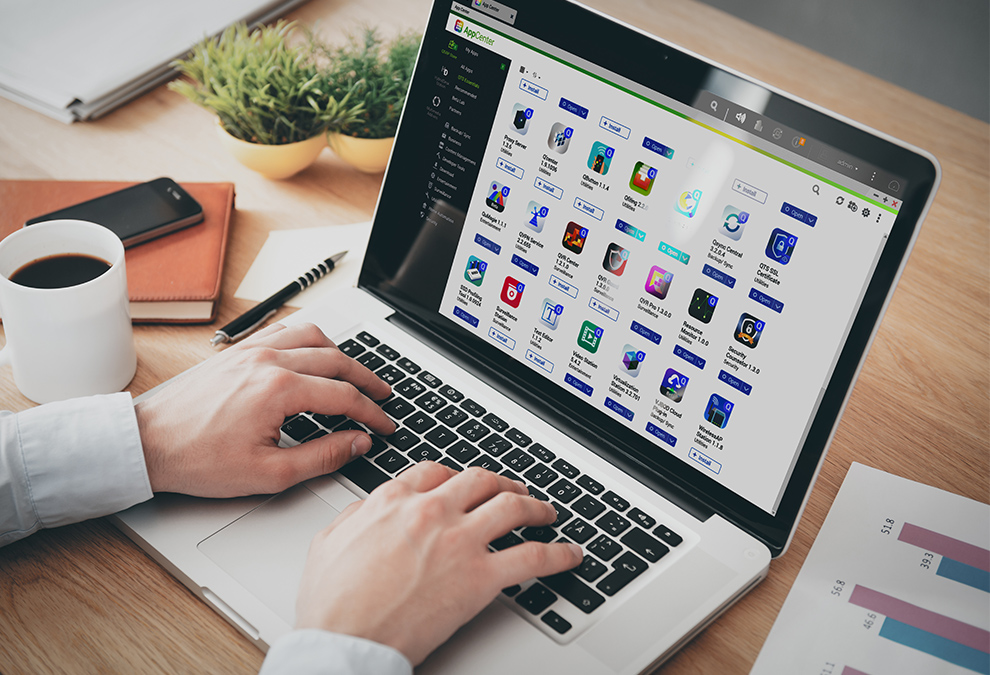
Expand application potential with the App Center
The App Center provides various install-on-demand apps, including tools for backup/sync, productivity, and multimedia to expand the application potential of QuTScloud. For example, Qsirch is a full-text search engine that helps find specific files quickly; Qfiling automates file organization; QuMagie provides an AI-powered photo album. QuTScloud also supports hosting containerized apps, or a proxy server for optimized network bandwidth and secured network connection. Apps can also be installed manually. The App Center will automatically update your apps to the latest versions.
Console Management – A convenient way for troubleshooting
When performing maintenance or troubleshooting, or if IT/tech support staff are unable to access QuTScloud via HTTP/S, Console Management can be used to perform basic configuration and debugging. Console Management is available using SSH or the management console of each cloud platform.
Note: Console Management is only available after initializing QuTScloud.



QuTScloud virtual NAS available through license subscription
Install QuTScloud on your hypervisors and enjoy an intelligent, feature-rich QTS experience.
Excellent Pricing + Pay as You Go + Numerous Free Apps + Value-added Paid Apps
Setup your QuTScloud in 5 easy steps
-
Step 1
Download QuTScloud images
-
Step 2
Purchase QuTScloud licenses
-
Step 3
Upload the QuTScloud image on the virtualization platform’s hypervisor of your choice
-
Step 4
Launch the QuTScloud Virtual Machine
-
Step 5
Enter the license and start using QuTScloud
Download QuTScloud Images
Learn more about our premium apps
-

QuMagie
Entertainment
Easily browse, organize, and find your photos. Enjoy the AI-powered image recognition for AI albums.
-

Qsirch
Productivity
Instantly search for files, and preview, download, and share files after finding them.
-

Qfiling
Productivity
Categorize your files, set a schedule, and Qfiling automates your file organization.
-

OCR Converter
Productivity
Easily extracts text from images to facilitate file organization, editing, and searching.
-

McAfee Antivirus
Security
Ensure the safety of your data by scanning and quarantining harmful files. Virus definitions are automatically updated to keep your data protected.
-

Boxafe
Backup/Sync
Backup or sync files, emails, calendars and contacts from Google™ Workspace and Microsoft® Office 365®.


Share your creative apps with the world!
Reach a global audience by submitting your apps and package designs to the QuTScloud App Center. We welcome app submissions from software developers, network/system integrators, and independent coders alike, providing an effective way for you to distribute your apps and solutions with users around the world.

Apply now to become a QuTScloud App Center developer
QNAP looks forward to cooperating with you. Apply now and we’ll get in touch.


