


Using Instant Backup in NetBak Replicator
QNAP NetBak Replicator provides several options for copying files from your Windows computer to your NAS. By simplifying the backup process, NetBak Replicator helps ensure that your files are safe even when your computer becomes unavailable.
You can use Instant Backup to immediately back up your files.
To download and install NetBak Replicator, go to http://www.qnap.com/utilities.
- Open NetBak Replicator.
The Simple Mode screen appears.

- Select the folders or files that you want to back up and then click Next.

- Specify the NAS destination folder and then click Start.
Note:
The destination NAS folder that you selected during the initial configuration process is selected by default. To specify a different folder location, select Network Location Wizard.
For details on using the wizard, see Configuring QNAP NetBak Replicator.

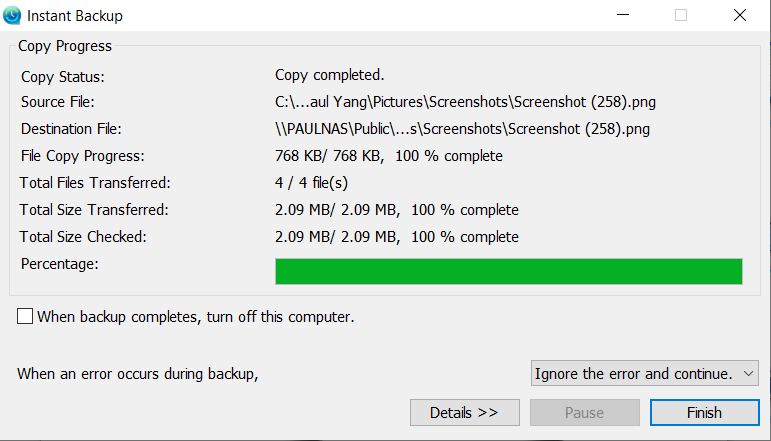
The backup job is completed and a confirmation message appears.
- Click OK and then click Finish.
 Tip:
Tip:You can click Details to view the detailed information of the backup job.
Pro další pomoc se zeptejte ostatních uživatelů a odborníků QNAP v komunitě. Přejít do komunity QNAP


