


How to disable auto-generating thumbnails in File Station?
Last modified date:
2022-03-30
Note: This KB is applied on QTS 4.4.1 ,If you find the information is outdated or you are using different QTS version,please leave a comment to us.
(refer to this link for the latest QTS version which could be supported on your NAS)
Procedures
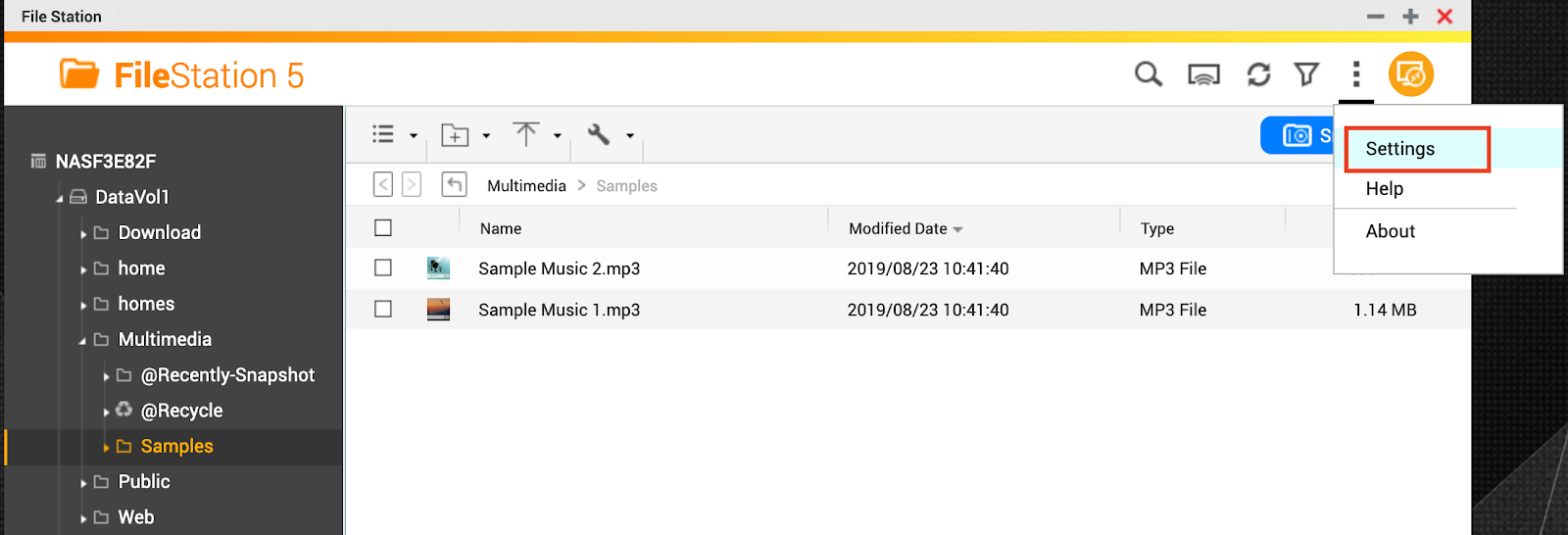
1.Open File Station and click Settings on the top right corner.
2.find Multimedia and disable Support multimedia playback and thumbnail display
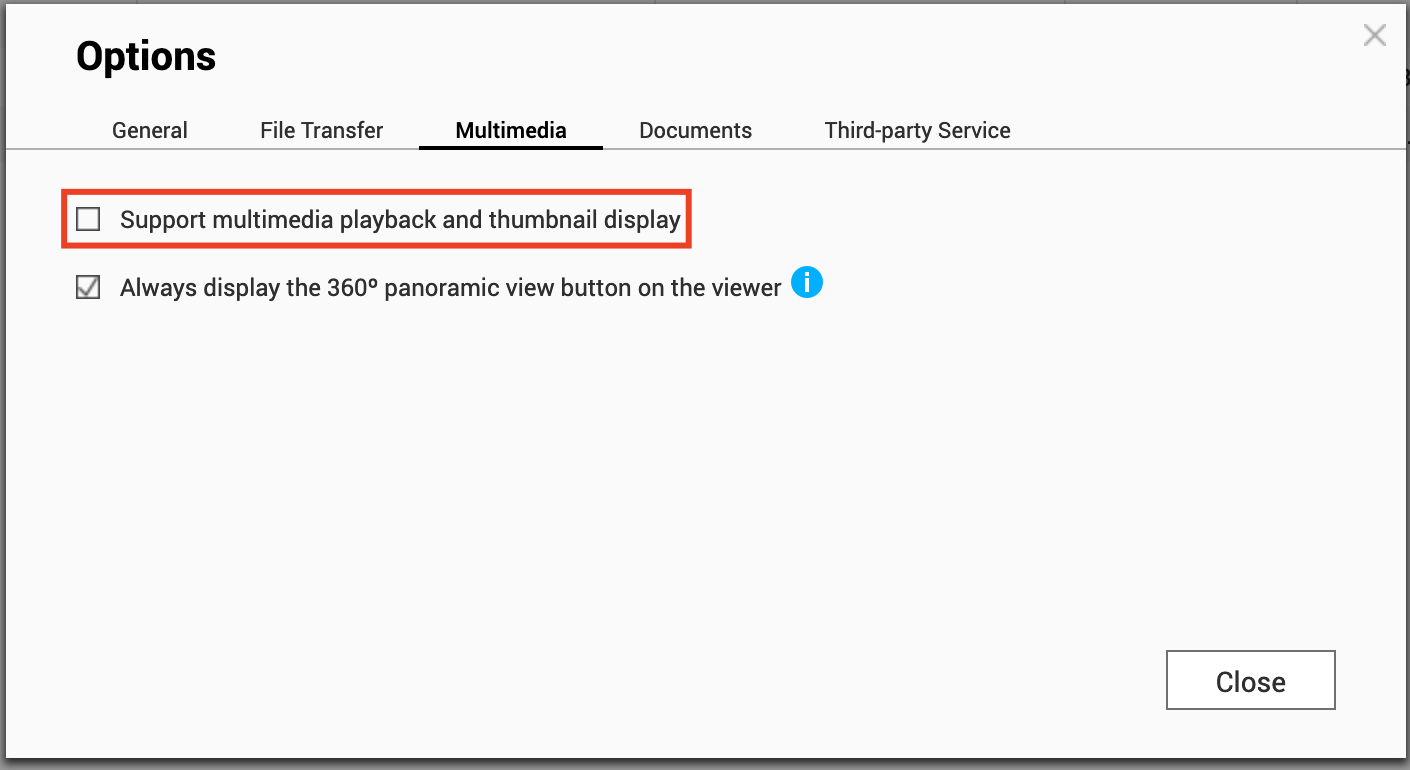
Note: This will also disable Media Viewer.
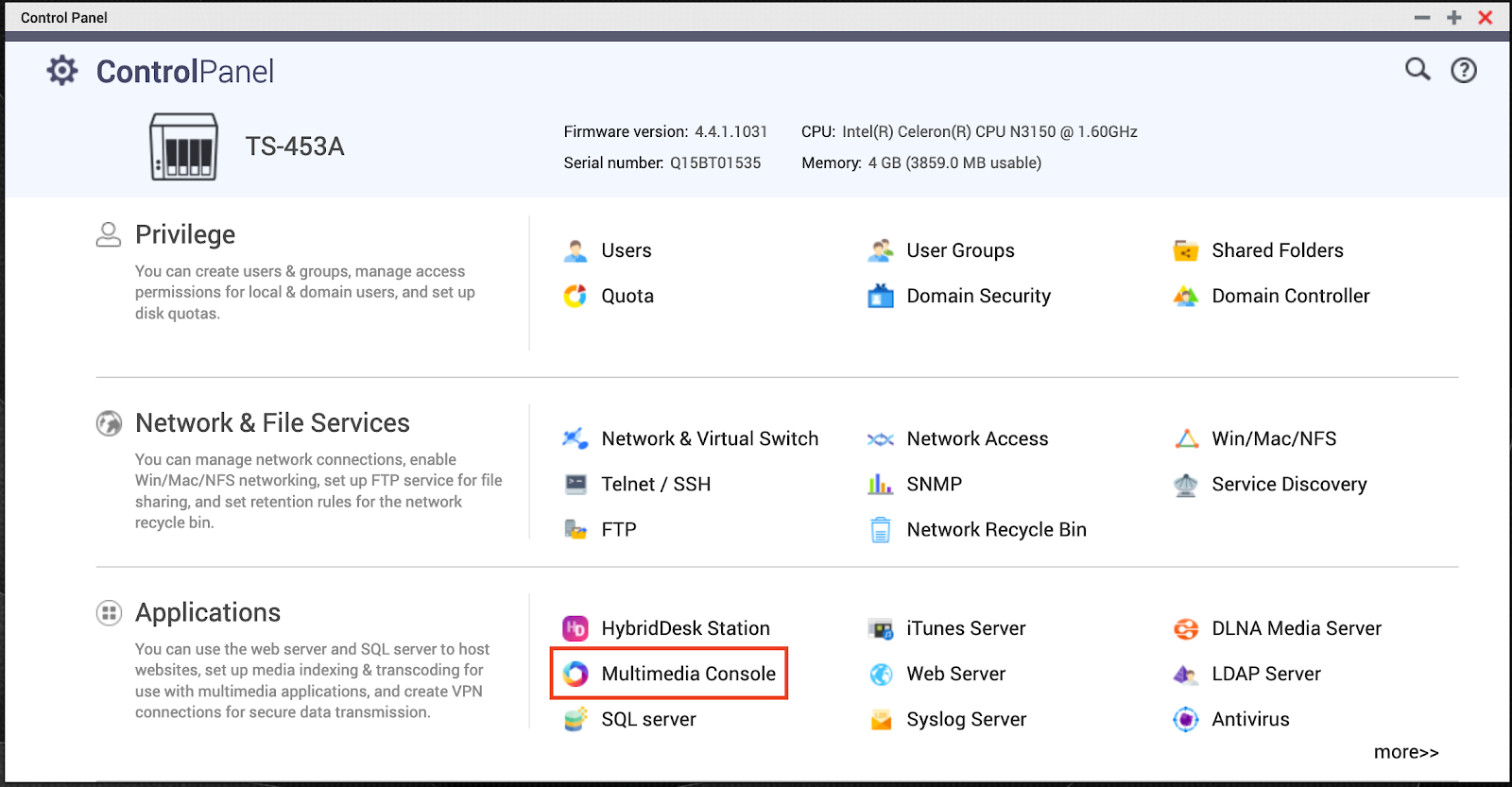
3.Find Control Panel > Applications > Multimedia Console
4.Select Thumbnails Generation and disable it.
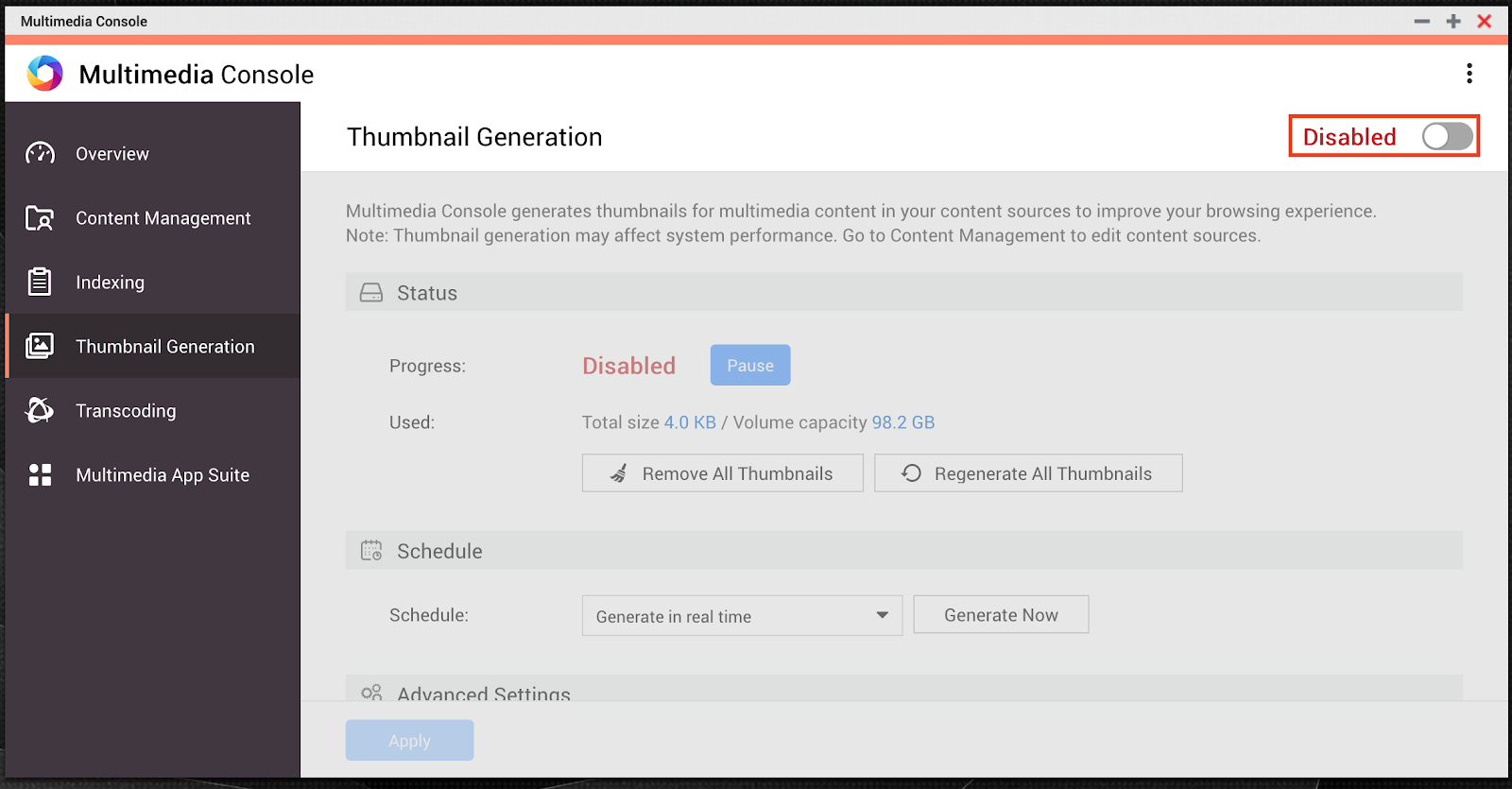
Note: Services such as Photo Station, Music Station and DLNA Media Server will be affected by this setting.
Bạn vẫn cần hỗ trợ?
Hãy đăng câu hỏi của bạn trong Cộng đồng QNAP. Nhân viên QNAP và những người dùng giàu kinh nghiệm sẽ trả lời.


