


How to replace old QID with the newly created QID in the NAS?
Last modified date:
2022-06-24
Applicable Products:
- myQNAPcloud
You need to log in to the NAS locally using your administrator account to be able to open the myQNAPcloud app: 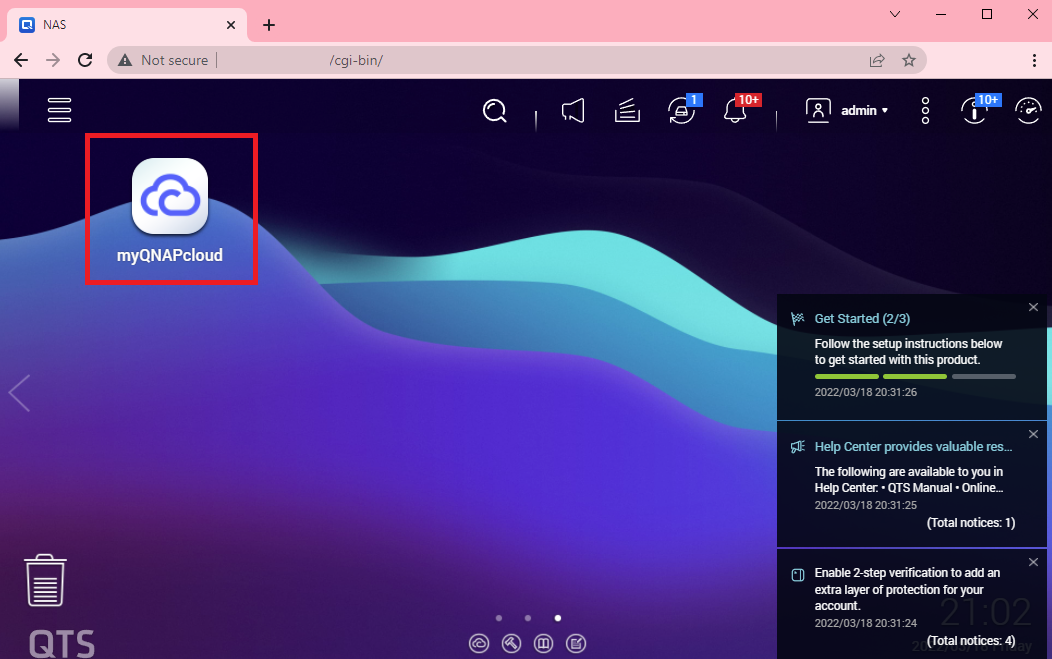
Once the app loads, in the Overview Tab click the sign out button next to the QID to sign out your old QID account:
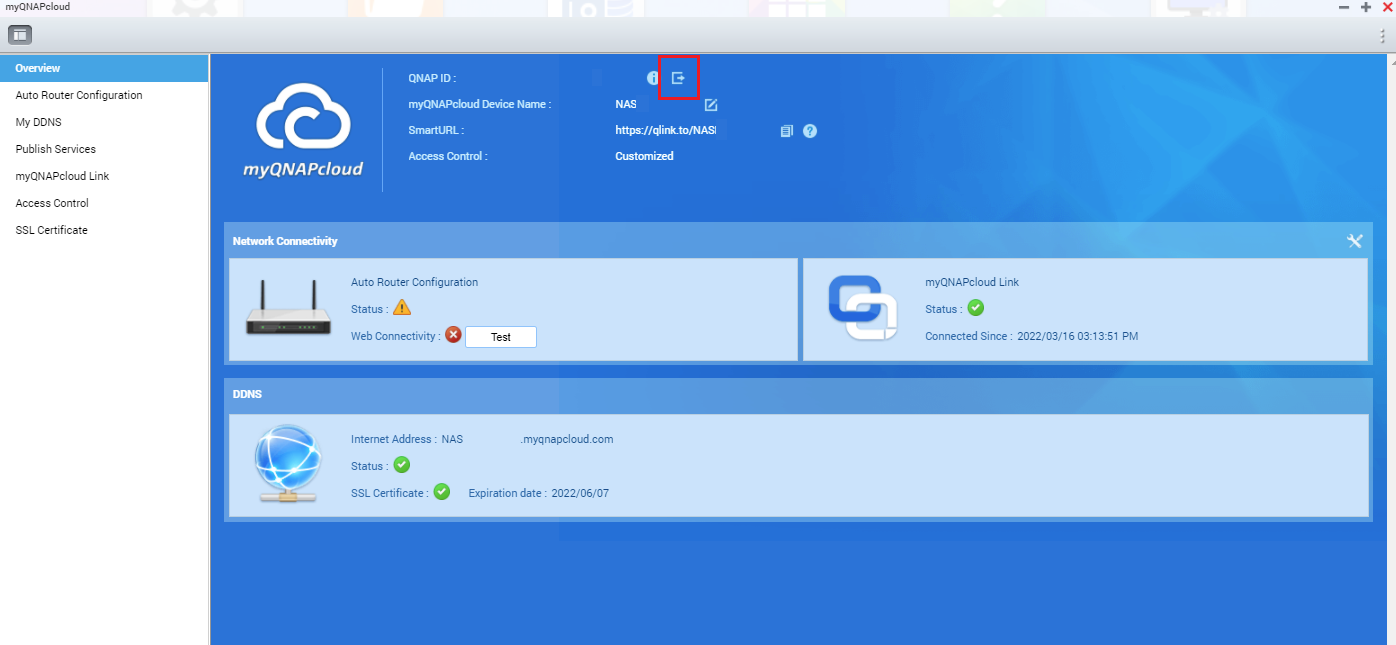
Once signed out, you can then sign in your new account by clicking the Get Started button:

See below additional link for reference:
Can I Change My Email Address for My QID Account?
Accessing your QNAP device with myQNAPcloud service
Để được hỗ trợ thêm, hãy hỏi những người dùng khác và chuyên gia QNAP trong cộng đồng. Đến Cộng đồng QNAP


