


Why does the free space shown in the client not match NAS web page?
Last modified date:
2022-06-24
Applicable products:
Why does the free space shown in the client not match NAS web page?
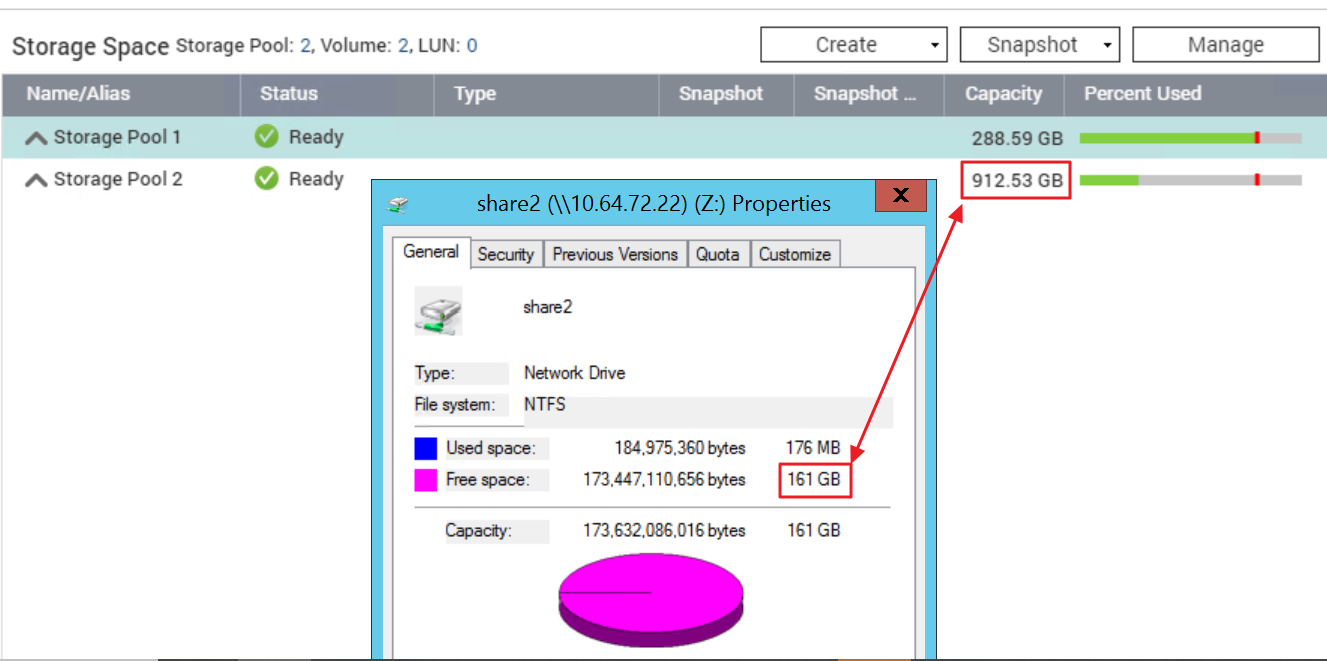
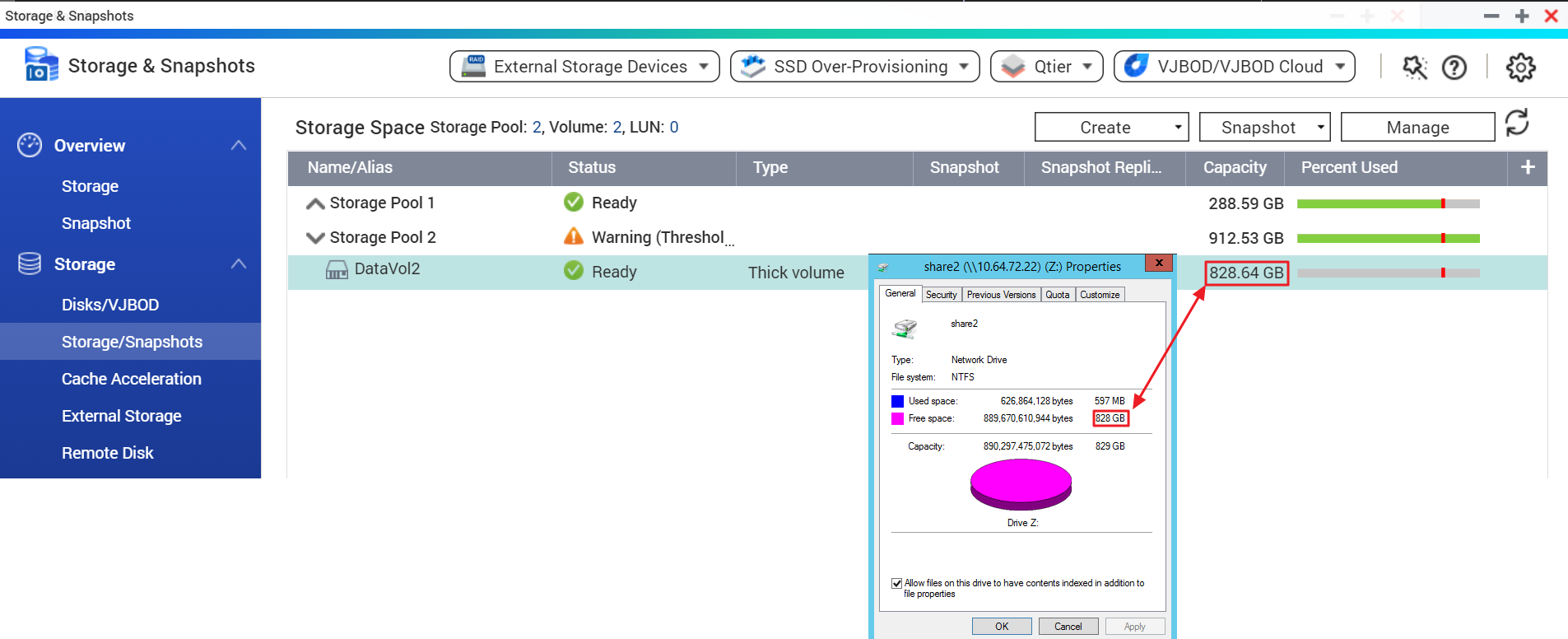
You may check the Storage & Snapshots > Storage/Snapshots in the NAS Web Management page and click on to expand the Storage Pool list to check the capacity of the data volume.
Note: You should check the data volume capacity instead of the pool capacity.
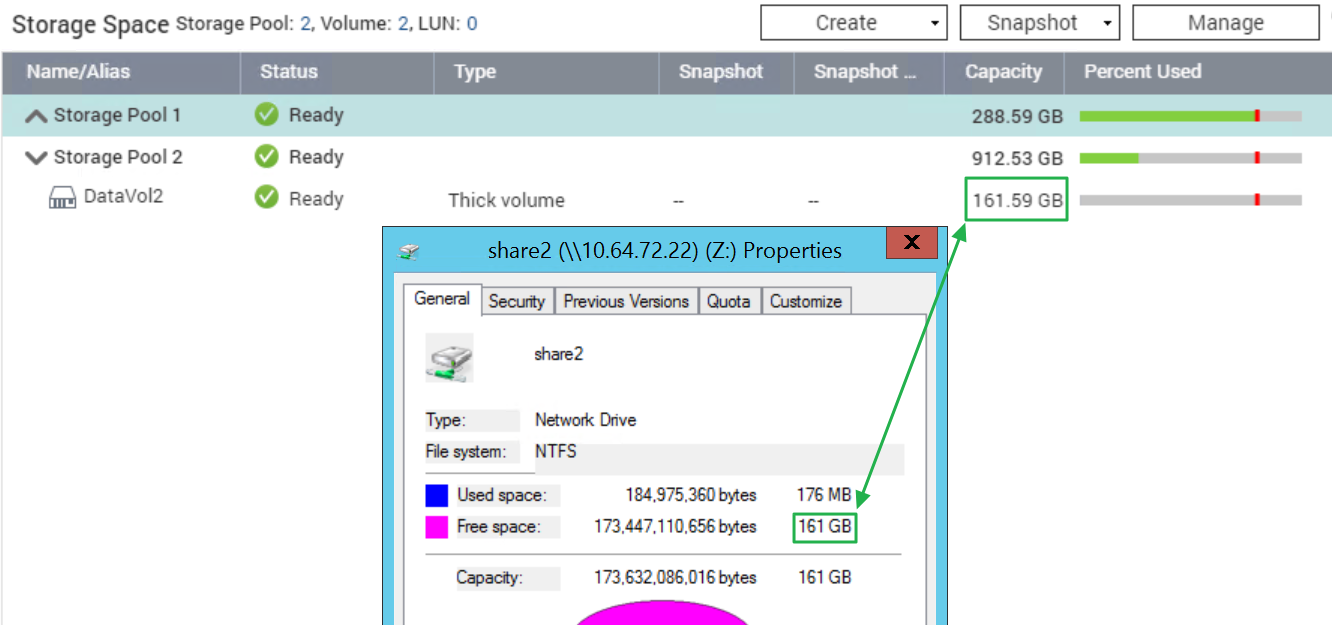
In the example below, the free data volume capacity matches the free space in Windows.
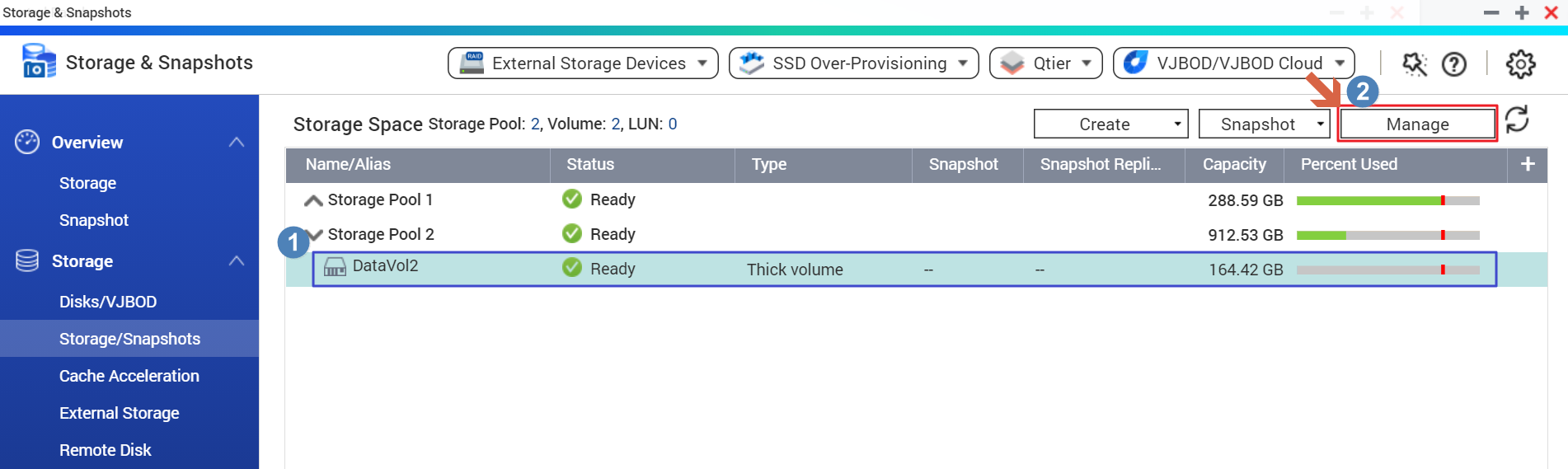
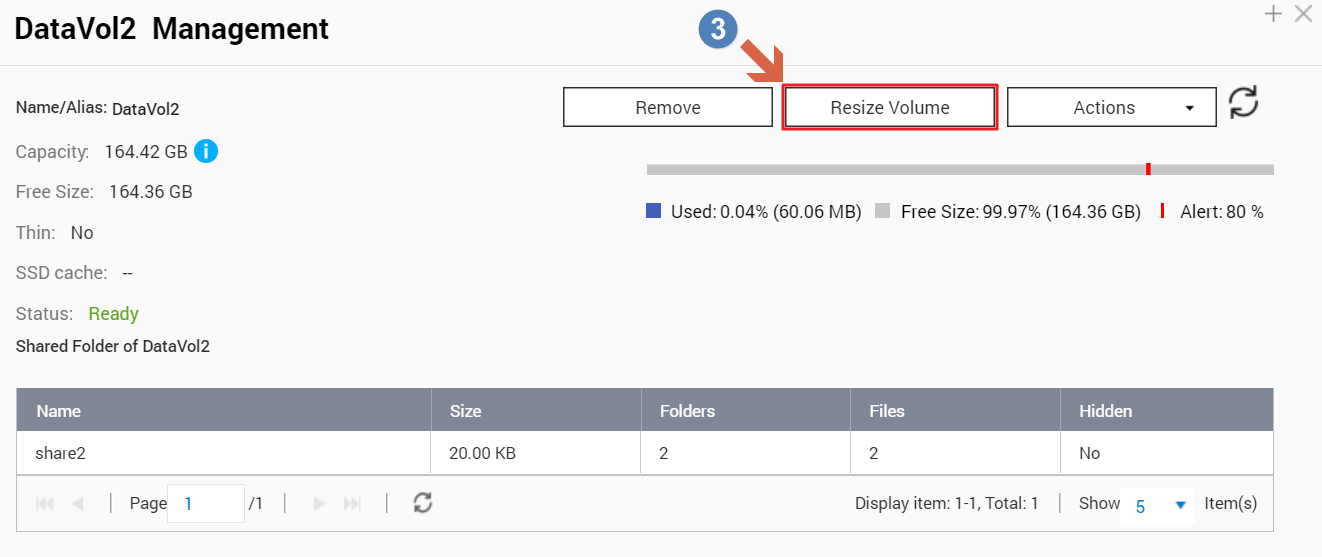
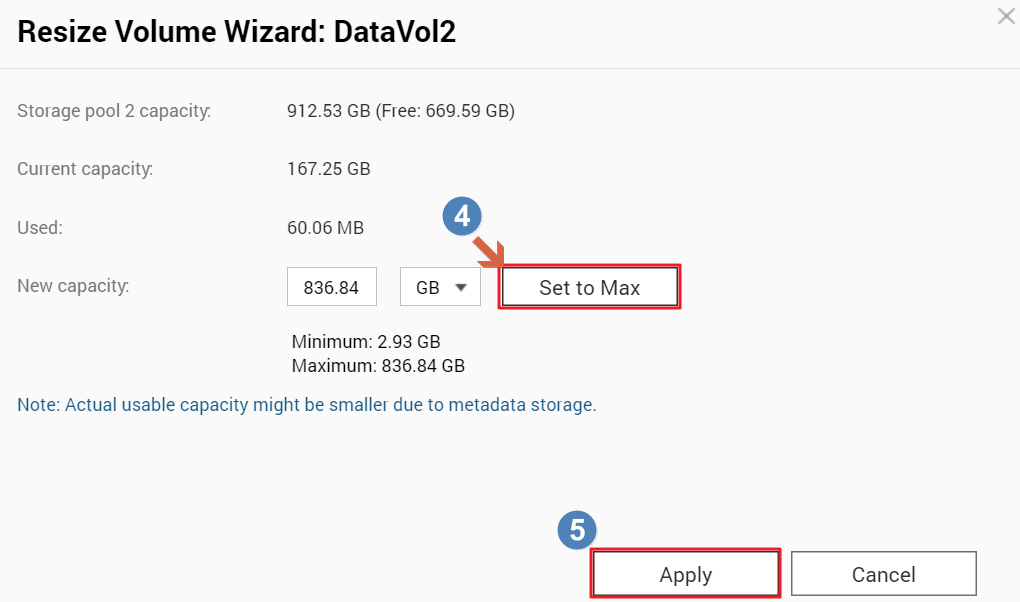
In addition, you can resize the data volume to expand its capacity with the steps below if there’s still free space in the storage pool.
- All NAS series
Why does the free space shown in the client not match NAS web page?
You may check the Storage & Snapshots > Storage/Snapshots in the NAS Web Management page and click on
to expand the Storage Pool list to check the capacity of the data volume. Note: You should check the data volume capacity instead of the pool capacity.
In the example below, the free data volume capacity matches the free space in Windows.
In addition, you can resize the data volume to expand its capacity with the steps below if there’s still free space in the storage pool.
Để được hỗ trợ thêm, hãy hỏi những người dùng khác và chuyên gia QNAP trong cộng đồng. Đến Cộng đồng QNAP


