


Why does the free space shown in the client not match NAS web page?
最後修訂日期:
2022-06-24
Applicable products:
Why does the free space shown in the client not match NAS web page?
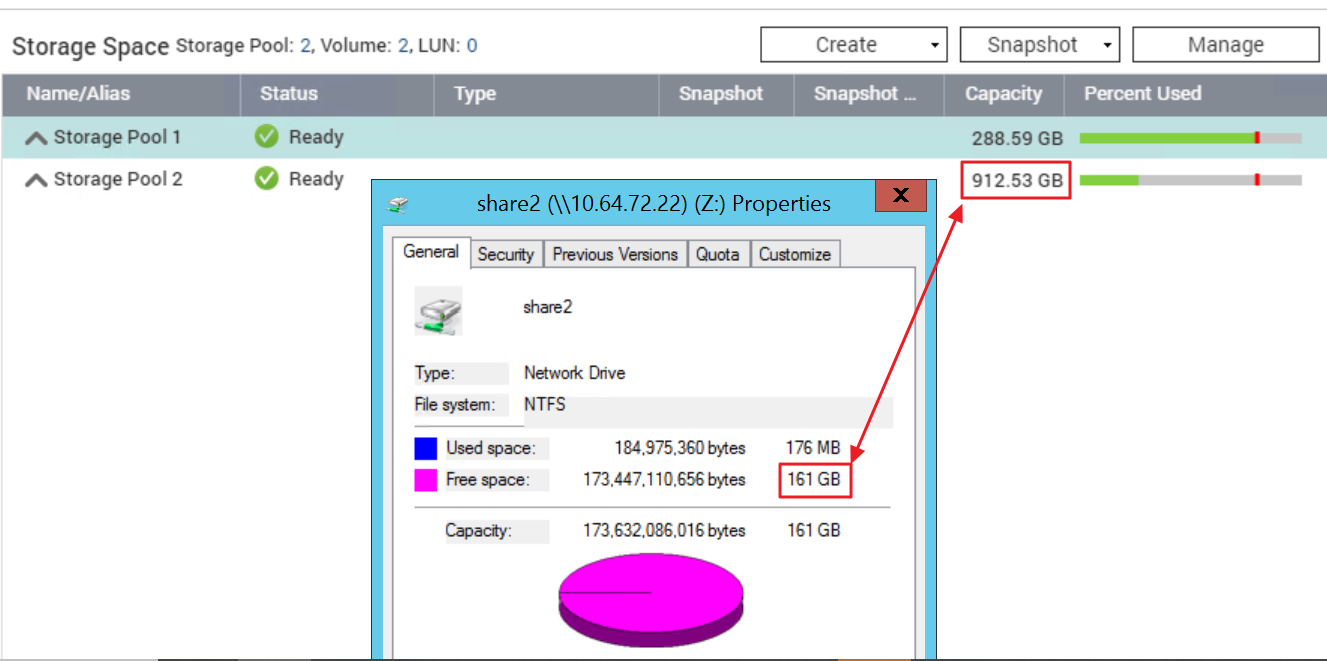
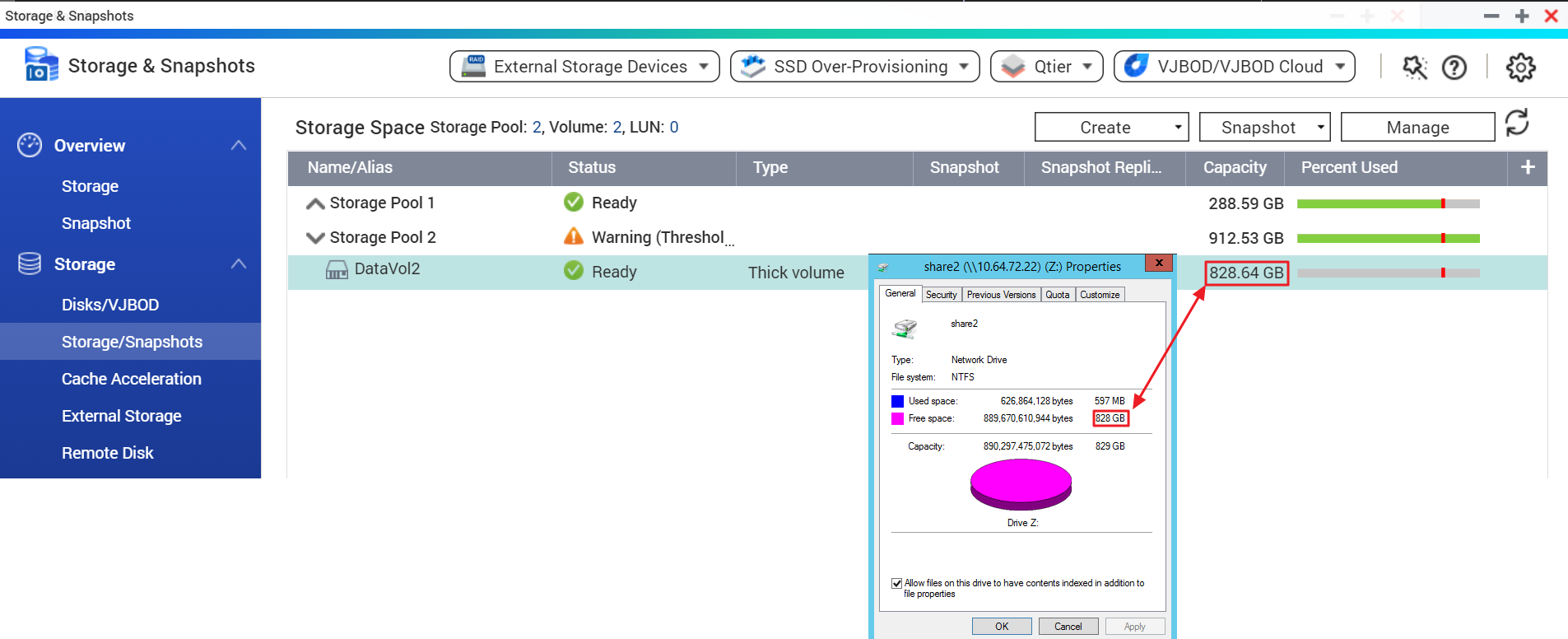
You may check the Storage & Snapshots > Storage/Snapshots in the NAS Web Management page and click on to expand the Storage Pool list to check the capacity of the data volume.
Note: You should check the data volume capacity instead of the pool capacity.
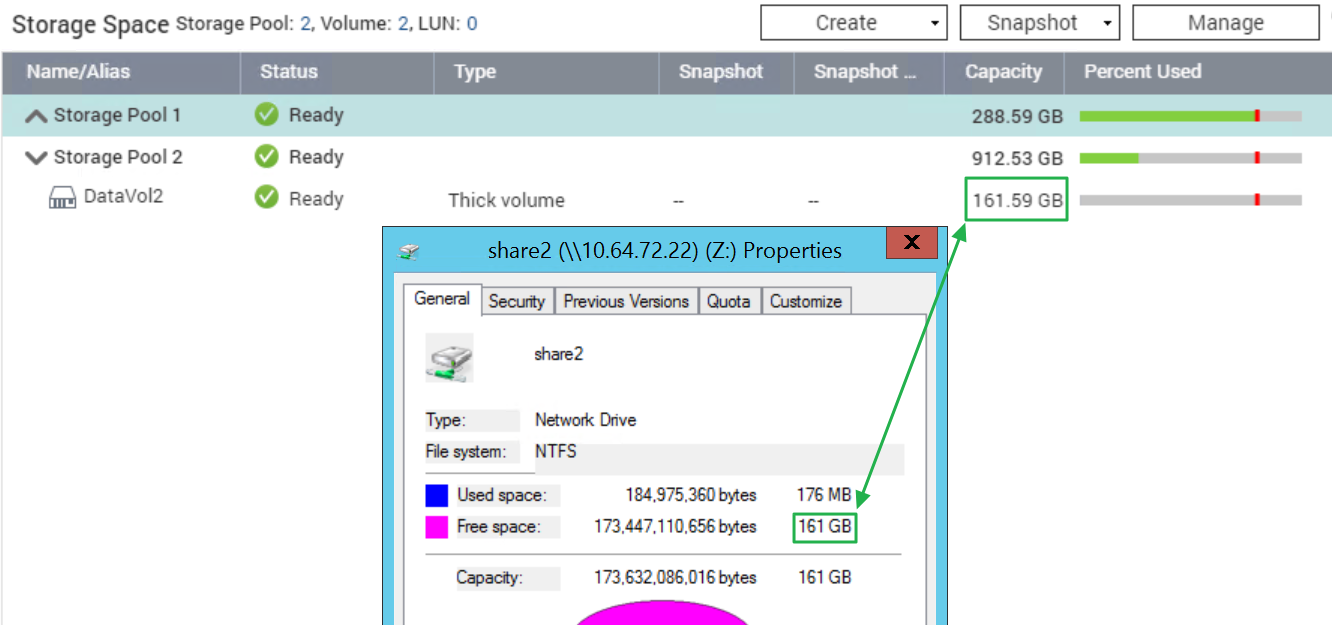
In the example below, the free data volume capacity matches the free space in Windows.
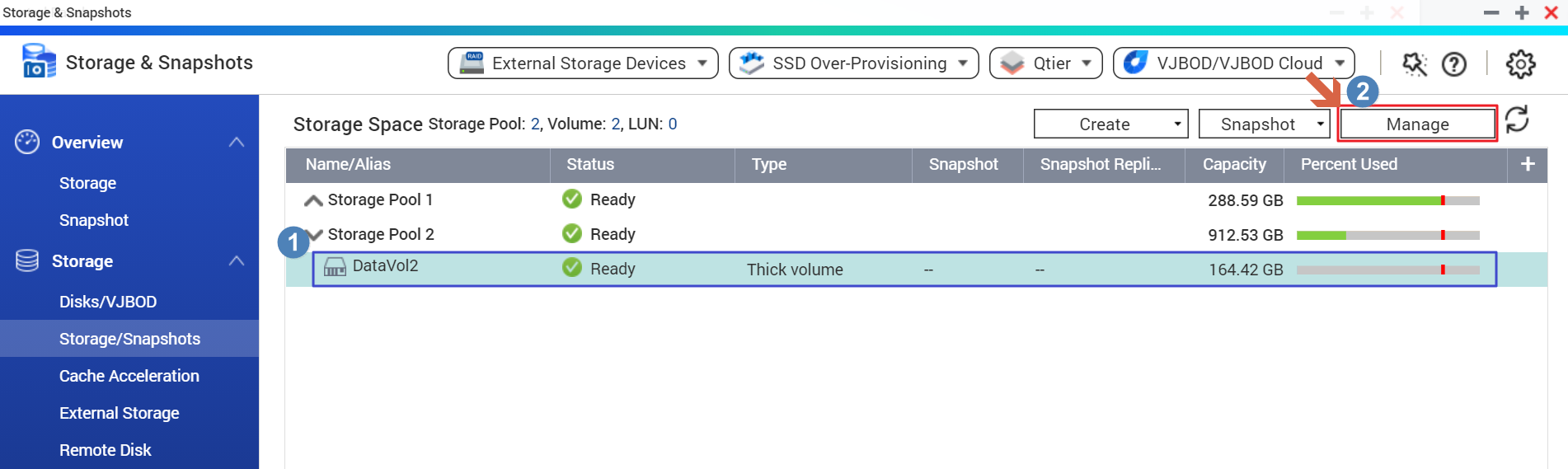
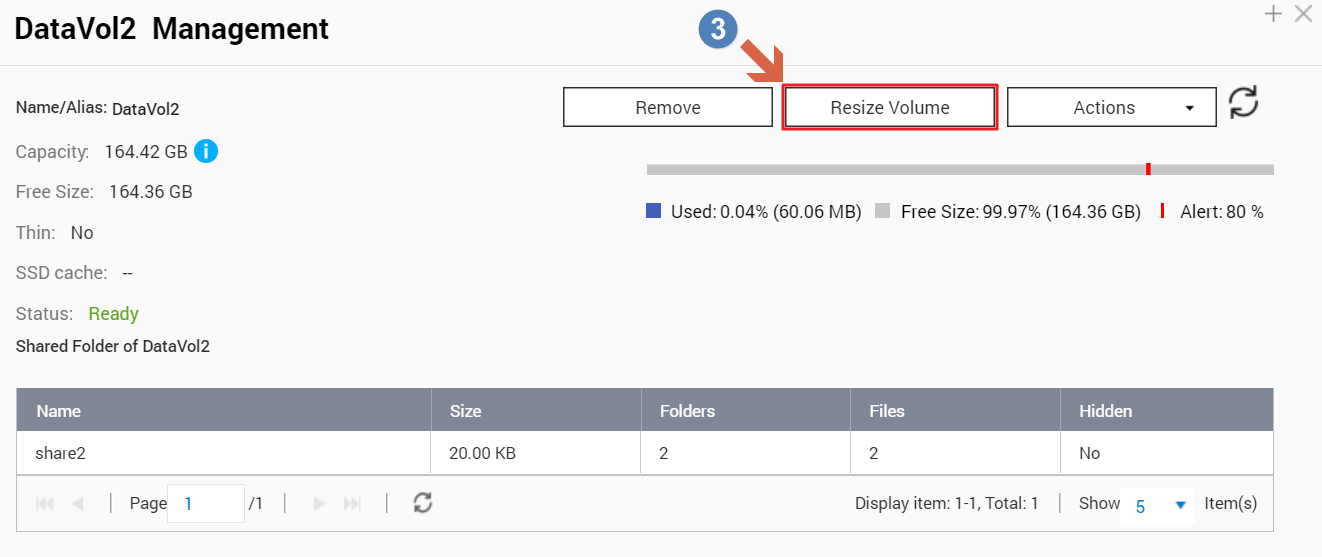
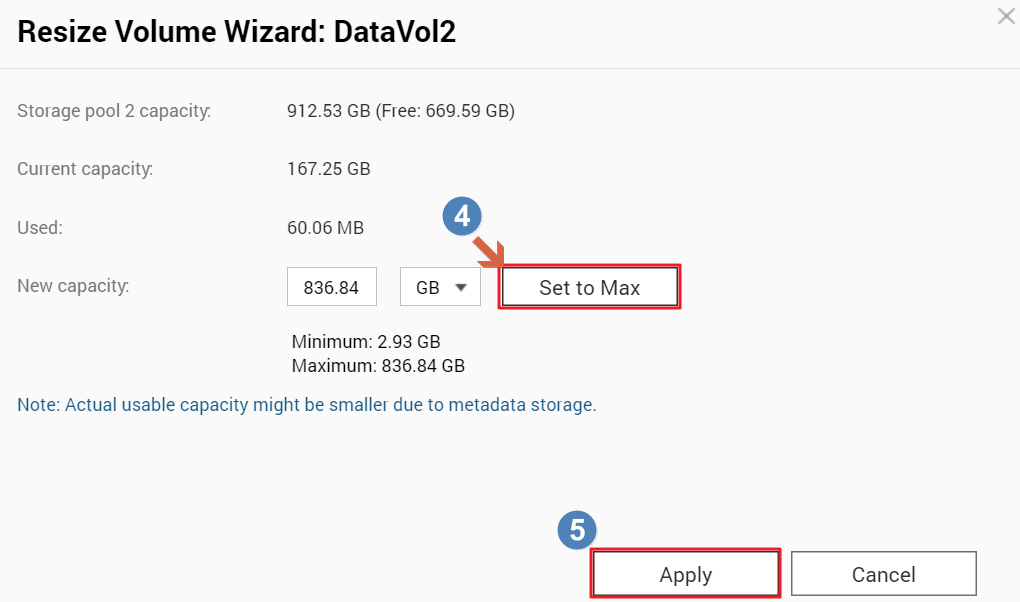
In addition, you can resize the data volume to expand its capacity with the steps below if there’s still free space in the storage pool.
- All NAS series
Why does the free space shown in the client not match NAS web page?
You may check the Storage & Snapshots > Storage/Snapshots in the NAS Web Management page and click on
to expand the Storage Pool list to check the capacity of the data volume. Note: You should check the data volume capacity instead of the pool capacity.
In the example below, the free data volume capacity matches the free space in Windows.
In addition, you can resize the data volume to expand its capacity with the steps below if there’s still free space in the storage pool.
需要進一步協助,歡迎前往官方社群發文,與其他用戶及 QNAP 專家交流。 前往 QNAP 官方社群


